

編輯:關於 Android 程式設計
概念
什麼是 LruCache?它的實現原理又是什麼?這兩個問題其實可以合二為一:理解了 LruCache 是什麼,自然也明白了它的實現原理。Lru 的全稱是 Least Recently Used,即「近期最少使用」。由此可以推斷出它的核心思想:當緩存數據量超過設定上限時,優先移除近期最少使用的數據,保留使用最頻繁的數據。具體代碼又是如何實現的呢?我們一起走進源碼。
LruCache 源碼分析
public class LruCache<K, V> { //緩存 map 集合,為什麼要用LinkedHashMap //因為每次取值後都要進行排序,以確保下次移除的是最少使用的值 private final LinkedHashMap<K, V> map; private int size; private int maxSize; private int putCount; private int createCount; private int evictionCount; private int hitCount; private int missCount; public LruCache(int maxSize) { if (maxSize <= 0) { throw new IllegalArgumentException("maxSize <= 0"); } this.maxSize = maxSize; this.map = new LinkedHashMap<K, V>(0, 0.75f, true); } public void resize(int maxSize) { if (maxSize <= 0) { throw new IllegalArgumentException("maxSize <= 0"); } synchronized (this) { this.maxSize = maxSize; } trimToSize(maxSize); } public final V get(K key) { if (key == null) { throw new NullPointerException("key == null"); } V mapValue; synchronized (this) { mapValue = map.get(key); if (mapValue != null) { hitCount++; return mapValue; } missCount++; } V createdValue = create(key); if (createdValue == null) { return null; } synchronized (this) { createCount++; mapValue = map.put(key, createdValue); if (mapValue != null) { map.put(key, mapValue); } else { size += safeSizeOf(key, createdValue); } } if (mapValue != null) { entryRemoved(false, key, createdValue, mapValue); return mapValue; } else { trimToSize(maxSize); return createdValue; } } public final V put(K key, V value) { if (key == null || value == null) { throw new NullPointerException("key == null || value == null"); } V previous; synchronized (this) { putCount++; size += safeSizeOf(key, value); previous = map.put(key, value); if (previous != null) { size -= safeSizeOf(key, previous); } } if (previous != null) { entryRemoved(false, key, previous, value); } trimToSize(maxSize); return previous; } private void trimToSize(int maxSize) { while (true) { K key; V value; synchronized (this) { if (size < 0 || (map.isEmpty() && size != 0)) { throw new IllegalStateException(getClass().getName() + ".sizeOf() is reporting inconsistent results!"); } if (size <= maxSize) { break; } Map.Entry<K, V> toEvict = null; for (Map.Entry<K, V> entry : map.entrySet()) { toEvict = entry; } if (toEvict == null) { break; } key = toEvict.getKey(); value = toEvict.getValue(); map.remove(key); size -= safeSizeOf(key, value); evictionCount++; } entryRemoved(true, key, value, null); } } public final V remove(K key) { if (key == null) { throw new NullPointerException("key == null"); } V previous; synchronized (this) { previous = map.remove(key); if (previous != null) { size -= safeSizeOf(key, previous); } } if (previous != null) { entryRemoved(false, key, previous, null); } return previous; } protected void entryRemoved(boolean evicted, K key, V oldValue, V newValue) {} protected V create(K key) { return null; } private int safeSizeOf(K key, V value) { int result = sizeOf(key, value); if (result < 0) { throw new IllegalStateException("Negative size: " + key + "=" + value); } return result; } //這個方法要特別注意,要和實例化LruCache的maxSize呼應 protected int sizeOf(K key, V value) { return 1; } public final void evictAll() { trimToSize(-1); } public synchronized final int size() { return size; } public synchronized final int maxSize() { return maxSize; } }
從源碼中不難看出,LruCache 內部就是靠一個 accessOrder 為 true 的 LinkedHashMap 來維護訪問順序,每次 get 之後被訪問的項會移到末尾,當 size 超過 maxSize 時,就從頭部(即最少使用的一端)移除元素。
LruCache 的使用
先看兩張內存佔用對比圖。
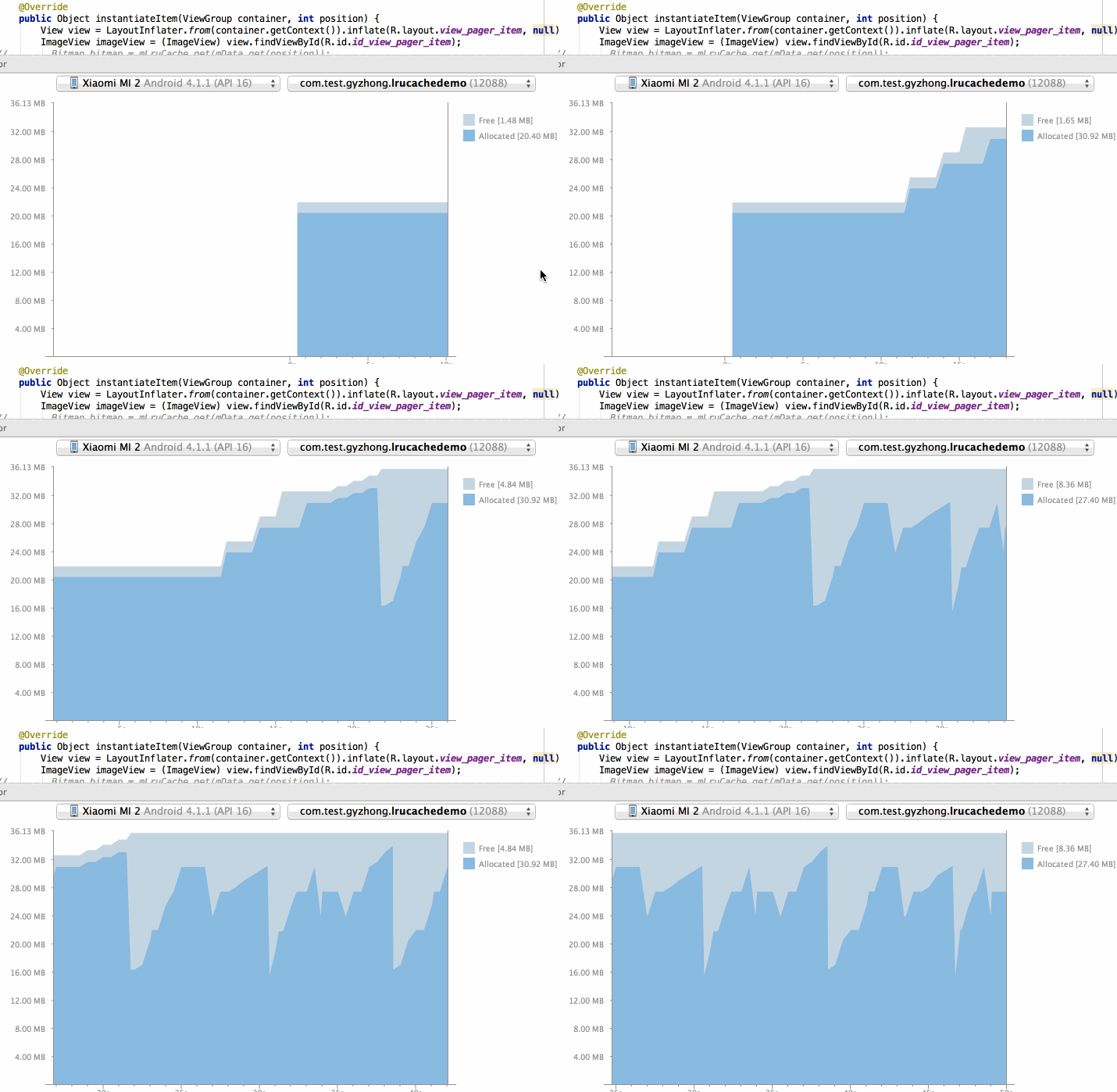
圖-1(未使用 LruCache)
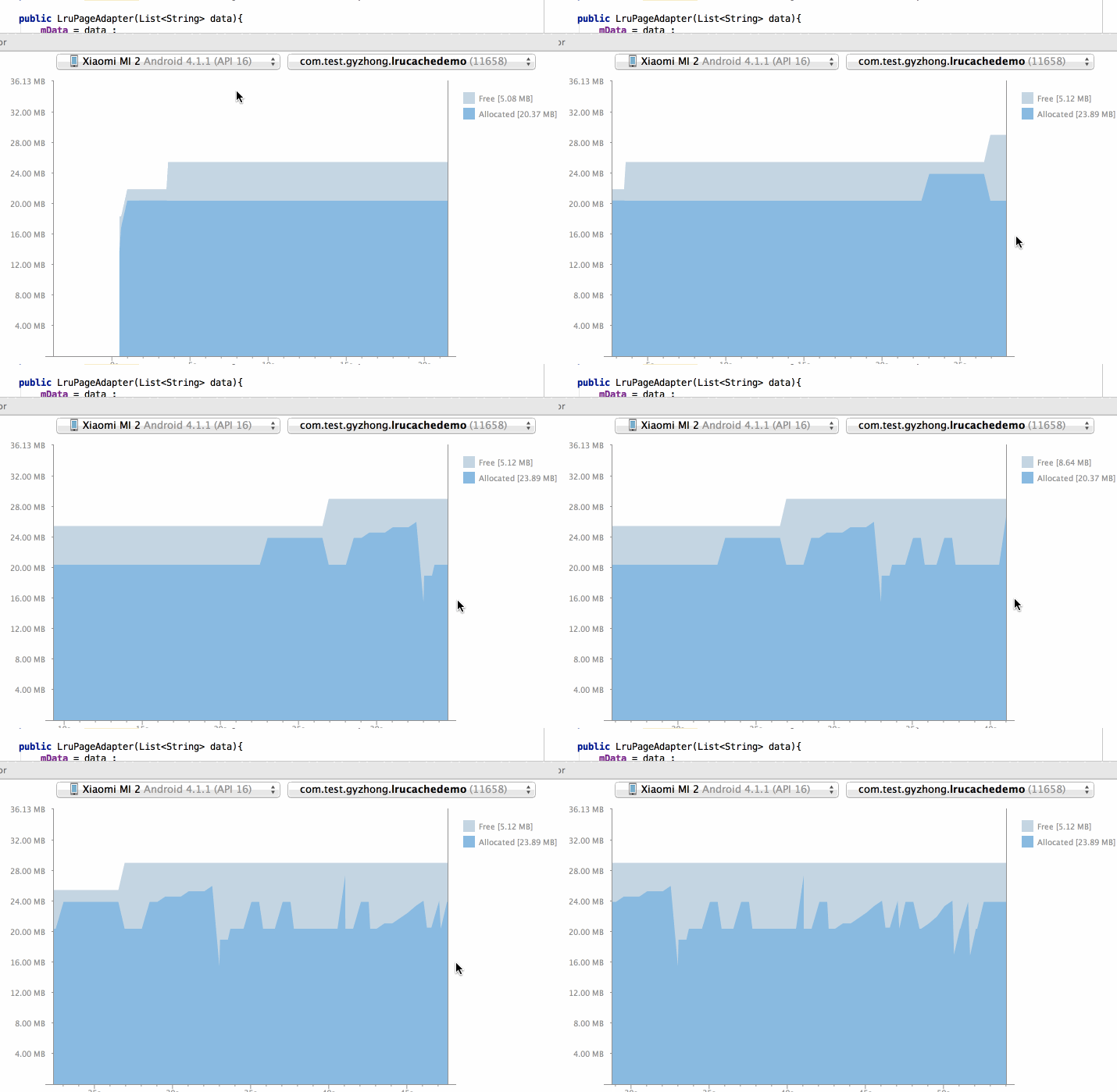
圖-2(使用了 LruCache)
這兩張圖分析的是同一個應用的內存數據,唯一區別是圖-1 未使用 LruCache,圖-2 使用了 LruCache。可以明顯看到,圖-1 的內存佔用基本在 30M 左右,而圖-2 基本在 20M 左右,足足節省了近 10M 內存。
下面是實現代碼:
public class LruPageAdapter extends PagerAdapter { private List<String> mData ; private LruCache<String,Bitmap> mLruCache ; private int mTotalSize = (int) Runtime.getRuntime().totalMemory(); private ViewPager mViewPager ; public LruPageAdapter(ViewPager viewPager ,List<String> data){ mData = data ; mViewPager = viewPager ; /*實例化LruCache*/ mLruCache = new LruCache<String,Bitmap>(mTotalSize/5){ /*當緩存大於我們設定的最大值時,會調用這個方法,我們可以用來做內存釋放操作*/ @Override protected void entryRemoved(boolean evicted, String key, Bitmap oldValue, Bitmap newValue) { super.entryRemoved(evicted, key, oldValue, newValue); if (evicted && oldValue != null){ oldValue.recycle(); } } /*創建 bitmap*/ @Override protected Bitmap create(String key) { final int resId = mViewPager.getResources().getIdentifier(key,"drawable", mViewPager.getContext().getPackageName()) ; return BitmapFactory.decodeResource(mViewPager.getResources(),resId) ; } /*獲取每個 value 的大小*/ @Override protected int sizeOf(String key, Bitmap value) { return value.getByteCount(); } } ; } @Override public Object instantiateItem(ViewGroup container, int position) { View view = LayoutInflater.from(container.getContext()).inflate(R.layout.view_pager_item, null) ; ImageView imageView = (ImageView) view.findViewById(R.id.id_view_pager_item); Bitmap bitmap = mLruCache.get(mData.get(position)); imageView.setImageBitmap(bitmap); container.addView(view); return view; } @Override public void destroyItem(ViewGroup container, int position, Object object) { container.removeView((View) object); } @Override public int getCount() { return mData.size(); } @Override public boolean isViewFromObject(View view, Object object) { return view == object; } }
總結
以上就是關於 LruCache 的完整解析,希望本文的內容能為大家的學習或工作帶來一些幫助。
 Android 高效應用導航最佳實踐:設計與實現
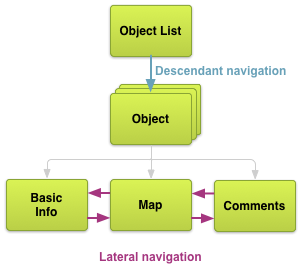
良好的導航設計,是 Android 應用是否易用的關鍵。使用者需要清楚知道自己身在何處、可以往哪裡去,以及如何返回。以下從畫面規劃、多尺寸設計、導航模式到實作方式,整理一
 Android 菜單解析(一):OptionsMenu 的建立、事件與相容性
Android 的菜單機制在 3.0 前後有明顯差異。3.0 推出 ActionBar 後,導航與操作呈現方式有了變化,但菜單的基本邏輯與回呼仍延續下來。本文先聚焦 Op
 Android Studio 開發工具入門:Activity 篇
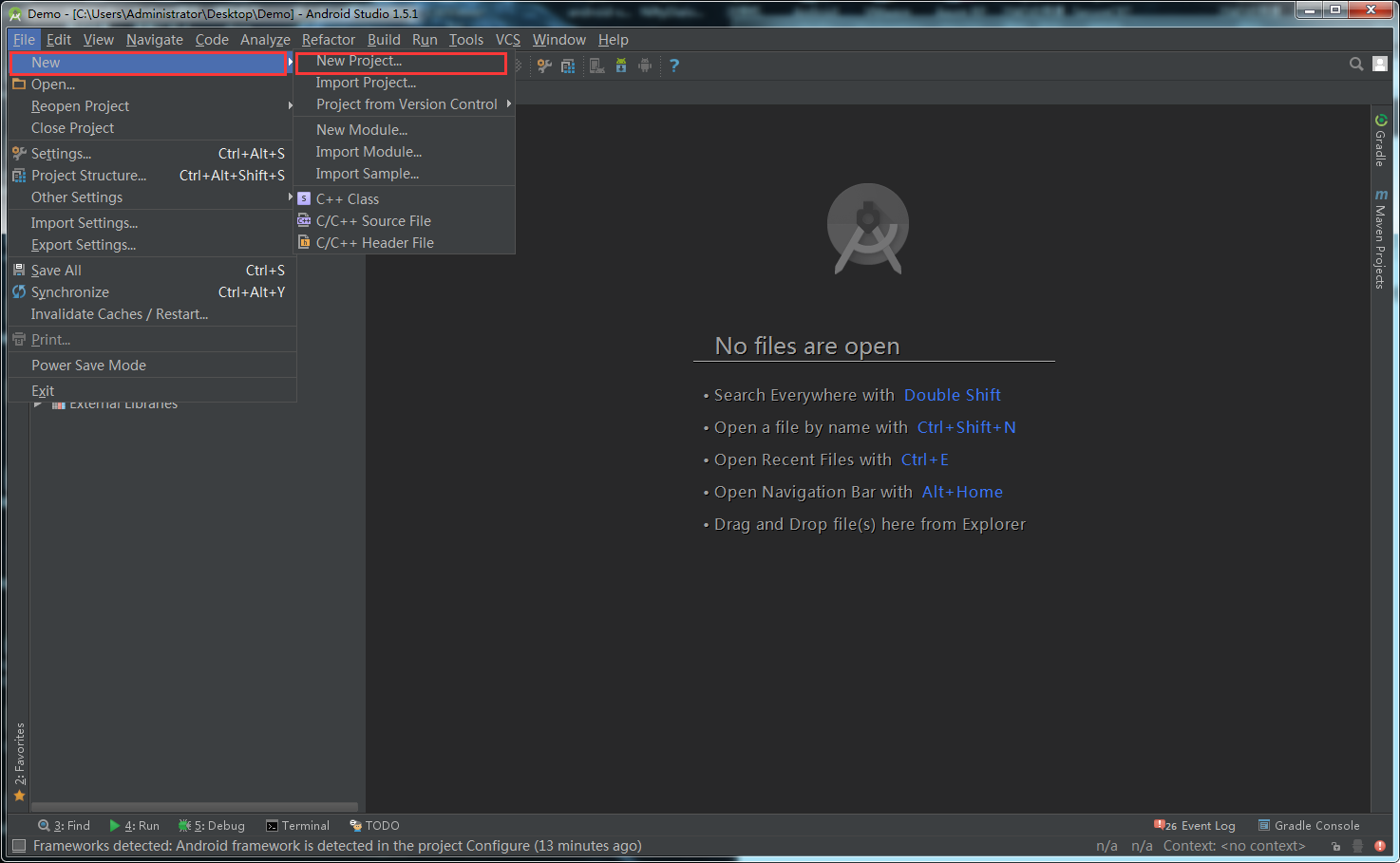
Android Studio 與 Eclipse ADT 有許多差異,以下先列出它幾個相當實用的特性。 Android Studio 的亮點 版面配置中的顏色與圖片可在
 Android Library 上傳 JCenter 實踐指南
前言在日常開發中,我們經常使用第三方開發者發布到 JCenter 的 Library 或 Plugin。但如果我們自己也開發了一個可重用元件,要如何發布出去,讓其他開發者