

編輯:關於 Android 程式設計
許多 App 在滑動列表時,會讓頂部搜索框或標題欄逐漸改變透明度。當內容向上滑動時,搜索框背景從透明慢慢變為不透明;當內容回到頂部時,又恢復透明。這種效果能讓背景圖片與介面更自然地融合。
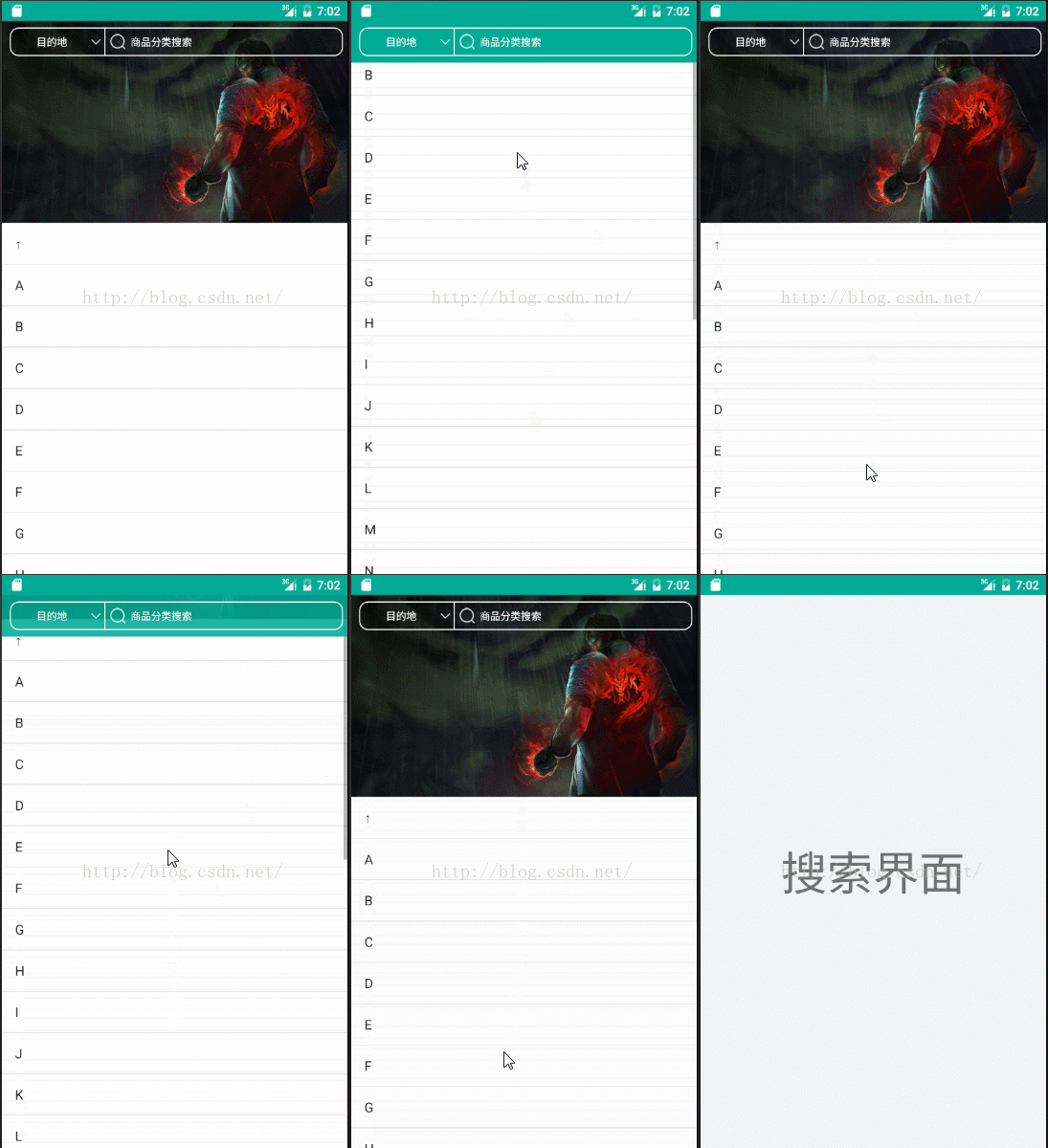
可以使用 RelativeLayout,讓 ListView 填滿畫面,搜索框覆蓋在 ListView 上方。
<RelativeLayout
    xmlns:android="https://schemas.android.com/apk/res/android"
    android:layout_width="match_parent"
    android:layout_height="match_parent">

    <ListView
        android:id="@+id/listView"
        android:layout_width="match_parent"
        android:layout_height="match_parent" />

    <LinearLayout
        android:id="@+id/llSearch"
        android:layout_width="match_parent"
        android:layout_height="50dp"
        android:background="#00ab95"
        android:orientation="horizontal" />
</RelativeLayout>
ListView 的第一個項目可以作為頭部圖片。當使用者滑動時,我們需要計算這個頭部圖片距離螢幕頂部的位置,再依此調整搜索框透明度。
在 onScroll 中,可以取得 ImageView 在螢幕上的位置。
listView.setOnScrollListener(
    new AbsListView.OnScrollListener() {

        @Override
        public void onScrollStateChanged(
            AbsListView view, int scrollState) {
        }

        @Override
        public void onScroll(
            AbsListView view,
            int firstVisibleItem,
            int visibleItemCount,
            int totalItemCount) {

            int[] location = new int[2];
            imageView.getLocationOnScreen(location);

            int scrollY = -location[1] + statusHeight;
            int imageHeight = imageView.getHeight();

            if (imageHeight <= 0) {
                return;
            }

            if (scrollY < 0) {
                searchLayout.getBackground().setAlpha(0);
            } else if (scrollY < imageHeight) {
                int alpha = (int) (
                    (float) scrollY / imageHeight * 255
                );
                searchLayout.getBackground().setAlpha(alpha);
            } else {
                searchLayout.getBackground().setAlpha(255);
            }
        }
    }
);location[1] 是圖片頂部相對於螢幕的位置。當圖片尚未滑出時,這個值可能為正;當圖片向上滑動後,會變成負值。因此範例中使用負號,讓 scrollY 表示圖片已經向上滑動的距離。
若應用有狀態欄,可能需要加上狀態欄高度;若已經隱藏狀態欄或採用全螢幕配置,則依實際情況調整。
alpha 的範圍是 0 到 255。0 代表完全透明,255 代表完全不透明。透過 scrollY 與 imageHeight 的比例,可以讓透明度隨滑動距離線性變化。
1. 避免在 onScroll 中建立過多物件,以減少抖動。
2. 若背景只有純色,也可以直接操作背景 Drawable 的 alpha。
3. 若圖片高度尚未測量完成,getHeight 可能為 0,因此需要先判斷。
4. 若使用 RecyclerView,也可以搭配 ItemDecoration 或自訂滑動監聽實作類似效果。
5. 若需要更平滑的動畫,可考慮使用 CoordinatorLayout、AppBarLayout 與 CollapsingToolbarLayout。
搜索框隨滑動漸變透明的核心,是取得頂部圖片的位置與高度,再依比例設定背景透明度。這個效果能提升畫面層次感,也能讓列表與頂部區域更自然地銜接。
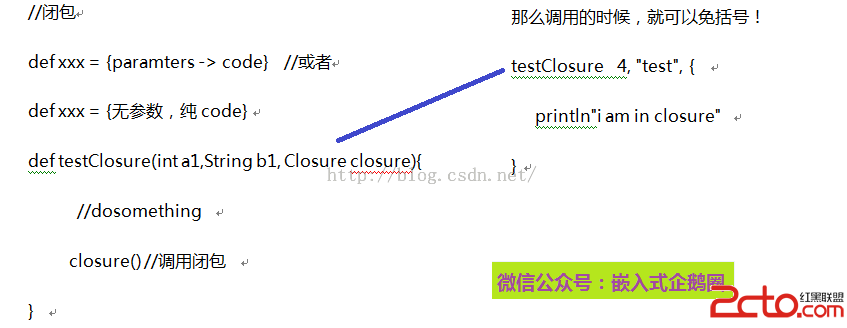 從編程角度理解 Gradle 腳本:Android Studio 構建與編程
Android 開發從 Eclipse 轉向 Android Studio 後,Gradle 腳本成為必備知識。若把 Gradle 視為編程框架,並理解腳本與對象之間的對
 Android 高仿微信轉帳金額輸入框規則
微信轉帳輸入框的金額輸入規則,重點在於小數點處理、位數限制與首字驗證。以下整理常見規則與實作方式。 輸入規則 小數點後最多兩位。 使用者若一開始就輸入小數
 在 Android 中使用 Java 8 Lambda 表達式:Retrolambda 實戰配置
寫 Java 的開發者大概都遇過這種苦惱:想傳一段行為進去,卻得先 new 一個匿名內部類,動輒五六行只為了呼叫一個方法。Java 8 引進的 Lambda 表達式正是為
 Fragment + ViewPager 打造類微信底部導航,並實現消息紅點提醒
本篇整理自菜鳥教程的 Android 移動端內容,記錄如何用 Fragment 配合 ViewPager 做出一個類微信的底部導航欄,並在 Tab 上疊加未讀消息的紅色圓