

編輯:關於 Android 程式設計
以前學 Oracle 時,理所當然地以為資料庫只存在伺服器端;接觸 Android 之後才發現,行動系統本身就「自帶」資料庫——SQLite。它是輕量級、嵌入式的關聯式資料庫,被 Android、iOS 等系統廣泛採用,主要用來儲存本地的持續性狀態。
在 Android 中,我們透過 SQLiteDatabase 這個類別操作 SQLite。由於 SQLite 不需要像 C/S 架構資料庫那樣建立連線與身份驗證,加上它是單檔資料庫,取得 SQLiteDatabase 物件的難度和取得一個檔案操作物件差不多。
SQLiteOpenHelper 是一個抽象類別,負責管理資料庫的建立與版本變化。使用它必須實作 onCreate(SQLiteDatabase) 與 onUpgrade(SQLiteDatabase, int, int) 兩個方法。
//創建數據庫,建表 privatestaticfinal String DBNAME="news.db"; privatestaticfinalint VERSION=3; //設置版本號 privatestaticfinal String TBL_DETAILNEWS="news"; //創建表名為news的表 privatestaticfinal String TBL_DETAILNEWS_COLUMN_TITLE="_title"; privatestaticfinal String TBL_DETAILNEWS_COLUMN_URL="_url"; privatestaticfinal String TBL_DETAILNEWS_COLUMN_DOCID="_docid"; privatestaticfinal String TBL_DETAILNEWS_COLUMN_STATE="_state"; public NewsDBHelper(Context context){ super(context,DBNAME,null,VERSION); } @Override publicvoid onCreate(SQLiteDatabase db) { StringBuffer sb=new StringBuffer(); sb.append("create table if not exists "); sb.append(TBL_DETAILNEWS+"("); sb.append(TBL_DETAILNEWS_COLUMN_DOCID +" varchar(100) primary key ,"); //設置主鍵 sb.append(TBL_DETAILNEWS_COLUMN_TITLE+ " varchar(100) ,"); sb.append(TBL_DETAILNEWS_COLUMN_URL+" varchar(100) ,"); sb.append(TBL_DETAILNEWS_COLUMN_STATE+" integer "); sb.append(")"); db.execSQL(sb.toString()); } @Override publicvoid onUpgrade(SQLiteDatabase db, int oldVersion, int newVersion) { String sql2="drop table if exists "+TBL_DETAILNEWS; db.execSQL(sql2); //創建 onCreate(db); }
表結構很簡單:docid 作為主鍵,另外存標題、詳情網址與狀態。把這三個欄位存下來,就能在收藏列表中直接跳回新聞詳情頁。
Android 提供了 SQLiteDatabase 類別,封裝了操作資料庫的 API。透過 getWritableDatabase() 與 getReadableDatabase() 取得資料庫實例,就能在 DAO 層完成增刪改查。
publicclass DetailNewsDao { private NewsDBHelper helper; public DetailNewsDao(Context context){ helper=new NewsDBHelper(context); //與數據庫建立連接 } //插入數據 publicvoid insertDetsilNews(News news){ SQLiteDatabase db=helper.getWritableDatabase(); db.execSQL("insert into news(_title,_url,_docid)" + "values(?,?,?)",new String[]{news.getTitle(),news.getDetailUrl(),news.getDocid()}); db.close(); } //刪除數據 publicvoid del(String docid){ //根據傳入參數docid刪除數據 SQLiteDatabase db=helper.getReadableDatabase(); db.execSQL("delete from news where _docid = ?",new Object[]{docid}); db.close(); } //查詢數據 public List<News> findSelected(){ SQLiteDatabase db=helper.getReadableDatabase(); Cursor c=db.rawQuery("select * from news", null); //只有對數據進行查詢時,才用rawQuery(),增、刪、改和建表,都用execSQl() List<News> list=new ArrayList<News>(); while(c.moveToNext()){ News news=new News(); news.setTitle(c.getString(c.getColumnIndex("_title"))); news.setDetailUrl(c.getString(c.getColumnIndex("_url"))); news.setDocid(c.getString(c.getColumnIndex("_docid"))); list.add(news); } c.close(); db.close(); return list; } }
這裡有個實務上的區別值得記住:查詢用 rawQuery,新增、刪除、修改與建表用 execSQL。另外,寫入與刪除都使用了參數綁定(?)而非字串拼接,這能有效避免 SQL 注入與引號處理錯誤。
收藏入口的樣子:
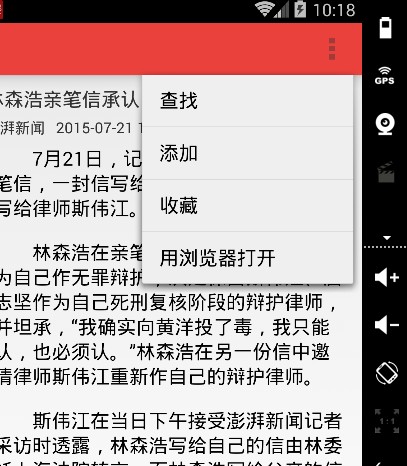
點擊選單項時,依當前標題判斷是收藏還是取消,同時更新 UI 文案與提示。
if(item.getTitle().equals("收藏")){ Toast.makeText(this,"收藏成功", Toast.LENGTH_LONG).show(); detailNewsDao.insertDetsilNews(news); item.setTitle("取消收藏"); }else{ detailNewsDao.del(news.getDocid()); Toast.makeText(this,"取消收藏", Toast.LENGTH_LONG).show(); item.setTitle("收藏"); }
以上就是使用 SQLite 實作新聞收藏與取消收藏的完整流程,希望對你有所幫助。
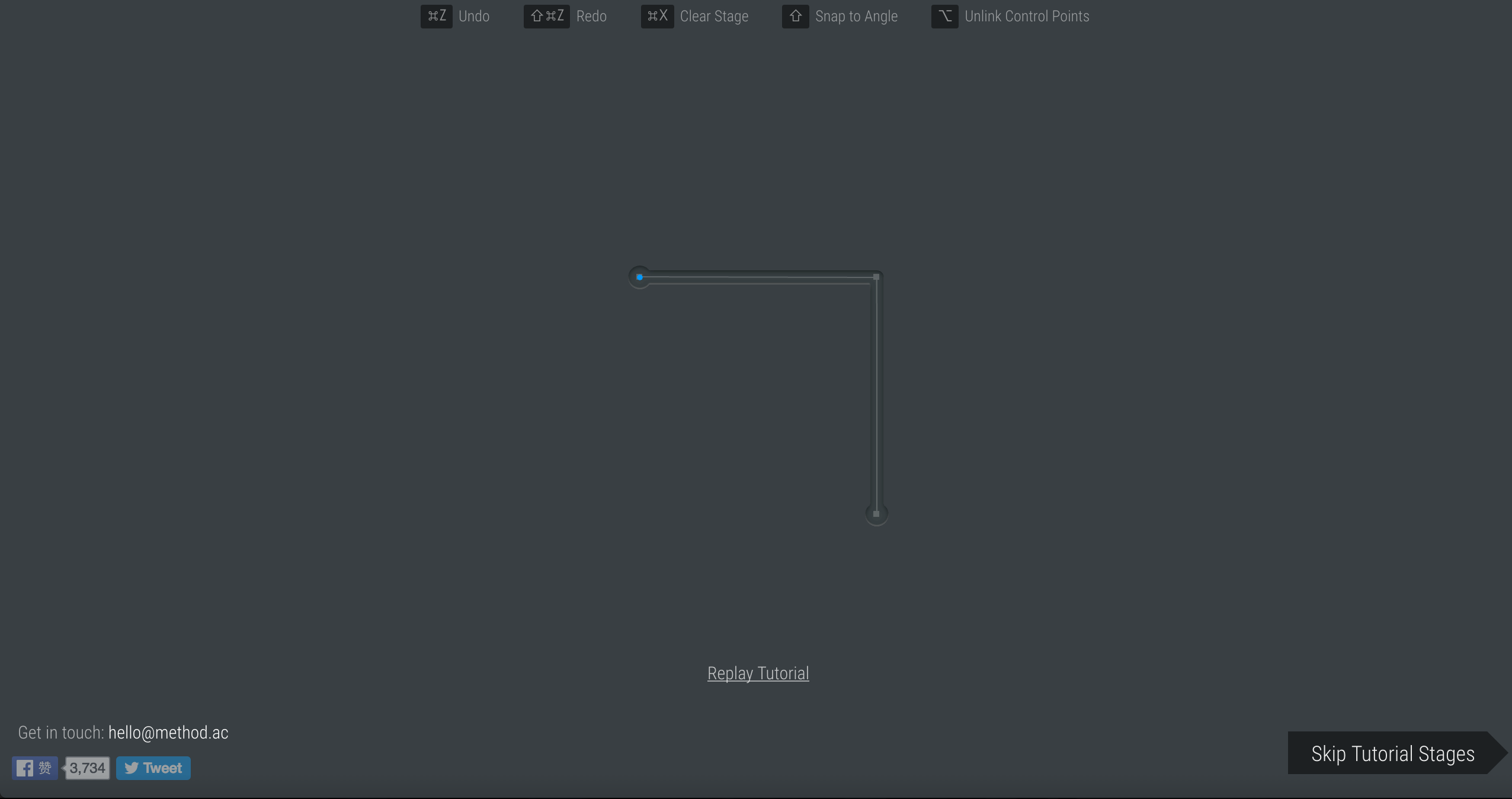 貝塞爾曲線開發的藝術:從原理到動畫實戰
一句話概括貝塞爾曲線:把任意一條平滑曲線,轉化為精確可控的數學公式。 我們在眾多繪圖工具中常見的鋼筆工具,正是貝塞爾曲線的經典應用。 貝塞爾曲線有幾個關鍵名詞:起始點、
 自定義 View 實作 BMI 健康指數刻度條
專案裡需要一個 BMI 指標刻度條,先上效果圖: 刻度覆蓋 18 到 35 這個區間,指針區塊的顏色會隨數值偏移而連續變化,上方數字顯示當前 BMI,下方的分級文字則依
 Android 下拉刷新動畫實作:仿網易一元奪寶的小太陽回彈效果
本文分享一個仿網易一元奪寶下拉刷新動畫的實作。原效果分為兩個部分:第一部分是小太陽被拉下來後回彈,第二部分是硬幣落下並進行中軸旋轉。本文先完成第一部分,重點在於下拉手勢、
 使用 NDK 與 libjpeg 將 JPEG 顯示到 SurfaceView
為何使用 NDK 與 SurfaceView 影像處理往往需要大量運算與記憶體。若使用 Java 層反覆解碼與縮放,可能會造成效能瓶頸。透過 NDK 使用 C 語言處理