

編輯:關於 Android 程式設計
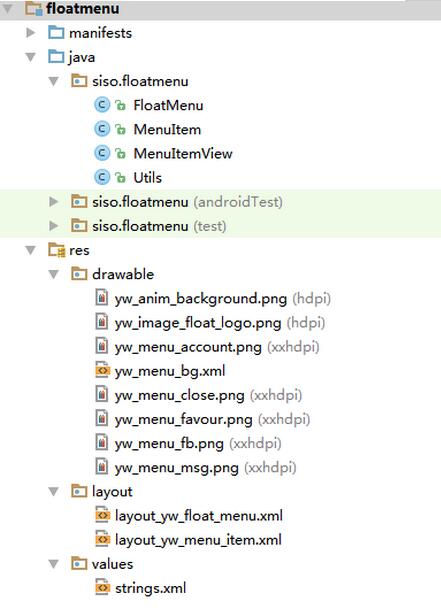
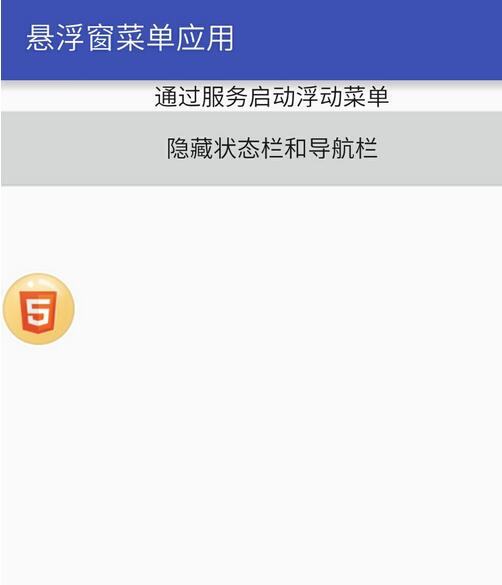
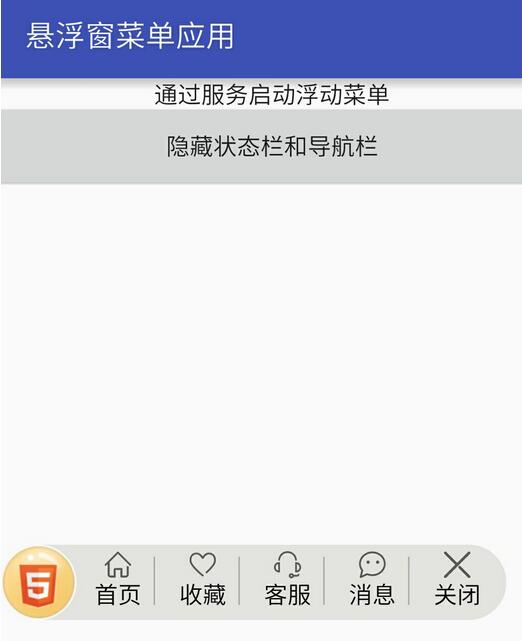
本文分享一個以 Service 為基礎實作的懸浮窗菜單,透過 FloatMenuManager 單例管理生命週期,並示範如何隱藏狀態列與導航列。以下為主要程式碼。
public class MainActivity extends AppCompatActivity implements View.OnClickListener {
    @Override
    protected void onCreate(Bundle savedInstanceState) {
        super.onCreate(savedInstanceState);
        hideBothNavigationBarAndStatusBar();
        setContentView(R.layout.activity_main);
        FloatMenuManager.getInstance().startFloatView(this.getApplicationContext());
        findViewById(R.id.hideStatuBarNaviBar).setOnClickListener(this);
    }

    private void hideBothNavigationBarAndStatusBar() {
        View decorView = getWindow().getDecorView();
        if (Build.VERSION.SDK_INT >= Build.VERSION_CODES.JELLY_BEAN) {
            int uiOptions = View.SYSTEM_UI_FLAG_HIDE_NAVIGATION | View.SYSTEM_UI_FLAG_FULLSCREEN;
            decorView.setSystemUiVisibility(uiOptions);
        }
    }

    @Override
    protected void onResume() {
        super.onResume();
        hideBothNavigationBarAndStatusBar();
        FloatMenuManager.getInstance().showFloatingView();
    }

    @Override
    protected void onPause() {
        super.onPause();
        FloatMenuManager.getInstance().hideFloatingView();
    }

    @Override
    protected void onDestroy() {
        super.onDestroy();
        FloatMenuManager.getInstance().destroy();
    }

    @Override
    public void onClick(View v) {
        switch (v.getId()) {
            case R.id.hideStatuBarNaviBar:
                hideBothNavigationBarAndStatusBar();
                break;
        }
    }
}
public class FloatMenuManager implements ServiceConnectionManager.QdServiceConnection {
    private ServiceConnectionManager mServiceConnectionManager;
    private FloatMenuService mFloatViewService;

    private FloatMenuManager() {}

    // 靜態內部類實作單例,優於雙重檢查鎖(DCL)
    public static FloatMenuManager getInstance() {
        return FloatMenuHolder.single;
    }

    private static class FloatMenuHolder {
        private static final FloatMenuManager single = new FloatMenuManager();
    }

    // 防止反序列化取得新的單例
    private Object readResolve() throws ObjectStreamException {
        return FloatMenuHolder.single;
    }

    public void startFloatView(Context context) {
        if (mFloatViewService != null) {
            mFloatViewService.showFloat();
            return;
        }
        if (mServiceConnectionManager == null) {
            mServiceConnectionManager = new ServiceConnectionManager(context, FloatMenuService.class, this);
            mServiceConnectionManager.bindToService();
        }
    }

    public void showFloatingView() {
        if (mFloatViewService != null) mFloatViewService.showFloat();
    }

    public void hideFloatingView() {
        if (mFloatViewService != null) mFloatViewService.hideFloat();
    }

    public void destroy() {
        if (mFloatViewService != null) {
            mFloatViewService.hideFloat();
            mFloatViewService.destroyFloat();
        }
        if (mServiceConnectionManager != null) {
            mServiceConnectionManager.unbindFromService();
        }
        mFloatViewService = null;
    }

    @Override
    public void onServiceConnected(ComponentName name, IBinder service) {
        mFloatViewService = ((FloatMenuService.FloatMenuServiceBinder) service).getService();
        if (mFloatViewService != null) mFloatViewService.showFloat();
    }

    @Override
    public void onServiceDisconnected(ComponentName name) {
        mFloatViewService = null;
    }
}
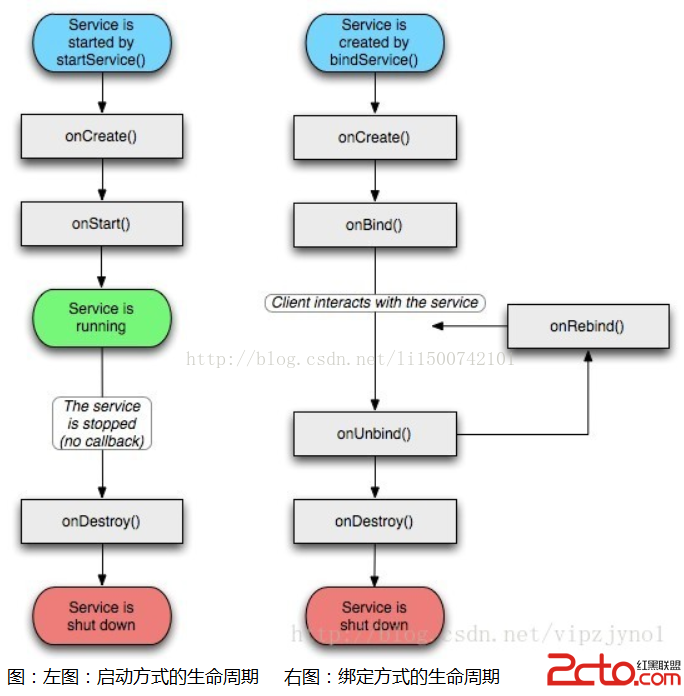
此外還有 FloatMenuService(建立並管理懸浮菜單、處理點擊事件)、ServiceConnectionManager(封裝 bindService/unbindService)以及 Const 常量類。核心概念是:以 Bound Service 持有菜單視圖,透過 Binder 回傳 Service 實例給 Manager 統一控制顯示、隱藏與釋放。
<RelativeLayout xmlns:android="https://schemas.android.com/apk/res/android"
    android:layout_width="match_parent"
    android:layout_height="match_parent"
    android:clipChildren="false"
    android:clipToPadding="false">
    <TextView
        android:id="@+id/text"
        android:layout_width="match_parent"
        android:layout_height="wrap_content"
        android:gravity="center"
        android:text="透過服務啟動浮動菜單" />
    <Button
        android:id="@+id/hideStatuBarNaviBar"
        android:layout_width="match_parent"
        android:layout_height="wrap_content"
        android:layout_below="@+id/text"
        android:text="隱藏狀態欄和導航欄" />
</RelativeLayout>
<activity android:name=".MainActivity"
    android:configChanges="keyboardHidden|orientation|screenSize">
    <intent-filter>
        <action android:name="android.intent.action.MAIN" />
        <category android:name="android.intent.category.LAUNCHER" />
    </intent-filter>
</activity>
<service android:name=".FloatMenuService"/>
其中 android:configChanges 可避免橫豎屏切換時重新執行 onCreate。

 Android 檔案權限入門:openFileOutput 的四種模式實測
Android 建立在 Linux 之上,因此檔案權限規則也沿用 Linux 那套。理解這套規則,才能明白 openFileOutput() 的四個模式常量究竟代表什麼。
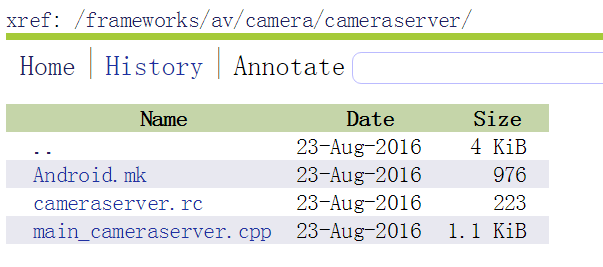 Android Framework 之路:N 版本 Camera 的幾處改動
前言 Android N 版本近期發布,Nougat 好不好吃暫且不論,慢慢看下去。這裡特別感謝 AndroidXref 這個網站,為開發者提供了大量便利,往後研究 Fr
 Android 搜索 suggestions 實現搜索聯想:SearchRecentSuggestions 完整實踐
所謂搜索 suggestions(搜索建議、搜索聯想),就是當用戶在搜索框裡輸入某個關鍵詞後,系統自動給出幾條包含相近關鍵詞的候選項,用戶可以直接點擊而不必輸完。 這個功
 Android 性能優化:Understanding Overdraw 過度繪製的排查與治理
什麼是過度繪製 Overdraw 指的是在一幀渲染時間內,同一個像素被反覆繪製多次。理論上一個像素只畫一次是最優的,但層層嵌套的布局會導致部分像素被覆蓋重畫,而每一次繪製