

編輯:關於 Android 程式設計
最近維護的項目已經兩年多了,經過很多前輩的迭代,項目並沒有變得更健壯,反而越發臃腫。用 Android Lint 工具清理了一輪,果然清掉了不少廢棄的布局與資源。下面把整個過程和踩到的各類問題整理出來。
可以右鍵項目,選擇 Android Tools 來打開;退出時 clear lint markers 即可。
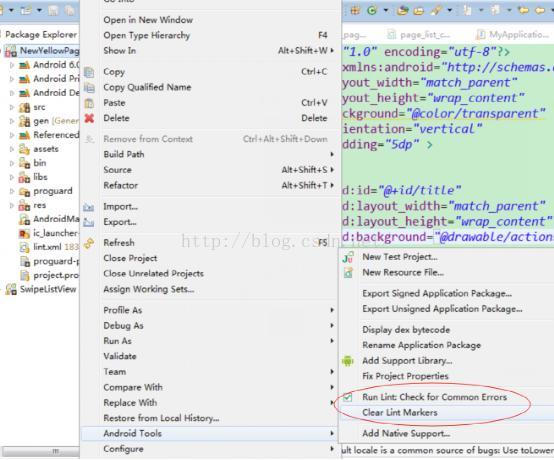
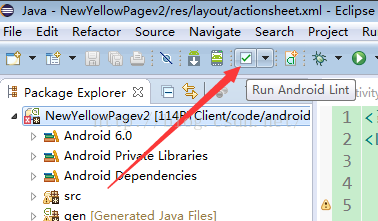
也可以通過菜單打開:
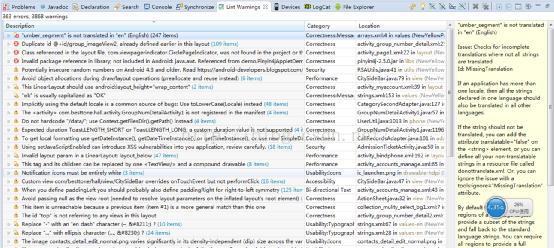
單個布局中 View 過多會影響性能,常見的布局優化手段包括:
盡量使用 include、merge、ViewStub 標簽,避免冗餘嵌套與過於複雜的布局;能用 GONE 就不用 INVISIBLE;使用 weight 時把 width 和 height 設為 0dp 以減少運算;Item 嵌套過於複雜時考慮自定義 Item View,減少 measure 與 layout 次數等。
列表與 Adapter 優化:盡量複用 getView 中的 View,不重復獲取實例導致卡頓;列表滑動過程中盡量不刷新 UI 元素。
背景與圖片等內存分配優化:減少不必要的背景設置,圖片盡量壓縮後顯示,避免頻繁的內存抖動。
自定義 View 繪圖與布局優化:避免在 draw、measure、layout 中做過於耗時和耗內存的操作,尤其是 draw 方法,盡量減少執行次數。
避免 ANR:不要在 UI 線程做耗時操作,遵守 ANR 規避守則,比如避免多次數據庫操作等。
activity_group_number_detail1.xml has more than 80 views, bad for performance
Issue: Checks whether a layout has too many views
Id: TooManyViews
Using too many views in a single layout is bad for performance. Consider using compound drawables or other tricks for reducing the number of views in this layout.
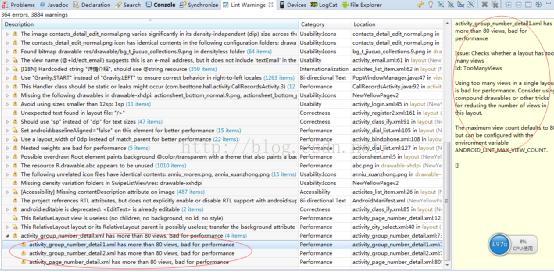
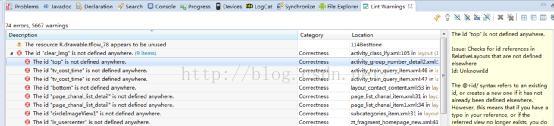
提示 the id "top" is not defined anywhere,直接刪掉該引用即可。
Issue: Checks for id references in RelativeLayouts that are not defined elsewhere
Id: UnknownId
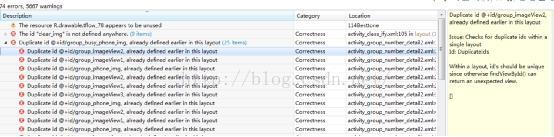
在同一個 Xml 文件中若 id 同名,則只有前一個有效、後一個無效——往往是復制粘貼時出了錯。
Duplicate id @+id/group_imageView2, already defined earlier in this layout
Issue: Checks for duplicate ids within a single layout
Id: DuplicateIds
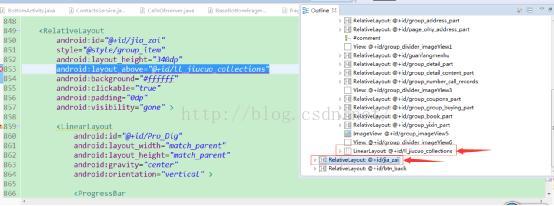
比如控件 A 在 B(B 是 ViewGroup)之下,就不能寫成 A 是 B 的子控件那樣去引用。

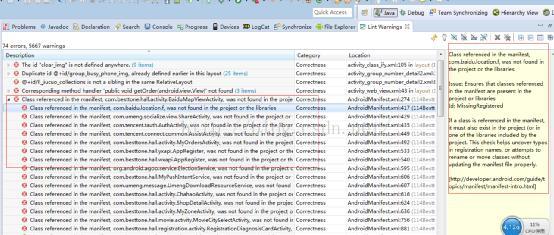
Class referenced in the manifest, com.baidu.location.f, was not found in the project or the libraries,刪除即可。
Issue: Ensures that classes referenced in the manifest are present in the project or libraries
Id: MissingRegistered
這對減小包體積很有意義,涵蓋 xml、dimens 等,量比較大。建議先提交 SVN 再刪除,一旦出問題可立即還原。
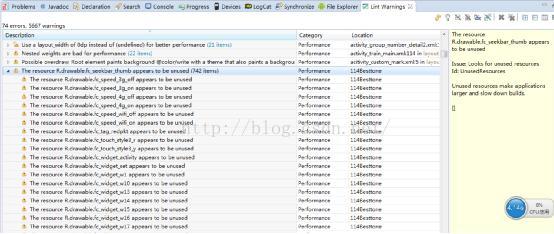
The resource R.drawable.fc_seekbar_thumb appears to be unused
Issue: Looks for unused resources
Id: UnusedResources
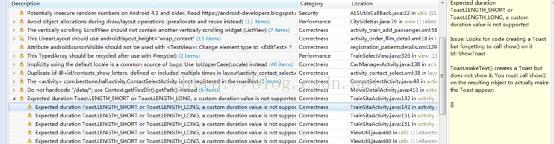
檢測結果僅供參考,建議使用 Toast.LENGTH_SHORT 或 Toast.LENGTH_LONG。

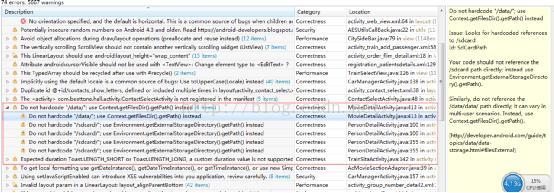
不要硬編碼 "/data/",應使用 Context.getFilesDir().getPath();引用外部存儲時應使用 Environment.getExternalStorageDirectory().getPath(),而不是直接寫死 /sdcard。
Do not hardcode "/data/"; use Context.getFilesDir().getPath() instead
Issue: Looks for hardcoded references to /sdcard
Id: SdCardPath
Your code should not reference the /sdcard path directly; instead use Environment.getExternalStorageDirectory().getPath().
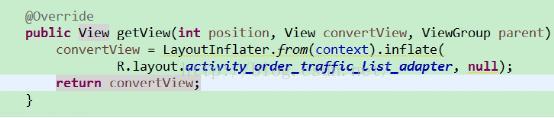
提示 getView 中應使用 ViewHolder 模式複用 convertView,避免重復 findViewById。
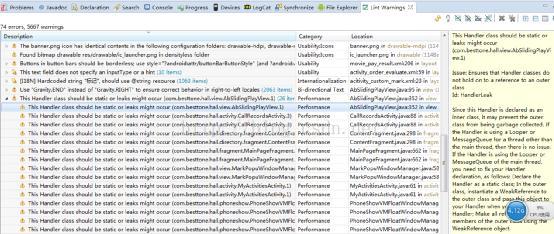
一句兩句說不清,可參考專門的講解文章:https://blog.csdn.net/lijunhuayc/article/details/47999931
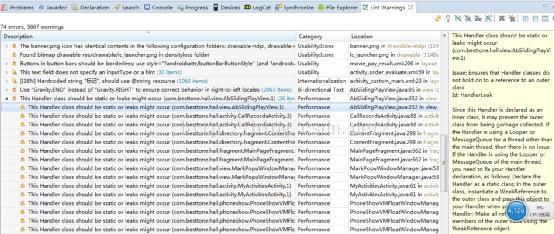
提示:把 <WebView> 放在使用 wrap_content 的父容器中可能導致隱患,建議改用 match_parent。
Placing a <WebView> in a parent element that uses a wrap_content layout_height can lead to subtle bugs; use match_parent instead
硬編碼字符串不利於多語言支持,建議抽取到資源文件中。
總結:Android Lint 工具的主要作用是規範編碼、優化布局性能、清除無用資源。養成定期清理的習慣,能讓項目保持精簡與健康。
 Android 自定義 View:水波紋進度球實作
自定義 View 的基本流程 水波紋進度球屬於視覺型元件,互動性不高,因此可直接繼承 View。自定義流程通常包括:定義自訂屬性、重寫 onMeasure 計算尺寸、重寫
 用 adb shell 直接啟動 App:aapt 查包名搭配 am start
想在沒有實機操作、只有命令列的情況下把某個 App 拉起來,需要兩個工具搭配:aapt 負責把 apk 的資訊挖出來,adb shell am 負責下達啟動指令。流程本身
 Android 直播服務端入門:Nginx 與 RTMP 環境搭建
搭建 Android 直播服務端時,Nginx 搭配 RTMP 模組是常見且成本較低的方案。本文說明如何準備源碼、編譯安裝、設定 RTMP,並以 FFmpeg 與 VLC
 Android 圖片緩存系列:Bitmap 與 BitmapFactory 詳解(一)
準備研究圖片緩存框架之前,先把基礎打牢更為妥當。本篇聚焦兩個最核心的類:Bitmap 與 BitmapFactory。 Bitmap 類 Bitmap 是 Android