

編輯:關於 Android 程式設計
Android 中可利用 View 的 Drawing Cache 取得畫面快照。做法是先開啟 drawing cache,再取得 Bitmap,最後壓縮成 PNG 或 JPEG 儲存。這種方式簡單快速,但通常不會包含狀態列。
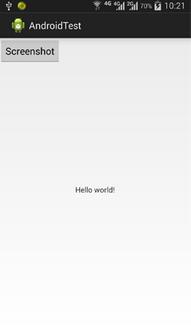
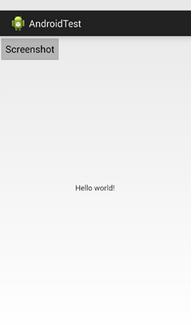
首先在 AndroidManifest.xml 加入寫入外部儲存的權限。接著在需要截圖的頁面呼叫 getWindow().getDecorView(),啟用並建立 Drawing Cache,再將 Bitmap 寫入檔案。若需要分享或上傳,也可把檔案路徑交給其他元件處理。
由於不同 Android 版本對儲存權限與檔案存取的限制不同,實作時要留意目標 SDK 與執行環境。若只是截取局部畫面,也可針對特定 View 建立 Drawing Cache,而不必抓取整個視窗。
 Android ListView 與 ProgressBar 實戰詳解:清單綁定與進度回饋一次搞懂
做 Android 介面時,有兩件事幾乎躲不掉:把一批資料排成可捲動的清單,以及告訴使用者「事情正在進行中」。前者靠 ListView,後者靠 ProgressBar。這
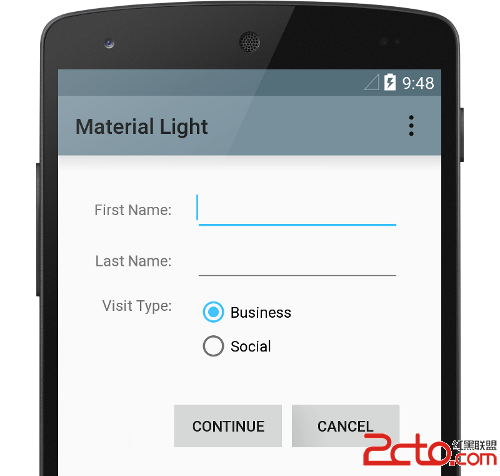 動手打造 Material Design 風格 Android 應用(一):主題與配色
本文原發表於個人部落格 isming.me。 Android 5.0 正式發表後,Android Developer 網站也補上了建立 Material Design
 Android 數據存儲的五大方式全解與異同對比
數據存儲是開發中使用頻率極高的環節。本文系統梳理 Android 平台實現數據持久化的五種主流方式,並對它們的特點與適用場景做了對比。 第一種:SharedPrefer
 三行 Android 代碼實現白天夜間模式流暢切換
Usage xml:android:background= ?attr/zzbackground,app:backgroundAttr= zzbackground