

編輯:關於 Android 程式設計
在輸入框右側放一個「清除」或「搜尋」小圖示是很常見的設計,但官方 API 並沒有提供直接監聽 compound drawable 點擊的方法。實務上的解法是攔截 onTouch,再用 X 座標判斷手指是否落在圖示上。
這套寫法是通用的,不只 EditText,TextView、AutoCompleteTextView 等支援 compound drawable 的控制項都能套用。
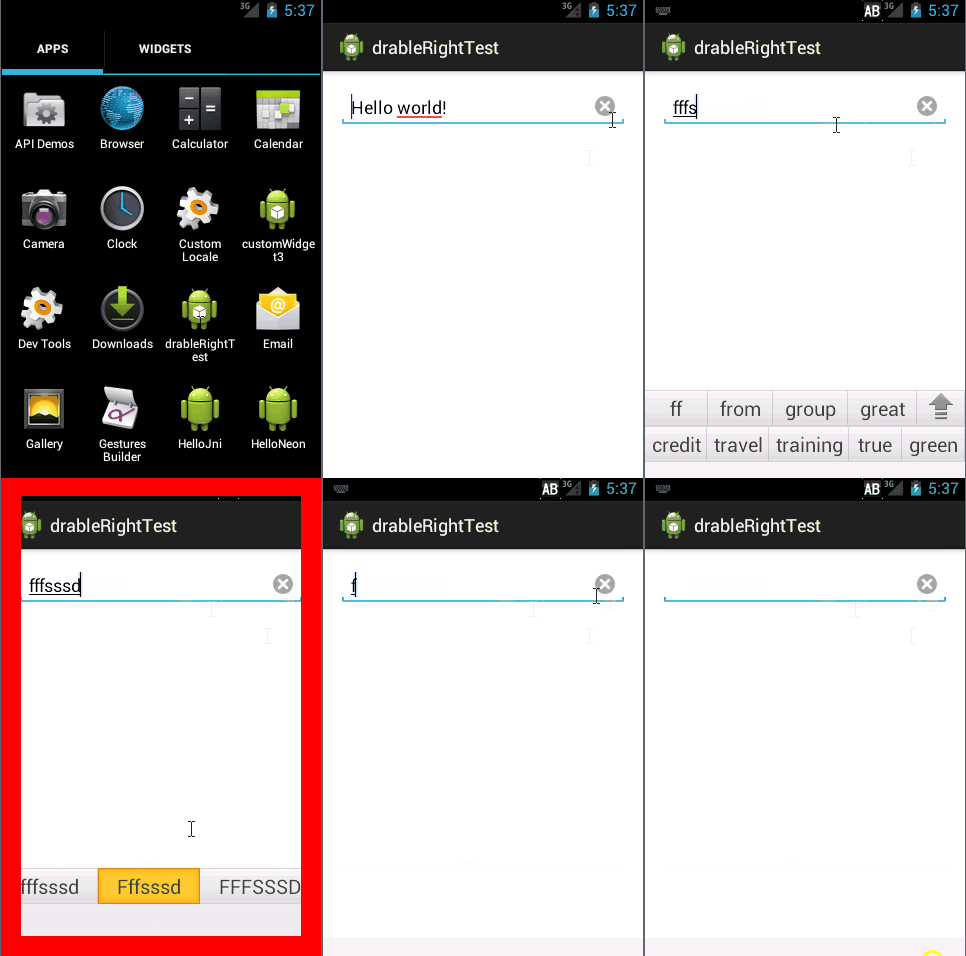
<RelativeLayout xmlns:android="https://schemas.android.com/apk/res/android"
    xmlns:tools="https://schemas.android.com/tools"
    android:layout_width="match_parent"
    android:layout_height="match_parent"
    android:paddingBottom="@dimen/activity_vertical_margin"
    android:paddingLeft="@dimen/activity_horizontal_margin"
    android:paddingRight="@dimen/activity_horizontal_margin"
    android:paddingTop="@dimen/activity_vertical_margin"
    tools:context="com.example.drablerighttest.MainActivity" >

    <EditText android:id="@+id/et"
        android:layout_width="350dp"
        android:layout_height="wrap_content"
        android:drawableRight="@drawable/search_clear_pressed"
        android:text="@string/hello_world" />
</RelativeLayout>
public class MainActivity extends Activity {
    private EditText et;

    @Override
    protected void onCreate(Bundle savedInstanceState) {
        super.onCreate(savedInstanceState);
        setContentView(R.layout.activity_main);
        et = (EditText) this.findViewById(R.id.et);

        et.setOnTouchListener(new OnTouchListener() {
            @Override
            public boolean onTouch(View v, MotionEvent event) {
                // getCompoundDrawables() 回傳長度為 4 的陣列,
                // 分別代表左、上、右、下四張圖片,索引 2 就是右邊
                Drawable drawable = et.getCompoundDrawables()[2];

                // 右邊沒有圖片就不處理
                if (drawable == null) return false;

                // 只在按下並抬起(ACTION_UP)時處理,避免觸發兩次
                if (event.getAction() != MotionEvent.ACTION_UP) return false;

                // 判斷 X 座標是否落在圖示範圍內
                if (event.getX() > et.getWidth()
                        - et.getPaddingRight()
                        - drawable.getIntrinsicWidth()) {
                    et.setText("");
                }
                return false;
            }
        });
    }
}
getIntrinsicWidth() 而不是 getBounds().width()。兩者都能算,但 intrinsic 尺寸才是圖示實際配置的大小,遇上 scaleType 或 NinePatch 時更準確。getPaddingRight()。否則在設定了內距的輸入框上,判定範圍會偏移,導致點了圖示卻沒反應。drawableRight,getCompoundDrawables()[2] 會是 null,直接取寬度會丟 NullPointerException。normal 與 pressed 兩張圖做成 StateListDrawable,點擊時視覺回饋會更明確。掌握這個「座標比對」的套路之後,實作「有內容才顯示清除按鈕」、「點擊切換密碼明文/密文」這類互動都只是在此基礎上加條件判斷而已。
以上就是為 EditText 右側圖示掛上點擊事件的完整做法,希望對大家的學習有所幫助。
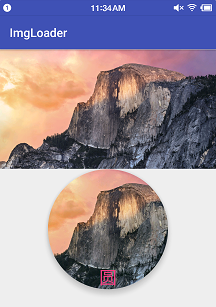 分享一個製作 Android 圓形圖片的省事做法:CardView 就夠了
CardView 搭配 ImageView 的圓形效果 在看自定義 View 的知識點時我突然想到一件事:如果讓 CardView 的寬高相等,再把圓角半徑設為寬高的一
 Android 客戶端與服務端 JSP 中文傳輸的解決方案
為了兼容簡體、繁體及其他語系,推薦統一採用 UTF-8 編碼。下面我們分別從 Android 端與服務端來看該如何處理。先看 Android 端:在發送前,應對參數值進行
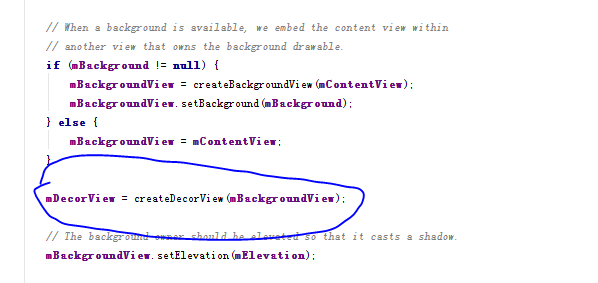 Android PopupWindow 使用詳解與 6.0 源碼差異
本文參考〈Android PopupWindow 用法解析〉一文進行學習,透過實例與源碼分析掌握了 PopupWindow 的使用方式。原文最後「補充案例:彈窗不消失,但
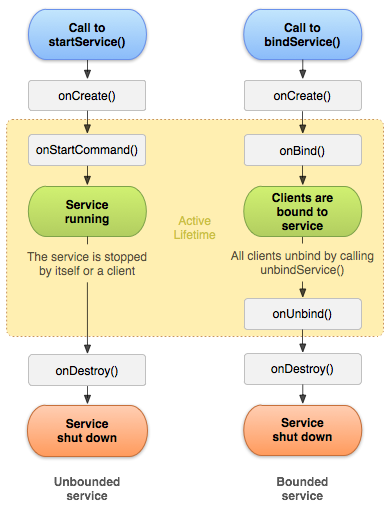 Android 四大元件終極篇:Service 完整解析(啟動服務、綁定服務與生命週期)
Service 是 Android 四大元件之一,用來在後台執行長時間的操作而不需要使用者介面。典型用途包括網路傳輸、播放音樂、檔案讀寫,或與 ContentProvid