

編輯:關於 Android 程式設計
自定義 View 時,總希望能在佈局文件裡像使用系統控件那樣配置自己的屬性,而不是把參數寫死在代碼裡。實現起來一共三步。
關鍵在構造函數裡通過 obtainStyledAttributes 讀取屬性,用完必須調用 recycle() 回收。
public class MyView extends View { public MyView(Context context, AttributeSet attrs) { super(context, attrs); //獲取到自定義的屬性 TypedArray ta=context.obtainStyledAttributes(attrs, R.styleable.MyView); int color=ta.getColor(R.styleable.MyView_rect_color, 0xffff0000); setBackgroundColor(color); //必須手動回收ta ta.recycle(); } public MyView(Context context) { super(context); } }
這裡有個容易被忽略的細節:帶 AttributeSet 的兩參數構造函數必須實現,因為從 XML 加載視圖時系統調用的就是它;只用代碼 new 出來時才會走單參數版本。另外 getColor 的第二個參數是默認值,用戶沒配置時生效,別漏掉。
<?xml version="1.0" encoding="utf-8"?> <resources> //定義一個declare-styleable標簽,在裡面設置attr屬性 <declare-styleable name="MyView"> <attr name="rect_color" format="color"/> </declare-styleable> </resources>
declare-styleable 的 name 通常與自定義類名保持一致,便於對照;裡面每個 attr 對應一個可配置屬性。編譯後會生成 R.styleable.MyView 數組和 R.styleable.MyView_rect_color 索引,代碼裡引用的就是這兩個常量。
format 屬性用來聲明取值類型,常見的有 color、string、dimension、integer、boolean、reference、enum、flag 等。類型選錯會導致取值得不對,需要留意。
<LinearLayout xmlns:android="https://schemas.android.com/apk/res/android" //自定義一個MyView的命名空間 xmlns:gu="https://schemas.android.com/apk/res/com.gu.myrect" xmlns:tools="https://schemas.android.com/tools" android:layout_width="match_parent" android:layout_height="match_parent" android:orientation="vertical" > <com.gu.myrect.MyView android:layout_width="100dp" android:layout_height="100dp" //根據自定義的命名空間和我們在attrs中設置的屬性,自定義屬性值 gu:rect_color="#cc99cc" /> </LinearLayout>
命名空間的寫法是 https://schemas.android.com/apk/res/ 加上應用的包名,前綴(示例中的 gu)可以自取。之後就能用「前綴:屬性名」的形式寫值了。
這三步走完,自定義屬性就能在 XML 裡靈活配置。後續如果再寫帶多個屬性的複合控件,按同樣套路往 declare-styleable 裡追加 attr 即可。
以上就是本文的全部內容,希望對大家的學習有所幫助。
 ActionBar 与 Fragment 配合使用的完整 Demo
ActionBar 是标识应用与用户当前位置、并提供操作与导航能力的窗口特性。它和 Fragment 是天生的搭档——点击 ActionBar 上的菜单项,切换对应的 F
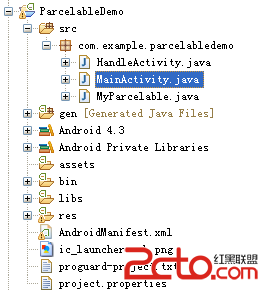 Android 開發:用 Parcelable 序列化自訂類別並透過 Intent 傳遞
當自訂的資料型別需要透過 Intent 或 IPC 傳遞時,就必須先把它序列化。Android 對此提供了 Parcelable 介面,它比 Java 原生的 Seria
 紅米Pro與紅米Note3對比 差別到底在哪
紅米Pro和紅米Note3哪個更好?小編今天帶來兩款機型的詳細對比。 紅米Pro與紅米Note3對比 紅米Pro 紅米Pro採用5.5英寸1080P螢幕,搭載聯發科He
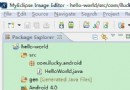 安卓基礎學習(一):開發環境建置與第一個 HelloWorld
在動手建置 Android 開發環境之前,先花點時間認識一下 Android 本身:它以 Java 為主要開發語言,核心基於 Linux,屬於自由且開放原始碼的作業系統,