

編輯:關於 Android 程式設計
單行長文本需要水平滑動時,常見做法是繼承 TextView 並自行處理手勢,但其實有更簡單的方法:直接使用 EditText。
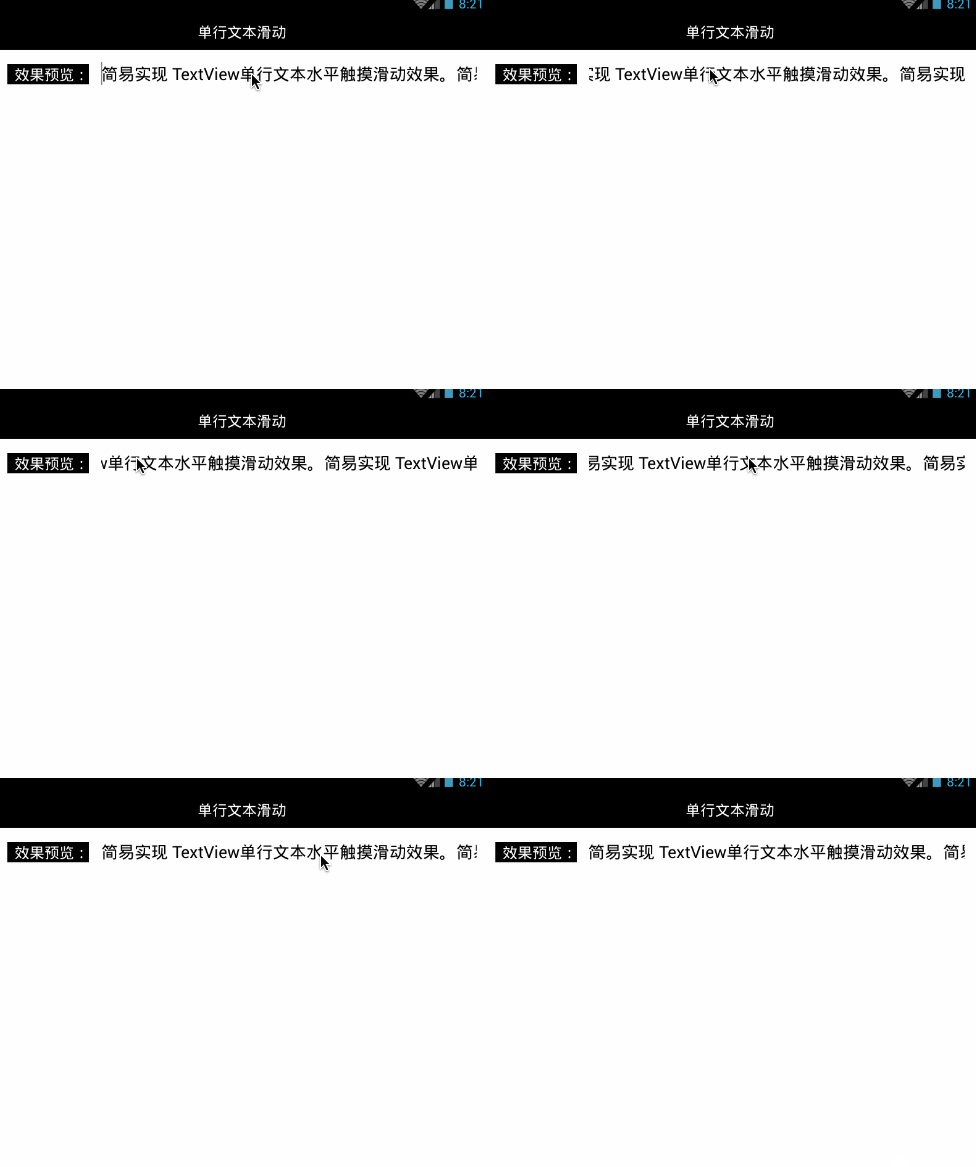
EditText 因為需要編輯與移動游標,天生就能水平滑動。只要把背景設為透明、焦點關閉,並隱藏游標,就能呈現類似可滑動文本的視覺效果。
android:background="@android:color/transparent":讓背景透明。android:focusable="false":避免取得焦點而進入編輯狀態。android:cursorVisible="false":隱藏游標。android:singleLine="true":保持單行。這種做法適合只需展示長文本、允許使用者左右滑動,但不需要真正編輯的場景。
 Android 用 SurfaceView 打造流暢的九宮格抽獎效果
項目裡要做九宮格抽獎活動,我以前沒做過類似功能。雖然平時看博客時偶爾掃到過抽獎相關的文章,但因為用不上,一直沒點進去看。這回項目真要做了,只能硬著頭皮去翻。 網上翻了半天
 Android 接口回呼實戰示例詳解
在 Android 開發中,介面回呼可說是隨處可見,最典型的例子莫過於 Button 的點擊事件——它就是一個介面回呼。可見熟練掌握介面回呼的重要性。 所謂介面回呼,通俗
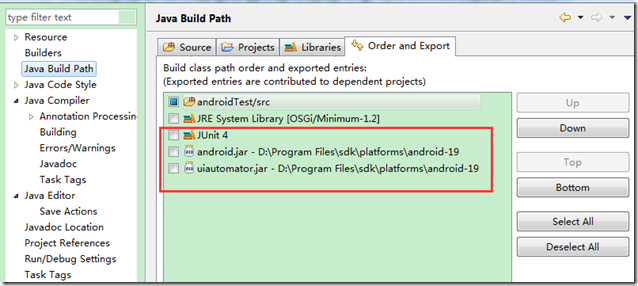 UI Automator 入門:Android 黑盒 UI 自動化測試環境與流程
Android 的自動化測試框架不少,UI Automator 是 Google 官方提供的黑盒 UI 測試工具,用 Java 撰寫用例。它最大的特色是不需要被測應用的原
 自訂 Android 轉場動畫的進階實踐
從 Android 5.0 開始,Google 官方為我們準備了不少既美觀又便利的轉場動畫。 原生提供的普通轉場動畫包括:- fade 漸隱漸現- slide 各元素先後