

編輯:關於 Android 程式設計
除錯時常需要把 App 私有目錄裡的 SQLite 資料庫拉出來,用工具直接開來看內容。由於 data/data/ 目錄在未取得 root 的情況下無法直接存取,程式內複製一份到外部儲存是最省事的做法。
private void copyDBToSDcrad() {
    String DATABASE_NAME = "資料庫檔名稱";
    String oldPath = "data/data/com.packagename/databases/" + DATABASE_NAME;
    String newPath = Environment.getExternalStorageDirectory()
            + File.separator + DATABASE_NAME;
    copyFile(oldPath, newPath);
}

/**
 * 複製單個檔案
 * @param oldPath 原檔案路徑
 * @param newPath 複製後路徑
 */
public static void copyFile(String oldPath, String newPath) {
    try {
        int bytesum = 0;
        int byteread = 0;
        File oldfile = new File(oldPath);
        File newfile = new File(newPath);
        if (!newfile.exists()) {
            newfile.createNewFile();
        }
        if (oldfile.exists()) {
            InputStream inStream = new FileInputStream(oldPath); // 讀入原檔案
            FileOutputStream fs = new FileOutputStream(newPath);
            byte[] buffer = new byte[1444];
            while ((byteread = inStream.read(buffer)) != -1) {
                bytesum += byteread; // 位元組數,即檔案大小
                fs.write(buffer, 0, byteread);
            }
            inStream.close();
        }
    } catch (Exception e) {
        System.out.println("複製單個檔案操作出錯");
        e.printStackTrace();
    }
}
程式碼中的 com.packagename 要換成實際的套件名稱,DATABASE_NAME 換成實際的資料庫檔名(不含 .db 還是含 .db 取決於你的建立方式,通常要帶副檔名)。
複製時採用固定大小的緩衝區迴圈讀寫,避免一次性把整個檔案載入記憶體——資料庫檔通常不小,這樣寫比較穩妥。
另外要注意兩件事:一是需要 WRITE_EXTERNAL_STORAGE 權限,Android 6.0 以上還要動態申請;二是複製這種 I/O 操作務必放在子線程執行,避免阻塞主線程導致 ANR。
如果裝置沒有外部儲存或權限受限,替代方案是把檔案上傳到開發機,或改用 FileProvider 透過 intent 分享出去,在新版 Android 上更為合適。
 從安全角度理解 Android BroadcastReceiver(上)
BroadcastReceiver 的基本用法 BroadcastReceiver 是 Android 四大元件之一,常用於接收系統或應用程式內部的廣播訊息。基本流程通常
 Android 仿 Win8 Metro 風格圖片收縮效果
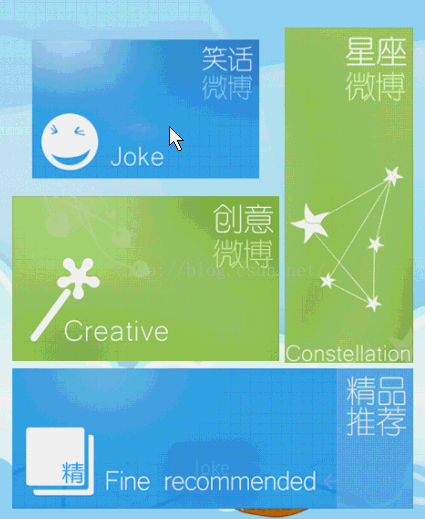
以下效果展示仿 Win8 Metro 風格的圖片收縮互動。自訂 ImageView透過覆寫 onLayout 取得控制項寬高與中心點,再在 onTouchEvent 中依
 Android 高手進階:Adapter 深入理解與性能優化
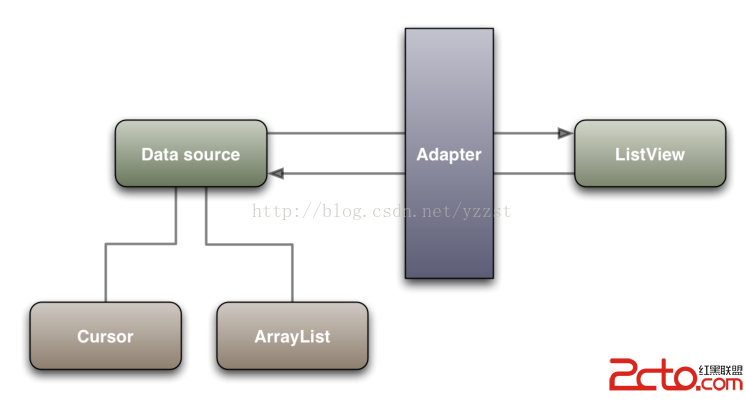
Adapter 是什麼在 ListView、GridView、ExpandableListView 等容器中,Adapter 是資料與視圖之間的橋樑。它不僅提供資料,也負
 用 IntentService 解決即時聊天與後台任務的消息發送問題
在即時聊天場景中,可能存在一個隱藏的 Bug,它與手機的網速和性能有關。舉例來說:你正在聊天,發送了一條消息,此時網絡狀況不佳,消息一直卡在「發送中」;而你不想再等,