

編輯:關於 Android 程式設計
寫 Android 代碼時,經常會遇到這兩種寫法並存的情況:
Toast.makeText(AlarmActivity.this, "鬧鐘取消", Toast.LENGTH_SHORT);
Toast.makeText(this, "鬧鐘5秒後啟動", Toast.LENGTH_SHORT);
為什麼有的時候要寫 Activity.this,有的時候直接 this 就行?在 Stack Overflow 上找到的原帖是這樣解釋的:
this refers to your current object. In your case you must have implemented the intent in an inner class ClickEvent, and that's what it points to.
Activity.this points to the instance of the Activity you are currently in.
Java 中的 this 始終指向「當前所在的對象實例」。問題是,當你寫的代碼位於內部類中時,「當前對象」已經悄悄換人了。
看一個典型的報錯場景:
// 編譯報錯:
// The method setClass(Context, Class) in the type Intent
// is not applicable for the arguments (FirstActivity.ClickEvent, Class)
Intent intent = new Intent(this, SecondActivity.class);

// 正確寫法
Intent intent = new Intent(FirstActivity.this, SecondActivity.class);
報錯信息裡的 FirstActivity.ClickEvent 已經把答案說清楚了:這行代碼位於名為 ClickEvent 的內部類中,此時 this 指的是那個 ClickEvent 實例,而不是 Activity。而 Intent(Context, Class) 需要一個 Context,ClickEvent 顯然不是。
規則很簡單:當代碼位於匿名內部類或成員內部類中,且你需要引用外部 Activity 時,就必須使用 ClassName.this。
Button b.setNegativeButton(R.string.cancel, new DialogInterface.OnClickListener() {
    public void onClick(DialogInterface dialog, int which) {
        // 這裡的 this 是匿名 OnClickListener,必須顯式指定 Activity
        Toast.makeText(AlarmActivity.this, "鬧鐘5秒後啟動", Toast.LENGTH_SHORT);
    }
});
如果 Activity 中嵌套了多層內部類,Activity.this 依然有效——它是從外部類作用域查找的語法,與嵌套層數無關。而多層嵌套的內部類各自引用自己的外部類時,就需要在代碼中寫出對應的類名。
有网友的建議很實用:一律寫成 Activity.this。這樣做的好處是意圖明確——一眼就能看出傳入的是 Activity 而非其他上下文;同時也避免了在代碼搬移(例如把一段邏輯從方法裡挪到內部類中)時忘記修改而出錯。
如果嫌麻煩,還有一種折中做法:在 Activity 中定義一個字段 private final Context mContext = this;,內部類中統一使用 mContext。不過要注意,如果某些 API 明確要求 Activity 類型(而非 Context),這種做法就不適用。
總結一句:這是 Java 內部類作用域的基礎知識,this 永遠指向當前實例,而 外部類.this 是穿透作用域的顯式引用。
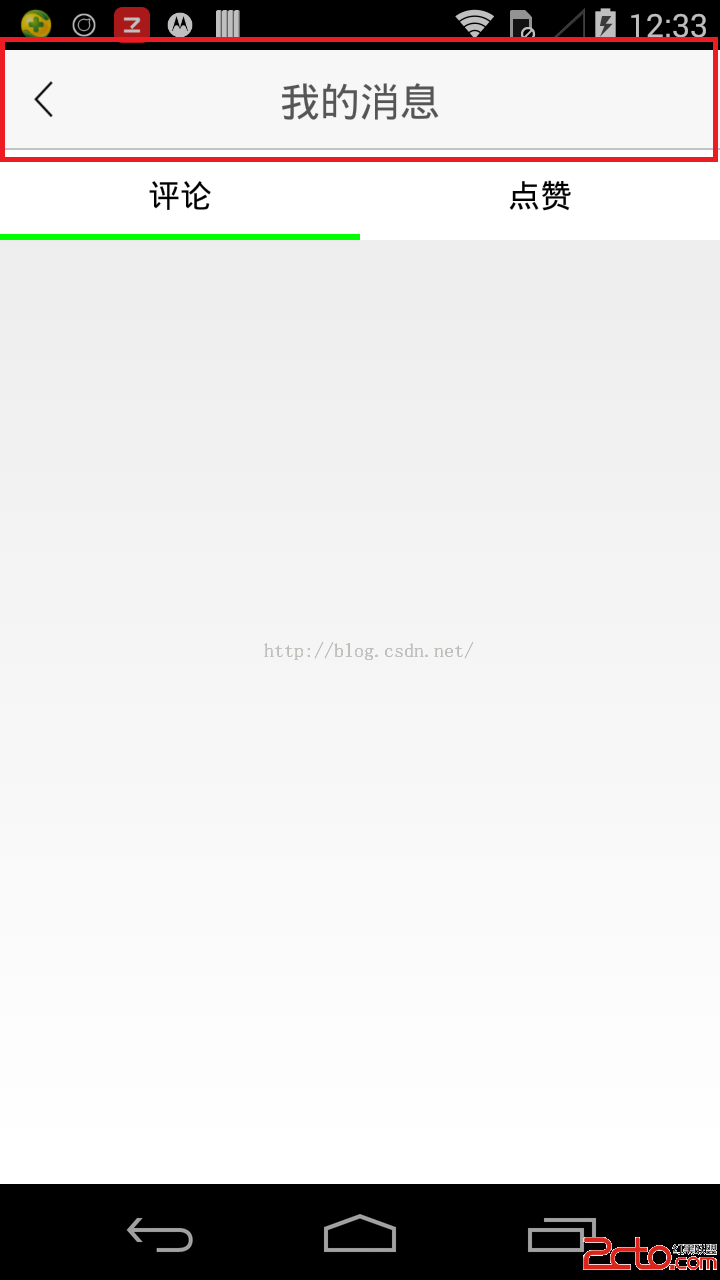 Android 自訂 Activity 基底類:共用 TitleBar
當多個 Activity 都需要相同的標題列時,可以建立一個 BaseActivity,把 TitleBar 的初始化、樣式與事件處理集中管理,避免每個頁面重複撰寫。 B
 RxJava 深入入門:從觀察者模式原理到執行緒切換與實戰場景(RxJava 2.0)
說明:原理講解部分會引用 RxJava 1.0 的概念,因為它更貼近直覺;程式碼範例則以 RxJava 2.0 為主。 為什麼要讀懂 RxJava 做 Android
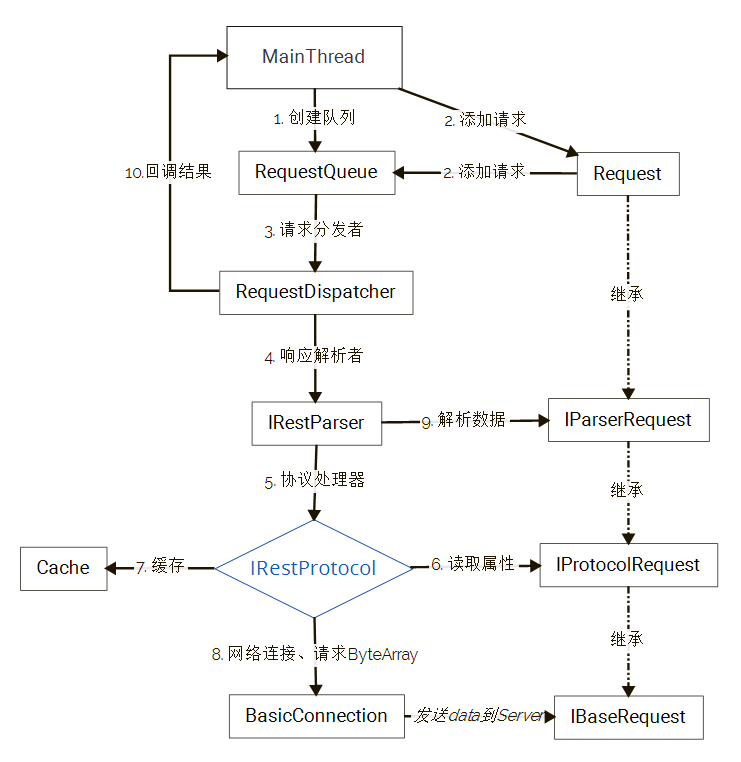 NoHttp 源碼解析(一):請求模組全拆解
市面上的 Http 框架很多,上層的有 NoHttp、Retrofit、Volley、android-async-http,底層的有 HttpURLConnection、
 Android 重力感應實作示例:讀取加速度感測器三軸數值
本文以實例講解 Android 中重力感應效果的實現,供大家參考。 Android 上許多遊戲都運用了重力感應技術,於是便深入研究了一下。我們以螢幕的左下方為原點,箭頭指