

編輯:關於 Android 程式設計
「讓一個 View 在父容器裡居中」看似簡單,但 Android 提供了三個不同的屬性來做這件事,適用範圍各異。用錯了會發現屬性完全不生效,這是初學階段常見的困惑點。
用於指定當前組件在父容器中的位置。使用前提是父佈局必須是 LinearLayout 或其後裔——這是最容易踩的坑,寫在 RelativeLayout 的子 View 上不會有任何效果。
可能的取值包括:
top / bottomleft / right / start / endcenter_vertical / center_horizontal / centerfill_vertical / fill_horizontal / fillclip_vertical / clip_horizontal其中與居中相關的是 center(水平垂直都居中)、center_horizontal、center_vertical。
需要注意的是,在 LinearLayout 的單一方向上,layout_gravity 只對交叉軸有效。比如豎向 LinearLayout 中,layout_gravity="left" 起作用,而 layout_gravity="top" 則被忽略——因為主軸位置由排列順序決定。想讓子 View 在主軸方向居中,需要配合 layout_weight 或改用其他佈局。
完整說明可參考 LinearLayout.LayoutParams 文檔。
用於指定View 的子組件在 View 中的位置,或者 View 內容在自身範圍內的對齊方式。它適用於所有的 View 和佈局,通用性最強。
與居中相關的取值:
centercenter_horizontalcenter_vertical區別在於作用對象不同:
重力值支持用 | 組合,例如 android:gravity="bottom|right" 表示內容靠右下角對齊。
完整枚舉可參考 Gravity 類文檔。
這是 RelativeLayout 專屬的佈局屬性。當一個組件的直接父佈局是 RelativeLayout 時,寫 android:layout_centerInParent="true" 即可讓它居中,取值只有 true 與 false。
同族的還有兩個:
android:layout_centerHorizontal="true":水平居中android:layout_centerVertical="true":垂直居中三個屬性可以組合使用,例如同時設 layout_centerHorizontal 與 layout_centerVertical 等價於 layout_centerInParent。
詳見 RelativeLayout.LayoutParams 文檔。
android:layout_gravity(注意交叉軸限制)android:gravityandroid:layout_centerInParent 系列android:layout_gravity(FrameLayout 支持兩個方向)layout_constraintLeft_toLeftOf 等約束,居中靠對稱約束實現記住一條判斷依據:gravity 管「裡面的東西怎麼擺」,layout_gravity 管「我自己在爸爸家的位置」。名字裡的 layout_ 前綴就是「我在父佈局中的佈局參數」這一含義的標記。
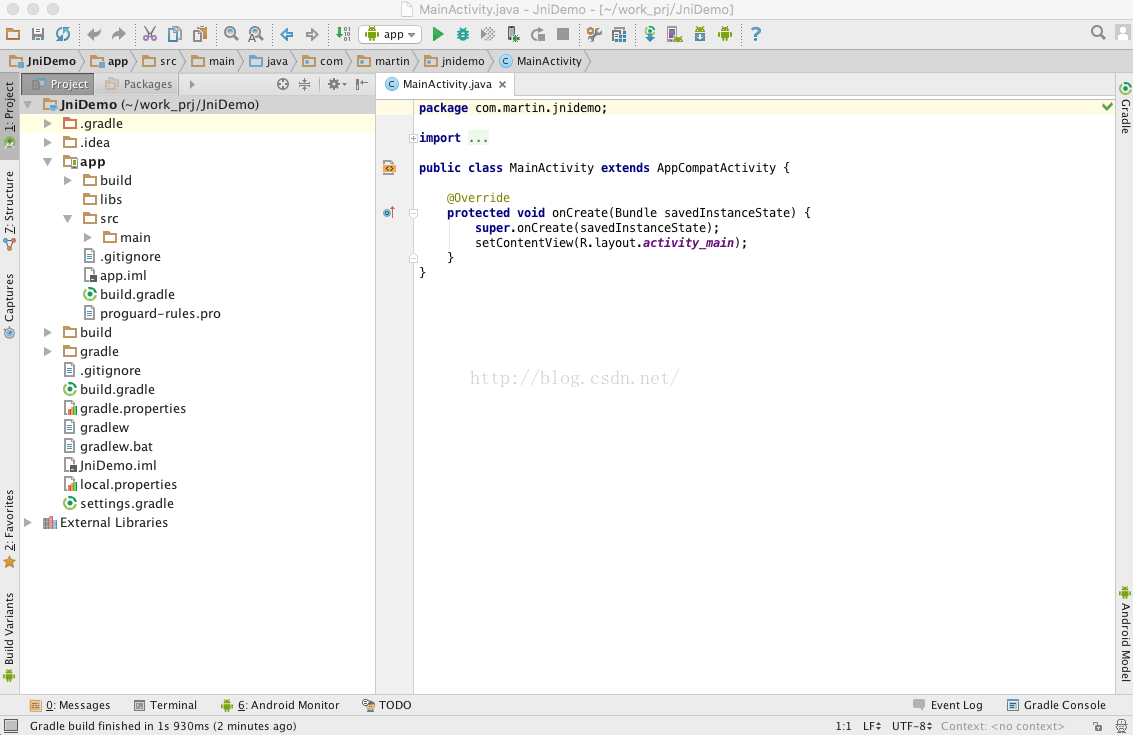 Android Studio 下的 NDK JNI 開發完整入門
早些年用 Eclipse 搭配 NDK 研究 JNI 時,總覺得設定與開發都相當繁瑣。近來改用 Android Studio 開發 JNI,整體體驗順暢許多,於是趁機把流
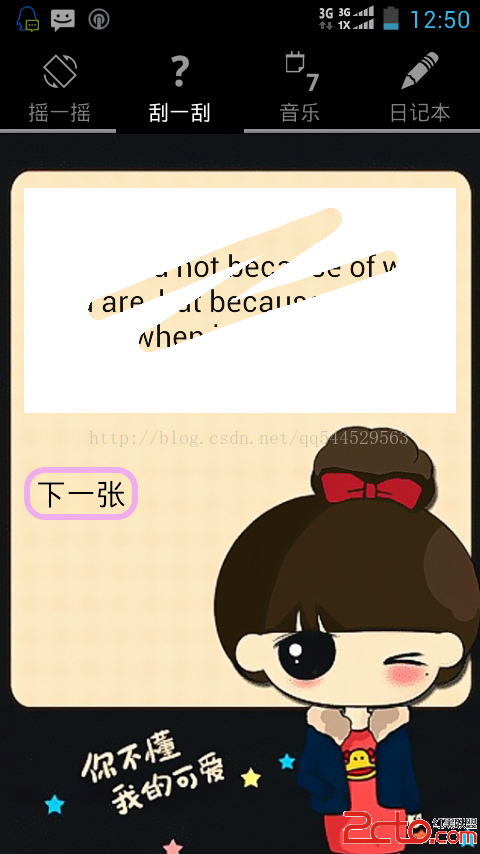 Android 刮刮樂效果實作:自定義擦除視圖
效果原理刮刮樂效果的本質,是在文字或圖案上覆蓋一層可擦除的遮罩。當使用者手指滑過時,遮罩被擦開,底下的內容逐漸顯現。自定義擦除元件可建立一個自訂 TextView,內部使
 Android 自訂控制元件系列(二):自製開關按鈕(上)
這次我們要打造一個完整而純粹的自訂控制元件,而非以往那種拿系統控制項拼湊出來的組合式元件。整個系列規劃為三部分:自訂控制元件的基本結構、觸控事件的處理,以及自訂屬性。本文
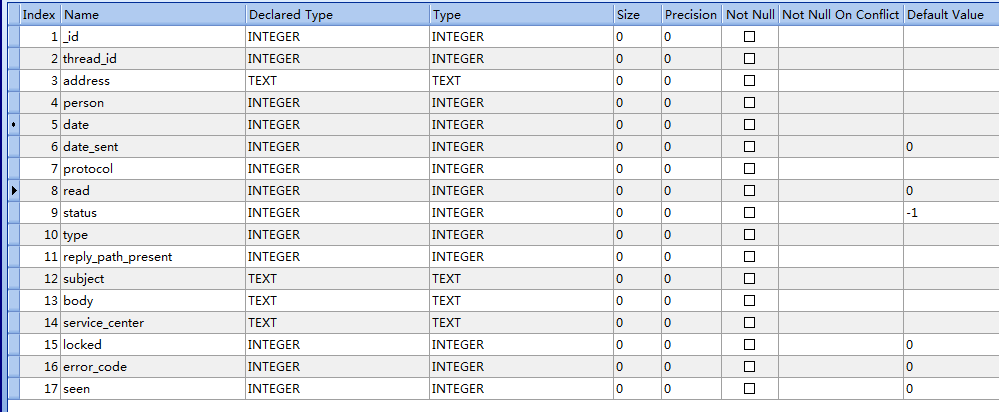 Android 安全透視:ContentProvider 如何讀取短信與舊版系統的短信寫入風險
相比於 iOS,Android 系統一直為人詬病的一點就是安全性。本篇就從開發者與安全研究的角度,剖析短信數據庫的存取機制,藉此理解為什麼要謹慎授予應用敏感權限。 一、應