

編輯:關於 Android 程式設計
Android 在設計 View 類時,為了能儲存一些輔助資訊,特別提供了 setTag/getTag 方法。這讓我聯想到 Winform 設計中,每個 Control 同樣存在一個 Tag。
今天要說的是我最近學習 Android 時遇到的 setTag 的坑。一般情況下我們只需使用單參數的 setTag 方法;但有時需要儲存多個數據,這時就得使用帶 key 的重載版本。
官方文檔的描述是:「 The specified key should be an id declared in the resources of the application to ensure it is unique. Keys identified as belonging to the Android framework or not associated with any package will cause an IllegalArgumentException to be thrown.」
這裡說明必須保證 key 的唯一性。但如果我們用 java 常量定義 key(如 private static final int TAG_ID = 1;),你依然會遇到如下錯誤:
java.lang.IllegalArgumentException: The key must be an application-specific resource id
正確的解決方案是:在 res/values/strings.xml 中定義這個 key 常量,如下:
<resources> <item type="id" name="tag_first"></item> <item type="id" name="tag_second"></item> </resources>
使用方式如下:
imageView.setTag(R.id.tag_first, "Hello"); imageView.setTag(R.id.tag_second, "Success");
以上就是對 Android setTag 方法 key 問題的解決辦法,謝謝大家對本站的支持!
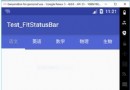 Android TabLayout 結合 ViewPager 實現分頁切換教學
在 Android 中,TabLayout 與 ViewPager 是非常常見的組合,適合用來建立頂部頁籤與可滑動頁面的結構。只要把兩者綁定在一起,就能讓使用者透過點擊頁
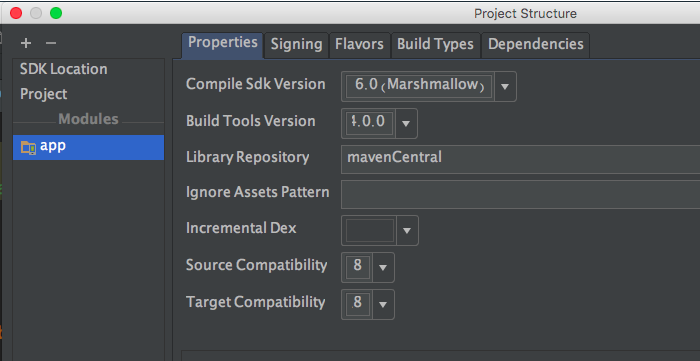 Android 開發實戰:用 Lambda 表達式簡化你的代碼
Java 8 引入了不少新特性,其中就有 Lambda 表達式。本文重點說明在 Android 開發中如何使用 Lambda,同時也是為後續介紹 RxAndroid、Rx
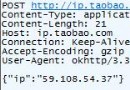 Android 網絡編程(十):Retrofit2 請求參數注解全解
前言 上一篇我們掌握了 Retrofit 最基礎的 GET 請求寫法,並對請求參數有了初步認識。本篇會把 Retrofit2 提供的各類請求參數注解系統梳理一遍,包括路徑
 TraceView 圖文攻略:從資料採集到瓶頸定位
自從 Google 發布了一系列效能優化影片後,社群裡關於效能分析的文章也多了起來:有人分析效能瓶頸的成因,有人分享優化手法,也有人介紹可用的檢測工具。本文聚焦其中的 T