

編輯:關於 Android 程式設計
先看看要實現的效果:
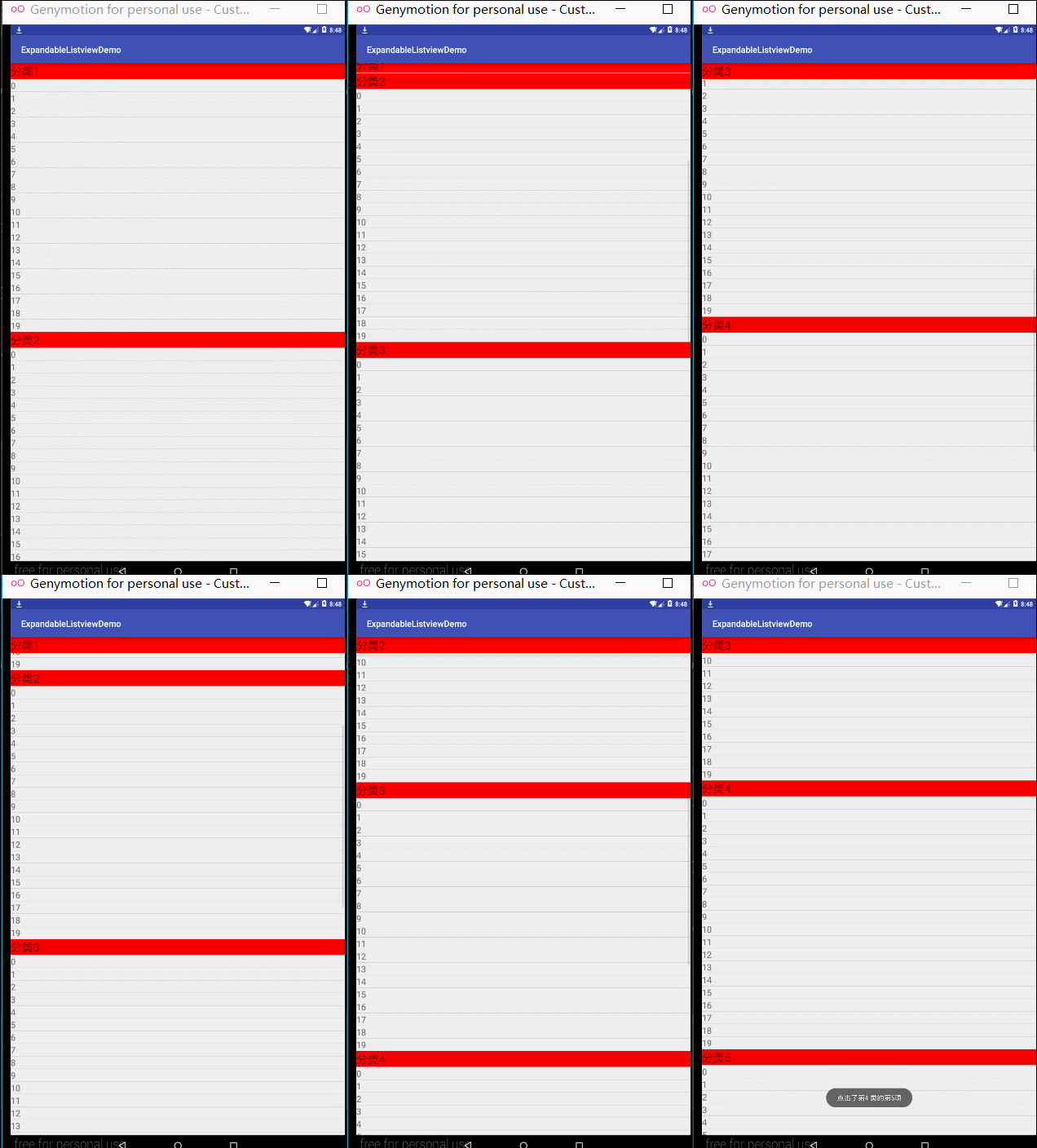
這種效果的核心是自定義一個 ExpandableListView,給它設置一個指示布局,並在滑動過程中實時監聽當前應該懸浮顯示的分類。今天抽空整理了代碼,記錄一下使用過程,方便以後有類似需求時快速搞定。
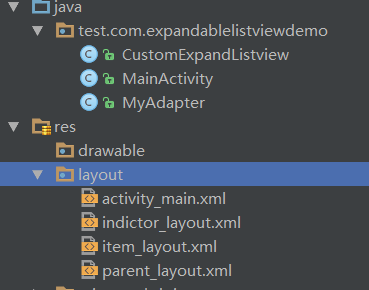
上圖三個類分別是自定義的 ExpandableListView、主界面,以及 ExpandableListView 使用的 Adapter;下方幾個 xml 文件則分別是主界面布局、指示器布局、ExpandableListView 子項布局與組布局。
1. 在 xml 中聲明自定義 ExpandableListView
<test.com.expandablelistviewdemo.CustomExpandListview //這裡不唯一,看你具體把CustomExpandListview放在哪裡 android:id="@+id/listView" android:layout_width="match_parent" android:layout_height="match_parent"></test.com.expandablelistviewdemo.CustomExpandListview>
2. 聲明數據源(這裡為演示方便,數據全用 String 類型,實際可按需求調整)
private String[] parentSource = {"分類1", "分類2", "分類3", "分類4", "分類5"}; private ArrayList<String> parent = new ArrayList<>(); private Map<String, ArrayList<String>> datas = new HashMap<>();
3. 初始化演示數據
//種類 for (int i = 0; i < parentSource.length; i++) { parent.add(parentSource[i]); } //給每個種類添加模擬數據 for (int i = 0; i < parent.size(); i++) { String str = parent.get(i); ArrayList<String> temp = new ArrayList<>(); for (int j = 0; j < 20; j++) { temp.add("" + j); } datas.put(str, temp); }
4. 初始化並使用 Adapter
myAdapter = new MyAdapter(this, parent, datas, listview); listview.setAdapter(myAdapter);
可以看到,構造方法裡傳入了上下文對象、種類、數據,以及我們的 CustomExpandListview 對象,因此在 CustomExpandListview 中要相應地添加匹配的構造方法。
5. 設置懸浮提示布局
listview.setHeaderView(getLayoutInflater().inflate(R.layout.indictor_layout, listview, false));
6. 其他常用操作
默認全部展開:
for (int i = 0; i < parent.size(); i++) { listview.expandGroup(i); }
item 點擊事件:
listview.setOnChildClickListener(new ExpandableListView.OnChildClickListener() { @Override public boolean onChildClick(ExpandableListView expandableListView, View view, int i, int i1, long l) { Toast.makeText(MainActivity.this, "點擊了第" + (i + 1) + " 類的第" + i1 + "項", Toast.LENGTH_SHORT).show(); return true; } } );
從上面的步驟不難看出,借助 CustomExpandListview 實現圖中的懸浮提示效果其實非常容易。以上就是本文的全部內容,希望能給大家的學習或工作帶來幫助,如有疑問歡迎留言交流。
 Android Service 啟動流程源碼解析
Service 不是背景執行緒 Service 雖然常用於背景任務,但它預設執行在主執行緒。若直接執行長時間運算,仍可能阻塞 UI 或造成 ANR。若需要耗時工作,應在
 Android Studio 找不到 recyclerview-v7?先搞懂 support 庫的拆分方式
在 Android Studio 裡寫 RecyclerView 時,如果直接照著網路上的教學加入依賴,很可能會看到「找不到 com.android.support:re
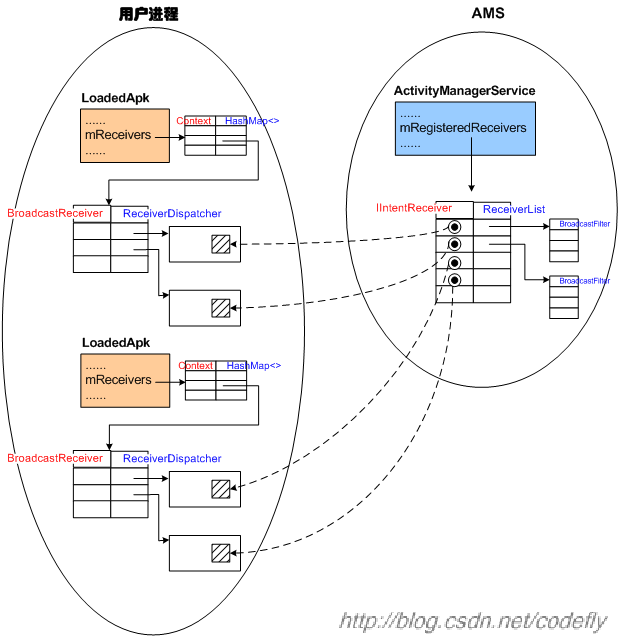 深入解析 Android 動態廣播的註冊流程
動態廣播的角色 在 Android 中,BroadcastReceiver 是一套基於發布與訂閱模型的元件通信機制。它可以用於同一進程內的元件互動,也可以透過跨進程方式完
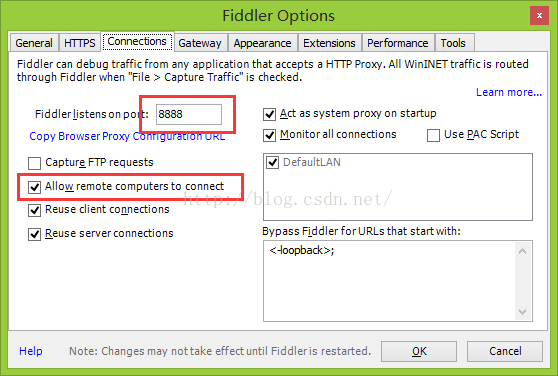 用 Fiddler 在 Android 上抓包(HTTP 與 HTTPS)實戰教學
Fiddler 是一款 HTTP 協議的除錯代理工具,在開發網路應用時經常被使用。它最基本的功能是能攔截 HTTP 封包,當然還有更高階的用法,例如設定中斷點、修改請求與