

編輯:關於 Android 程式設計
App 啟動時那張短暫出現的品牌畫面,就是所謂的 Splash 畫面。做法其實相當樸素:開一個專用的 Activity 當入口,顯示圖片後用 Handler.postDelayed() 延遲一小段時間,再跳轉到主畫面並把自己關掉。
public class Splash extends Activity {

    private final int SPLASH_DISPLAY_LENGHT = 1000;

    @Override
    protected void onCreate(Bundle savedInstanceState) {
        super.onCreate(savedInstanceState);
        setContentView(R.layout.splash);
        new Handler().postDelayed(new Runnable() {
            @Override
            public void run() {
                Intent mainIntent = new Intent(Splash.this, Application.class);
                Splash.this.startActivity(mainIntent);
                Splash.this.finish();
            }
        }, SPLASH_DISPLAY_LENGHT);
    }
}
SPLASH_DISPLAY_LENGHT 是顯示的毫秒數,這裡設為 1000 也就是一秒。實務上建議別拉太長,超過一秒半使用者就會開始不耐煩。最後那個 finish() 千萬別省,否則使用者按返回鍵會又回到閃屏畫面。
關鍵是把 Splash 設為啟動入口,並讓主畫面退居其後。
<application
    android:icon="@drawable/icon"
    android:label="@string/app_name">
    <activity
        android:name=".Application"
        android:label="@string/app_name">
        <intent-filter>
            <action android:name="android.intent.action.DEFAULT" />
            <category android:name="android.intent.category.VIEW" />
        </intent-filter>
    </activity>
    <activity
        android:name="Splash"
        android:label="@string/app_name">
        <intent-filter>
            <action android:name="android.intent.action.MAIN" />
            <category android:name="android.intent.category.LAUNCHER" />
        </intent-filter>
    </activity>
</application>
帶有 MAIN 與 LAUNCHER 的那個 Activity 就是桌面圖示點下去後會開啟的畫面,所以 Splash 必須掛上這組 filter,主畫面則不需要。
這種固定睡覺式的閃屏有兩個常見缺點。一是純粹在浪時間,二是若閃屏期間正在初始化資料,延遲結束時初始化可能還沒跑完。比較好的做法有兩種:把初始化工作放到背景執行緒,等真正準備好才跳轉,並設一個逾時上限避免卡在閃屏;或者改用 Android 12(API 31)起提供的 SplashScreen API,由系統統一處理啟動動畫,這也是目前官方推薦的方式。
另外若使用固定延時寫法,記得在 onDestroy() 中移除 Handler 的 callback,避免 Activity 已銷毀卻仍被回呼而導致記憶體洩漏。
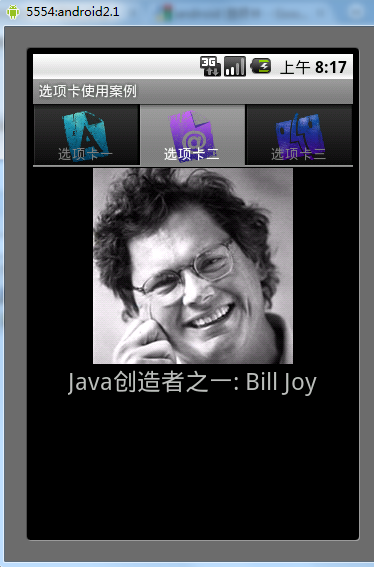 Android TabHost 用法解析
TabHost 基本概念 TabHost 可用來實作分頁切換效果。每個分頁通常對應一個版面或內容區塊。 版面配置 先在版面中準備多個 LinearLayout,每個 Li
 Android物聯網開發:byte字節數組與十六進制字串相互轉換
想起前段時間做的物聯網外包專案,經常需要處理透過WiFi接收的資料:有時要轉成十六進制字串,有時又要還原成十進制數據,一切都依照雙方約定的協議來進行。同理,我們發送出去的
 深入解析 Android 中的 Builder 建造者模式
在 Android 原始碼中,設計模式無所不在。其中,建造者模式因為能優雅地封裝複雜物件的建立流程,經常出現在各種框架與元件中。本文以 AlertDialog 為例,說明
 Android開發中assets目錄資源的完整使用總結
Android資源檔案的分類 Android的資源檔案大致可分為兩類: 第一類是放在res目錄下、可被編譯的資源檔案。系統會在R.java中自動為這類資源產生對應的ID,