

編輯:關於 Android 程式設計
本文要實作的功能是:在 ListView 的 Item 上從右向左滑動時出現刪除按鈕,點擊刪除按鈕即可刪除該 Item。
參考相關文章後,我認為沒有必要同時重寫 dispatchTouchEvent() 與 onTouchEvent() 兩個方法,只要重寫 onTouchEvent() 即可。於是對程式碼做了一些調整:
public class MyListView extends ListView { private static final String TAG = "MyListView"; private int mTouchSlop; private int mXDown; private int mYDown; private int mCurrentPosition; private View mCurrentView; private PopupWindow mPopupWindow; private LayoutInflater mInflater; private boolean isSliding = false; private DelButtonClickListener mListener; private Button mDelBtn; private int mPopupWindowHeight; private int mPopupWindowWidth; public MyListView(Context context, AttributeSet attrs) { super(context, attrs); mInflater = LayoutInflater.from(context); mTouchSlop = ViewConfiguration.get(context).getScaledTouchSlop(); View view = mInflater.inflate(R.layout.delete_btn, null); mDelBtn = (Button) view.findViewById(R.id.id_item_btn); mPopupWindow = new PopupWindow(view, LinearLayout.LayoutParams.WRAP_CONTENT, LinearLayout.LayoutParams.WRAP_CONTENT); mPopupWindow.setFocusable(true); mPopupWindow.setBackgroundDrawable(new ColorDrawable(0)); mPopupWindow.getContentView().measure(0, 0); mPopupWindowHeight = mPopupWindow.getContentView().getMeasuredHeight(); mPopupWindowWidth = mPopupWindow.getContentView().getMeasuredWidth(); } @Override public boolean onTouchEvent(MotionEvent ev) { int action = ev.getAction(); int x = (int) ev.getX(); int y = (int) ev.getY(); switch (action){ case MotionEvent.ACTION_DOWN: isSliding = false; mXDown = x; mYDown = y; mCurrentPosition = pointToPosition(mXDown, mYDown); View view = getChildAt(mCurrentPosition - getFirstVisiblePosition()); mCurrentView = view; break; case MotionEvent.ACTION_MOVE: int dx = x - mXDown; int dy = y - mYDown; if(mXDown > x && Math.abs(dx) > mTouchSlop && Math.abs(dy) < mTouchSlop){ isSliding = true; int[] location = new int[2]; mCurrentView.getLocationOnScreen(location); mPopupWindow.setAnimationStyle(R.style.popwindow_delete_btn_anim_style); mPopupWindow.update(); mPopupWindow.showAtLocation(mCurrentView, Gravity.NO_GRAVITY, location[0] + mCurrentView.getWidth(), location[1] + mCurrentView.getHeight() / 2 - mPopupWindowHeight / 2); mDelBtn.setOnClickListener(new OnClickListener() { @Override public void onClick(View v) { mListener.clickHappend(mCurrentPosition); mPopupWindow.dismiss(); } }); } case MotionEvent.ACTION_UP: // isSliding 若在此恢復為false,後續會執行super.onTouchEvent, // 進而可能觸發Item的點擊。因此保持isSliding為true,改在ACTION_DOWN中恢復false。 //isSliding = false; } if(isSliding){ return true; } return super.onTouchEvent(ev); } public void setDelButtonClickListener(DelButtonClickListener listener){ mListener = listener; } interface DelButtonClickListener{ public void clickHappend(int position); } }
透過這個範例,我學習到兩點:
1. ListView 的 Item 點擊事件觸發流程:
自定義 ListView 的 onTouchEvent() → 調用 super.onTouchEvent() → AbsListView.onTouchEvent() →(MotionEvent.ACTION_UP)→ AbsListView.onTouchUp() →(有可能)performClick.run() → AbsListView.PerformClick.run() → performItemClick() → AbsListView.performItemClick() →(有可能)super.performItemClick() → AdapterView.performItemClick() → mOnItemClickListener.onItemClick() → OnItemClickListener.onItemClick()。
也就是說,Item 的點擊事件是在 MotionEvent.ACTION_UP 時完成的。因此在自定義 ListView 的 onTouchEvent() 中,對 ACTION_UP 直接 return true 消費掉事件、不呼叫 super.onTouchEvent,就能避免刪除按鈕與 Item 點擊事件的衝突。
2. PopupWindow — 透過點擊外部區域使其消失:
a. 需要呼叫 setFocusable() 方法;
b. Android 6.0 以前的版本需要 setBackgroundDrawable()。
以上便是本文介紹的 ListView 與 PopupWindow 實作滑動刪除功能的完整做法,若有任何疑問歡迎留言討論。
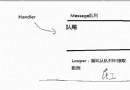 Android Handler 與 Looper 的關係:消息機制一次看懂
Android 的訊息處理機制,核心在於 Handler、Looper、MessageQueue 與 Message 的分工。理解它們之間的關係,有助於處理非同步更新、執
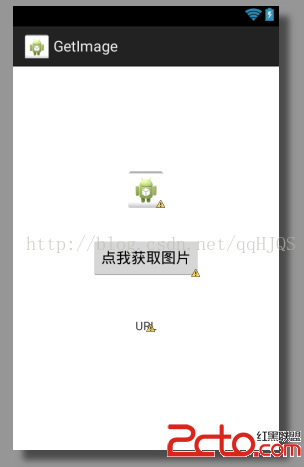 Android 開發:網路圖片的取得與非同步載入
這是寫畢業設計時用到的技巧——從網路抓取圖片並顯示出來。這裡就依我的情況簡單說明一下。 首先設計版面配置,直接拖幾個控制項上去即可。 接著在 Activity 中補上功
 Android 單元測試入門實例分析
本文通過一個簡單實例,帶大家快速上手 Android 的單元測試。在實際開發中,Android 應用需要反覆測試,而 JUnit 是正規開發中的必備技術——它能獲取組件、
 Hello,Android:從零開始寫出第一個安卓程式
專案緣起因為要參加某個資訊安全比賽,我選了「安卓 APK 行為分析與評估」這個課題,所以第一步得先搞懂安卓程式是怎麼撰寫和運行的。我們的第一個任務,就是寫出一個多人通訊的