

編輯:關於 Android 程式設計
Glide 是 Android 上的圖片加載與快取庫(前身是 Google 在 I/O 大會展示的 Galleries 3.0 專案),核心目標只有一個:讓滾動的圖片列表不卡。為此它在背景處理解碼、尺寸調整與快取,把 I/O 與解碼都移出主線程,同時支援遠端圖片、影片幀與 GIF 動畫。

單個 ImageView:
@Override
public void onCreate(Bundle savedInstanceState) {
    ...
    ImageView imageView = (ImageView) findViewById(R.id.my_image_view);
    Glide.with(this).load("https://goo.gl/h8qOq7").into(imageView);
}
列表中的用法,這裡示範了幾個實務上幾乎必備的選項——centerCrop() 避免變形、placeholder() 佔位圖、crossFade() 淡入:
@Override
public View getView(int position, View recycled, ViewGroup container) {
    final ImageView myImageView;
    if (recycled == null) {
        myImageView = (ImageView) inflater.inflate(R.layout.my_image_view, container, false);
    } else {
        myImageView = (ImageView) recycled;
    }

    String url = myUrls.get(position);
    Glide.with(myFragment)
            .load(url)
            .centerCrop()
            .placeholder(R.drawable.loading_spinner)
            .crossFade()
            .into(myImageView);
    return myImageView;
}
Volley 是可選的網絡層,讓 Glide 透過 http/https 取圖。Gradle:
dependencies {
    compile 'com.github.bumptech.glide:volley-integration:1.0.+'
    compile 'com.mcxiaoke.volley:library:1.0.+'
}
Maven:
<dependency>
  <groupId>com.github.bumptech.glide</groupId>
  <artifactId>volley-integration</artifactId>
  <version>1.0.1</version>
  <type>jar</type>
</dependency>
<dependency>
  <groupId>com.mcxiaoke.volley</groupId>
  <artifactId>library</artifactId>
  <version>1.0.5</version>
  <type>aar</type>
</dependency>
在 Activity 或 Application 中註冊即可,之後所有請求都走 Volley:
public void onCreate() {
    Glide.get(this).register(GlideUrl.class, InputStream.class,
            new VolleyUrlLoader.Factory(yourRequestQueue));
    ...
}
同樣地,Glide 也支援以 OkHttp 作為網絡層。Gradle:
dependencies {
    compile 'com.github.bumptech.glide:okhttp-integration:1.0.+'
    compile 'com.squareup.okhttp:okhttp:2.0.+'
}
Maven:
<dependency>
  <groupId>com.github.bumptech.glide</groupId>
  <artifactId>okhttp-integration</artifactId>
  <version>1.0.1</version>
  <type>jar</type>
</dependency>
<dependency>
  <groupId>com.squareup.okhttp</groupId>
  <artifactId>okhttp</artifactId>
  <version>2.0.0</version>
  <type>jar</type>
</dependency>
註冊方式與 Volley 相同:
public void onCreate() {
    Glide.get(this).register(GlideUrl.class, InputStream.class,
            new OkHttpUrlLoader.Factory(yourOkHttpClient));
    ...
}
只要 App 涉及遠端圖片,Glide 就能在效能與流量上幫上忙。幾個實作上的關鍵點:
Glide.with() 傳入的物件決定了請求的生命週期——傳 Activity/Fragment 時,頁面銷燬會自動取消請求;傳 applicationContext 則不會,用在長列表上容易造成混亂。override() 或 fitCenter/centerCrop 之類的尺寸策略,否則會解碼出原圖尺寸的點陣圖,直接造成 OOM。diskCacheStrategy() 控制磁碟快取行為,記憶體快取則由 MemoryCache 管理,兩者要一起理解才不會重複下載。com.github.bumptech.glide:glide,4.x 起整合方式改為透過 AppGlideModule 與 GlideBuilder 替換網絡層(registerComponents()),並需要加上 annotationProcessor,舊寫法已不適用,新專案請直接採用 4.x。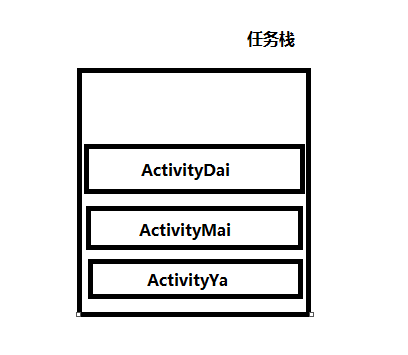 Activity 的四種啟動模式,以及它們如何牽動記憶體與洩漏問題
第一次看到這個標題我也愣住——Activity 的啟動模式跟記憶體有什麼關係?先別皺眉,本文就來把「四種 launchMode」與「記憶體」這兩件事串起來講清楚,順便談談
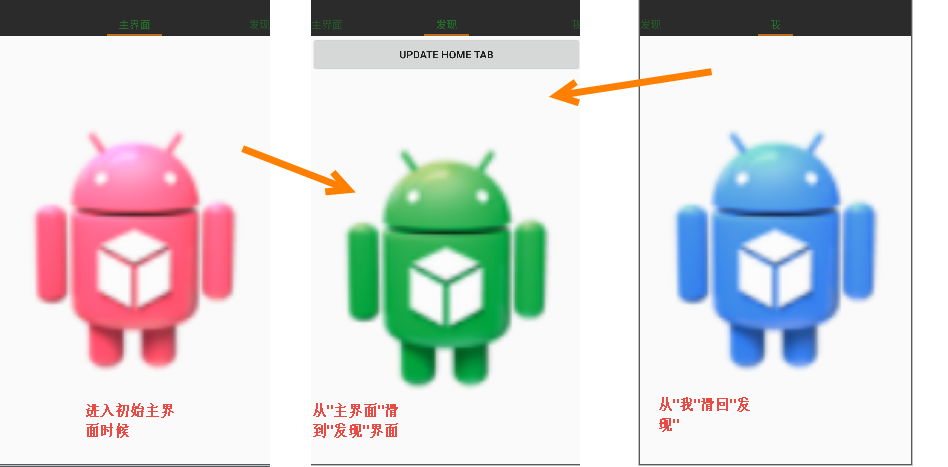 ViewPager 進階實戰(二):PagerAdapter 與 PagerTabStrip 的完整演練
引言 上一篇講了 ViewPager 與 PagerAdapter 的基本原理,但「光說不練空把式」——聽別人講時覺得都懂,自己從零寫一遍卻又處處卡住。所以建議初學者看完
 Android 相簿圖片瀏覽與多選:GridView 實作完整教學
想做到的效果 這次要實作的是一個典型的「選取圖片」頁面: 1. 第一格固定是相機入口,點擊直接開啟系統相機拍照。 2. 其餘格子顯示裝置內所有已存的圖片,單擊進入大
 Android 輪播圖封裝與下拉刷新列表的組合實踐
做畢業設計時抽空寫了這麼一個模塊,記錄下來備忘。整個方案由兩部分組成:自定義輪播圖 CarouselView,以及自定義下拉刷新列表 PullRefreshListVie