

編輯:關於 Android 程式設計
Service 是 Android 四大組件之一,專為處理諸如下載、播放音樂這類耗時又不需要界面的後台任務而生。本文將介紹 Service 的特點、生命周利率方法,以及如何通過 Binder 實現 Activity 與 Service 之間的通信。
Service 具有以下幾個特點:
1. 它是應用程序的一個組件;
2. 沒有圖形化界面;
3. 適合處理耗時較長的功能,如下載、播放 MP3;
4. 常用於更新 ContentProvider、響應 Intent 以及隨系統啟動。
要特別注意的是,Service 既不是一個單獨的進程,也不是一個線程,它默認跟隨應用的主線程運行。
定義 Service 很簡單,繼承 Service 類並實現其生命周利率方法即可。定義好後必須在 AndroidManifest.xml 中通過 <service> 標簽聲明才能使用:
<service android:name="MyService">
    <intent-filter>
        <action android:name="hb.com.MYSERVICE"/>
    </intent-filter>
</service>
通過內部 Binder 類,我們可以把 Service 實例暴露給 Activity 調用:
public class MyService extends Service {
    public class MyBinder extends Binder {
        public MyService getMyService() { return MyService.this; }
    }
    public void test() { System.out.println("test"); }

    @Override public IBinder onBind(Intent intent) {
        System.out.println("onBind");
        return new MyBinder();
    }
    @Override public void onCreate() {
        System.out.println("onCreate");
        super.onCreate();
    }
    @Override public boolean onUnbind(Intent intent) {
        System.out.println("I am unbind");
        return super.onUnbind(intent);
    }
}
Activity 通過 ServiceConnection 來綁定 Service。綁定成功後,就能拿到 Binder 並進而調用 Service 中的方法:
ServiceConnection conn = new ServiceConnection() {
    @Override public void onServiceDisconnected(ComponentName name) {
        System.out.println("onServiceDisconnected");
    }
    @Override public void onServiceConnected(ComponentName name, IBinder service) {
        System.out.println("onServiceConnected");
        MyBinder myBinder = (MyBinder) service;
        MyService myService = myBinder.getMyService();
        myService.test(); // 調用 Service 中的自定義方法
    }
};

// 綁定:依次觸發 onCreate → onBind → onServiceConnected
bindService(intent, conn, Service.BIND_AUTO_CREATE);

// 解綁:觸發 onUnbind
unbindService(conn);
可以看到,bindService 的執行順序是 onCreate → onBind → onServiceConnected,因此 onServiceConnected 中拿到的正是 onBind 返回的 Binder。通過在 Service 中定義自己的方法,就能實現 Activity 對後台邏輯的調用,這正是 Service 作為「可綁定組件」的核心價值所在。
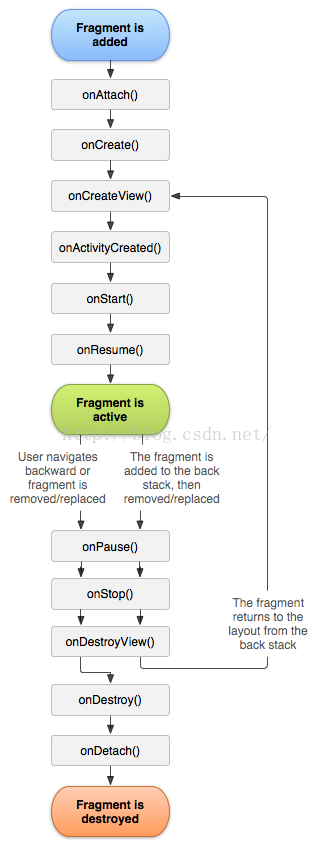 淺談 Android Fragment、生命週期回調與實戰運用
Fragment 是什麼? 可以把 Fragment 理解為 Activity 中的一個「模塊」:它有自己獨立的布局與生命週期,能單獨處理自己的輸入,並可在 Activi
 Android 自製帶圓形標記的數字進度列完整教學
開發緣起 設計師丟來一個帶圓形標記的進度條需求,我在 GitHub 上翻了一圈沒找到合適的現成元件,於是決定自己動手做一個。 先看成品效果: 核心思路是寫一個繼
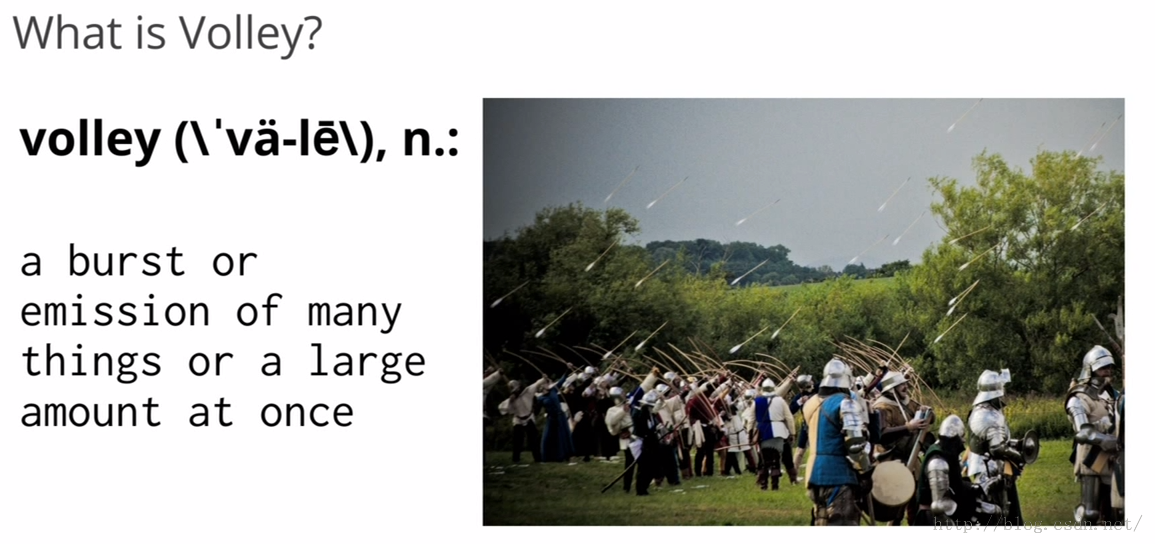 Volley 源碼全解讀:從請求入隊到回調主線程
Volley 這個名字原意是「齊射」,2013 年的 Google I/O 大會上發布,是 Android 平台的網路通訊庫。它把 AsyncHttpClient 的易用
 Android 使用 ListView 打造精美表格效果實作
本文要示範如何運用 ListView 呈現股票行情表格,效果圖如下,其中紅色代表股價上漲、綠色代表股價下跌,讓資料一目了然。 第一步:定義 color.xml 復制代碼