

編輯:關於 Android 程式設計
Intent 是 Android 組件之間通信的核心,無論是 Activity 跳轉、數據傳遞,還是調用系統功能,都離不開它。本文將系統梳理 Intent 的兩種啟動方式、帶返回值的跳轉、自定義 Action,以及常見的系統 Action 用法。
最簡單的方式是直接 new 一個 Intent 並傳入目標 Activity:
Intent intent = new Intent(Main.this, SecondActivity.class);
startActivity(intent);
如果希望從第二個 Activity 返回時能拿到結果,可以用 startActivityForResult,並在當前 Activity 重寫 onActivityResult 來接收:
startActivityForResult(intent, 2); // requestCode 用於區分是哪個子模塊返回

@Override
protected void onActivityResult(int requestCode, int resultCode, Intent data) {
    // requestCode 區分來源,resultCode 區分返回結果
}
被調用的 Activity 則通過 setResult 把結果裝回 Intent 並返回:
btn.setOnClickListener(v -> {
    Intent intent = getIntent();
    setResult(3, intent);
    finish();
});
需要強調的是,如果不對 requestCode 和 resultCode 加以區分,任何 Activity 的 setResult 都會被無差別地處理到 onActivityResult 中,因此養成區分的好習慣很重要。
通過自定義 Action,可以實現更靈活的組件匹配。三步走:
1. 定義一個 Action 常量:
public static final String MY_ACTION = "hb.com.MY_ACTION";
2. 用 Intent 指定 Action 並啟動(注意一定要 new 一個 Intent,用 getIntent 會打開當前 Activity):
Intent intent = new Intent();
intent.setAction(MY_ACTION);
startActivity(intent);
3. 在清單文件中為目標 Activity 配置對應的 intent-filter:
<activity android:name=".SecondActivity" android:label="@string/secondActivity">
    <intent-filter>
        <action android:name="hb.com.MY_ACTION" />
        <category android:name="android.intent.category.DEFAULT" />
    </intent-filter>
</activity>
這裡有幾條規則要記住:intent-filter 中的 action 不能為空;category 必須出現,否則匹配不通過;若 Intent 未指定 Action,則自動通過測試。
借助 Intent 內置的 Action 與 Data,可以輕鬆調用系統的各種功能:
// 查看某聯繫人
Uri uri = Uri.parse("content://contacts/people/1");
Intent intent = new Intent(Intent.ACTION_VIEW, uri);
startActivity(intent);

// 打開撥號面板
intent = new Intent(Intent.ACTION_DIAL, Uri.parse("tel:13811111111"));
startActivity(intent);

// 打開瀏覽器訪問網頁
intent = new Intent(Intent.ACTION_VIEW, Uri.parse("https://www.baidu.com"));
startActivity(intent);

// 打開地圖
intent = new Intent(Intent.ACTION_VIEW, Uri.parse("geo://39.92,116.46"));
startActivity(intent);
Intent 的四要素——Action(動作)、Data(數據)、Category(類別)、Extras(附帶信息)——共同決定了它的匹配與行為。理解這套機制,就掌握了 Android 組件交互的鑰匙。
 Android 貪吃蛇實戰:用 Canvas 與 Path 繪製三角形方向鍵
在 Android 自定義 View 中,繪圖通常由 Canvas、Paint 與 Path 共同完成。本篇以 DirectionKeys 為例,說明如何畫出一個三角形方
 抽象工廠模式在 Android 中的應用
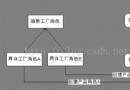
抽象工廠模式是什麼抽象工廠模式屬於物件建立型模式,是工廠方法模式的延伸。當系統需要建立多個產品族,且這些產品之間存在搭配關係時,抽象工廠模式特別適合。主要角色抽象工廠模式
 一個輕量級的 Android 網路請求框架
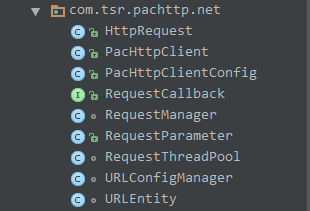
為什麼需要自定義請求框架 AsyncTask 雖然方便,但在複雜應用中會遇到一些限制,例如無法靈活控制線程池、也難以精細取消個別請求。當 Activity 跳轉後,先前發
 Android 系統啟動全解析:init 進程到底做了什麼
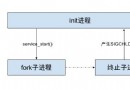
本文基於 Android 6.0 源碼,聚焦系統啟動過程中號為 1 的 init 進程——它是用戶空間的第一個進程,也是後續所有進程的起點。 /system/core/i