

編輯:關於 Android 程式設計
想把畫面上的一塊 View 存成圖片,用來分享、快照或縮圖嗎?Android 提供了兩種常見做法:一種是直接建立 Canvas 把 View 畫上去,另一種則是借用 Drawing Cache。本文一次整理給你。
這個做法最直觀——先依照 View 的寬高建立一張 Bitmap,再用它產生一個 Canvas,然後呼叫 view.draw(canvas) 把內容畫上去即可:
public Bitmap convertViewToBitmap(View view){ Bitmap bitmap = Bitmap.createBitmap(view.getWidth(), view.getHeight(), Bitmap.Config.ARGB_8888); //利用bitmap生成畫布 Canvas canvas = new Canvas(bitmap); //把view中的內容繪制在畫布上 view.draw(canvas); return bitmap; }
第二種做法先開啟 View 的 Drawing Cache 並強制建置,再從快取中取出 Bitmap。由於快取會佔用記憶體,用完后記得回收並關閉快取,同時複製一份獨立的 Bitmap 出來,避免原圖被回收後出問題:
/** * save view as a bitmap */ private Bitmap saveViewBitmap(View view) { // get current view bitmap view.setDrawingCacheEnabled(true); view.buildDrawingCache(true); Bitmap bitmap = view.getDrawingCache(true); Bitmap bmp = duplicateBitmap(bitmap); if (bitmap != null && !bitmap.isRecycled()) { bitmap.recycle(); bitmap = null; } // clear the cache view.setDrawingCacheEnabled(false); return bmp; } public static Bitmap duplicateBitmap(Bitmap bmpSrc) { if (null == bmpSrc) { return null; } int bmpSrcWidth = bmpSrc.getWidth(); int bmpSrcHeight = bmpSrc.getHeight(); Bitmap bmpDest = Bitmap.createBitmap(bmpSrcWidth, bmpSrcHeight, Config.ARGB_8888); if (null != bmpDest) { Canvas canvas = new Canvas(bmpDest); final Rect rect = new Rect(0, 0, bmpSrcWidth, bmpSrcHeight); canvas.drawBitmap(bmpSrc, rect, rect, null); } return bmpDest; }
兩種方法各有千秋:Canvas 繪製法彈性高、可控性強;Drawing Cache 則省去自己重繪的工夫,特別適合把整個版面「拍照」下來。依場景挑選即可。
 三行 Android 代碼實現白天夜間模式流暢切換
Usage xml:android:background= ?attr/zzbackground,app:backgroundAttr= zzbackground
 Android 監聽 EditText 輸入變化:TextWatcher 的兩個實用案例
在 Android 開發中,我們常常需要即時監聽 EditText 的輸入內容變化,例如做字數統計或輸入格式校驗。這可以透過 EditText 的 addTextChan
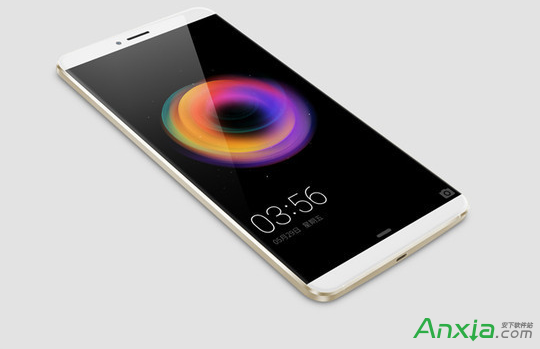 360奇酷手機刷機教學 Recovery與工具兩種方案
360奇酷手機出自酷派與360的合資公司,奇酷與酷派均採用安卓系統。那麼奇酷、酷派手機該怎麼刷機?下面小編提供兩種思路。 手機出現異常時,可以先嘗試恢復出廠設定。需特別注
 Android 用 GridView 打造完整日曆元件(附完整程式碼)
自製日曆是很能磨基本功的題目,牽涉到日期推算、閏年判斷、農曆轉換與手勢翻頁。先看一眼成果: 一、主版面配置 上方是月份切換列,中間是星期標頭,下方用 7 欄的 Gri