

編輯:關於 Android 程式設計
Drawable 是 Android 中非常常見的資源類型。它可以是一張圖片,也可以是通過 XML 定義的形狀、漸變、層疊或裁剪效果。掌握 Drawable,可以讓界面背景與圖形效果更加靈活。
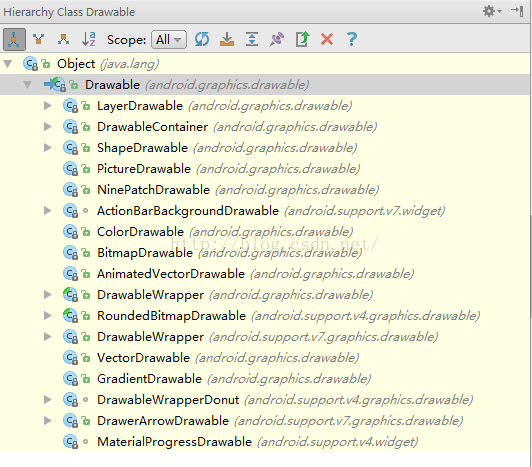
BitmapDrawable 是最常見的 Drawable 之一,通常顯示一張位圖。除了代碼創建之外,也可以通過 XML 定義。
<bitmap xmlns:android="https://schemas.android.com/apk/res/android"
    android:antialias="true"
    android:src="@drawable/p2"
    android:dither="true"
    android:filter="true"
    android:gravity="top|left"
android:tileMode="repeat" />其中,tileMode 常用取值包括 disable、repeat、mirror 與 clamp。repeat 會重複鋪滿,clamp 會延伸邊緣顏色,mirror 則會以鏡像方式鋪展。

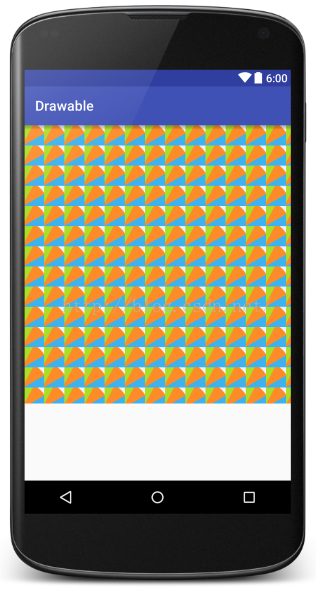
當圖片小於 View 時,使用 repeat 可以看到圖片重複顯示。
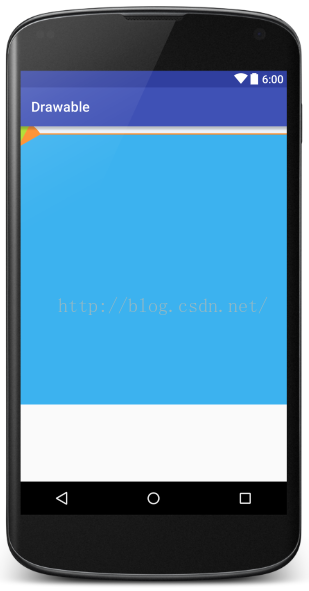
如果改為 clamp,邊緣顏色會自動延伸。
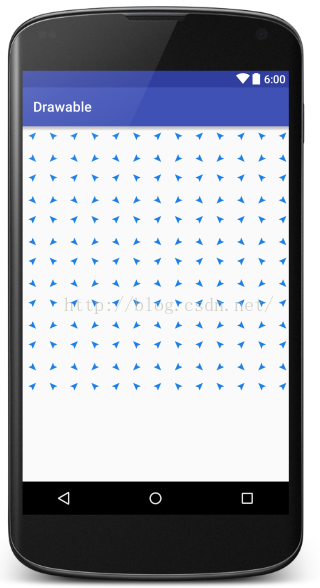
如果改為 mirror,圖片會以倒影形式重複。
ShapeDrawable 常用於绘制純色、漸變、圓角或邊框背景。相比直接使用圖片,XML shape 更輕量,也更容易修改。
LayerDrawable 可以將多個 Drawable 按層疊加。常用於實現帶邊框的輸入框或複合背景。
<layer-list xmlns:android="https://schemas.android.com/apk/res/android">
    <item>
        <shape android:shape="rectangle">
            <solid android:color="@color/lineColor" />
        </shape>
    </item>
    <item android:bottom="8dp">
        <shape android:shape="rectangle">
            <solid android:color="@color/lineColor2" />
        </shape>
    </item>
</layer-list>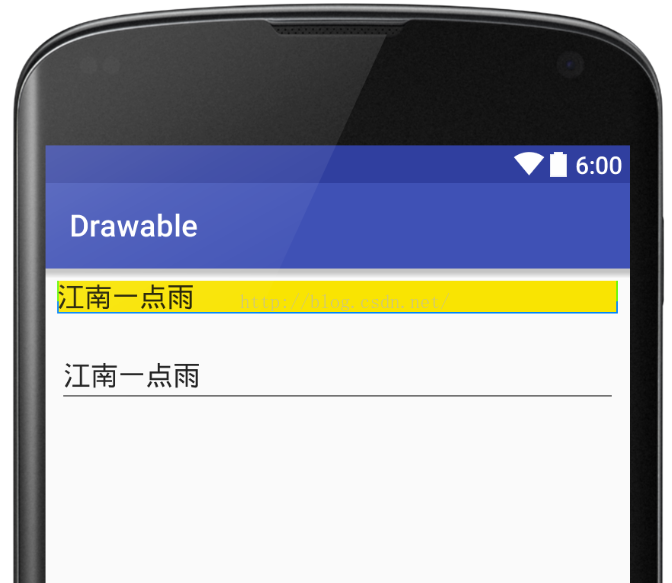
LevelListDrawable 可以根據 level 值切換不同 Drawable,常用於播放進度、電量或等級展示。
<level-list xmlns:android="https://schemas.android.com/apk/res/android">
    <item android:drawable="@drawable/p2" android:maxLevel="10" android:minLevel="0" />
    <item android:drawable="@drawable/p1" android:minLevel="11" android:maxLevel="20" />
</level-list>
通過 setImageLevel() 可以動態切換圖片。
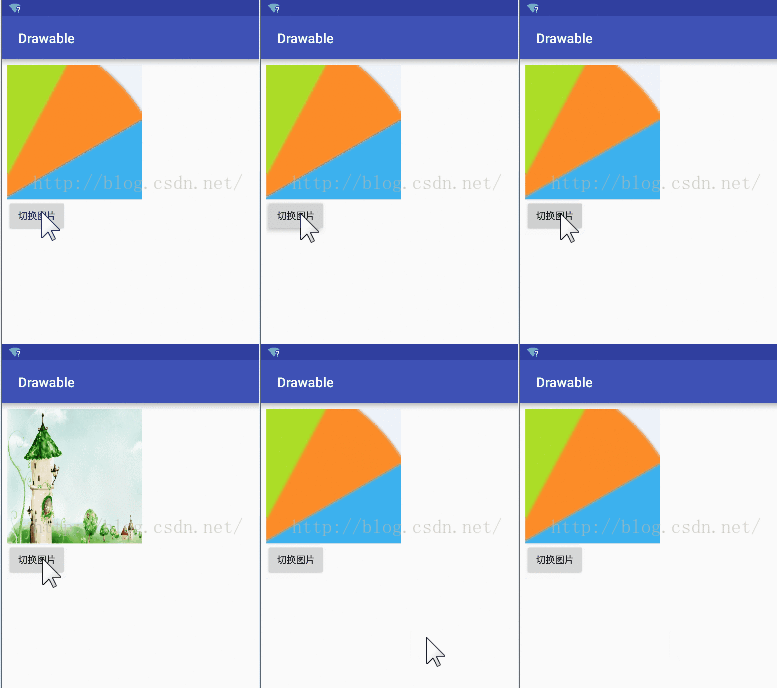
TransitionDrawable 可以實現兩個 Drawable 之間的淡入淡出效果。
<transition xmlns:android="https://schemas.android.com/apk/res/android">
    <item android:drawable="@drawable/p1" />
    <item android:drawable="@drawable/p2" />
</transition>
調用 startTransition() 即可觸發過渡動畫。
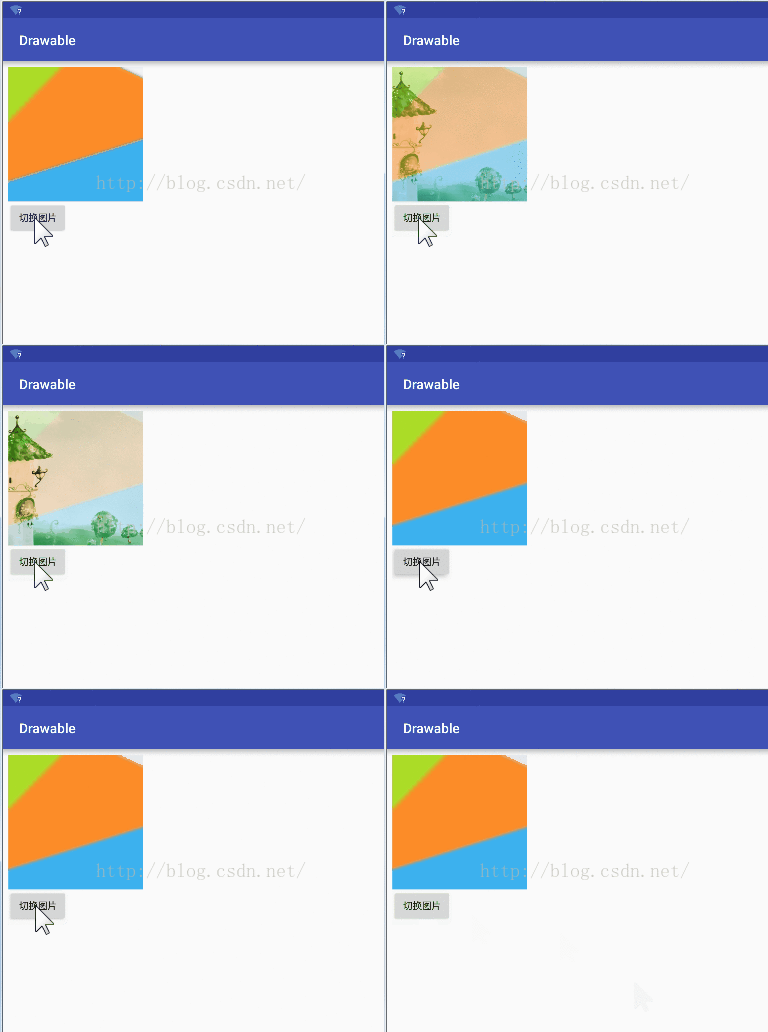
InsetDrawable 可以將一個 Drawable 嵌入到內部,並設置四周間距。ClipDrawable 則可以根據 level 對 Drawable 進行裁剪,常用於進度條效果。
<clip xmlns:android="https://schemas.android.com/apk/res/android"
    android:drawable="@drawable/p1"
    android:clipOrientation="horizontal"
    android:gravity="left" />
level 取值通常為 0 到 10000,0 表示完全裁剪,10000 表示完全不裁剪。
總的來說,Drawable 體系非常豐富。理解 BitmapDrawable、ShapeDrawable、LayerDrawable、LevelListDrawable、TransitionDrawable 等常見類型,可以幫助我們更靈活地實現界面效果。
 手把手教你用自定義View實現圓形進度條
自定義View的套路其實就那麼幾步: 1、定義自定義View的屬性 2、在View的構造方法中獲取這些屬性 3、重寫onMeasure 4、重寫onDraw 下面就按這幾
 Android 自定義相機界面的實現思路與代碼
本文分享如何自定義一個相機界面,重點包括用 layer-list 實現圓形拍照按鈕,以及相機預覽界面的佈局與核心控件。 一、用 layer-list 實現圓形拍照按鈕
 VectorDrawable 兼容性實戰:Android 5.0 以下機型如何正確顯示矢量圖
自 Android 5.0 Lollipop 發布以來,VectorDrawable 一直是安卓平台矢量圖形的標準方案。但由於早期只能用於 5.0 以上系統,它在很長一段
 自定義 ViewPager:打造多變的圖片切換動畫效果
效果展示 傳統 ViewPager 切換較單調,透過自定義可以在滑動過程中加入縮放、平移、淡入淡出等動畫。 實作分析 關鍵是在頁面滾動時取得當前 View 與目標 Vi