

編輯:關於 Android 程式設計
看影片時打開彈幕,一邊看節目一邊看網友吐槽,畫面立刻熱鬧起來。今天我們就來做一個簡單版的彈幕。
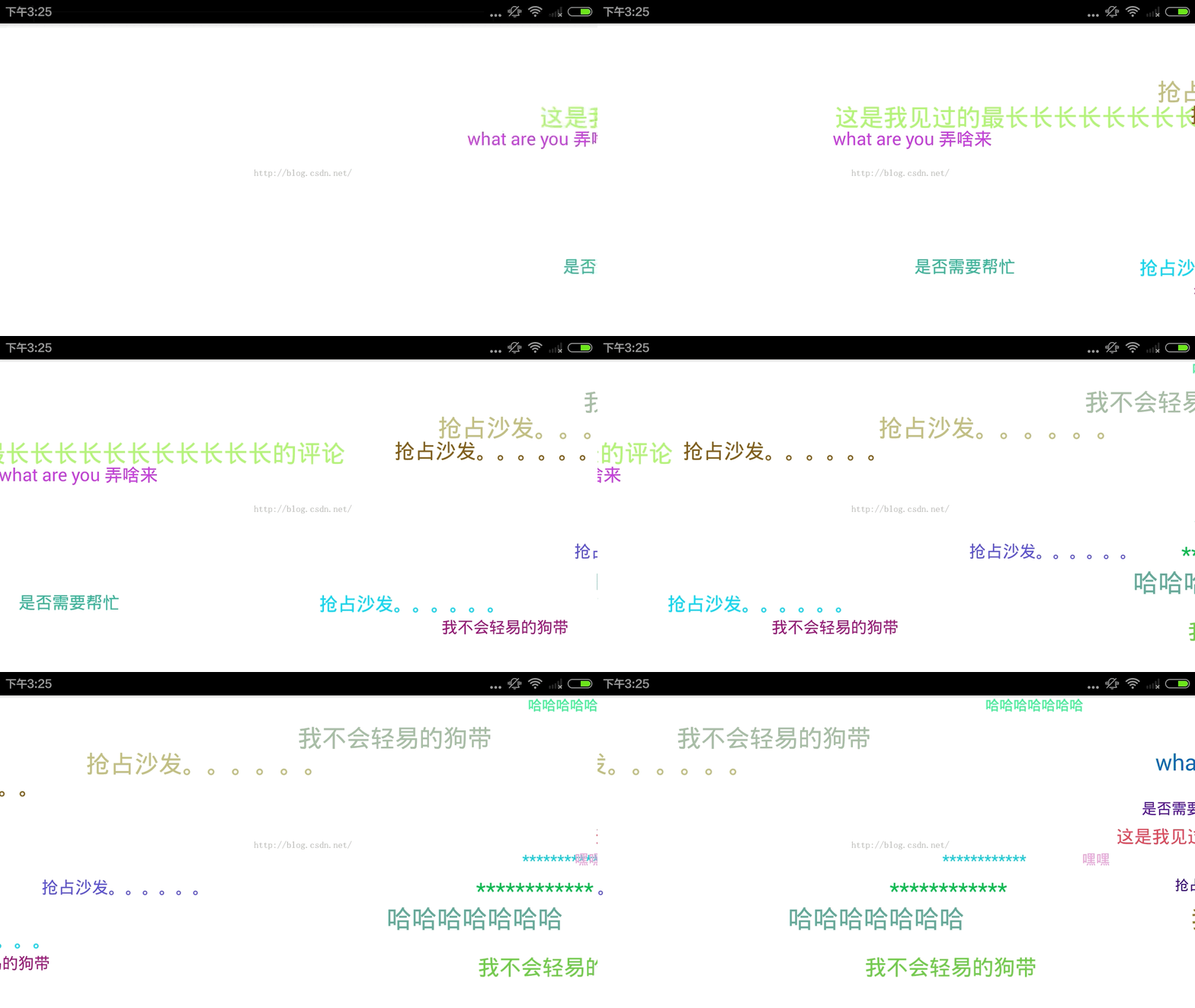
從視覺上看,彈幕就是在某個 ViewGroup 上不停丟入 View,然後讓它們移動起來。拆成步驟:
BarrageItem 用來存放每一條彈幕的資訊:文字內容、字級、顏色、移動速度、垂直位置與文字寬度。
 public class BarrageItem {
 public TextView textView;
 public int textColor;
 public String text;
 public int textSize;
 public int moveSpeed; //移動速度
 public int verticalPos; //垂直方向顯示的位置
 public int textMeasuredWidth; //文字佔據的寬度
 }
因為字級、顏色、速度都要隨機,所以先定義上下限把範圍鎖住,再在範圍內取隨機值。文字內容這裡先寫死一組固定值。
 private Context mContext;
 private BarrageHandler mHandler = new BarrageHandler();
 private Random random = new Random(System.currentTimeMillis());

 private static final long BARRAGE_GAP_MIN_DURATION = 1000;//兩條彈幕的最小間隔
 private static final long BARRAGE_GAP_MAX_DURATION = 2000;//兩條彈幕的最大間隔

 private int maxSpeed = 10000;//速度上限,ms
 private int minSpeed = 5000; //速度下限,ms
 private int maxSize = 30; //字級上限,dp
 private int minSize = 15; //字級下限,dp

 private int totalHeight = 0;
 private int lineHeight = 0; //每一行彈幕的高度
 private int totalLine = 0; //彈幕的行數

 private String[] itemText = {
 "是否需要幫忙", "what are you 弄啥來", "哈哈哈哈哈哈哈",
 "搶占沙發。。。。。。", "************", "是否需要幫忙",
 "我不會輕易的狗帶", "嘿嘿", "這是我見過的最長長長長長長長長長長長的評論"
 };
 private int textCount;

 public BarrageView(Context context) {
 this(context, null);
 }

 public BarrageView(Context context, AttributeSet attrs) {
 this(context, attrs, 0);
 }

 public BarrageView(Context context, AttributeSet attrs, int defStyleAttr) {
 super(context, attrs, defStyleAttr);
 mContext = context;
 init();
 }
如果垂直位置完全隨機,彈幕一定會重疊成一團。做法是依「彈幕最大高度」把容器縱向等分成幾條軌道,再讓彈幕在這些軌道上隨機分佈。這些數值放在 onWindowFocusChanged 裡算,因為只有在這個時機呼叫 getMeasuredHeight() 才拿得到有效高度。
 @Override
public void onWindowFocusChanged(boolean hasWindowFocus) {
 super.onWindowFocusChanged(hasWindowFocus);
 totalHeight = getMeasuredHeight();
 lineHeight = getLineHeight();
 totalLine = totalHeight / lineHeight;
 }
接著用 Handler 每隔一段隨機時間產生一條彈幕,並設定它的各項屬性:
 class BarrageHandler extends Handler {
 @Override
 public void handleMessage(Message msg) {
 super.handleMessage(msg);
 generateItem();
 //每條彈幕的產生間隔隨機
 int duration = (int) ((BARRAGE_GAP_MAX_DURATION - BARRAGE_GAP_MIN_DURATION) * Math.random());
 this.sendEmptyMessageDelayed(0, duration);
 }
 }

 private void generateItem() {
 BarrageItem item = new BarrageItem();
 String tx = itemText[(int) (Math.random() * textCount)];
 int sz = (int) (minSize + (maxSize - minSize) * Math.random());

 item.textView = new TextView(mContext);
 item.textView.setText(tx);
 item.textView.setTextSize(sz);
 item.textView.setTextColor(
 Color.rgb(random.nextInt(256), random.nextInt(256), random.nextInt(256)));

 item.textMeasuredWidth = (int) getTextWidth(item, tx, sz);
 item.moveSpeed = (int) (minSpeed + (maxSpeed - minSpeed) * Math.random());

 if (totalLine == 0) {
 totalHeight = getMeasuredHeight();
 lineHeight = getLineHeight();
 totalLine = totalHeight / lineHeight;
 }
 item.verticalPos = random.nextInt(totalLine) * lineHeight;
 showBarrageItem(item);
 }
把 TextView 加到畫面上,配上 TranslateAnimation,動畫結束時順手把它從容器移除。
 private void showBarrageItem(final BarrageItem item) {
 int leftMargin = this.getRight() - this.getLeft() - this.getPaddingLeft();
 LayoutParams params = new LayoutParams(
 LayoutParams.WRAP_CONTENT, LayoutParams.WRAP_CONTENT);
 params.addRule(RelativeLayout.ALIGN_PARENT_TOP);
 params.topMargin = item.verticalPos;
 this.addView(item.textView, params);

 Animation anim = generateTranslateAnim(item, leftMargin);
 anim.setAnimationListener(new Animation.AnimationListener() {
 @Override
 public void onAnimationStart(Animation animation) { }

 @Override
 public void onAnimationEnd(Animation animation) {
 item.textView.clearAnimation();
 BarrageView.this.removeView(item.textView);
 }

 @Override
 public void onAnimationRepeat(Animation animation) { }
 });
 item.textView.startAnimation(anim);
 }

 private TranslateAnimation generateTranslateAnim(BarrageItem item, int leftMargin) {
 TranslateAnimation anim = new TranslateAnimation(leftMargin, -item.textMeasuredWidth, 0, 0);
 anim.setDuration(item.moveSpeed);
 anim.setInterpolator(new AccelerateDecelerateInterpolator());
 anim.setFillAfter(true);
 return anim;
 }
到這裡彈幕就完成,原理並不複雜。想再進一層,可以加上更多控制:例如避免同一條彈幕在同一行重複出現、替換 Interpolator 讓不同彈幕有不同的加減速手感、或者改成可依使用者操作動態發送。骨架搭好之後,剩下的都是玩法問題。
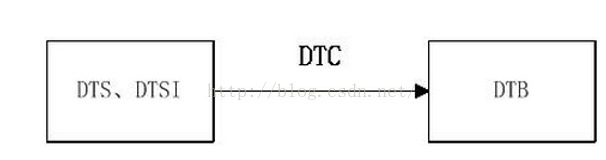 msm8909 + Android 5.1 設備樹(DT)的組成與編譯流程
1. Device Tree 概述 設備樹體系包含 DTC(device tree compiler)、DTS(device tree source)與 DTB(devi
 深入剖析 Android Service 的綁定全流程
在我們日常的 Android 開發中,只要涉及 Service 的雙向通信,就離不開「綁定」這個動作。唯有當 Service 處於已綁定狀態時,客戶端才能拿到一個 Bin
 Android 自定義廣告輪播:ViewPager 自動滾動與指示點
在電商類應用或引導頁中,經常會看到自動輪播的廣告條。這種效果可以通過 ViewPager 搭配定時器與底部指示點來實現。 效果展示 布局設計 布局中上方放置 ViewP
 以 Xposed 為例:Android 逆向分析中如何定位 Hook 點
在 Android 的 Hook 工作中,最關鍵也最困難的一步,就是找到合適的 Hook 點。修改系統方法時可以直接查閱原始碼,但若要分析第三方 App,就得先逆向定位。