

編輯:關於 Android 程式設計
要讓使用者從手機通訊錄裡挑一支號碼,第一步得先把聯繫人讀出來。Android 的聯繫人資料分散在兩張表中,因此讀取方式跟一般查表不太一樣,需要透過 ContentResolver 做兩段式的查詢。
package com.qingguow.mobilesafe.utils; import java.util.ArrayList; import java.util.HashMap; import java.util.List; import java.util.Map; import android.content.ContentResolver; import android.content.Context; import android.database.Cursor; import android.net.Uri; /** * 讀取手機聯系人 * @author taoshihan * */ public class PhoneContactsUtil { public static List<Map<String,String>> getContacts(Context context){ ContentResolver resolver=context.getContentResolver(); Uri uri=Uri.parse("content://com.android.contacts/raw_contacts"); Uri dataUri=Uri.parse("content://com.android.contacts/data"); List<Map<String,String>> contacts=new ArrayList<Map<String,String>>(); //循環聯系人表 Cursor cursor=resolver.query(uri, new String[]{"contact_id"}, null, null, null); while(cursor.moveToNext()){ String id=cursor.getString(cursor.getColumnIndex("contact_id")); if(id!=null){ Map<String,String> contact=new HashMap<String,String>(); //查找數據表 Cursor dataCursor=resolver.query(dataUri, new String[]{"data1","mimetype"},"raw_contact_id=?", new String[]{id}, null); while(dataCursor.moveToNext()){ String data1=dataCursor.getString(dataCursor.getColumnIndex("data1")); String mimetype=dataCursor.getString(dataCursor.getColumnIndex("mimetype")); System.out.println("data1:"+data1+",mimetype:"+mimetype); if(mimetype.equals("vnd.android.cursor.item/name")){ contact.put("name", data1); }else if(mimetype.equals("vnd.android.cursor.item/phone_v2")){ contact.put("phone", data1); } } contacts.add(contact); dataCursor.close(); } } cursor.close(); return contacts; } }
兩層迴圈查詢是這段程式最直觀也最耗資源的地方,資料量一大就會感受到效能壓力。真實專案裡比較好的做法是改以投影搭配一次查詢,或把結果快取起來,避免每次進入頁面都重跑。另外,Cursor 記得關閉,並留意 Android 6.0 以後 READ_CONTACTS 屬於執行期權限,需要動態向使用者請求。
以上就是手機衛士讀取聯繫人的完整思路,掌握兩表關聯與 mimetype 的判斷方式,這個功能就不難了。
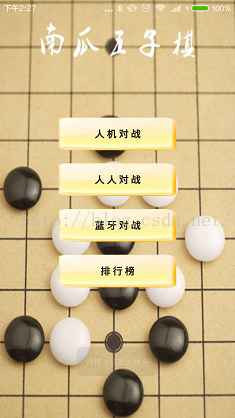 Android 藍牙對戰五子棋項目實戰(含人機對戰功能)
這是上周花了一週時間完成的課程設計項目,主要實現了以下功能: 基本功能 (1)該 App 能透過藍牙自動搜索周圍其他安裝了本應用的手機,用戶可選擇其中某一台發起對戰邀請,
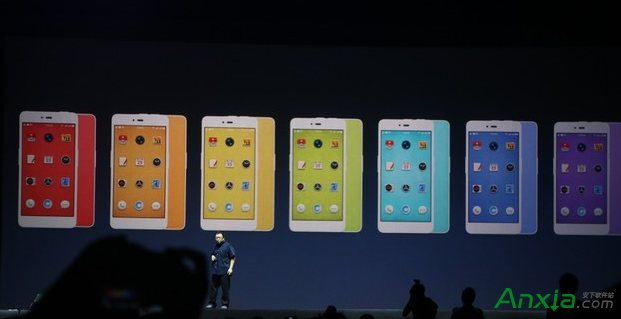 堅果手機哪個版本更值得買 16GB與32GB怎麼選
一般手機常分兩個版本,而當年iPhone 6S一口氣推出了三個。那麼昨晚發表的堅果手機分了幾版? 從存儲角度看,堅果手機目前有16GB與32GB兩個版本,售價分別為89
 Android 自定義 Animation 實現 View 搖擺動畫
效果展示 本文示範如何透過自定義 Animation,讓 View 產生左右搖擺的效果。這種動畫適合用於提示、引導或增加畫面互動感。 布局準備 在布局中放入一個 I
 Android 開發常用指令集錦(圖文並茂,適合新手)
前言 做 Android 開發難免會用到命令列工具,有些指令確實非常實用。但對初學者而言,這些指令往往連想都沒想過要用。舉例來說,想把一個 .apk 裝到模擬器上,很多人