

編輯:關於 Android 程式設計
塗鴉功能的本質是:拿一張 Bitmap 當底圖,在它上面用 Canvas 不斷畫線,每次触摸事件都觸發一次重繪。理解這個模型之後,實作起來非常直觀。
<?xml version="1.0" encoding="utf-8"?>
<LinearLayout xmlns:android="https://schemas.android.com/apk/res/android"
    android:layout_width="fill_parent"
    android:layout_height="fill_parent"
    android:orientation="vertical">

    <LinearLayout
        android:id="@+id/handwriteview"
        android:layout_width="wrap_content"
        android:layout_height="wrap_content" />

    <LinearLayout
        android:layout_width="fill_parent"
        android:layout_height="fill_parent"
        android:orientation="horizontal"
        android:gravity="center_horizontal">

        <Button
            android:id="@+id/clear"
            android:layout_width="200dp"
            android:layout_height="wrap_content"
            android:text="清屏" />
    </LinearLayout>
</LinearLayout>
public class HandWrite extends View {

    private Paint paint = null;
    private Bitmap originalBitmap = null;
    private Bitmap new1Bitmap = null;
    private Bitmap new2Bitmap = null;

    private float clickX = 0, clickY = 0;
    private float startX = 0, startY = 0;

    private boolean isMove = true;
    private boolean isClear = false;

    private int color = Color.GREEN;
    private float strokeWidth = 2.0f;

    public HandWrite(Context context, Bitmap b) {
        super(context);
        // 複製一份可編輯的副本
        originalBitmap = Bitmap.createBitmap(b).copy(Bitmap.Config.ARGB_8888, true);
        new1Bitmap = Bitmap.createBitmap(originalBitmap);
    }

    /** 清屏:回到原始底圖 */
    public void clear() {
        isClear = true;
        new2Bitmap = Bitmap.createBitmap(originalBitmap);
        invalidate();
    }

    public void setStyle(float strokeWidth) {
        this.strokeWidth = strokeWidth;
    }

    @Override
    protected void onDraw(Canvas canvas) {
        super.onDraw(canvas);
        canvas.drawBitmap(HandWriting(new1Bitmap), 0, 0, null);
    }

    /**
     * 在傳入的 bitmap 上畫一段線並回傳結果
     */
    public Bitmap HandWriting(Bitmap target) {
        Canvas canvas = isClear ? new Canvas(new2Bitmap) : new Canvas(target);

        paint = new Paint();
        paint.setStyle(Paint.Style.STROKE);
        paint.setAntiAlias(true);
        paint.setColor(color);
        paint.setStrokeWidth(strokeWidth);

        if (isMove) {
            canvas.drawLine(startX, startY, clickX, clickY, paint);
        }
        startX = clickX;
        startY = clickY;

        return isClear ? new2Bitmap : target;
    }

    @Override
    public boolean onTouchEvent(MotionEvent event) {
        clickX = event.getX();
        clickY = event.getY();

        if (event.getAction() == MotionEvent.ACTION_DOWN) {
            isMove = false;
            invalidate();
            return true;
        } else if (event.getAction() == MotionEvent.ACTION_MOVE) {
            isMove = true;
            invalidate();
            return true;
        }
        return super.onTouchEvent(event);
    }
}
public class HandWritingActivity extends Activity {

    private LinearLayout handWrite;
    private Button clear;

    int requestWidth = 116;
    int requestHeight = 173;
    int inSampleSize;

    @Override
    public void onCreate(Bundle savedInstanceState) {
        super.onCreate(savedInstanceState);
        setContentView(R.layout.activity_hand_writing);

        handWrite = (LinearLayout) findViewById(R.id.handwriteview);
        clear = (Button) findViewById(R.id.clear);
        clear.setOnClickListener(new clearListener());
    }

    private class clearListener implements OnClickListener {
        public void onClick(View v) {
            BitmapFactory.Options opts = new BitmapFactory.Options();
            opts.inJustDecodeBounds = true;   // 只讀邊界資訊,不真正配置記憶體
            BitmapFactory.decodeResource(getResources(), R.drawable.cool, opts);

            // 依目標尺寸計算縮放倍數
            if (opts.outHeight > requestHeight || opts.outWidth > requestWidth) {
                if (opts.outWidth > opts.outHeight) {
                    inSampleSize = Math.round((float) opts.outHeight / requestHeight);
                } else {
                    inSampleSize = Math.round((float) opts.outWidth / requestWidth);
                }
            }

            opts.inSampleSize = inSampleSize;
            opts.inJustDecodeBounds = false;  // 這次真的解析

            Bitmap b = BitmapFactory.decodeResource(getResources(), R.drawable.cool, opts);
            HandWrite hw = new HandWrite(HandWritingActivity.this, b);
            handWrite.addView(hw);
        }
    }
}
/**
 * 塗鴉工具類
 *
 * 使用方式:
 * 1. 建立 TuYaView 實例
 * 2. 呼叫 drawTuya(context, byte[], imageView, paint)
 * 3. 參數:Context、圖片的 byte[]、目標 ImageView、畫筆 Paint
 */
public class TuYaView {

    private Bitmap mOrignBitmap;
    private Bitmap mEditBitmap;

    private int inSampleSize;
    private int requestWidth = 500;
    private int requestHeight = 700;

    /** 編輯圖片的畫布 */
    private Canvas mCanvas;

    private Paint mPaint;

    public Bitmap drawTuya(Context context, byte[] _data, ImageView image, Paint paint) {
        this.mPaint = paint;
        return showEditBitmap(context, _data, image);
    }

    /** 顯示可編輯的圖片 */
    private Bitmap showEditBitmap(Context context, byte[] _data, ImageView image) {
        mOrignBitmap = getScaleBitmap(_data, image);
        if (mOrignBitmap == null) {
            ToastUtil.show(context, "編輯出錯");
            return null;
        }

        // 建立可變副本,Canvas 只能畫在 mutable 的 bitmap 上
        mEditBitmap = mOrignBitmap.copy(mOrignBitmap.getConfig(), true);
        mCanvas = new Canvas(mEditBitmap);
        mCanvas.drawBitmap(mOrignBitmap, new Matrix(), new Paint());

        image.setImageBitmap(mEditBitmap);
        image.setOnTouchListener(mTouchListener);
        return mEditBitmap;
    }

    /** 依目標尺寸縮放圖片,避免 OOM */
    private Bitmap getScaleBitmap(byte[] _data, ImageView image) {
        BitmapFactory.Options opts = new BitmapFactory.Options();
        opts.inJustDecodeBounds = true;
        BitmapFactory.decodeByteArray(_data, 0, _data.length, opts);

        if (opts.outHeight > requestHeight || opts.outWidth > requestWidth) {
            if (opts.outWidth > opts.outHeight) {
                inSampleSize = Math.round((float) opts.outHeight / requestHeight);
            } else {
                inSampleSize = Math.round((float) opts.outWidth / requestWidth);
            }
        }

        opts.inSampleSize = inSampleSize;
        opts.inJustDecodeBounds = false;
        return BitmapFactory.decodeByteArray(_data, 0, _data.length, opts);
    }

    /** 触摸事件 */
    private OnTouchListener mTouchListener = new OnTouchListener() {
        int startx = 0;
        int starty = 0;

        @Override
        public boolean onTouch(View v, MotionEvent event) {
            switch (event.getAction()) {
                case MotionEvent.ACTION_DOWN:
                    startx = (int) event.getX();
                    starty = (int) event.getY();
                    break;

                case MotionEvent.ACTION_MOVE:
                    int x = (int) event.getX();
                    int y = (int) event.getY();
                    mCanvas.drawLine(startx, starty, x, y, mPaint);
                    startx = x;
                    starty = y;
                    image.invalidate();
                    break;
            }
            return true;
        }
    };
}
OutOfMemoryError。new Canvas(bitmap) 會拋出 IllegalStateException。用 copy(config, true) 建立可變副本是必要步驟。HandWriting() 每次重繪都建立一個 Paint,應改為類別成員並在初始化時建立一次。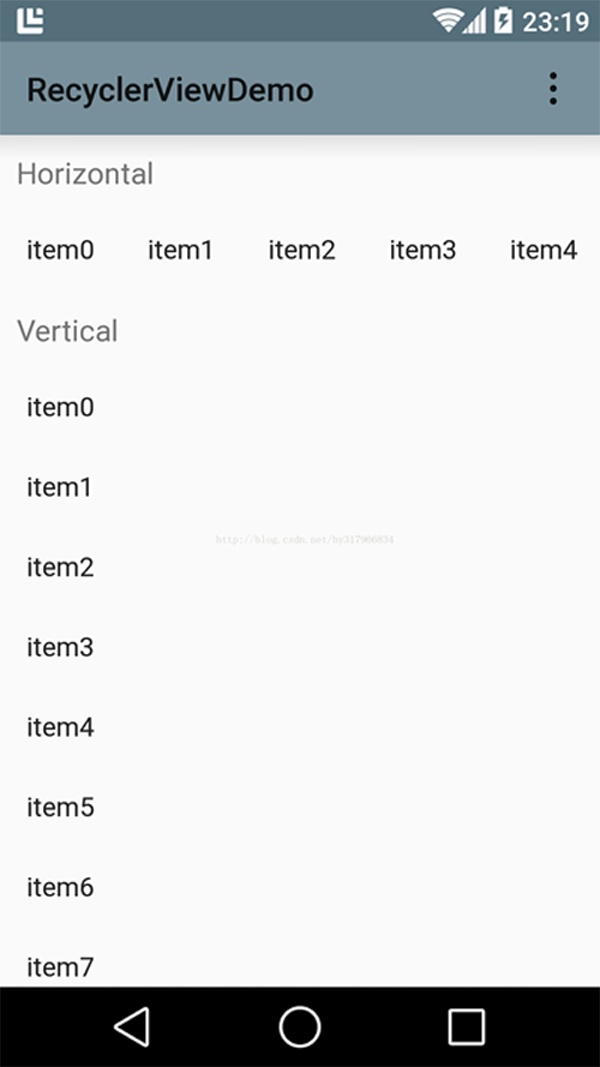 將取代 ListView 的 RecyclerView 使用詳解(一)
RecyclerView 是 android-support-v7 中新增的 Widgets,官方稱之為 ListView 的升級版,更加先進與靈活。本文從配置到代碼,帶
 Android 事件分發機制源碼全解析:從 ViewGroup 到 View
我們從一個常見的例子說起。 button.setOnClickListener(new View.OnClickListener() { @Override p
 自定義 WebView 長按選單,實現選中文本的收藏與分享
一、需求背景 剛接觸 Android 的朋友,面對產品提出的「在 WebView 頁面中,長按文字彈出自定義選項,點擊後能分享、轉發或收藏所選文本」這個需求時,第一反
 基於 Android ListView 的加載提示實現技巧
程序員很多,高手也很多,但真正懂設計的程序員並不多。我覺得我們不僅要成為一個 coder,還要努力成為一個 designer。 我是一個比較注重用戶體驗(UED)的人。對