

編輯:關於 Android 程式設計
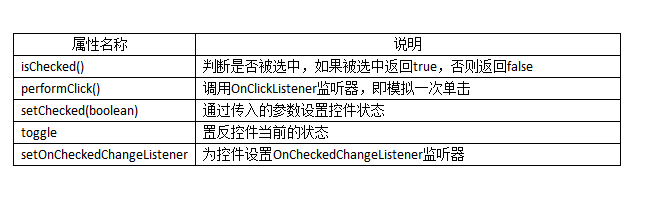
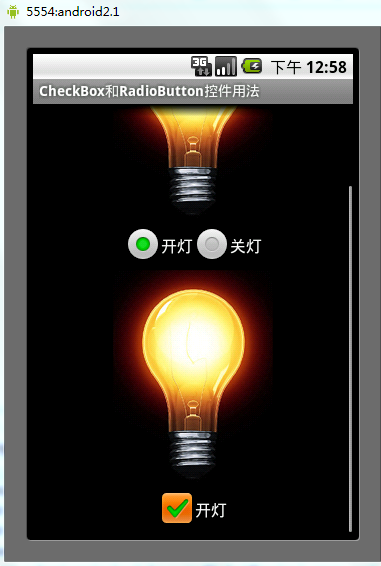
CheckBox 與 RadioButton 都只有選取與未選取狀態。CheckBox 可多選,RadioButton 則需放入 RadioGroup 中,同一時間只能有一個選項被選取。
<RadioGroup android:id="@+id/radioGroup" android:orientation="horizontal"
    android:layout_width="wrap_content" android:layout_height="wrap_content">
    <RadioButton android:id="@+id/on" android:text="開燈" android:checked="true" />
    <RadioButton android:id="@+id/off" android:text="關燈" />
</RadioGroup>

<CheckBox android:id="@+id/checkBox" android:text="開燈"
    android:checked="true" android:layout_width="wrap_content"
    android:layout_height="wrap_content" />
OnCheckedChangeListener listener = new OnCheckedChangeListener() {
    public void onCheckedChanged(CompoundButton buttonView, boolean isChecked) {
        if (buttonView instanceof RadioButton) {
            imageView01.setImageResource(isChecked ? R.drawable.bulb_on : R.drawable.bulb_off);
        } else if (buttonView instanceof CheckBox) {
            checkBox.setText(isChecked ? "開燈" : "關燈");
            imageView02.setImageResource(isChecked ? R.drawable.bulb_on : R.drawable.bulb_off);
        }
    }
};
 Android 類加載機制淺析
Android 的類加載機制與傳統 Java 虛擬機有相似之處,也有其獨特之處。開發者在進行外掛化、動態載入或熱修復相關技術時,往往需要理解 DexClassLoader
 ListView 右側快速捲動滑塊怎麼開?一行屬性搞定
長清單滑到眼花撩亂時,Android 有個很實用的設計:右側那個可以拖曳的快速捲動滑塊(fast scroll thumb),讓使用者直接跳到清單的某個位置。但不少開發者
 三大框架SSH成長路程(二):動手實作 Hibernate 持久化入門
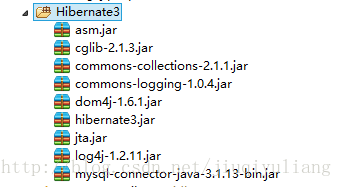
先跑起來,再談原理 Hibernate 是 Java 世界裡最具代表性的持久層框架,它把物件導向模型與關聯式資料庫之間的落差填平了,其中的持久化思想非常值得細細體會。不過
 用 ViewPager 打造 Android 引導頁:只顯示一次的完整實作
接續上一篇談到的啟動頁定時跳轉,這次來談引導頁。幾乎每個 App 都有引導頁,通常只在首次安裝或首次進入時出現,用來向使用者介紹主要功能與操作方式,建立第一印象。實作方式