

編輯:關於 Android 程式設計
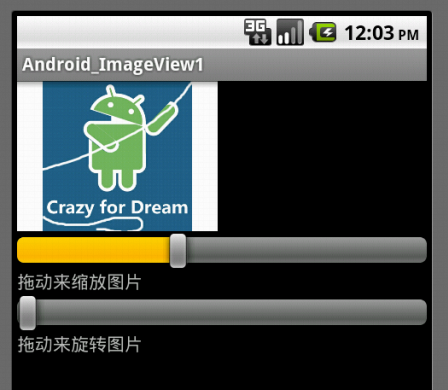
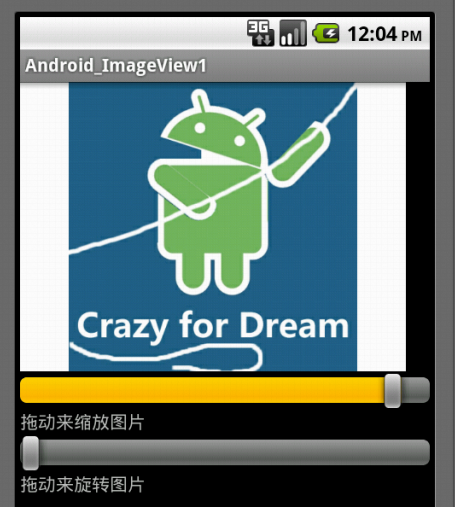
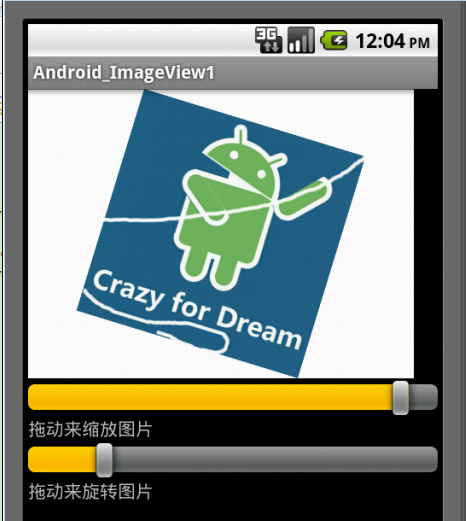
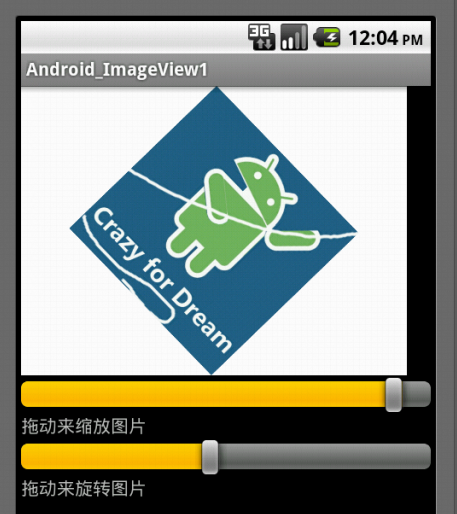
ImageView 主要用來顯示圖片,也可以搭配 Matrix 做旋轉、縮放等效果。scaleType 屬性則可控制圖片在控制項中的顯示方式。
<ImageView android:id="@+id/imageview1"
    android:layout_width="200dp"
    android:layout_height="150dp"
    android:scaleType="fitCenter"
    android:background="#FFFFFF"
    android:src="@drawable/pic"/>

<SeekBar android:id="@+id/seekbar1"
    android:layout_width="fill_parent"
    android:layout_height="wrap_content"
    android:max="100"/>

<SeekBar android:id="@+id/seekbar2"
    android:layout_width="fill_parent"
    android:layout_height="wrap_content"
    android:max="100"/>
@Override
public void onProgressChanged(SeekBar seekBar, int progress, boolean fromUser) {
    switch (seekBar.getId()) {
        case R.id.seekbar1:
            int newWidth = progress + minWidth;
            int newHeight = (int) (newWidth * 3 / 4);
            imageView.setLayoutParams(new LinearLayout.LayoutParams(newWidth, newHeight));
            break;
        case R.id.seekbar2:
            Bitmap bitmap = ((BitmapDrawable) getResources().getDrawable(R.drawable.pic)).getBitmap();
            matrix.setRotate(progress);
            bitmap = Bitmap.createBitmap(bitmap, 0, 0, bitmap.getWidth(), bitmap.getHeight(), matrix, true);
            imageView.setImageBitmap(bitmap);
            break;
    }
}
 Android Service 生命週期與 bindService 呼叫服務方法詳解
服務的生命週期 服務的生命週期與啟動服務的方法有關。 當採用 Context.startService() 啟動服務,相關的生命週期方法為: onCreate() → o
 Android MVP 架構入門:概念解析與登入範例實作
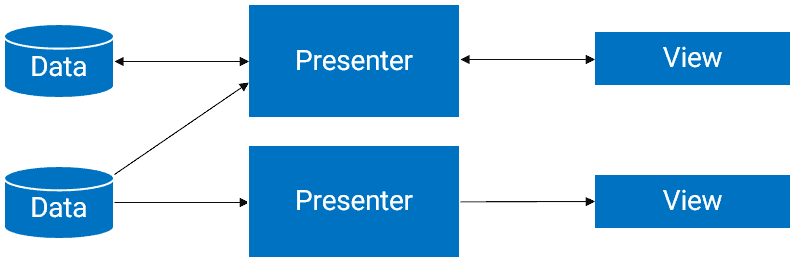
概述 認識 MVP 模式 MVP 指的是 Model - View - Presenter。它的核心目的是明確劃分各模組的職責範圍,讓程式碼結構更清晰,同時避免 Acti
 微信支付怎麼用?綁定銀行卡與紅包付款教學
微信支付整合於微信客戶端,可用於紅包、轉帳與線上付款。以下以發送紅包為例說明。1. 先綁定銀行卡並設定支付密碼。2. 開啟與朋友的聊天視窗,點擊「+」選擇紅包。3. 輸入
 Android 之重寫 View 與 LinearLayout(實現背景氣泡與波紋效果)
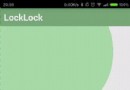
前兩天看了仿 Android L 裡面水波紋效果的兩篇博客:一篇實現了一個水波紋佈局,放在裡面的所有控件點擊後都會出現波紋效果;另一篇實現了一個水波紋 view,點擊之後