

編輯:關於 Android 程式設計
使用 Matrix 的 postRotate() 可將圖片旋轉 180 度,達到翻轉效果。
Matrix matrix = new Matrix();
matrix.postRotate(180);
Bitmap img_a = Bitmap.createBitmap(img, 0, 0, img.getWidth(), img.getHeight(), matrix, true);
透過 setRotate() 可指定旋轉角度,適合做小幅旋轉或動態角度調整。
Matrix matrix = new Matrix();
matrix.postScale(scaleWidth, scaleHeight);
matrix.setRotate(5 * ScaleAngle);
Bitmap resizeBitmap = Bitmap.createBitmap(bmp, 0, 0, widthOrig, heightOrig, matrix, true);
postScale() 可用來設定縮放比例,預設比例為 1。
Matrix matrix = new Matrix();
matrix.postScale(scaleWidth, scaleHeight);
Bitmap resizeBmp = Bitmap.createBitmap(bmp, 0, 0, bmpWidth, bmpHeight, matrix, true);
若要整體調整圖片透明度,可修改每個像素的 Alpha 值。
public static Bitmap setAlpha(Bitmap sourceImg, int number) {
    int[] argb = new int[sourceImg.getWidth() * sourceImg.getHeight()];
    sourceImg.getPixels(argb, 0, sourceImg.getWidth(), 0, 0, sourceImg.getWidth(), sourceImg.getHeight());
    number = number * 255 / 100;
    for (int i = 0; i < argb.length; i++) {
        argb[i] = (number << 24) | (argb[i] & 0x00FFFFFF);
    }
    return Bitmap.createBitmap(argb, sourceImg.getWidth(), sourceImg.getHeight(), Config.ARGB_8888);
}
若要實作圖片拖曳或滾動,可透過 GestureDetector 監聽觸摸事件,再於自訂 View 的 onDraw() 中重新繪製圖片。
 SparseArray 取代 HashMap 的實測分析
SparseArray 是 Android 框架獨有的類別,標準 JDK 裡並沒有這個東西。官方說法認為它比 HashMap 更省記憶體,某些情境下效能也更好,原因主要有
 Android 記事本手寫功能:畫筆大小與顏色的設定
在記事本或手寫板類應用中,除了基本繪製,使用者通常還希望能調整筆跡粗細與顏色。這類功能可 reuse 畫板模組的設計思路,讓手寫體驗更完整。以 Paint 保存筆跡狀態手
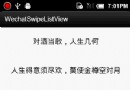 仿微信滑動刪除(一):讓 item 內容突破父容器邊界
這是列表滑動刪除的第三篇,這次仿的是微信。先看效果: 微信的實現與 SwipeListView 不同 前一篇講過,SwipeListView 的原理是每個 item 里
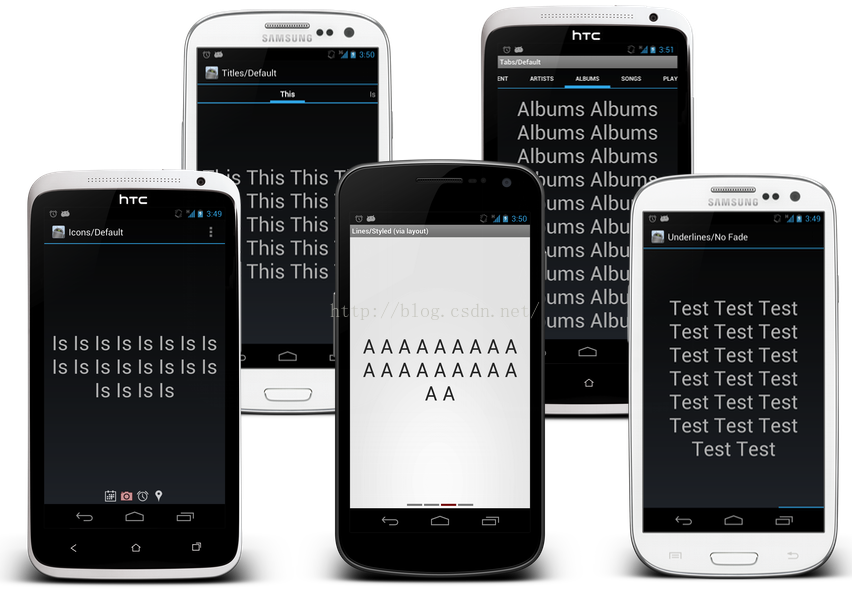 Android 開源元件 ViewPagerIndicator 原始碼解析
元件定位 ViewPagerIndicator 是搭配 ViewPager 使用的開源指示器元件,常見於新聞類 App 的頂部標籤,也可用於引導頁的小圓圈或小橫線效果。這