

編輯:關於 Android 程式設計
以下示範如何在 Android 中建立通知欄的 Notification:
///// 第一步:獲取NotificationManager NotificationManager nm = (NotificationManager) getSystemService(Context.NOTIFICATION_SERVICE); ///// 第二步:定義Notification Intent intent = new Intent(this, OtherActivity.class); //PendingIntent是待執行的Intent PendingIntent pi = PendingIntent.getActivity(this, 0, intent, PendingIntent.FLAG_CANCEL_CURRENT); Notification notification = new Notification.Builder(this) .setContentTitle("title") .setContentText("text") .setSmallIcon(R.drawable.ic_launcher).setContentIntent(pi) .build(); notification.flags = Notification.FLAG_NO_CLEAR; /////第三步:啟動通知欄,第一個參數是一個通知的唯一標識 nm.notify(0, notification); //關閉通知 //nm.cancel(0);
整個流程分為三步:先取得 NotificationManager,再用 Notification.Builder 搭配 PendingIntent 建立通知物件,最後呼叫 notify 發出通知;若要關閉,則呼叫 cancel 並傳入相同的識別碼即可。
 Android:在 SurfaceView 上繪製圖形
為了在 SurfaceView 上畫圖,我們定義一個 MySurfaceView 類別,該類別繼承 SurfaceView 並實作 SurfaceHolder.Callb
 學習 Android Studio 開發工具之 Activity 與 Fragment 通信
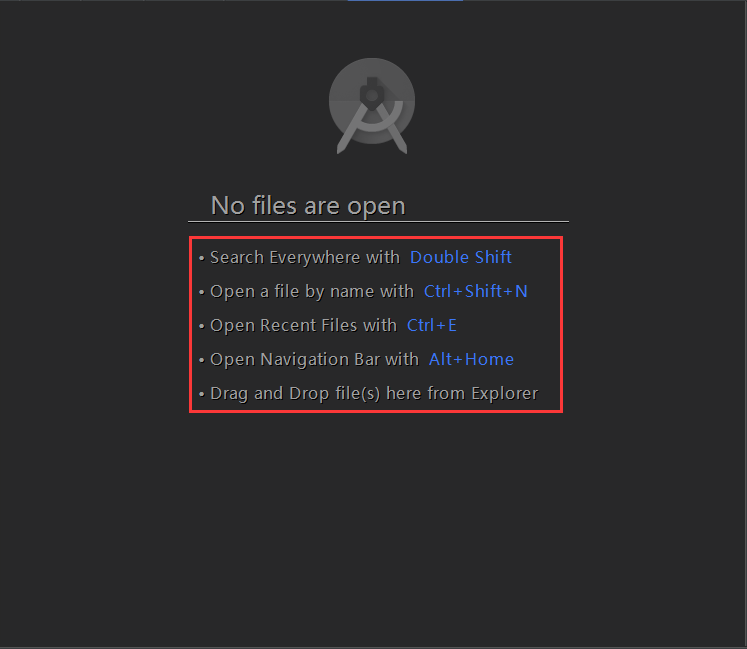
開篇先介紹幾個放在眼前卻常被忽略的快捷鍵,它們能充分展現 Android Studio 強大的搜索能力,大幅提升大工程的開發維護效率。 雙擊 Shift:喚出 Searc
 Android 多螢幕適配完整指南:一次掌握尺寸、密度與資源策略
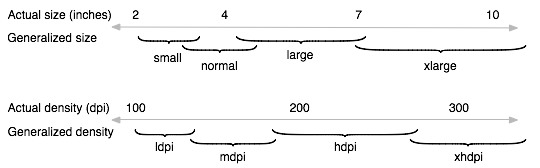
Android 多螢幕適配完整指南 Android 裝置的螢幕尺寸與像素密度差異很大。系統雖然會自動縮放,但開發者仍應針對不同配置進行優化,才能讓使用者感受到應用是為裝置
 解決 Android Studio 啟動時 Fetching SDK 資訊超時的困擾
本文要分享的是:Android Studio 安裝完成後,首次啟動時卡在「Fetching android sdk component information」而超時的解