

編輯:關於 Android 程式設計
有一類 bug 特別惱人:功能都正常,但正在進行的通知項在通知欄裡一直上下竄動、不停閃爍。原因不在邏輯,而在一個幾乎沒人會在意的屬性。
notification.when = System.currentTimeMillis();看起來天經地義——通知的時間當然是當前時間。但這正是問題所在。
when 的默認值就是「現在」。當我們每次刷新通知時都重新賦一次當前時間,這個值就在不斷變化。而系統的通知欄會依據 when 對通知進行排序,時間戳一直變,排序位置自然一直變,視覺上就表現為上下跳動。
正確的做法是:對於一個持續存在的通知,when 應該在 Activity 啟動時就固定下來,後續更新只改內容,不動時間。
final long TIMESTAMP_FIXED = 1234567890L;
notification.when = TIMESTAMP_FIXED;
實踐中通常取業務開始的時刻並存為成員變量,比如文件下載開始的時間、計時器啟動的時間,這樣既穩定又語義準確。
Android 對 when 的說明其實講得很細:
A timestamp related to this notification, in milliseconds since the epoch.
Default value: Now.

Choose a timestamp that will be most relevant to the user. For most finite
events, this corresponds to the time the event happened. Indefinite events
should be timestamped according to when the activity began.

Some examples:
- Notification of a new chat message should be stamped when the message was received.
- Notification of an ongoing file download should be stamped when the download started.
- Notification of a completed file download should be stamped when the download finished.
- Notification of an upcoming meeting should be stamped with the time the meeting will begin.
- Notification of an ongoing stopwatch should be stamped with the watch's start time.
- Notification of an ongoing countdown timer should be stamped with the timer's end time.把這幾條例子放在一起看,規律就非常清楚了:有限事件(消息到達、下載完成、會議即將開始)取事件本身的時刻;無限持續事件(正在進行的下載、跑著的計時器)取活動開始或結束的固定時刻,而不是「每次刷新的此刻」。
換句話說,when 描述的是「這條通知講的是什麼時候的事」,不是「這條通知是什麼時候更新的」。把這兩者混為一談,就會得到一個不停跳動的通知欄。
參考:https://developer.android.com/reference/android/app/Notification.html#when
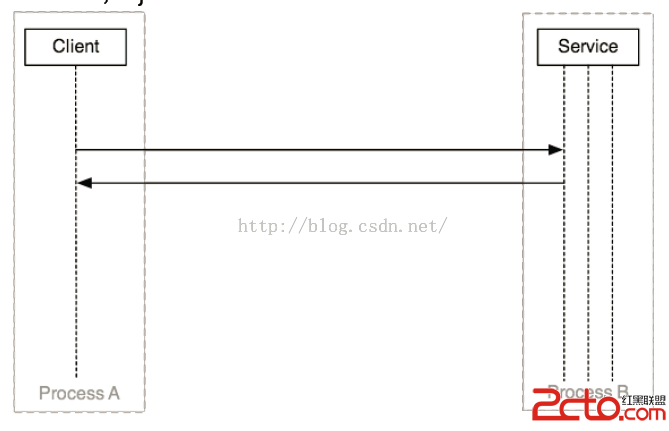 由淺入深徹底搞懂 Android AIDL 與 Binder 機制
一、Binder 機制概覽 1.1 為什麼 Android 選擇 Binder 出於安全性、穩定性以及記憶體管理的多重考量,Android 將應用程式與系統服務分別運行在
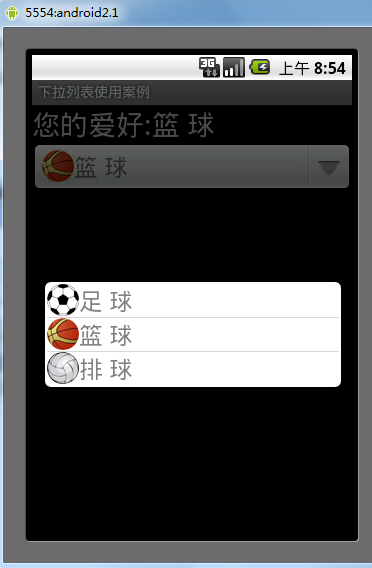 Android Spinner 用法解析
Spinner 基本概念 Spinner 是下拉式清單控制項,常用來讓使用者從一組選項中做選擇。 版面配置 <Spinner android:id=@+id/Spi
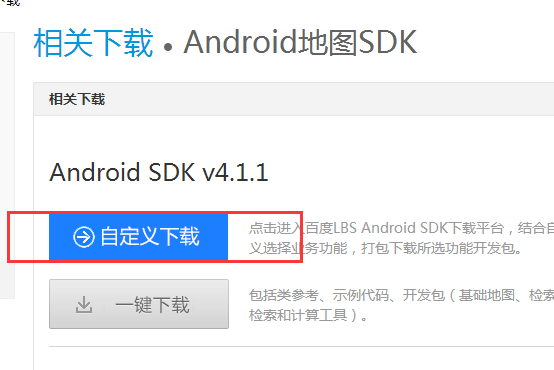 Android 整合百度地圖 API 的實作步驟圖解
要在 App 裡嵌入地圖,百度地圖 SDK 是最常見的選擇之一。以下依序說明從下載 SDK、申請密鑰到把地圖跑起來的完整流程。 一、從百度地圖開放平台下載 SDK 前往
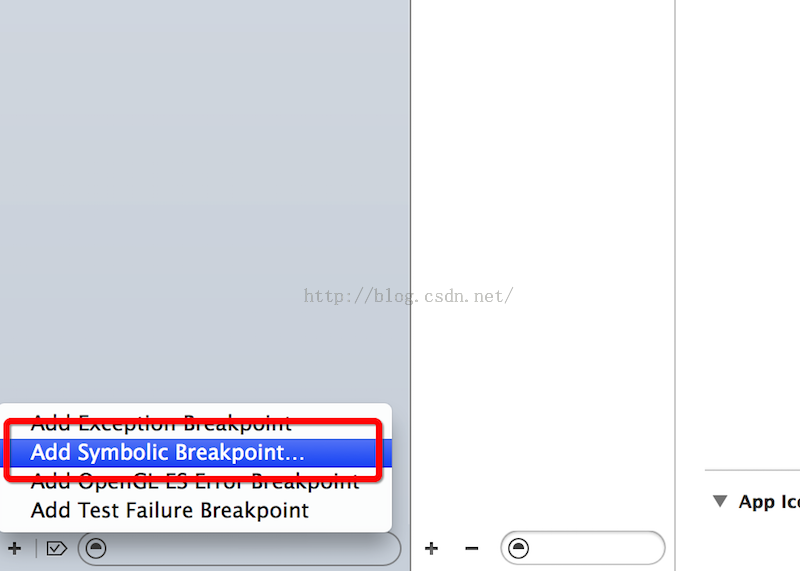 用全域中斷點快速接入 Reveal
Reveal 是 iOS 開發中常用的介面除錯工具,能幫助開發者檢視畫面層級、屬性與視圖結構。若每個專案都手動加入 Reveal 的 framework,會相當麻煩。透過