

編輯:關於 Android 程式設計
在 Android 上發送 HTTP GET 請求,常見有兩條路:一是 Java 標準的 HttpURLConnection,二是 Apache 的 HttpClient。下面把兩種寫法封裝在同一個 HttpHelper 工具類裡,方便直接對照差異。
public class HttpHelper {

    // 1: 標準的 Java 接口
    public static String getStringFromNet1(String param) {
        String result = "";
        try {
            URL url = new URL(param);
            HttpURLConnection conn = (HttpURLConnection) url.openConnection();
            if (conn.getResponseCode() == HttpURLConnection.HTTP_OK) {
                InputStream is = conn.getInputStream();
                byte[] data = new byte[1024];
                int len = is.read(data);
                result = new String(data, 0, len);
                is.close();
                conn.disconnect();
            }
        } catch (Exception e) {
            e.printStackTrace();
        }
        return result;
    }

    // 2: Apache 接口
    public static String getStringFromNet2(String param) {
        String result = "";
        try {
            HttpClient client = new DefaultHttpClient();
            HttpGet get = new HttpGet(param);
            HttpResponse response = client.execute(get);
            if (response.getStatusLine().getStatusCode() == HttpStatus.SC_OK) {
                result = EntityUtils.toString(response.getEntity());
            }
        } catch (Exception e) {
            e.printStackTrace();
        }
        return result;
    }
}
HttpURLConnection 走的是標準 Java API,只需檢查 getResponseCode() 是否等於 HTTP_OK,再從 getInputStream() 逐段讀出位元組自行組字串,用完記得關流並 disconnect()。
HttpClient 則把細節都包好了:建立 DefaultHttpClient、下 HttpGet、執行後用 EntityUtils.toString() 一行就把 entity 轉成字串,程式碼乾淨得多。
AsyncTask、Thread 或 Timer)執行,否則會觸發 NetworkOnMainThreadException。android.permission.INTERNET。 Android CAN 總線開發完整紀錄(AM335x 開發板實測)
最近在研究一塊 TI 公司的 TMDEVM-AM3358 開發板。這是一款硬體資源相當豐富、性能也不錯的工業評估板,我重點需要用到板上的網卡、串口以及 CAN 總線。
 Android Studio 設定指南:常用環境與編輯器配置
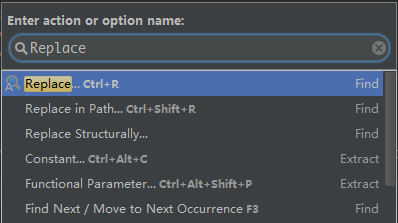
快速找到任何設定 Android Studio 中最重要的快捷鍵之一是 Ctrl+Shift+A。它可以搜尋 IDE 內幾乎所有動作與設定入口。當你忘記某個選項在哪裡,不
 Android 基礎筆記:網絡訪問與異步消息處理入門
這份筆記把網絡訪問、異步消息處理以及一個模仿新聞客戶端的小案例串了起來,涵蓋 GET/POST 提交數據等常見場景,適合入門鞏固。 訪問網絡資源的基本步驟 Androi
 Android Support Design Library 常用控件入門(一)
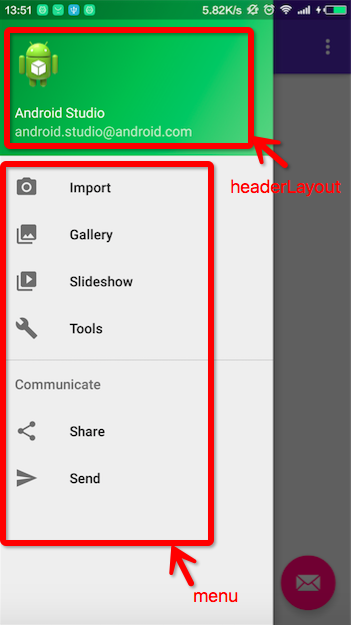
Google 推出 Material Design 已經有一段時間了。為了讓開發者更容易做出符合材料設計的介面,官方提供了 Android Support Design