

編輯:關於 Android 程式設計
Android 原生的 Activity 切換較為生硬,但可利用 overridePendingTransition 指定進入與退出動畫,讓畫面切換更自然。
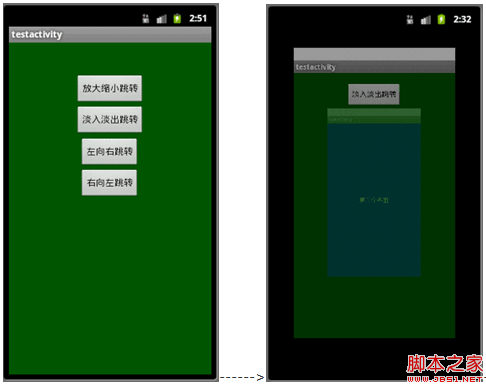
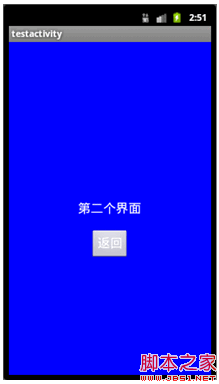
先在 res 下建立 anim 資料夾,將放大、縮小、淡入淡出或位移效果寫成 XML。
<set xmlns:android='https://schemas.android.com/apk/res/android'>
  <scale android:fromXScale='0.1' android:toXScale='1.0' android:duration='300' />
  <alpha android:fromAlpha='0.1' android:toAlpha='1.0' android:duration='300' />
</set>startActivity(new Intent(this, OtherActivity.class));
overridePendingTransition(R.anim.zoomin, R.anim.zoomout);第一個參數是新頁面進入效果,第二個是目前頁面退出效果。搭配不同 XML,即可做出放大、淡入淡出、左右滑動等轉場。
 Java 重難點面試題精選(一):集合、線程與異常機制
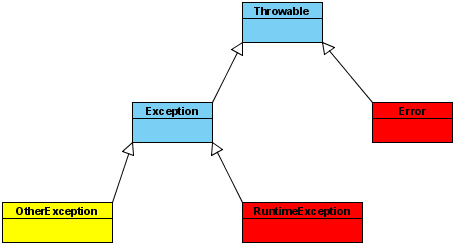
本文精選了一批 Java 面試中常見的重難點選擇題與程式閱讀題,涵蓋集合類的線程安全、值傳遞與引用傳遞、字串類別、異常體系、線程同步、Classloader 以及方法重寫
 CoordinatorLayout 實作:ActionBar 自動隱藏與懸停標題、滑動刪除
這一篇延續前面的 CoordinatorDemo 系列,示範三件事:ActionBar 隨清單滾動自動收放、TextView 懸停在頂部、以及滑動刪除元件並提供撤銷。 提
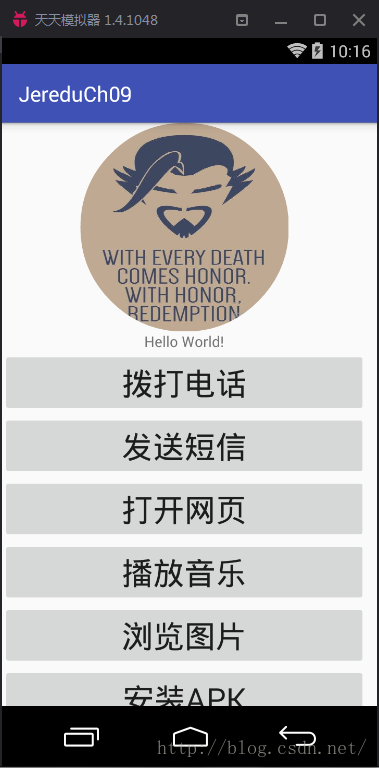 應用內更換用戶頭像的完整流程:相機、相冊、裁剪與圓形呈現
「點一下頭像換照片」看起來是個小功能,實際卻串起了五個環節:彈出選擇視窗、區分相機與相冊兩條取圖路徑、把兩條路徑的結果統一導向裁剪、接收裁剪後的 Bitmap、最後用圓形
 Android 多種樣式的進度條實現大全
The mark of the immature man is that he wants to die nobly for a cause, while the mar