

編輯:關於 Android 程式設計
App 名稱(ApplicationName)看起來只是顯示用的字串,但實際上它藏在/AndroidManifest.xml 的 android:label 裡,可能是直接寫的字面值,也可能指向 @string/app_name。要在執行期把它讀出來,得繞 PackageManager 一圈。
先用 getApplicationInfo(getPackageName(), 0) 拿到這個 App 的 ApplicationInfo,再把它丟進 getApplicationLabel(),回傳的 CharSequence 就是最終顯示的名稱。之所以要經過 PackageManager,是因為 label 可能是一個資源引用,只有系統解析過才知道真正的文字。
package cn.testapplicationname;

import android.os.Bundle;
import android.widget.TextView;
import android.app.Activity;
import android.content.pm.ApplicationInfo;
import android.content.pm.PackageManager;

public class MainActivity extends Activity {

    private TextView mTextView;

    @Override
    protected void onCreate(Bundle savedInstanceState) {
        super.onCreate(savedInstanceState);
        setContentView(R.layout.main);
        init();
    }

    private void init() {
        mTextView = (TextView) findViewById(R.id.textView);
        String applicationName = getApplicationName();
        mTextView.setText("該應用名字:" + applicationName);
    }

    public String getApplicationName() {
        PackageManager packageManager = null;
        ApplicationInfo applicationInfo = null;
        try {
            packageManager = getApplicationContext().getPackageManager();
            applicationInfo = packageManager.getApplicationInfo(getPackageName(), 0);
        } catch (PackageManager.NameNotFoundException e) {
            applicationInfo = null;
        }
        CharSequence label = packageManager.getApplicationLabel(applicationInfo);
        return label == null ? "" : label.toString();
    }
}<RelativeLayout
xmlns:android="https://schemas.android.com/apk/res/android"
android:layout_width="match_parent"
android:layout_height="match_parent">
<TextView
android:id="@+id/textView"
android:layout_width="wrap_content"
android:layout_height="wrap_content"
android:layout_centerInParent="true" />
</RelativeLayout>原始寫法在例外發生時把 applicationInfo 設為 null,卻仍然呼叫 getApplicationLabel(null),這會得到空字串甚至在某些版本上出問題;更穩健的做法是例外時直接回傳預設名稱,不要繼續往下走。另外 getApplicationLabel() 回傳的是 CharSequence,別忘了轉成 String 再交給 TextView 或做字串比對。
順帶一提,如果你要的其實是「目前這個 Activity」的標題,用 getTitle() 就好;要的是 launcher 底下顯示的那個名字,才是這裡的 ApplicationLabel。兩者在設定 android:label 於 Activity 節點時會不一樣。
 Android WiFi 原理與流程透視:從 SystemServer 到 wpa_supplicant
一、代碼分佈在哪裡 要讀懂 Android 的 WiFi 實現,先要知道各層代碼的位置: Settings 應用程序: packages/apps/Settings/sr
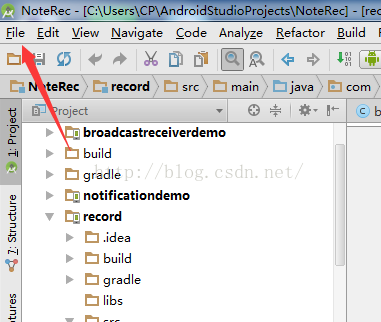 Android Studio 教學:一次搞懂編輯器字型與字級設定
Android Studio 是 Google 推出的 Android 開發 IDE。相比 Eclipse,它在效能、智慧提示與操作體驗上都有明顯改進,開發效率提升不少,
 突破Android 64K方法限制:MultiDex配置與構建優化指南
什麼是 64K 方法限制 在 Android 應用構建過程中,如果代碼與依賴庫過多,可能會遇到方法數超限的錯誤。這個限制來自單個 dex 文件可引用的方法總數上限,通常被
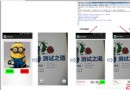 Android 開發進階實戰:場景文字辨識系統
由於研究所畢業專題需要完成一套基於行動終端的場景文字辨識系統,雖然離畢業還早,但出於興趣,我最近抽空完成了這樣一套系統。整體架構如下: ● 客戶端:以 Android 應