

編輯:關於 Android 程式設計
要在畫面上顯示一段長文字,又不想讓它撐破版面,最簡單的辦法是用 ScrollView 把 TextView 包起來。比起在 TextView 上想辦法開啟捲動,這種寫法的效果通常更可控。
<ScrollView
    android:id="@+id/scrollView1"
    android:layout_width="match_parent"
    android:layout_height="150dp"
    android:fadingEdge="vertical"
    android:scrollbars="vertical" >

    <TextView
        android:id="@+id/ee_source"
        android:layout_width="fill_parent"
        android:layout_height="wrap_content"
        android:paddingLeft="10dip"
        android:text="AAAA"
        android:textColor="#8F683A"
        android:textSize="18dip" />

</ScrollView>android:scrollbars="vertical" 決定捲軸方向;android:fadingEdge="vertical" 讓上下邊緣在捲動時出現漸層淡出效果,視覺上暗示「還有更多內容」,比突兀的切邊舒服得多。
最關鍵的其實是 ScrollView 自己那個固定的 layout_height="150dp"。捲動之所以會發生,是因為「視窗高度」小於「內容高度」。如果你讓 ScrollView 用 match_parent、內容又不夠長,那它根本不會捲。反過來,包在裡面的 TextView 應該用 wrap_content,讓它能依文字長度自由長高。
ScrollView 只能有一個直接子元素,多放一個就會在執行時報錯,需要多欄時請再包一層 LinearLayout。另外它是垂直專用,水平捲動得換成 HorizontalScrollView。
如果不想動到版面結構,TextView 其實也有內建方案:tv.setMovementMethod(ScrollingMovementMethod.getInstance()); 就能讓文字本身可捲動。這招在「一個畫面裡有多塊文字各自需要獨立捲動」時特別好用,因為不必嵌套好幾層 ScrollView。至於整頁的長文,則該直接讓 ScrollView 包住整個內容區,而不是只包其中一段。
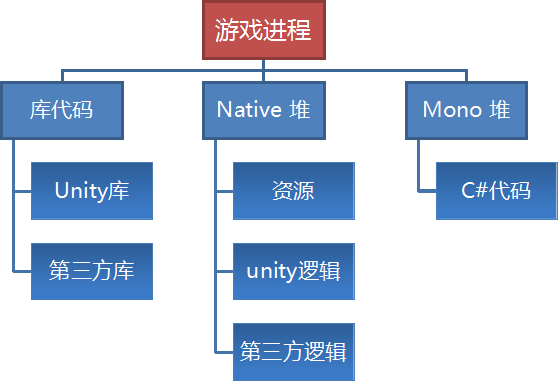 內存是手遊的硬傷:Unity 遊戲 Mono 內存管理與洩漏排查實踐
導讀 內存問題堪稱手遊的「硬傷」。一旦內存管理沒有做好,遊戲極容易出現卡頓、閃退等狀況,直接拖累玩家體驗。本文以騰訊遊戲在 Unity 開發過程中的實踐為例,梳理常見的
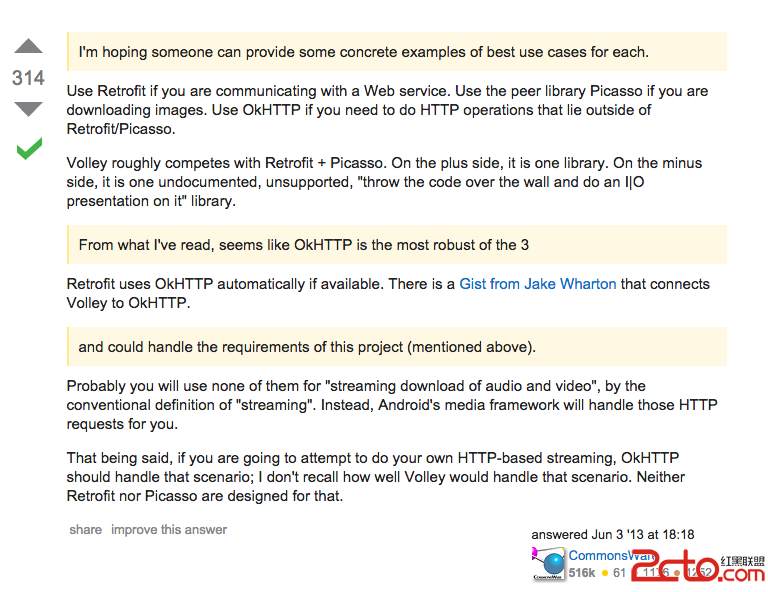 Android 網絡開源庫 Retrofit 完全指南:從入門到 RxJava 整合
前言 Android 上的網絡請求方案很多,Volley、OkHttp、Retrofit 是討論度最高的三個,其中 OkHttp 與 Retrofit 出自同一個團隊 S
 常用 Android 開發代碼片段大合集(持續更新)
這份清單匯聚了日常開發中反覆用到、卻常常想不起來的 API 與小技巧,來源包括個人積累和社區文章。內容難免有重複或過時之處,看到問題歡迎指正。 一、View 與佈局 s
 深入解析 Android 智能指針:sp 與 wp 的 RefBase 機制
閱讀 Android 源碼時,經常會看到 sp<xxx>、wp<xxx> 這類型別宣告,它們其實就是 Android 中的智能指針。智能指針是 C