

編輯:關於 Android 程式設計
SeekBar 的默認樣式很難看,但定製它其實不需要任何黑科技——只要看懂谷歌是怎麼定義的,然後覆蓋掉相應屬性即可。
SeekBar 的樣式全部集中在 @android:style/Widget.SeekBar 中:
<style name="Widget.SeekBar">
    <item name="indeterminateOnly">false</item>
    <!-- progressDrawable 定義了背景圖、進度圖和緩衝圖 -->
    <item name="progressDrawable">@drawable/progress_horizontal</item>
    <item name="indeterminateDrawable">@drawable/progress_horizontal</item>
    <item name="minHeight">20dip</item>
    <item name="maxHeight">20dip</item>
    <!-- thumb 定義了滑塊圖片 -->
    <item name="thumb">@drawable/seek_thumb</item>
    <item name="thumbOffset">8dip</item>
    <item name="focusable">true</item>
    <item name="mirrorForRtl">true</item>
</style>
換句話說,只要替換 progressDrawable 和 thumb,樣式就換掉了。
新建 progress_horizontal.xml,用 layer-list 分層描述背景、緩衝進度與當前進度:
<layer-list xmlns:android="https://schemas.android.com/apk/res/android">

    <!-- 背景圖 -->
    <item android:id="@android:id/background"
          android:drawable="@drawable/seekbar_background" />

    <!-- 緩衝進度圖 -->
    <item android:id="@android:id/secondaryProgress">
        <clip>
            <shape>
                <corners android:radius="5dip" />
                <gradient
                    android:angle="270"
                    android:centerY="0.75"
                    android:centerColor="#80ffb600"
                    android:endColor="#a0ffcb00"
                    android:startColor="#80ffd300" />
            </shape>
        </clip>
    </item>

    <!-- 當前進度圖 -->
    <item android:id="@android:id/progress">
        <clip>
            <shape>
                <corners android:radius="5dip" />
                <solid android:color="@color/blue" />
            </shape>
        </clip>
    </item>
</layer-list>
這裡的關鍵是 clip:它讓 shape 按進度百分比裁剪顯示,三個 id 分別對應 background、secondaryProgress、progress,順序和 id 都不能寫錯。
<SeekBar
    android:id="@+id/seek_bar"
    android:layout_width="0dp"
    android:layout_height="wrap_content"
    android:layout_weight="1"
    android:layout_marginLeft="4dp"
    android:layout_marginRight="4dp"
    android:max="100"
    android:progress="50"
    android:minHeight="3dp"
    android:maxHeight="3dp"
    android:progressDrawable="@drawable/progress_horizontal"
    android:thumb="@drawable/seekbar_thumb" />
需要特別注意的是 minHeight 與 maxHeight 必須同時設置且取值相同,否則系統默認的 20dip 會把你的細進度條撐成一個粗條——這是定製 SeekBar 最常見的失敗原因。
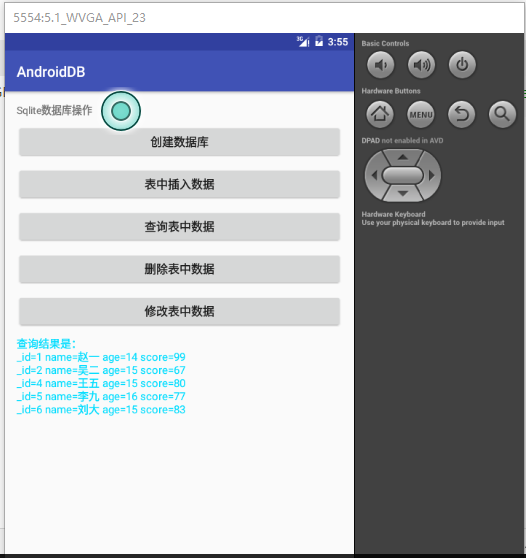 Android SQLite 常用操作整理:語法、Helper 與業務層封裝
正式專案裡,多數人會直接採用 GreenDAO、Room 這類 ORM 框架來碰資料庫。但偶爾還是需要下來寫幾句原生 SQL,或是要 debug 框架產生的語法。這幾天剛
 Android 網絡編程全景總結:從 HTTP 到 Socket 與服務器推送
概述 在正式動手之前,先釐清幾個基礎問題。 1)Android 平台有哪些網絡相關的 API? a) java.net.*(標準 Java 接口) 這個包提供了大量與聯
 我的 Android 進階之旅:singleTask 加載模式與 onActivityResult 的沖突
今天調一個 bug 時踩了個坑,情景是這樣的: 有一個 Activity A,需要用 startActivityForResult 開啟 Activity B,而 B 的
 微信公眾號裡的影片怎麼存到本機?用瀏覽器繞限制
現在看文章、看影片多半都在手機上完成。在公眾號裡遇到好影片想存下來,微信本身並沒有提供下載按鈕,得繞道瀏覽器處理。 操作步驟 1. 打開通信錄,進入你關注的公眾號。