

編輯:關於 Android 程式設計
Gradle 配置是 Android 工程最容易「一寫就亂」的部分。本文整理一份完整的實踐配置,涵蓋簽名分離、多渠道打包、混淆、NDK、dex 優化與依賴管理,可直接作為模板參考。
apply plugin: 'com.android.application'

// 定義一個函數,從外部配置文件加載隱私信息
def loadProperties() {
    def proFile = file("../local.properties")
    Properties p = new Properties()
    proFile.withInputStream { stream -> p.load(stream) }
    appReleaseDir = p.appReleaseDir
}
loadProperties()

android {
    // 用 gradle build 時常因 lint 報錯中斷,而這些錯誤多來自第三方庫,可跳過
    lintOptions {
        abortOnError false        // 錯誤不終止
        checkReleaseBuilds false  // 不檢查 release 構建
    }

    // 簽名配置:敏感信息寫在 gradle.properties 中,並加入 .gitignore
    signingConfigs {
        config {
            keyAlias KEYALIAS
            keyPassword KEYPASSWORD
            storeFile file(STOREFILEPATH)
            storePassword STOREPASSWORD
        }
    }

    compileSdkVersion 23
    // 多 Module 時可寫成 rootProject.ext.compileSdkVersion,統一管理
    buildToolsVersion '23.0.2'

    // aapt 資源打包工具
    aaptOptions.cruncherEnabled = false
    aaptOptions.useNewCruncher = false

    defaultConfig {
        applicationId "......"
        minSdkVersion 15
        targetSdkVersion 19
        versionCode 21
        versionName '1.53'
        archivesBaseName = "項目名稱-$versionName"   // 產物存檔名

        ndk {
            moduleName "yibawifisafe"
            ldLibs "log", "z", "m", "jnigraphics", "android"
            abiFilters "armeabi", "x86", "armeabi-v7a"
            cFlags "-std=c++11 -fexceptions"
            stl "gnustl_static"
        }

        signingConfig signingConfigs.config
        multiDexEnabled true
    }

    // 源文件目錄設置
    sourceSets {
        main {
            assets.srcDirs = ['assets']
            jni.srcDirs = 'src/main/jni'
            jniLibs.srcDir 'src/main/jniLibs'
        }
    }

    dexOptions {
        preDexLibraries = false   // 先對 lib 庫做 dex 拆分
        incremental true          // 加快編譯速度
        javaMaxHeapSize "4g"
    }

    buildTypes {
        release {
            zipAlignEnabled true
            shrinkResources true      // 移除無用資源
            minifyEnabled true        // 啟用混淆
            proguardFiles getDefaultProguardFile('proguard-android.txt'), 'proguard-rules.pro'
            debuggable false

            ndk {
                moduleName "yibawifisafe"
                ldLibs "log", "z", "m", "jnigraphics", "android"
                abiFilters "armeabi", "x86", "armeabi-v7a"
                cFlags "-std=c++11 -fexceptions"
                stl "gnustl_static"
            }

            // 自定義產物文件名:加入版本號與時間戳
            applicationVariants.all { variant ->
                variant.outputs.each { output ->
                    def outputFile = output.outputFile
                    if (outputFile != null && outputFile.name.endsWith('release.apk')) {
                        def timeStamp = new Date().format('yyyyMMddHH')
                        def fileName = "WeShare-${defaultConfig.versionName}-${timeStamp}-lj.apk"
                        output.outputFile = file("${outputFile.parent}/${fileName}")
                    }
                }
            }
            signingConfig signingConfigs.config
            jniDebuggable false
        }

        debug {
            minifyEnabled false
            zipAlignEnabled true
            shrinkResources false
            proguardFiles getDefaultProguardFile('proguard-android.txt'), 'proguard-rules.pro'
            debuggable true
            ndk {
                cFlags "-std=c++11 -fexceptions -g -D __DEBUG__"
            }
            jniDebuggable true
            signingConfig signingConfigs.config
        }
    }

    compileOptions { }

    // 多渠道打包
    productFlavors {
        googlePlay { }
    }
}

// 為每個渠道寫入包渠道標識(配合友盟等平台)
productFlavors.all { flavor ->
    flavor.manifestPlaceholders = [UMENG_CHANNEL_VALUE: name]
}

dependencies {
    // 多 Module 共用依賴,可上提到 project 的 build.gradle
    compile rootProject.libRecyclerview
    compile rootProject.libCardview
    compile rootProject.libAppcompat
    compile rootProject.libDesign

    compile fileTree(include: ['*.jar'], dir: 'libs')   // 本地 jar
    compile project(':lib')                             // Module 依賴
    compile files('libs/lite-orm-1.7.0.jar')            // 指定 jar

    // 遠程依賴
    compile 'com.jakewharton:butterknife:7.0.1'
    compile 'com.github.pwittchen:reactivenetwork:0.1.3'
    compile 'de.hdodenhof:circleimageview:2.0.0'
    compile 'com.github.hotchemi:android-rate:0.5.6'
    compile 'com.facebook.android:facebook-android-sdk:[4,5)'
    compile 'com.github.bumptech.glide:glide:3.7.0'
    compile 'com.gordonwong:material-sheet-fab:1.2.1'
    compile 'com.google.code.gson:gson:2.6.2'
    compile 'com.google.android.gms:play-services-location:9.0.0'
    compile 'com.android.support:multidex:1.0.1'
    compile 'com.google.firebase:firebase-messaging:9.0.0'
    compile 'pl.tajchert:waitingdots:0.2.0'
    compile 'com.google.firebase:firebase-ads:9.0.0'
}

apply plugin: 'com.google.gms.google-services'

repositories {
    mavenCentral()
}
KEYALIAS=...
KEYPASSWORD=......
STOREFILEPATH=.../Key.jks
STOREPASSWORD=.....
這個文件必須加入 .gitignore。簽名文件與密碼一旦進了版本庫,等於把應用的身份證公開了——後續無法更換包名簽名,也無法安全地發布更新。
def supportVersion = "24.2.0"

ext {
    compileSdkVersion = 24
    buildToolsVersion = "24.0.0"
    minSdkVersion = 15
    targetSdkVersion = 24

    glideVersion = "3.7.0"

    // lib 依賴集中管理
    libAppcompat   = "com.android.support:appcompat-v7:${supportVersion}"
    libGlide       = "com.github.bumptech.glide:glide:${glideVersion}"
    libRecyclerview = "com.android.support:recyclerview-v7:${supportVersion}"
    libCardview    = "com.android.support:cardview-v7:${supportVersion}"
    libDesign      = "com.android.support:design:${supportVersion}"

    testLibJunit = 'junit:junit:4.12'
}

buildscript {
    repositories {
        jcenter()
    }
    dependencies {
        classpath 'com.android.tools.build:gradle:2.2.0'
        // 注意:不要把應用依賴寫在這裡,它們屬於各 Module 的 build.gradle
    }
}

allprojects {
    repositories {
        jcenter()
    }
}

// 聲明一個 clean 任務:每次同步後刪除 build 目錄
task clean(type: Delete) {
    delete rootProject.buildDir
}
把版本號抽到根工程的 ext 塊中,是多 Module 項目避免「同一個 support 庫出現多個版本」衝突的最有效手段。
compile 為舊版寫法,較新版本的 Android Gradle Plugin 已改用 implementation / api,遷移時需相應調整。 一加3和樂視max2哪個好?一加3與樂MAX2對比評測
一加3與樂MAX2對比 一加3與樂MAX2都採用金屬機身與驍龍820平台,但設計語言、屏幕尺寸、快充與價格略有不同。 一加3 一加3採用5.5英寸AMOLED屏幕,10
 PhoneGap / Cordova 安裝與導入 Android Studio 常見問題整理
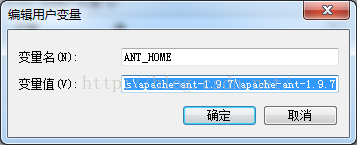
所需資源可上網下載:Java SDK、node.js、apache-ant、ADT(Google 提供的 Android 開發工具,主要是其中的 Android SDK)
 Android 屬性動畫完全指南:從 XML 到代碼,再到 Keyframe 進階用法
相比補間動畫,屬性動畫(Property Animation)是更徹底的一套方案,它的兩個核心特點是: 改變的是物件真實的屬性值,而不只是畫面上的變換。 作用範圍不限於
 實習踩坑筆記:一個 UI Bug 讓我重新理解 layout_weight
問題現場 今天改一個佈局問題時,才發現自己對權重的理解遠比想像中膚淺。 需求很簡單:一個 TextView 沒有按預期單行顯示,被擠成了兩行。 三次嘗試 第一個念頭是把