

編輯:關於 Android 程式設計
最近在商城 App 中實作了「購物車」這個常見模組,把過程與關鍵程式碼記錄下來。
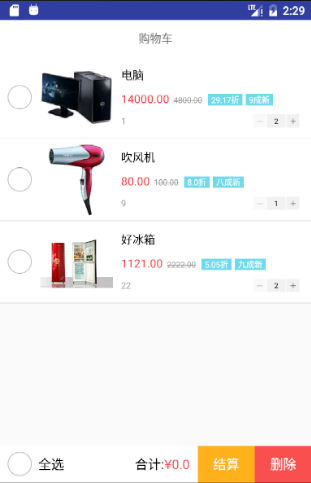
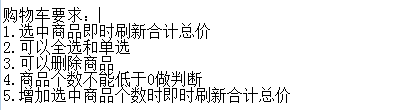
核心需求可以拆成四塊:商品清單渲染、單品勾選與數量增減、全選與單選的狀態同步、以及批次結算與刪除。
最麻煩的地方其實不是 UI,而是「全選」與「單品勾選」兩套監聽器互相觸發造成的迴圈。我用 a、b 兩個旗標把這個問題隔離開:a 用來阻斷全選 CheckBox 的監聽,b 用來記錄全選是被使用者取消的。
public class MainActivity extends AppCompatActivity implements View.OnClickListener {

    private ListView shop_list;
    private ShopAdapter shopAdapter;
    private TextView prices;
    private CheckBox all_checks;
    private TextView settlement;
    private TextView delete_text;

    private Response<ResultModel<List<Shopping>>> modelResponse; // 接口返回的資料
    private List<Shopping> shoppingList = new ArrayList<>();   // 重新整合後的資料
    private ProgressDialog progressDialog;

    private int a = 0; // 用來解決全選與單選衝突
    private int b = 1; // 用來解決 a 與全選之間的衝突

    @Override
    protected void onCreate(Bundle savedInstanceState) {
        super.onCreate(savedInstanceState);
        setContentView(R.layout.activity_main);
        progressDialog = new ProgressDialog(MainActivity.this);
        progressDialog.setProgressStyle(ProgressDialog.STYLE_SPINNER);
        progressDialog.setMessage("······");
        initview();
    }

    private void initview() {
        shop_list = (ListView) findViewById(R.id.shop_list);
        shopAdapter = new ShopAdapter(MainActivity.this);
        shop_list.setAdapter(shopAdapter);

        all_checks = (CheckBox) findViewById(R.id.all_checks);   // 全選
        prices = (TextView) findViewById(R.id.prices);           // 價格
        settlement = (TextView) findViewById(R.id.settlement);   // 結算
        delete_text = (TextView) findViewById(R.id.delete_text); // 刪除

        settlement.setOnClickListener(this);
        delete_text.setOnClickListener(this);

        getShopData(22 + "");
        AllChecks();
    }

    @Override
    public void onClick(View v) {
        switch (v.getId()) {
            case R.id.settlement:
                Settlement();
                break;
            case R.id.delete_text:
                AllDelete();
                break;
        }
    }

    /** 資料接口請求 */
    private void getShopData(final String mid) {
        new Thread(new Runnable() {
            @Override
            public void run() {
                try {
                    modelResponse = ShopCarNet.getShop(mid).execute();
                    mhandler.sendEmptyMessage(0);
                } catch (IOException e) {
                    e.printStackTrace();
                }
            }
        }).start();
    }

    private Handler mhandler = new Handler() {
        @Override
        public void handleMessage(Message msg) {
            super.handleMessage(msg);
            if (msg.what == 0) {
                if (modelResponse != null && modelResponse.body() != null
                        && modelResponse.body().getData() != null
                        && modelResponse.body().getData().size() > 0) {
                    for (Shopping shop : modelResponse.body().getData()) {
                        shop.setChecks(false); // 預設為未選中
                        shoppingList.add(shop);
                    }
                    shopAdapter.addItem(shoppingList);
                    shopAdapter.notifyDataSetChanged();
                } else {
                    Log.e("mainactivity", "沒有資料");
                }
            }
        }
    };

    /** 全選 CheckBox 監聽 */
    public void AllChecks() {
        all_checks.setOnCheckedChangeListener(new CompoundButton.OnCheckedChangeListener() {
            @Override
            public void onCheckedChanged(CompoundButton buttonView, boolean isChecked) {
                progressDialog.show();
                if (b == 0) { a = 0; b = 1; }
                if (a == 0) { // 解決單選與全選衝突
                    if (isChecked) {
                        double allPrice = 0;
                        for (Shopping shop : shoppingList) {
                            shop.setChecks(true);
                            allPrice += Double.valueOf(shop.p_price) * shop.p_number;
                        }
                        prices.setText("¥" + allPrice);
                    } else {
                        b = 0;
                        for (Shopping shop : shoppingList) {
                            shop.setChecks(false);
                        }
                        prices.setText("¥0.0");
                    }
                    shopAdapter.clear();
                    shopAdapter.addItem(shoppingList);
                    shopAdapter.notifyDataSetChanged();
                }
                a = 0;
                if (progressDialog != null) progressDialog.cancel();
            }
        });
    }

    /**
     * 單品勾選與數量增減
     * @param checks 是否被選中
     * @param count  被操作的商品 id
     * @param number 被操作商品的新數量
     */
    public void UpView(boolean checks, int count, int number) {
        progressDialog.show();
        double allPrice = 0;
        int size = 0; // 計數,用來判斷是否已全部選中

        for (Shopping shop : shoppingList) {
            if (shop.p_id == count) {
                shop.setChecks(checks);
                shop.p_number = number;
            }
            if (shop.isChecks()) {
                size++;
                allPrice += Double.valueOf(shop.p_price) * shop.p_number;
            }
        }

        shopAdapter.clear();
        shopAdapter.addItem(shoppingList);
        shopAdapter.notifyDataSetChanged();
        prices.setText("¥" + allPrice);

        if (size == shoppingList.size()) {
            all_checks.setChecked(true);
        } else {
            a = 1; // a=1 表示本次不執行 all_checks 監聽中的邏輯
            if (!all_checks.isChecked()) a = 0; // 未被選中則恢復,讓監聽繼續生效
            all_checks.setChecked(false);
        }
        if (progressDialog != null) progressDialog.cancel();
    }

    /** 結算 */
    public void Settlement() {
        List<Integer> settlement_list = new ArrayList<>();
        final List<Shopping> new_list = new ArrayList<>();
        for (Shopping shop : shoppingList) {
            if (shop.isChecks()) {
                settlement_list.add(shop.p_id); // 收集被選中商品 id
            } else {
                new_list.add(shop); // 剩餘商品構成新的購物車清單
            }
        }
        if (settlement_list.size() == 0) {
            Toast.makeText(MainActivity.this, "請選中至少一個商品後再結算", Toast.LENGTH_SHORT).show();
            return;
        }
        new AlertDialog.Builder(MainActivity.this)
                .setTitle("提示")
                .setMessage("總共" + settlement_list.size() + "個商品,共"
                        + prices.getText().toString() + "元,是否要結算?")
                .setPositiveButton("確定", new DialogInterface.OnClickListener() {
                    @Override
                    public void onClick(DialogInterface dialog, int which) {
                        // 在這裡呼叫結算接口,把 settlement_list 傳給後台
                        shoppingList = new_list;
                        shopAdapter.clear();
                        shopAdapter.addItem(shoppingList);
                        shopAdapter.notifyDataSetChanged();
                        prices.setText("¥0.0");
                        dialog.cancel();
                    }
                })
                .setNegativeButton("取消", new DialogInterface.OnClickListener() {
                    @Override
                    public void onClick(DialogInterface dialog, int which) {
                        dialog.cancel();
                    }
                }).create().show();
    }

    /** 刪除,邏輯與結算類似 */
    public void AllDelete() {
        List<Integer> delete_list = new ArrayList<>();
        final List<Shopping> new_list = new ArrayList<>();
        for (Shopping shop : shoppingList) {
            if (shop.isChecks()) {
                delete_list.add(shop.p_id);
            } else {
                new_list.add(shop);
            }
        }
        if (delete_list.size() == 0) {
            Toast.makeText(MainActivity.this, "請選中至少一個商品後再刪除", Toast.LENGTH_SHORT).show();
            return;
        }
        new AlertDialog.Builder(MainActivity.this)
                .setTitle("提示")
                .setMessage("確定要刪除這" + delete_list.size() + "個商品?")
                .setPositiveButton("確定", new DialogInterface.OnClickListener() {
                    @Override
                    public void onClick(DialogInterface dialog, int which) {
                        // 在這裡呼叫刪除接口,把 delete_list 傳給後台
                        shoppingList = new_list;
                        shopAdapter.clear();
                        shopAdapter.addItem(shoppingList);
                        shopAdapter.notifyDataSetChanged();
                        prices.setText("¥0.0");
                        dialog.cancel();
                    }
                })
                .setNegativeButton("取消", new DialogInterface.OnClickListener() {
                    @Override
                    public void onClick(DialogInterface dialog, int which) {
                        dialog.cancel();
                    }
                }).create().show();
    }
}
結構很單純:頂部標題、中間 ListView、底部操作列(全選、合計、結算、刪除)。
<RelativeLayout
    xmlns:android="https://schemas.android.com/apk/res/android"
    android:id="@+id/activity_main"
    android:layout_width="match_parent"
    android:layout_height="match_parent">

    <LinearLayout
        android:id="@+id/linearLayout"
        android:layout_width="match_parent"
        android:layout_height="45dp"
        android:background="@android:color/white"
        android:gravity="center">
        <TextView
            android:layout_width="wrap_content"
            android:layout_height="wrap_content"
            android:text="購物車" />
    </LinearLayout>

    <LinearLayout
        android:layout_width="match_parent"
        android:layout_height="match_parent"
        android:layout_below="@+id/linearLayout"
        android:layout_above="@+id/relativeLayout">
        <ListView
            android:id="@+id/shop_list"
            android:layout_width="match_parent"
            android:layout_height="match_parent" />
    </LinearLayout>

    <RelativeLayout
        android:id="@+id/relativeLayout"
        android:layout_width="match_parent"
        android:layout_height="45dp"
        android:layout_alignParentBottom="true"
        android:background="@android:color/white">

        <CheckBox
            android:id="@+id/all_checks"
            android:layout_width="wrap_content"
            android:layout_height="match_parent"
            android:layout_marginLeft="10dp"
            android:button="@drawable/radio_button_bg"
            android:text=" 全選"
            android:textColor="#FF000000"
            android:textSize="16sp" />

        <TextView
            android:id="@+id/prices"
            android:layout_width="wrap_content"
            android:layout_height="match_parent"
            android:layout_toStartOf="@+id/settlement"
            android:gravity="center"
            android:text="¥0.0"
            android:textColor="#FFFA4F4F"
            android:textSize="16sp" />

        <TextView
            android:id="@+id/settlement"
            android:layout_width="70dp"
            android:layout_height="match_parent"
            android:layout_marginLeft="10dp"
            android:layout_toLeftOf="@+id/delete_text"
            android:background="#FFFFB11C"
            android:gravity="center"
            android:text="結算"
            android:textColor="@android:color/white"
            android:textSize="16sp" />

        <TextView
            android:id="@+id/delete_text"
            android:layout_width="70dp"
            android:layout_height="match_parent"
            android:layout_alignParentRight="true"
            android:background="#FFFA4F4F"
            android:gravity="center"
            android:text="刪除"
            android:textColor="@android:color/white"
            android:textSize="16sp" />
    </RelativeLayout>
</RelativeLayout>
由於我另外繼承了一個 BaseAdapter 簡化版,這裡只需要處理 getView。ViewHolder 搭配 setTag/getTag 做檢視復用,避免大量 findViewById。
public class ShopAdapter extends BaseAdapter {

    private LayoutInflater inflater;
    private Context context;
    private MainActivity mainActivity;

    public ShopAdapter(Context context) {
        this.context = context;
        mainActivity = (MainActivity) context;
        inflater = LayoutInflater.from(context);
    }

    @Override
    public View getView(int position, View convertView, ViewGroup parent) {
        ViewHolder holder = null;
        if (convertView == null) {
            holder = new ViewHolder();
            convertView = inflater.inflate(R.layout.shop_item, parent, false);
            holder.checks = (CheckBox) convertView.findViewById(R.id.checks);
            holder.p_img1 = (ImageView) convertView.findViewById(R.id.p_img1);
            holder.p_name = (TextView) convertView.findViewById(R.id.p_name);
            holder.p_price = (TextView) convertView.findViewById(R.id.p_price);
            holder.p_mprice = (TextView) convertView.findViewById(R.id.p_mprice);
            holder.p_discount = (TextView) convertView.findViewById(R.id.p_discount);
            holder.p_news = (TextView) convertView.findViewById(R.id.p_news);
            holder.p_stock = (TextView) convertView.findViewById(R.id.p_stock);
            holder.p_number = (TextView) convertView.findViewById(R.id.p_number);
            holder.minus = (ImageView) convertView.findViewById(R.id.minus);
            holder.add = (ImageView) convertView.findViewById(R.id.add);
            convertView.setTag(holder);
        } else {
            holder = (ViewHolder) convertView.getTag();
        }

        final Shopping shopping = (Shopping) getItem(position);

        if (!TextUtils.isEmpty(shopping.p_img1)) {
            ImageLoader.getInstance().displayImage(shopping.p_img1, holder.p_img1, MyApplication.option);
        } else {
            holder.p_img1.setImageResource(R.mipmap.ic_launcher);
        }

        holder.p_name.setText(shopping.p_name);
        holder.p_price.setText(shopping.p_price);
        holder.p_mprice.setText(shopping.p_mprice);
        holder.p_discount.setText(shopping.p_discount);
        holder.p_news.setText(shopping.p_news);
        holder.p_number.setText(shopping.p_number + "");
        holder.p_stock.setText(shopping.p_stock);

        // 過時價格加刪除線
        holder.p_mprice.getPaint().setFlags(
                Paint.STRIKE_THRU_TEXT_FLAG | Paint.ANTI_ALIAS_FLAG);

        holder.checks.setChecked(shopping.isChecks());
        holder.checks.setOnCheckedChangeListener(new CompoundButton.OnCheckedChangeListener() {
            @Override
            public void onCheckedChanged(CompoundButton buttonView, boolean isChecked) {
                mainActivity.UpView(isChecked, shopping.p_id, shopping.p_number);
            }
        });

        holder.minus.setOnClickListener(new View.OnClickListener() {
            @Override
            public void onClick(View v) {
                if (shopping.p_number > 1) {
                    mainActivity.UpView(shopping.isChecks(), shopping.p_id, shopping.p_number - 1);
                } else {
                    Toast.makeText(context, "數量不能再少了", Toast.LENGTH_SHORT).show();
                }
            }
        });

        holder.add.setOnClickListener(new View.OnClickListener() {
            @Override
            public void onClick(View v) {
                mainActivity.UpView(shopping.isChecks(), shopping.p_id, shopping.p_number + 1);
            }
        });

        return convertView;
    }

    private class ViewHolder {
        CheckBox checks;
        ImageView p_img1;
        TextView p_name, p_price, p_mprice, p_discount, p_news, p_stock, p_number;
        ImageView minus, add;
    }
}
單行項目由左至右為勾選框、縮圖、文字資訊區(名稱、價格區、庫存與數量控制)。數量控制用兩張小圖加一個文字方塊實作,比自訂元件省事。
<LinearLayout
    xmlns:android="https://schemas.android.com/apk/res/android"
    android:id="@+id/activity_main"
    android:layout_width="match_parent"
    android:layout_height="100dp"
    android:layout_marginTop="10dp"
    android:background="@android:color/white"
    android:orientation="horizontal">

    <CheckBox
        android:id="@+id/checks"
        android:layout_width="wrap_content"
        android:layout_height="wrap_content"
        android:layout_gravity="center"
        android:layout_marginLeft="10dp"
        android:layout_marginRight="10dp"
        android:button="@drawable/radio_button_bg" />

    <ImageView
        android:id="@+id/p_img1"
        android:layout_width="90dp"
        android:layout_height="90dp"
        android:layout_gravity="center_vertical"
        android:src="@mipmap/ic_launcher" />

    <LinearLayout
        android:layout_width="match_parent"
        android:layout_height="match_parent"
        android:layout_marginLeft="10dp"
        android:layout_marginRight="10dp"
        android:layout_gravity="center_vertical"
        android:gravity="center_vertical"
        android:orientation="vertical">

        <TextView
            android:id="@+id/p_name"
            android:layout_width="match_parent"
            android:layout_height="wrap_content"
            android:textColor="#FF000000"
            android:textSize="14sp" />

        <LinearLayout
            android:layout_width="match_parent"
            android:layout_height="wrap_content"
            android:layout_marginTop="10dp"
            android:layout_marginBottom="10dp"
            android:orientation="horizontal">

            <TextView
                android:id="@+id/p_price"
                android:layout_width="wrap_content"
                android:layout_height="wrap_content"
                android:textColor="#FFFA3C3C"
                android:textSize="14sp" />

            <TextView
                android:id="@+id/p_mprice"
                android:layout_width="wrap_content"
                android:layout_height="wrap_content"
                android:layout_marginLeft="5dp"
                android:layout_marginRight="7dp"
                android:textColor="#FF9B9B9B"
                android:textSize="10sp" />

            <TextView
                android:id="@+id/p_discount"
                android:layout_width="wrap_content"
                android:layout_height="wrap_content"
                android:background="#FF6EDAED"
                android:gravity="center"
                android:paddingLeft="4dp"
                android:paddingRight="4dp"
                android:textColor="@android:color/white"
                android:textSize="10sp" />

            <TextView
                android:id="@+id/p_news"
                android:layout_width="wrap_content"
                android:layout_height="wrap_content"
                android:layout_marginLeft="4dp"
                android:background="#FF6EDAED"
                android:gravity="center"
                android:paddingLeft="4dp"
                android:paddingRight="4dp"
                android:textColor="@android:color/white"
                android:textSize="10sp" />
        </LinearLayout>

        <RelativeLayout
            android:layout_width="match_parent"
            android:layout_height="wrap_content">

            <TextView
                android:id="@+id/p_stock"
                android:layout_width="wrap_content"
                android:layout_height="wrap_content"
                android:textColor="#FF9B9B9B"
                android:textSize="11sp" />

            <LinearLayout
                android:layout_width="wrap_content"
                android:layout_height="wrap_content"
                android:layout_alignParentRight="true"
                android:layout_marginRight="5dp"
                android:orientation="horizontal">

                <ImageView
                    android:id="@+id/minus"
                    android:layout_width="16dp"
                    android:layout_height="16dp"
                    android:src="@mipmap/btn_minus" />

                <TextView
                    android:id="@+id/p_number"
                    android:layout_width="23dp"
                    android:layout_height="16dp"
                    android:layout_marginLeft="1dp"
                    android:layout_marginRight="1dp"
                    android:background="#FFF1F1F1"
                    android:gravity="center"
                    android:text="1"
                    android:textColor="#FF000000"
                    android:textSize="9sp" />

                <ImageView
                    android:id="@+id/add"
                    android:layout_width="16dp"
                    android:layout_height="16dp"
                    android:src="@mipmap/btn_plus" />
            </LinearLayout>
        </RelativeLayout>
    </LinearLayout>
</LinearLayout>
整套功能的核心其實只有兩處:MainActivity 中的 UpView 方法(統一處理勾選與數量變更,並回算總價與全選狀態),以及 CheckBox 的 setOnCheckedChangeListener。
最容易踩的坑是監聽器互相觸發:程式設定 all_checks.setChecked() 會回頭觸發它的監聽器,進而重算一次清單。用 a、b 兩個旗標把「程式觸發」與「使用者觸發」分開,這個迴圈就能止住。
另外提醒兩點:getView 中每次呼叫都重新 setOnCheckedChangeListener,若列表資料量大會有額外開銷;把 shoppingList 直接重新賦值給 adapter 前,記得確認舊資料不會殘留。
 Android ListFragment 範例:列表點擊與 Fragment 間資料傳遞
範例目標 本範例使用 ListFragment 建立列表,點擊列表項目後,將資料傳給另一個 Fragment 顯示。這個流程能幫助理解 Fragment 與 Activi
 Unity3D 數字模型製作規範
本文所述的數字模型製作均以 3ds Max 完成。即便最終驅動引擎不同,對模型的基本要求是大體一致的。一個 VR 模型交付時,其場景尺寸與單位、模型歸類與塌陷、命名、節點
 Android View 控制元件的事件派發,用實驗一步步推導出來
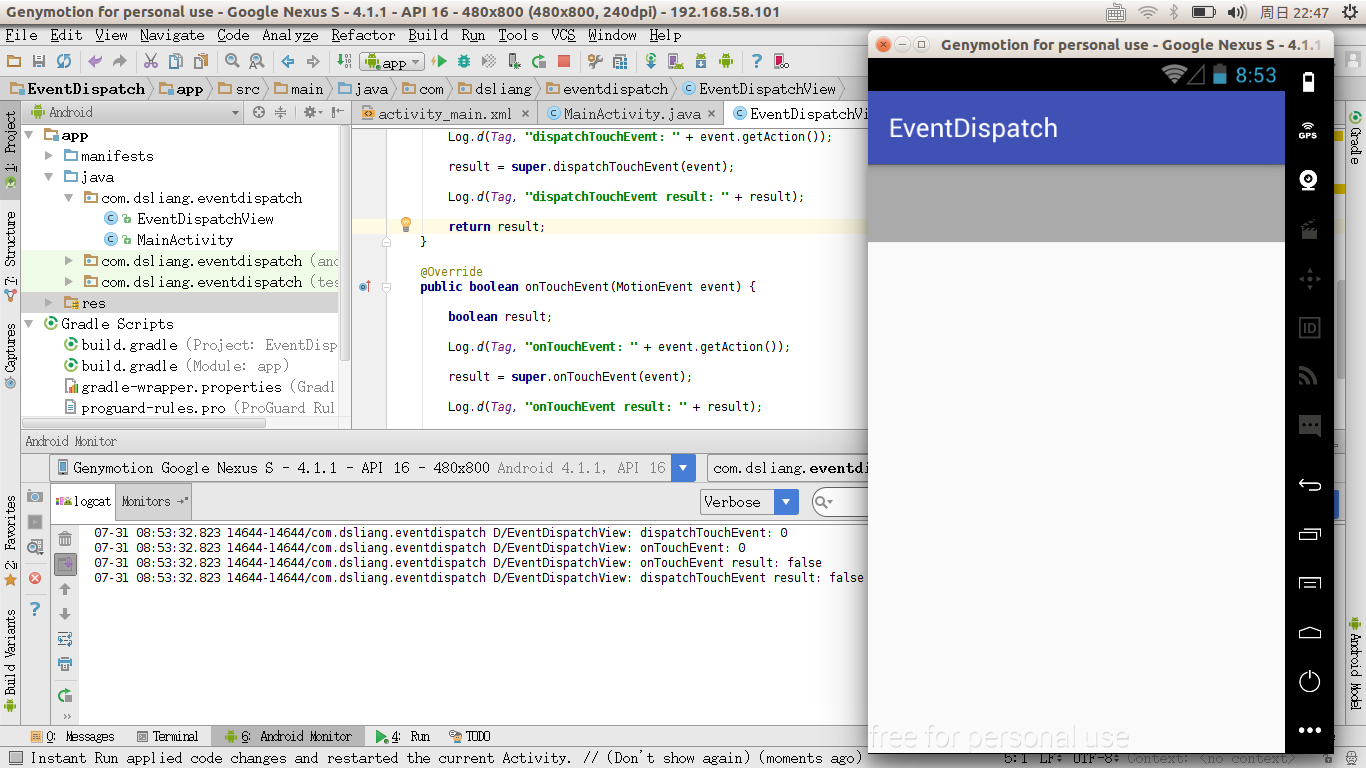
一直想寫 View 與 ViewGroup 的事件派發流程,這次終於一口氣寫完。猶豫最久的其實是「怎麼寫」——流程性的東西容易變成抄結論,所以我決定用聊天的方式,一邊動手
 Android APK 在 32 位元與 64 位元系統下的差異解析
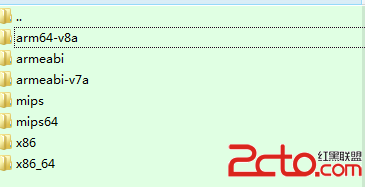
如今 64 位元 Android 系統日益普及,越來越多 APK 宣稱支援 64 位元,於是在打包時加入 arm64-v8a 目錄並放入 64 位元的 so。但若程式碼未