

編輯:關於 Android 程式設計
长按桌面图标弹出的那排快捷入口,就是 Android 7.1 引入的 Shortcuts 功能。它允许用户在不打开应用的情况下直达常用操作。
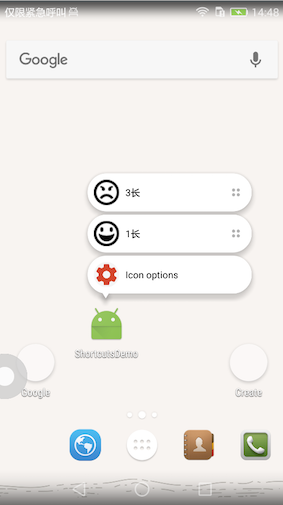
官方文档:https://developer.android.com/preview/shortcuts.html
相关开源整理可参考:https://github.com/ddwhan0123/Useful-Open-Source-Android
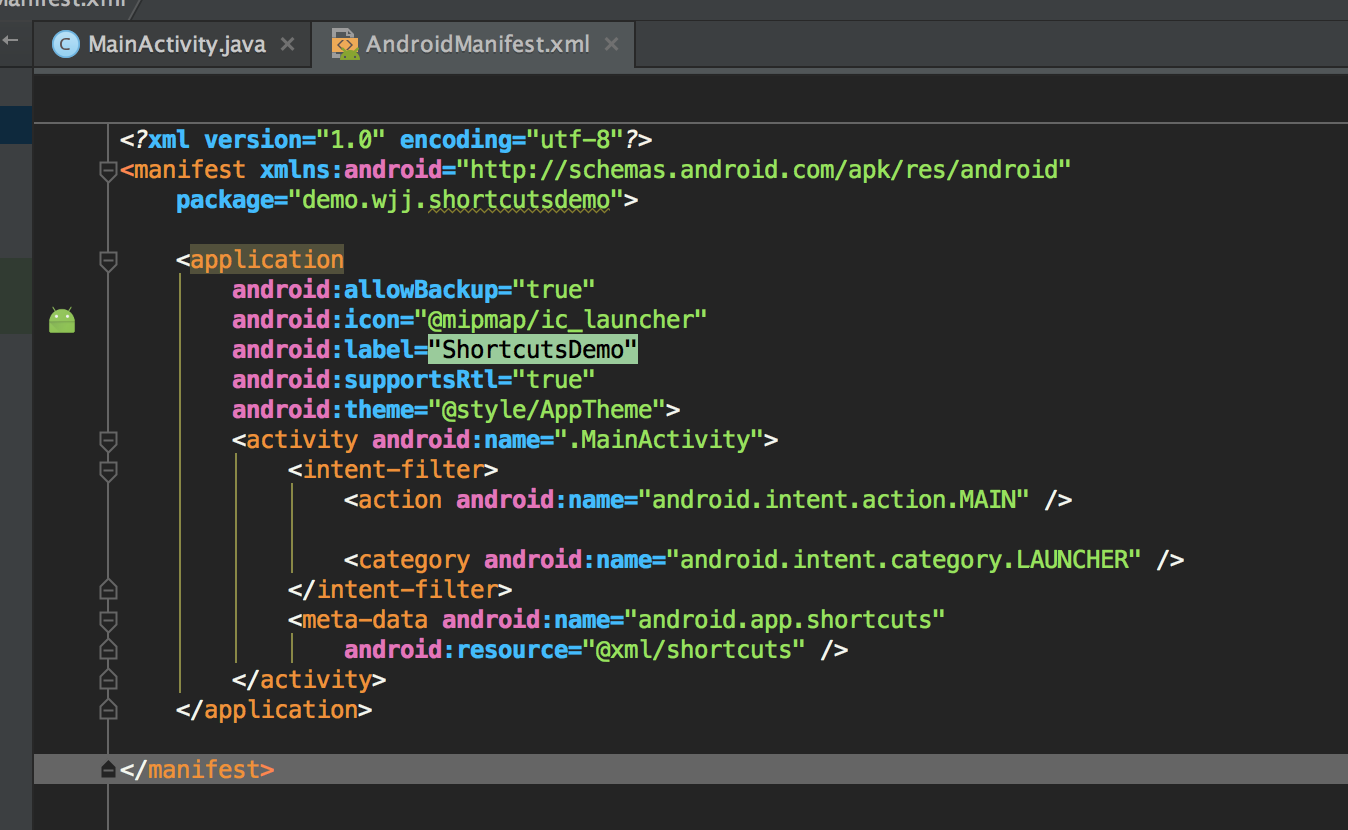
在 AndroidManifest.xml 中,为首页 Activity 的 intent-filter 之后添加 meta-data:
<meta-data
    android:name="android.app.shortcuts"
    android:resource="@xml/shortcuts" />
然后在 res/xml/shortcuts.xml 中定义具体条目,类似预设 Menu 的概念:
<shortcuts xmlns:android="https://schemas.android.com/apk/res/android">

    <shortcut
        android:enabled="true"
        android:icon="@drawable/happy"
        android:shortcutDisabledMessage="@string/one_disabled"
        android:shortcutId="shortcut1"
        android:shortcutLongLabel="@string/one_long"
        android:shortcutShortLabel="@string/one_text">
        <intent
            android:action="one"
            android:targetClass="demo.wjj.shortcutsdemo.MainActivity"
            android:targetPackage="demo.wjj.shortcutsdemo" />
    </shortcut>

    <shortcut
        android:enabled="false"
        android:icon="@drawable/woman"
        android:shortcutDisabledMessage="@string/two_disabled"
        android:shortcutId="shortcut2"
        android:shortcutLongLabel="@string/two_long"
        android:shortcutShortLabel="@string/two">
        <intent
            android:action="two"
            android:targetClass="demo.wjj.shortcutsdemo.MainActivity"
            android:targetPackage="demo.wjj.shortcutsdemo" />
    </shortcut>

    <shortcut
        android:enabled="true"
        android:icon="@drawable/angry"
        android:shortcutDisabledMessage="@string/three_disabled"
        android:shortcutId="shortcut3"
        android:shortcutLongLabel="@string/three_long"
        android:shortcutShortLabel="@string/three">
        <intent
            android:action="three"
            android:targetClass="demo.wjj.shortcutsdemo.MainActivity"
            android:targetPackage="demo.wjj.shortcutsdemo" />
    </shortcut>

</shortcuts>
包名、类名、图标、文案按需替换。几个属性值得留意:
动态方式代码更灵活,官方提供的主要方法有:
setDynamicShortcuts(List)       // 重新设置动态快捷方式列表
addDynamicShortcuts(List)       // 追加到已有列表
updateShortcuts(List)           // 更新指定条目
removeDynamicShortcuts(List)    // 移除指定条目
removeAllDynamicShortcuts()     // 移除全部
官方给出的跳转网页示例:
ShortcutManager shortcutManager = getSystemService(ShortcutManager.class);
ShortcutInfo shortcut = new ShortcutInfo.Builder(this, "id1")
        .setShortLabel("Web site")
        .setLongLabel("Open the web site")
        .setIcon(Icon.createWithResource(context, R.drawable.icon_website))
        .setIntent(new Intent(Intent.ACTION_VIEW,
                Uri.parse("https://www.mysite.example.com/")))
        .build();
shortcutManager.setDynamicShortcuts(Arrays.asList(shortcut));
- 遵循 Material Design 图标设计指南:https://material.google.com/style/icons.html
- 最多发布四个不同快捷方式。系统上限是五个,但过多会让长按菜单显得臃肿。
- 控制文案长度。建议「简短描述」不超过 10 个字符,「长说明」不超过 25 个字符。
- 保持快捷方式与实际功能的对应关系,确保用户点击后能完成应用内同样可完成的任务。
- 只在含义保持不变时更新快捷方式,避免用户认知混乱。
- 动态快捷方式不会在备份与恢复过程中保留。
写完之后最容易卡住的一步是:没有 7.1 设备,demo 跑起来看不到任何效果。系统自带启动器如果不支持 Shortcuts,长按图标是不会弹出菜单的。
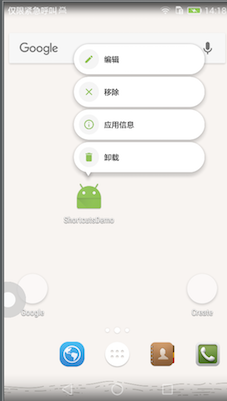
解决办法是换一个支持该特性的第三方启动器,比如 Nova Launcher,官网在 https://www.apkmirror.com/apk/teslacoil-software/nova-launcher/ 。装上之后无需任何额外配置,长按图标就能看到自带的快捷方式,自己的 demo 也会正常显示。
补充一点:官方其实提供了完整 sample,可以直接参考 https://developer.android.com/samples/AppShortcuts/project.html 。
示例代码与 apk:https://github.com/ddwhan0123/BlogSample/tree/master/ShortcutsDemo
 Android Camera 實時濾鏡(二):主流濾鏡應用橫評
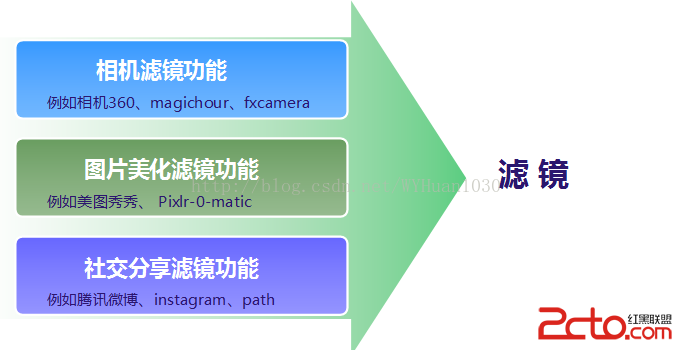
一、Android 平台濾鏡概覽 濾鏡功能在當前市場上應用廣泛、發展迅速。歸納起來,主要有以下三類應用都內置了濾鏡功能,各有所長。 二、相機濾鏡介紹 1、相機 360
 Android Studio 的 10 個高價值技巧:你可能一直不知道的效率捷徑
Android Studio 是每個 Android 開發每天都要打開的工具,但即使你已經用了好幾年,也很可能錯過了不少能省下大量時間的技巧。下面這十條,我不做逐句翻譯,
 Android 實戰教程:自定義組合控制項模擬 QQ 登錄下拉框
首先,很榮幸這個專欄能被 CSDN 推薦到首頁。除了欣喜,這份肯定也激勵我把專欄持續更新下去。 進入今天的主題:我們在 QQ 登錄時,會有一個下拉按鈕,用來查看歷史登錄的
 Android 屏幕分類與相關參數(尺寸、密度)詳解
Android 設備運行在各種各樣的屏幕上,這些屏幕有著不同的 screen sizes(屏幕大小)和 screen densities(屏幕密度)。screen siz