

編輯:關於 Android 程式設計
過去做的幾支手機專案並沒有混淆需求,一直抽不出時間研究;直到接手平板專案、客戶明確要求開啟混淆,我才硬著頭皮把 ProGuard 的運作原理與驗證流程徹底摸了一遍。參考資料中有一篇寫得非常細緻的教學,每一步都交代清楚,這裡先感謝原作者無私的分享。真正動手之前,請先準備好兩支必備工具,細節那篇文章已經講得很完整,我這裡只補充自己實際踩到的地雷。
1. dex2jar(下載處:https://code.google.com/p/dex2jar/):開源的反編譯專案,能把 apk 打包成 jar。
2. jd-gui(下載處:https://jd-gui.softpedia.com/):把 jar 進一步還原成可讀的 Java 原始碼,用來核對混淆結果非常方便。
=============== 分隔線 ===============以下才是正式混淆時真正會卡住你的問題
找到 Android 工程後,依官方教學加上混淆設定即可,如下圖:
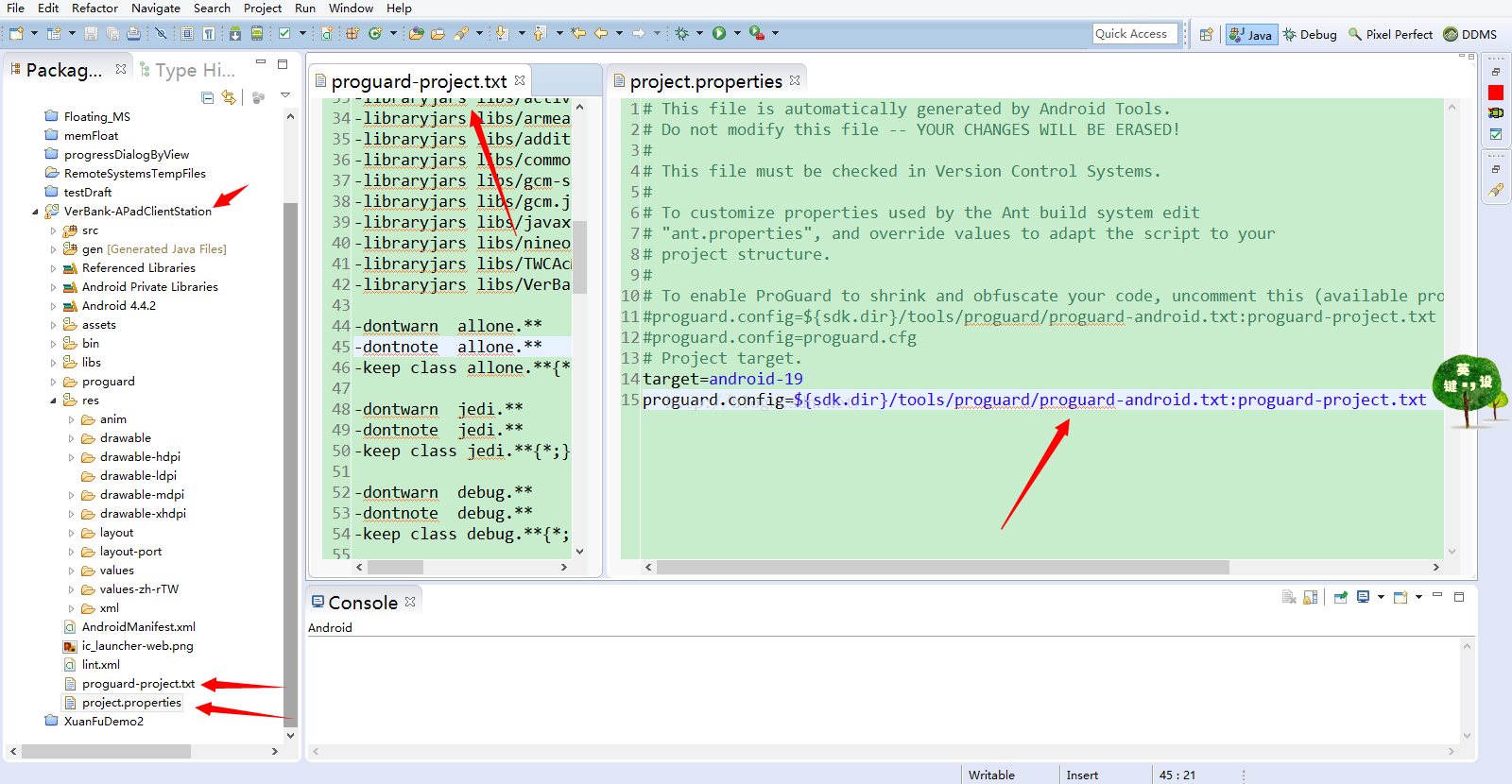
在 project.properties 裡宣告混淆設定檔有兩種寫法:一是自行新建 proguard.cfg(我沒實際試過),二是使用高版本 SDK 建議的 proguard-project.txt,每個工程預設就會產生。這裡要注意:必須把 SDK 的 tools 目錄加進環境變數,否則打包時會找不到工具。
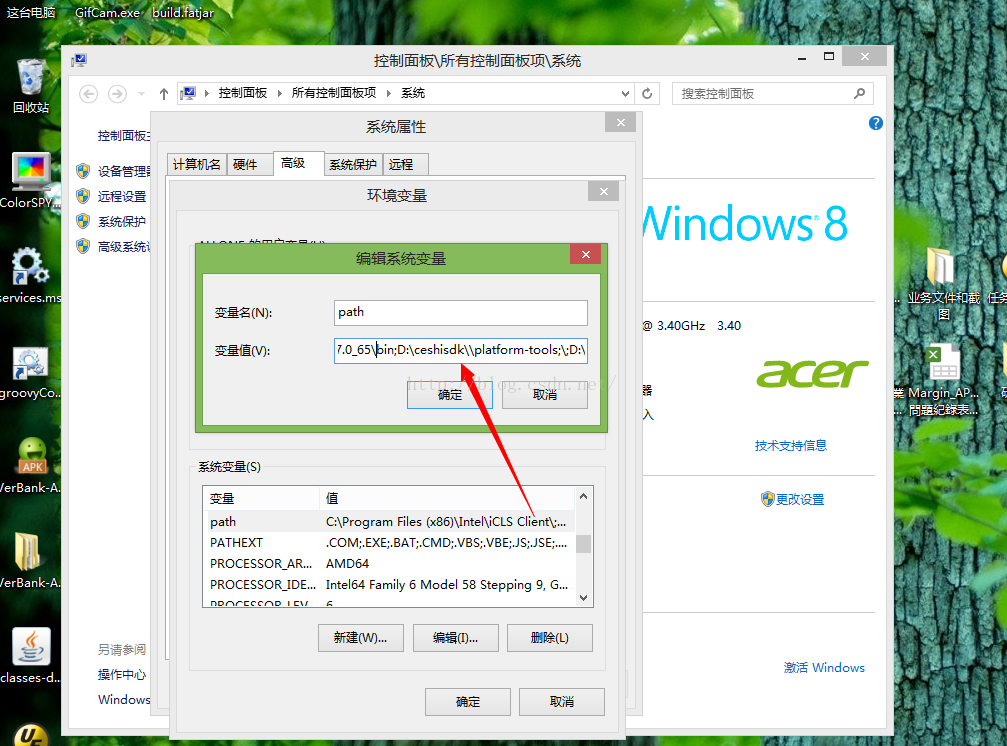
前期準備完成後,接著在 proguard-project.txt 中撰寫規則。基本原則是:libs 底下第三方 jar 要保留、Google 官方建議保留的 Activity 等系統組件要保留,這些範本文件中都有。然而第一次執行簽名打包,我就被下面這類訊息轟炸——總共 1400 多行:
[2016-08-17 18:33:40 - VerBank-APadClientStation] Proguard returned with error code 1. See console
[2016-08-17 18:33:40 - VerBank-APadClientStation] Note: there were 1637 duplicate class definitions.
[2016-08-17 18:33:40 - VerBank-APadClientStation] Warning: allone.MTP.VerBank01.Ctrl.comm.ipop.CtrlServerIPFather: can't find superclass or interface allone.MTP.VerBank01.comm.IPOP.IPFather
[2016-08-17 18:33:40 - VerBank-APadClientStation] Warning: allone.crypto.RSA.RSACrypt: can't find referenced class sun.security.rsa.RSAPublicKeyImpl
[2016-08-17 18:33:40 - VerBank-APadClientStation] Warning: com.google.android.gcm.server.Sender: can't find referenced class org.json.simple.JSONValue
[2016-08-17 18:33:40 - VerBank-APadClientStation] Warning: com.sun.mail.imap.protocol.IMAPSaslAuthenticator: can't find referenced class javax.security.sasl.Sasl
我只節錄一小部分。看到這種場面確實嚇人,而且只要有警告就無法順利產出 jar。其實沒那麼可怕:這些「找不到某人」的警告,你可以直接叫混淆工具閉嘴——針對它抱怨的類別加上 -dontwarn,錯誤量立刻大幅下降。寫法就是把具體的套件路徑與類名列出來:
-libraryjars libs/activation.jar
-libraryjars libs/additionnal.jar
-libraryjars libs/commons-codec-1.3.jar
-libraryjars libs/gcm-server.jar
-libraryjars libs/javax.mail.jar
-libraryjars libs/nineoldandroids-2.4.0.jar
-libraryjars libs/TWCAcMobileAPI.jar
-libraryjars libs/VerBank-CSTSv3-ClientAPI.jar
-dontwarn allone.** -dontnote allone.** -keep class allone.**{*;}
-dontwarn jedi.** -dontnote jedi.** -keep class jedi.**{*;}
-dontwarn debug.** -dontnote debug.** -keep class debug.**{*;}
-dontwarn org.apache.log4j.lf5.viewer.** -dontnote org.apache.log4j.lf5.viewer.**
-dontwarn com.sun.mail.** -dontnote com.sun.mail.**
-dontwarn com.google.android.gcm.** -dontnote com.google.android.gcm.**
-dontwarn sun.security.rsa.RSAPublicKeyImpl -dontnote sun.security.rsa.RSAPublicKeyImpl
-dontwarn sun.misc.Unsafe
-dontwarn com.google.common.collect.MinMaxPriorityQueue
-dontwarn javax.swing.** -dontwarn java.awt.**
-dontwarn org.jasypt.encryption.pbe.** -dontwarn java.beans.**
-dontwarn org.joda.time.** -dontwarn com.google.android.gms.**
-dontwarn org.w3c.dom.bootstrap.** -dontwarn com.ibm.icu.text.** -dontwarn demo.**
再說三次的重要提醒:警告消掉了、簽名打包成功,不代表能跑。一旦程式執行到第三方 jar 的功能就閃退——我分析是混淆工具連第三方類別一起改名了,導致反射或動態呼叫找不到。解法是把第三方路徑上的 class 全部保留:
-libraryjars libs/VerBank-CSTSv3-ClientAPI.jar
// 光靠 -libraryjars 只是引入參考,實測部分類別仍會被混淆,所以必須搭配下面的 keep
-dontwarn allone.** -dontnote allone.**
-keep class allone.**{*;}
-dontwarn jedi.** -dontnote jedi.** -keep class jedi.**{*;}
-dontwarn debug.** -dontnote debug.** -keep class debug.**{*;}
這裡有個大坑:** 與 **{*;} 的效果完全不同。-keep class allone.** 只保留一層目錄,如果底下還有子資料夾,就必須寫成 **{*;} 才會連成員一起保留。這個差異我因為資料不足摸索了很久才發現。
以下是我當時實際在用的完整設定。請結合自己專案用到的 jar 與實際報錯訊息調整,核心心法只有一句:哪裡報錯就叫它不要警告;若第三方仍出問題,就把該套件的類別與路徑全部 keep。
# To enable ProGuard in your project, edit project.properties
# to define the proguard.config property as described in that file.
# Add project specific ProGuard rules here.
# By default, the flags in this file are appended to flags specified
# in ${sdk.dir}/tools/proguard/proguard-android.txt

-optimizationpasses 5
-dontusemixedcaseclassnames
-dontskipnonpubliclibraryclasses
-dontpreverify
-verbose
-optimizations !code/simplification/arithmetic,!field/*,!class/merging/*

-libraryjars libs/activation.jar
-libraryjars libs/armeabi/libtwcajniV10100U20150115.so
-libraryjars libs/additionnal.jar
-libraryjars libs/commons-codec-1.3.jar
-libraryjars libs/gcm-server.jar
-libraryjars libs/gcm.jar
-libraryjars libs/javax.mail.jar
-libraryjars libs/nineoldandroids-2.4.0.jar
-libraryjars libs/TWCAcMobileAPI.jar
-libraryjars libs/VerBank-CSTSv3-ClientAPI.jar

-dontwarn allone.** -dontnote allone.** -keep class allone.**{*;}
-dontwarn jedi.** -dontnote jedi.** -keep class jedi.**{*;}
-dontwarn debug.** -dontnote debug.** -keep class debug.**{*;}
-dontwarn org.apache.log4j.lf5.viewer.** -dontnote org.apache.log4j.lf5.viewer.**
-dontwarn com.sun.mail.** -dontnote com.sun.mail.**
-dontwarn com.google.android.gcm.** -dontnote com.google.android.gcm.**
-dontwarn sun.security.rsa.RSAPublicKeyImpl -dontnote sun.security.rsa.RSAPublicKeyImpl
-dontwarn sun.misc.Unsafe
-dontwarn com.google.common.collect.MinMaxPriorityQueue
-dontwarn javax.swing.** -dontwarn java.awt.**
-dontwarn org.jasypt.encryption.pbe.** -dontwarn java.beans.**
-dontwarn org.joda.time.** -dontwarn com.google.android.gms.**
-dontwarn org.w3c.dom.bootstrap.** -dontwarn com.ibm.icu.text.** -dontwarn demo.**

-libraryjars libs/Android-support-v4.jar
-dontwarn android.support.v4.** -keep class android.support.**{*;}
-keep interface android.support.v4.app.**{*;}
-keep public class * extends android.support.v4.**
-keep public class * extends android.app.Fragment

# 不進行混淆保持原樣
-keep public class * extends android.app.Activity
-keep public class * extends android.app.Application
-keep public class * extends android.app.Service
-keep public class * extends android.content.BroadcastReceiver
-keep public class * extends android.content.ContentProvider
-keep public class * extends android.app.backup.BackupAgentHelper
-keep public class * extends android.preference.Preference
-keep public class com.android.vending.licensing.ILicensingService

-keepattributes Signature
-keepattributes *Annotation*
-keep class **.R$* { *; }
-keepclasseswithmembernames class * { native <methods>; }
-keepclasseswithmembers class * { public <init>(android.content.Context, android.util.AttributeSet); }
-keepclasseswithmembers class * { public <init>(android.content.Context, android.util.AttributeSet, int); }
-keepclassmembers class * extends android.app.Activity { public void *(android.view.View); }
-keepclassmembers enum * { public static **[] values(); public static ** valueOf(java.lang.String); }
-keep class * implements android.os.Parcelable { public static final android.os.Parcelable$Creator *; }
最終成果如下圖:
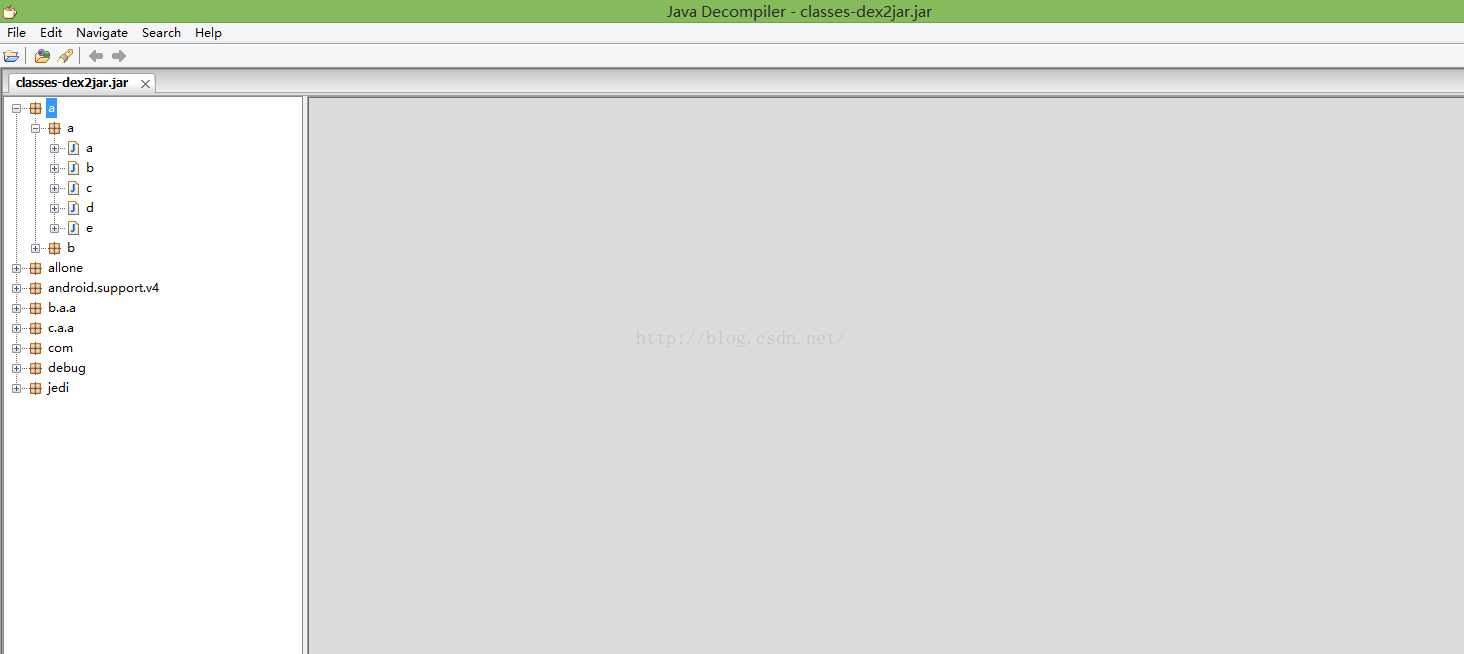
折騰了大半天總算搞定,過程雖然磨人,但解決之後對 ProGuard 的規則語法就徹底有概念了。歡迎拍磚,有問題也歡迎留言一起討論。
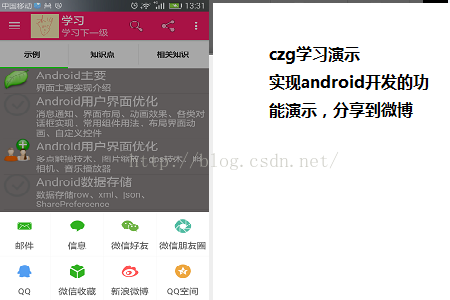 Android Studio 集成 ShareSDK 實現一鍵分享(完整配置步驟)
社交分享幾乎是每個 App 的標配功能。ShareSDK 提供了封裝好的「一鍵分享」能力,配合官方的快速集成工具,接入過程並不複雜。下面記錄一次完整的集成過程。 先新建
 在既有 Android 專案中嵌入 React Native 頁面
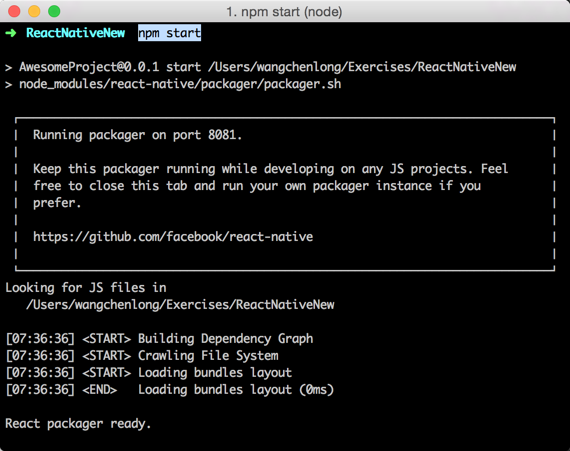
React Native 出自 Facebook 之手,主打「用 React 寫原生 App」。它把介面交給真正的原生元件渲染,效能與手感都比 WebView 方案好一截
 仿微信 6.x 底部指示器漸變效果
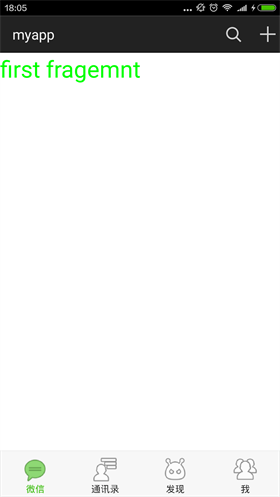
效果說明 這個範例模仿微信 6.x 主頁底部導航的漸變效果:當使用者左右滑動時,原本頁籤的圖示與文字會慢慢變淡,目前頁籤則會逐漸轉為選中顏色。 自定義 ChangeC
 Android 基礎:Handler 訊息機制詳解(上)
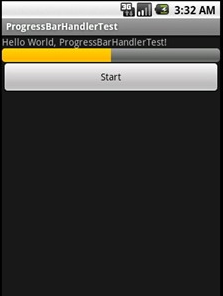
Handler 的定位Handler 主要用於接收子線程發送的訊息,並配合主線程更新 UI。Android 的介面不是執行緒安全的,因此耗時任務不能放在主線程,否則容易造