

編輯:關於 Android 程式設計
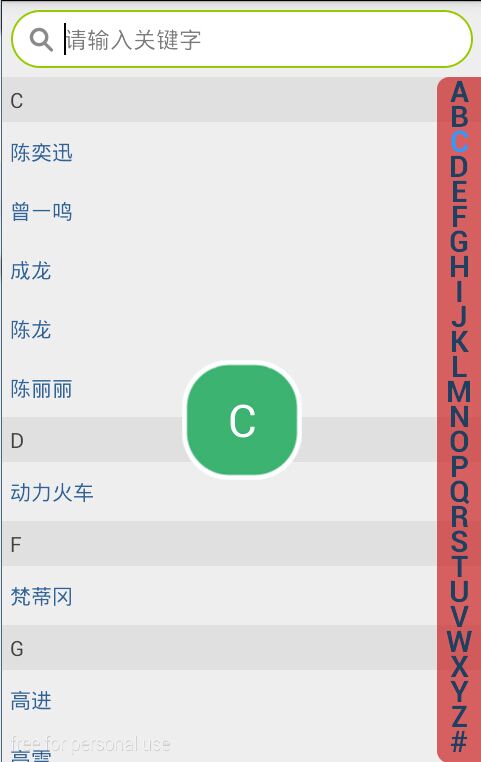
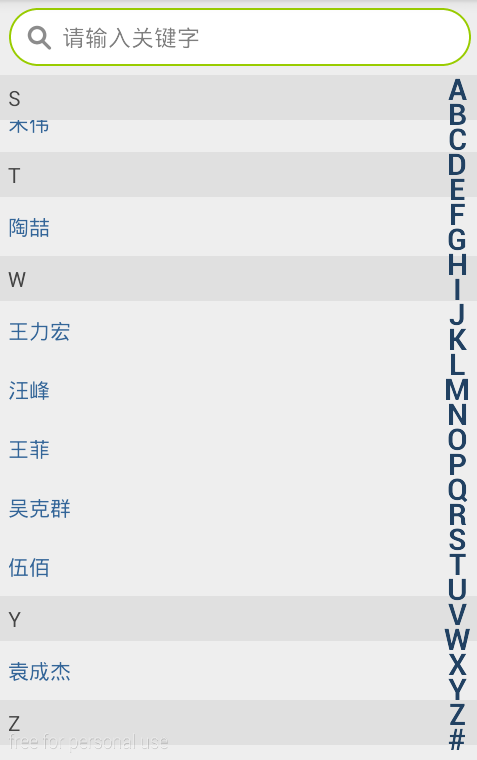
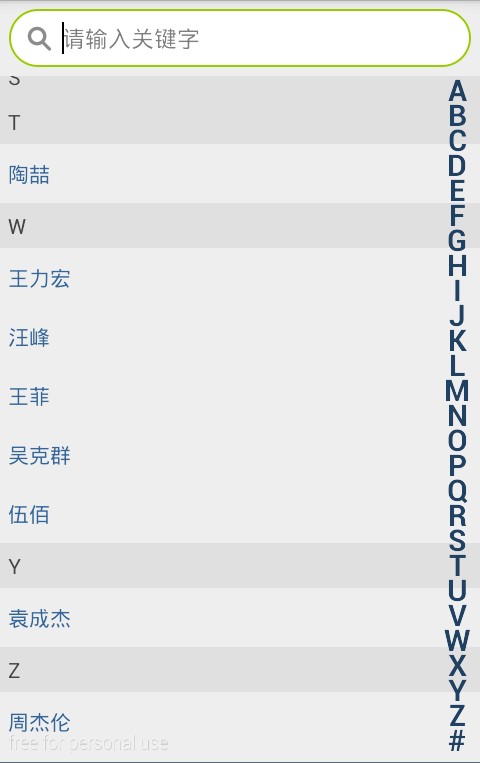
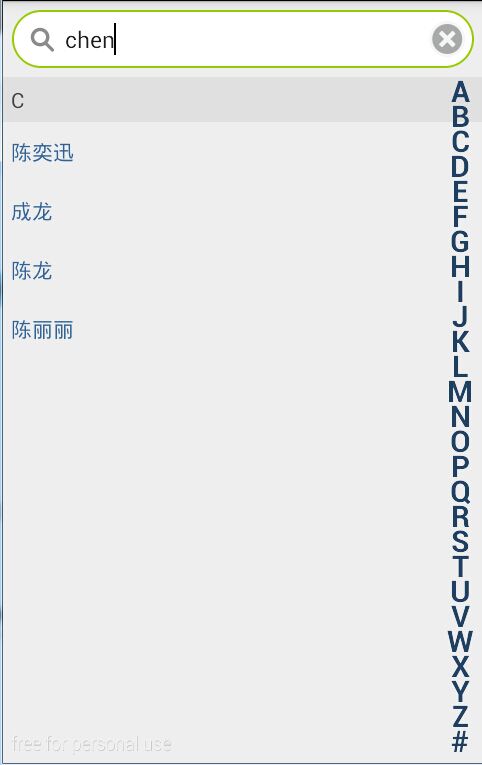
本文將講解如何自定義 EditText 實現搜索框的自定義樣式,以及字母擠壓效果的實現思路,並最終完成一個具備字母排序、右側快速選取與關鍵字搜索功能的通訊錄列表。
自定義 EditText
相關的 drawable 文件
主界面以及相關的適配器
結果展示
public class ClearEditText extends EditText implements OnFocusChangeListener, TextWatcher { /** * 定義刪除按鈕的引用 */ private Drawable mClearDrawable; public ClearEditText(Context context) { this(context, null); } public ClearEditText(Context context, AttributeSet attrs) { //這個構造方法很重要,不加這個很多屬性不能再XML中定義 this(context, attrs, android.R.attr.editTextStyle); } public ClearEditText(Context context, AttributeSet attrs, int defStyle) { super(context, attrs, defStyle); init(); } private void init() { //獲取EidtText的DrawableRight,加入沒有設置我們就使用自己的默認圖片,getCompoundDrawables返回的是四個方向的圖片信息 mClearDrawable = getCompoundDrawables()[2]; if (mClearDrawable == null) { mClearDrawable = getResources() .getDrawable(R.mipmap.emotionstore_progresscancelbtn); } //設置圖片的寬高,前兩個是組件左上角在容器中的坐標 後兩個是組件的寬度和高度 mClearDrawable.setBounds(0, 0, mClearDrawable.getIntrinsicWidth(), mClearDrawable.getIntrinsicHeight()); //默認初始化情況清空當前的圖片信息 setClearIconVisible(false); //類似於文本框裡面hint文字在初始化的時候顯示或者隱藏的操作,就要用到setOnFocusChangeListener,同時監聽有字符出現時就顯示刪除按鈕 setOnFocusChangeListener(this); addTextChangedListener(this); } /** * 判斷是否有刪除按鈕 * 設置刪除按鈕的點擊事件:制空 */ @Override public boolean onTouchEvent(MotionEvent event) { if (getCompoundDrawables()[2] != null) { if (event.getAction() == MotionEvent.ACTION_UP) { boolean touchable = event.getX() > (getWidth() - getPaddingRight() - mClearDrawable.getIntrinsicWidth()) && (event.getX() < ((getWidth() - getPaddingRight()))); if (touchable) { this.setText(""); } } } return super.onTouchEvent(event); } /** * 當焦點發生變化的情況設置刪除按鈕 */ @Override public void onFocusChange(View v, boolean hasFocus) { if (hasFocus) { setClearIconVisible(getText().length() > 0); } else { setClearIconVisible(false); } } /** * 設置刪除按鈕的顯示或隱藏場景 */ protected void setClearIconVisible(boolean visible) { Drawable right = visible ? mClearDrawable : null; setCompoundDrawables(getCompoundDrawables()[0], getCompoundDrawables()[1], right, getCompoundDrawables()[3]); } /** * 判斷是否有字符,如果有存在字符添加刪除按鈕 */ @Override public void onTextChanged(CharSequence s, int start, int count, int after) { setClearIconVisible(s.length() > 0); } @Override public void beforeTextChanged(CharSequence s, int start, int count, int after) { } @Override public void afterTextChanged(Editable s) { } public void setShakeAnimation(){ this.setAnimation(shakeAnimation(5)); } public static Animation shakeAnimation(int counts){ Animation translateAnimation = new TranslateAnimation(0, 10, 0, 0); translateAnimation.setInterpolator(new CycleInterpolator(counts)); translateAnimation.setDuration(1000); return translateAnimation; } }
line_vertiacl 文件(作為光標的豎線):
edit_background 文件(stroke 是外邊框的邊框寬度與顏色,solid 是填充的內部色彩):
public class SideBar extends View { //觸摸事件 private OnTouchingLetterChangedListener onTouchingLetterChangedListener; //26個字母 public static String[] b = { "A", "B", "C", "D", "E", "F", "G", "H", "I", "J", "K", "L", "M", "N", "O", "P", "Q", "R", "S", "T", "U", "V", "W", "X", "Y", "Z", "#" }; private int choose = -1;// 選中的 private Paint paint = new Paint(); private TextView mTextDialog; public void setTextView(TextView mTextDialog) { this.mTextDialog = mTextDialog; } public SideBar(Context context, AttributeSet attrs, int defStyle) { super(context, attrs, defStyle); } public SideBar(Context context, AttributeSet attrs) { super(context, attrs); } public SideBar(Context context) { super(context); } /** * 重繪界面 */ protected void onDraw(Canvas canvas) { super.onDraw(canvas); //獲取焦點改變背景顏色 int height = getHeight();// 獲取對應高度 int width = getWidth(); // 獲取對應寬度 int singleHeight = height / b.length;// 獲取每一個字母的高度 for (int i = 0; i < b.length; i++) { //設置每一個字母的樣式 paint.setColor(Color.rgb(33, 65, 98)); // paint.setColor(Color.WHITE); paint.setTypeface(Typeface.DEFAULT_BOLD); paint.setAntiAlias(true); paint.setTextSize(30); //選中狀態 if (i == choose) { paint.setColor(Color.parseColor("#3399ff")); paint.setFakeBoldText(true); } // x坐標等於中間-字符串寬度一半 float xPos = width / 2 - paint.measureText(b[i]) / 2; //高度增加遞增 float yPos = singleHeight * i + singleHeight; canvas.drawText(b[i], xPos, yPos, paint); paint.reset();// 重置畫筆 } } /** * 點擊的時候的狀態 */ @Override public boolean dispatchTouchEvent(MotionEvent event) { final int action = event.getAction(); final float y = event.getY();// 點擊Y坐標 final int oldChoose = choose; final OnTouchingLetterChangedListener listener = onTouchingLetterChangedListener; final int c = (int) (y / getHeight() * b.length);// 點擊y坐標所占總高度的比例*b數組的長度就等於點擊b中的個數. switch (action) { case MotionEvent.ACTION_UP: setBackgroundDrawable(new ColorDrawable(0x00000000)); choose = -1; invalidate(); if (mTextDialog != null) { mTextDialog.setVisibility(View.INVISIBLE); } break; default: setBackgroundResource(R.drawable.sidebar_background); if (oldChoose != c) { if (c >= 0 && c < b.length) { if (listener != null) { listener.onTouchingLetterChanged(b[c]); } if (mTextDialog != null) { mTextDialog.setText(b[c]); mTextDialog.setVisibility(View.VISIBLE); } choose = c; invalidate(); } } break; } return true; } /** *向外公開的方法 * * @param onTouchingLetterChangedListener */ public void setOnTouchingLetterChangedListener( OnTouchingLetterChangedListener onTouchingLetterChangedListener) { this.onTouchingLetterChangedListener = onTouchingLetterChangedListener; } /** * 接口 * * @author coder */ public interface OnTouchingLetterChangedListener { public void onTouchingLetterChanged(String s); } }
<framelayout android:layout_height="fill_parent" android:layout_width="fill_parent"> </framelayout>
public class SortModel { private String name; //顯示的數據 private String sortLetters; //顯示數據拼音的首字母 public String getName() { return name; } public void setName(String name) { this.name = name; } public String getSortLetters() { return sortLetters; } public void setSortLetters(String sortLetters) { this.sortLetters = sortLetters; } }
public class PinyinComparator implements Comparator { public int compare(SortModel o1, SortModel o2) { if (o1.getSortLetters().equals("@") || o2.getSortLetters().equals("#")) { return -1; } else if (o1.getSortLetters().equals("#") || o2.getSortLetters().equals("@")) { return 1; } else { return o1.getSortLetters().compareTo(o2.getSortLetters()); } } }
需要從網絡下載 pinyin4j-2.5.0.jar 或更高版本作為依賴添加到程序中,添加後實現轉拼音方法:
public static String getPingYin(String inputString) { HanyuPinyinOutputFormat format = new HanyuPinyinOutputFormat(); format.setCaseType(HanyuPinyinCaseType.LOWERCASE); format.setToneType(HanyuPinyinToneType.WITHOUT_TONE); format.setVCharType(HanyuPinyinVCharType.WITH_V); char[] input = inputString.trim().toCharArray(); String output = ""; try { for (char curchar : input) { if (java.lang.Character.toString(curchar).matches("[\u4e00-\u9fa5]+")) { String[] temp = PinyinHelper.toHanyuPinyinStringArray(curchar, format); output += temp[0]; } else output += java.lang.Character.toString(curchar); } } catch (BadHanyuPinyinOutputFormatCombination e) { e.printStackTrace(); } return output; }
public class SortActivity extends Activity { private ListView sortListView; private SideBar sideBar; private TextView dialog; private SortAdapter adapter; private ClearEditText mClearEditText; /** * 上次第一個可見元素,用於滾動時記錄標識。 */ private int lastFirstVisibleItem = -1; private List SourceDateList; /** * 根據拼音來排列ListView裡面的數據類 */ private PinyinComparator pinyinComparator; /** * 分組的布局 */ private LinearLayout titleLayout; /** * 分組上顯示的字母 */ private TextView title; @Override protected void onCreate(Bundle savedInstanceState) { super.onCreate(savedInstanceState); setContentView(R.layout.activity_sort); initViews(); } private void initViews() { titleLayout = (LinearLayout) findViewById(R.id.title_layout); title = (TextView) findViewById(R.id.title); pinyinComparator = new PinyinComparator(); sideBar = (SideBar) findViewById(R.id.sidrbar); dialog = (TextView) findViewById(R.id.dialog); sideBar.setTextView(dialog);//設置相應的字體背景樣式 //設置右側觸摸監聽 sideBar.setOnTouchingLetterChangedListener(new SideBar.OnTouchingLetterChangedListener() { @Override public void onTouchingLetterChanged(String s) { //該字母首次出現的位置 int position = adapter.getPositionForSection(s.charAt(0)); if (position != -1) { sortListView.setSelection(position); } } }); sortListView = (ListView) findViewById(R.id.country_lvcountry); sortListView.setOnItemClickListener(new AdapterView.OnItemClickListener() { @Override public void onItemClick(AdapterView parent, View view, int position, long id) { //這裡要利用adapter.getItem(position)來獲取當前position所對應的對象 Toast.makeText(getApplication(), ((SortModel) adapter.getItem(position)).getName()+"="+position, Toast.LENGTH_SHORT).show(); } }); SourceDateList = getData(getResources().getStringArray(R.array.date)); // 根據a-z進行排序源數據 Collections.sort(SourceDateList, pinyinComparator); adapter = new SortAdapter(this, SourceDateList, this); sortListView.setAdapter(adapter); sortListView.setOnScrollListener(new AbsListView.OnScrollListener() { @Override public void onScrollStateChanged(AbsListView view, int scrollState) { } @Override public void onScroll(AbsListView view, int firstVisibleItem, int visibleItemCount, int totalItemCount) { //字母連續斷層使不能置頂,例如 D (空) F使D到F階段不存在置頂 int section; try{ section = adapter.getSectionForPosition(firstVisibleItem); }catch (Exception e){ return ; } int nextSecPosition = adapter.getPositionForSection(section + 1); //解決斷層置頂 for (int i = 1; i < 30; i++) { //26個英文字母充分循環 if (nextSecPosition == -1) { //繼續累加 int data = section + 1 + i; nextSecPosition = adapter.getPositionForSection(data); } else { break; } } if (firstVisibleItem != lastFirstVisibleItem) { ViewGroup.MarginLayoutParams params = (ViewGroup.MarginLayoutParams) titleLayout.getLayoutParams(); params.topMargin = 0; titleLayout.setLayoutParams(params); title.setText(String.valueOf((char) section)); } if (nextSecPosition == firstVisibleItem + 1) { View childView = view.getChildAt(0); if (childView != null) { int titleHeight = titleLayout.getHeight(); int bottom = childView.getBottom(); ViewGroup.MarginLayoutParams params = (ViewGroup.MarginLayoutParams) titleLayout .getLayoutParams(); if (bottom < titleHeight) { float pushedDistance = bottom - titleHeight; params.topMargin = (int) pushedDistance; titleLayout.setLayoutParams(params); } else { if (params.topMargin != 0) { params.topMargin = 0; titleLayout.setLayoutParams(params); } } } } lastFirstVisibleItem = firstVisibleItem; } }); mClearEditText = (ClearEditText) findViewById(R.id.filter_edit); //根據輸入框輸入值的改變來過濾搜索 mClearEditText.addTextChangedListener(new TextWatcher() { @Override public void onTextChanged(CharSequence s, int start, int before, int count) { //當輸入框裡面的值為空,更新為原來的列表,否則為過濾數據列表 filterData(s.toString()); } @Override public void beforeTextChanged(CharSequence s, int start, int count, int after) { } @Override public void afterTextChanged(Editable s) { } }); } private List getData(String[] data) { List listarray = new ArrayList(); for (int i = 0; i < data.length; i++) { String pinyin = CharacterParser.getPingYin(data[i]); String Fpinyin = pinyin.substring(0, 1).toUpperCase(); SortModel person = new SortModel(); person.setName(data[i]); //person.setPinYin(pinyin); // 正則表達式,判斷首字母是否是英文字母 if (Fpinyin.matches("[A-Z]")) { person.setSortLetters(Fpinyin); } else { person.setSortLetters("#"); } listarray.add(person); } return listarray; } /** * 根據輸入框中的值來過濾數據並更新ListView * * @param filterStr */ private void filterData(String filterStr) { List filterDateList = new ArrayList(); if (TextUtils.isEmpty(filterStr)) { filterDateList = SourceDateList; titleLayout.setVisibility(View.VISIBLE); title.setText("A"); } else { titleLayout.setVisibility(View.GONE); filterDateList.clear(); for (SortModel sortModel : SourceDateList) { String name = sortModel.getName(); if (name.indexOf(filterStr.toString()) != -1 || CharacterParser.getPingYin(name).startsWith(filterStr.toString())) { filterDateList.add(sortModel); } } } // 根據a-z進行排序 Collections.sort(filterDateList, pinyinComparator); adapter.updateListView(filterDateList); } }
public class SortAdapter extends BaseAdapter implements SectionIndexer{ private List list = null; private Context mContext; public SortAdapter(Context context, List list ) { this.mContext = context; this.list = list; } public void updateListView(List list){ this.list = list; notifyDataSetChanged(); } public int getCount() { return this.list.size(); } public SortModel getItem(int position) { return list.get(position); } public long getItemId(int position) { return position; } public View getView(final int position, View view, ViewGroup arg2) { ViewHolder viewHolder = null; final SortModel mContent = list.get(position); if (view == null) { viewHolder = new ViewHolder(); view = LayoutInflater.from(mContext).inflate(R.layout.item, null); viewHolder.tvTitle = (TextView) view.findViewById(R.id.title); viewHolder.tvLetter = (TextView) view.findViewById(R.id.catalog); view.setTag(viewHolder); } else { viewHolder = (ViewHolder) view.getTag(); } //// 獲取首字母的assii值 int section = getSectionForPosition(position); //通過首字母的assii值來判斷是否顯示字母 int positionForSelection = getPositionForSection(section); viewHolder.tvLetter.setOnClickListener(null); if(position == getPositionForSection(section)){ viewHolder.tvLetter.setVisibility(View.VISIBLE); viewHolder.tvLetter.setText(mContent.getSortLetters()); }else{ viewHolder.tvLetter.setVisibility(View.GONE); } viewHolder.tvTitle.setText(this.list.get(position).getName()); return view; } final static class ViewHolder { TextView tvLetter; TextView tvTitle; } public int getSectionForPosition(int position) { return list.get(position).getSortLetters().charAt(0); } public int getPositionForSection(int section) { for (int i = 0; i < getCount(); i++) { String sortStr = list.get(i).getSortLetters(); char firstChar = sortStr.toUpperCase().charAt(0); if (firstChar == section) { return i; } } return -1; } @Override public Object[] getSections() { return null; } }
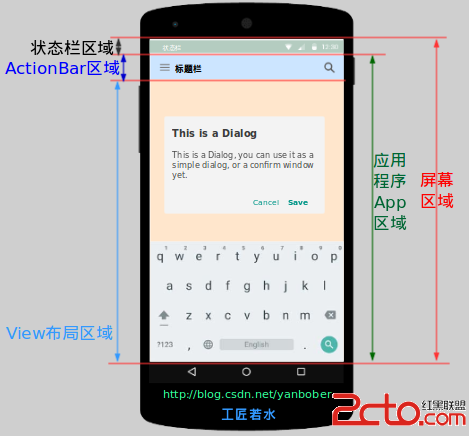 Android 應用坐標系統全面詳解
1. 背景 一直有讀者希望我講講自定義控件。網路上這類文章不少,但多數是「授之以魚」——給你一個现成的效果,卻很少系統性地「授之以漁」。而自定義 View 那幾個 onX
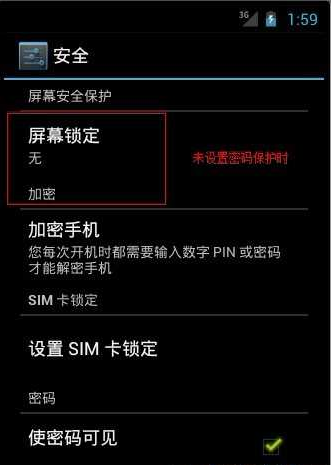 Android 屏幕鎖定實作解析:從裝置管理員到密碼策略
從系統管理機制看 Android 屏幕鎖定 本文以一個可操作的範例說明如何在 Android 中建立基本的屏幕鎖定管理能力。重點不只是畫出鎖定介面,而是透過系統的裝置管理
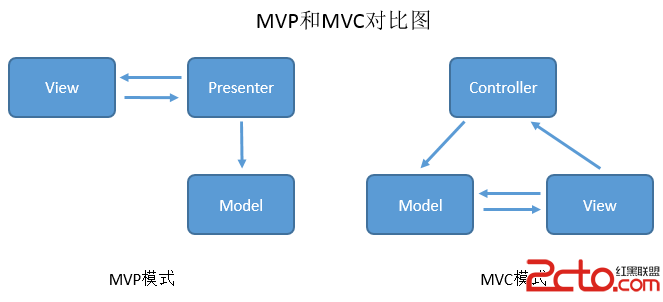 《Android 源碼設計模式解析與實戰》讀書筆記(二十六):MVP 應用架構模式
第二十六章、MVP 應用架構模式 1. MVP 介紹 MVP 模式是 MVC 模式的一個演化版本,全稱 Model-View-Presenter。目前 MVP 在 An
 Android 4.2.2 SurfaceFlinger 中 Layer 與 BufferQueue 創建流程
Layer 與 Surface 的關係 在 SurfaceFlinger 中,客戶端請求的 Surface 在服務端通常以 Layer 形式存在。Client 的 cre