

編輯:關於 Android 程式設計
仿微信图片选择器
源码下载链接:见文末。
先上图,后上代码:
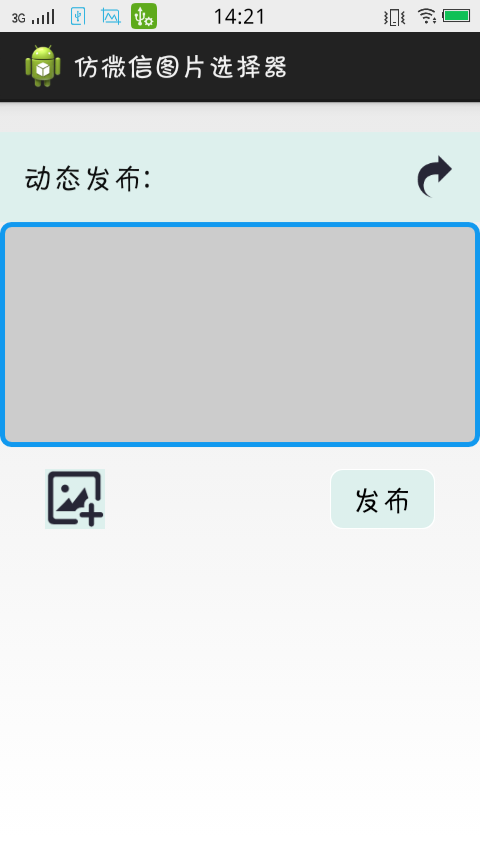
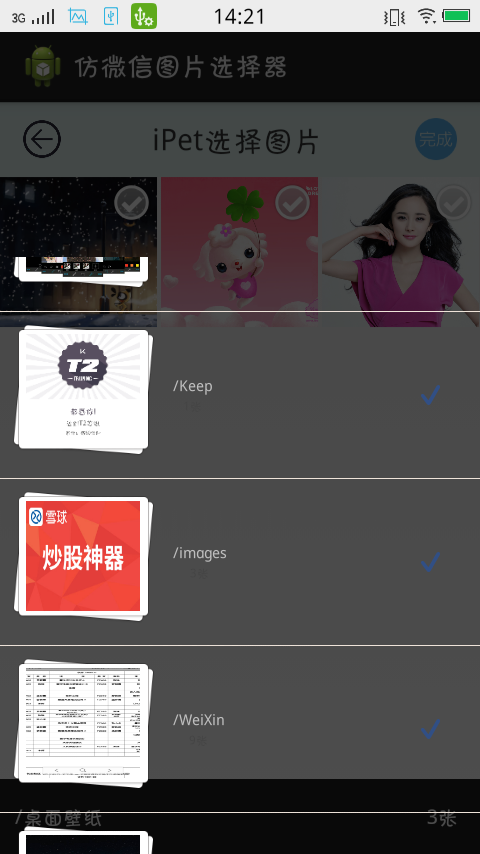
打开 app 后点击「添加图片」按钮:

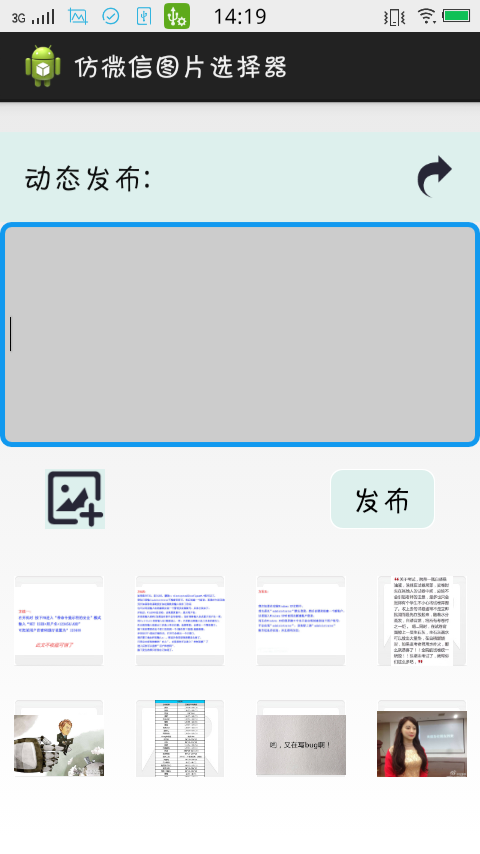
获取所选图片,并在 gridview 中返回显示:
实现该功能的关键组成部分包括:利用 gridview 加载本地图片、gridView 控件的使用、Intent 之间的数据传递、借助 ContentProvider 获取图片,以及图片的加载与缓存机制。下面逐一展开。
一、MainActivity 主界面
主界面负责展示已选图片、响应发布与添加图片等操作:
private ImageButton imageButton_poprecommend_back; private Button button_poprecommend_fabu; private EditText editText_poprecommend; private ImageButton imageButton_poprecommend_tianjia; private GridView gridView_poprecommend; private PopRecommend_ImageAdd_Adapter imageAdapter; private ArrayList shuju = new ArrayList(); public static MainActivity activity; @Override protected void onCreate(Bundle savedInstanceState) { super.onCreate(savedInstanceState); setContentView(R.layout.activity_main); activity = this; FindId(); Dianji(); shuju = new ArrayList(); Intent intent = this.getIntent(); shuju = intent.getStringArrayListExtra("shuju"); if (shuju != null) { imageAdapter = new PopRecommend_ImageAdd_Adapter(this, shuju); gridView_poprecommend.setAdapter(imageAdapter); } } private void FindId() { imageButton_poprecommend_back = (ImageButton) findViewById(R.id.imagview_poprecommend_back); button_poprecommend_fabu = (Button) findViewById(R.id.button_poprecommend_fabu); editText_poprecommend = (EditText) findViewById(R.id.edittext_poprecommend); imageButton_poprecommend_tianjia = (ImageButton) findViewById(R.id.iamgebutton_poprecommend_tianjiatupian); gridView_poprecommend = (GridView)this.findViewById(R.id.gridview_poprecommend); } private void Dianji() { imageButton_poprecommend_back.setOnClickListener(new View.OnClickListener() { @Override public void onClick(View v) { if (Activity_Image_Add.imageAdd!=null) Activity_Image_Add.imageAdd.finish(); } }); button_poprecommend_fabu.setOnClickListener(new View.OnClickListener() { @Override public void onClick(View v) { if (Activity_Image_Add.imageAdd!=null) Activity_Image_Add.imageAdd.finish(); if (editText_poprecommend.getText().toString().equals("")) { Toast.makeText(getApplication(), "發布內容不能為空", Toast.LENGTH_SHORT).show(); } else Toast.makeText(getApplication(), "發布成功", Toast.LENGTH_SHORT).show(); } }); imageButton_poprecommend_tianjia.setOnClickListener(new View.OnClickListener() { @Override public void onClick(View v) { Intent intent = new Intent(getApplication(), Activity_Image_Add.class); startActivity(intent); } }); }
二、Activity_Image_Add 图片选择页
这是选择器的核心页面,负责扫描手机图片、按文件夹归类、以 gridview 展示并支持多选:
package com.xiyouliwp.fangweixin; import java.io.File; import java.io.FilenameFilter; import java.util.ArrayList; import java.util.Arrays; import java.util.HashSet; import java.util.LinkedList; import java.util.List; import android.app.Activity; import android.app.ProgressDialog; import android.content.ContentResolver; import android.content.Context; import android.content.Intent; import android.database.Cursor; import android.graphics.Color; import android.net.Uri; import android.os.Bundle; import android.os.Environment; import android.os.Handler; import android.os.Message; import android.provider.MediaStore; import android.util.DisplayMetrics; import android.util.Log; import android.view.Gravity; import android.view.KeyEvent; import android.view.LayoutInflater; import android.view.View; import android.view.Window; import android.view.WindowManager; import android.widget.GridView; import android.widget.ImageButton; import android.widget.ImageView; import android.widget.LinearLayout; import android.widget.PopupWindow; import android.widget.RelativeLayout; import android.widget.TextView; import android.widget.Toast; /** * 需求:IPet的圖片選擇器, * Created by lwp940118 on 2016/5/29. * 李文朋 */ public class Activity_Image_Add extends Activity implements List_File_PopWind.OnImageDirSelected { private ImageButton imageButton_ImageAdd_back; private ImageButton imageButton_ImageAdd_finish; private GridView gridView_ImageAdd; int totalCount = 0; /** * 存儲文件夾中的圖片數量 */ private int mPicSize = 0; /** * 圖片數量最多的文件夾 */ private File maxImageFile; private RelativeLayout relativeLayout_popwind; /** * 所以圖片 */ private List mImags; /** * list存放掃描到的文件夾的信息 */ private List imageFolders = new ArrayList(); /** * hashset 基於hashmap實現的,利用他可以防止一個文件夾 多次掃描 */ private HashSet mImagePath = new HashSet(); //彈出對話框 進度條 private ProgressDialog mprogressDialog; private TextView textview_ChooseDir; private TextView textview_ImageCount; //定義屏幕的高度 private int screenHeight = 0; /** * 用戶選擇的圖片,存儲為圖片的完整路徑 */ public static List mSelectedImage = new LinkedList(); private ArrayList shuju; private MyAdapter myAdapter; private List_File_PopWind popWind; public static Activity_Image_Add imageAdd; private Handler handler = new Handler() { @Override public void handleMessage(Message msg) { //加載的那個對話框 銷毀 mprogressDialog.dismiss(); //view綁定數據 dateView(); //初始化Popwind initPopWind(); } }; @Override protected void onCreate(Bundle savedInstanceState) { super.onCreate(savedInstanceState); setContentView(R.layout.activity_image_add); DisplayMetrics displayMetrics = new DisplayMetrics(); getWindowManager().getDefaultDisplay().getMetrics(displayMetrics); screenHeight = displayMetrics.heightPixels; Log.e("screenHeight---->", "" + screenHeight); imageAdd = this; findId(); kongJianSheZhi(); getImages(); initEvent(); } // 返回按鍵調用 public boolean onKeyDown(int keyCode, KeyEvent event) { if (keyCode == KeyEvent.KEYCODE_BACK) { if (MainActivity.activity!=null) MainActivity.activity.finish(); shuju = new ArrayList(); for (int i = 0; i < mSelectedImage.size(); i++) shuju.add(mSelectedImage.get(i)); Intent intent = new Intent(getApplicationContext(),MainActivity.class); intent.putStringArrayListExtra("shuju",shuju); startActivity(intent); } return true; } /** * 彈出popwind */ private void initEvent() { relativeLayout_popwind.setOnClickListener(new View.OnClickListener() { @Override public void onClick(View v) { popWind.setAnimationStyle(R.style.AnimBottom); popWind.showAtLocation(Activity_Image_Add.this.findViewById(R.id.imagebutton_imageadd_back), Gravity.BOTTOM, 0, 0); // 設置背景顏色變暗 WindowManager.LayoutParams lp = getWindow().getAttributes(); lp.alpha = 0.3f; getWindow().setAttributes(lp); } }); } /** * 綁定view的數據 */ private void dateView() { if (maxImageFile == null) { Toast.makeText(getApplicationContext(), "沒有掃描到圖片", Toast.LENGTH_SHORT).show(); return; } //aslist 連接列表與數組,當一個更新時 另一個也自動更新但是沒有add 和remove方法 mImags = Arrays.asList(maxImageFile.list()); myAdapter = new MyAdapter(getApplicationContext(), mImags, R.layout.item_gridview_imageadd, maxImageFile.getAbsolutePath()); gridView_ImageAdd.setAdapter(myAdapter); //顯示多少張圖片 在popwind中 textview_ImageCount.setText(totalCount + "張"); } /** * 初始化popwind的彈出界面 */ private void initPopWind() { popWind = new List_File_PopWind(LinearLayout.LayoutParams.MATCH_PARENT, (int) (screenHeight * 0.7), imageFolders, LayoutInflater.from(getApplicationContext()) .inflate(R.layout.list_dir, null)); popWind.setOnDismissListener(new PopupWindow.OnDismissListener() { @Override public void onDismiss() { // 設置背景顏色變暗 WindowManager.LayoutParams lp = getWindow().getAttributes(); lp.alpha = 1.0f; getWindow().setAttributes(lp); } }); //設置文件夾的回調 popWind.setOnImageDirSelected(this); } /** * 利用contentProvider掃描手機中的圖片,並獲取jpn最多的那個文件夾 * ContentProvider 為Android四大組件,詳情見我的博客 * Android四大組件介紹https://blog.csdn.net/qq_30000411/article/details/51355390 */ private void getImages() { //判斷Sd卡的狀態 是否可用 if (!Environment.getExternalStorageState().equals( Environment.MEDIA_MOUNTED)) { Toast.makeText(getApplicationContext(), "沒有找到SD", Toast.LENGTH_SHORT).show(); } //顯示進度條 加載中... mprogressDialog = ProgressDialog.show(this, null, "圖片讀取中..."); new Thread(new Runnable() { @Override public void run() { //讀取第一張圖片 String firstImagePath = null; //EXTERNAL_CONTENT_URI多選 Uri mImageUri = MediaStore.Images.Media.EXTERNAL_CONTENT_URI; //ContentResolver應用之間數據共享 ContentResolver mResolver = Activity_Image_Add.this.getContentResolver(); //數據查找,找出JPEG和png格式的圖片,,,MediaStore為Android手機系統的多媒體數據庫 Cursor mCursor = mResolver.query(mImageUri, null, MediaStore.Images.Media.MIME_TYPE + "=? or " + MediaStore.Images.Media.MIME_TYPE + "=?", new String[]{"image/jpeg", "image/png"}, MediaStore.Images.Media.DATE_MODIFIED); //讀取圖片 while (mCursor.moveToNext()) { //定義圖片的路徑 String imagePath = mCursor.getString(mCursor.getColumnIndex (MediaStore.Images.Media.DATA)); //獲取第一張圖片的路徑 if (firstImagePath == null) firstImagePath = imagePath; //獲取該圖片的父路徑名 File parentFile = new File(imagePath).getParentFile(); if (parentFile == null) continue; String folderPath = parentFile.getAbsolutePath(); ImageFolder imageFolder = null; //利用hashset防止一個文件夾被多次掃描 if (mImagePath.contains(folderPath)) { continue; } else { mImagePath.add(folderPath); //初始化 ImageFolder imageFolder = new ImageFolder(); imageFolder.setFolderPath(folderPath); imageFolder.setFirstImagePath(imagePath); } int picSize = parentFile.list(new FilenameFilter() { @Override public boolean accept(File dir, String filename) { if (filename.endsWith(".png") || filename.endsWith(".jpg") || filename.endsWith(".jpeg")) return true; return false; } }).length; totalCount += picSize; imageFolder.setImageCount(picSize); imageFolders.add(imageFolder); //更新最大數量文件夾 if (picSize > mPicSize) { mPicSize = picSize; maxImageFile = parentFile; } } mCursor.close(); //掃描完成 hashset釋放 mImagePath = null; //通知 線程Handler 圖片掃秒完成 handler.sendEmptyMessage(0x110); } }).start(); } private void findId() { gridView_ImageAdd = (GridView) findViewById(R.id.gridview_imageadd); imageButton_ImageAdd_back = (ImageButton) findViewById(R.id.imagebutton_imageadd_back); imageButton_ImageAdd_finish = (ImageButton) findViewById(R.id.imagebutton_imageadd_finish); textview_ChooseDir = (TextView) findViewById(R.id.id_choose_dir); textview_ImageCount = (TextView) findViewById(R.id.id_total_count); relativeLayout_popwind = (RelativeLayout) findViewById(R.id.id_bottom_ly); } private void kongJianSheZhi() { imageButton_ImageAdd_finish.setOnClickListener(new View.OnClickListener() { @Override public void onClick(View v) { Log.e("完成--->","完成"); if (MainActivity.activity!=null) MainActivity.activity.finish(); shuju = new ArrayList(); for (int i = 0; i < mSelectedImage.size(); i++) shuju.add(mSelectedImage.get(i)); Intent intent = new Intent(getApplicationContext(),MainActivity.class); intent.putStringArrayListExtra("shuju",shuju); startActivity(intent); } }); imageButton_ImageAdd_back.setOnClickListener(new View.OnClickListener() { @Override public void onClick(View v) { finish(); } }); } @Override public void selected(ImageFolder floder) { maxImageFile = new File(floder.getFolderPath()); mImags = Arrays.asList(maxImageFile.list(new FilenameFilter() { @Override public boolean accept(File dir, String filename) { if (filename.endsWith(".jpg") || filename.endsWith(".png") || filename.endsWith(".jpeg")) return true; return false; } })); /** * 可以看到文件夾的路徑和圖片的路徑分開保存,極大的減少了內存的消耗; */ myAdapter = new MyAdapter(getApplicationContext(), mImags, R.layout.item_gridview_imageadd, maxImageFile.getAbsolutePath()); gridView_ImageAdd.setAdapter(myAdapter); // mAdapter.notifyDataSetChanged(); textview_ImageCount.setText(floder.getImageCount() + "張"); textview_ChooseDir.setText(floder.getFolderName()); popWind.dismiss(); } /** * gridview的定義適配器 */ public class MyAdapter extends CommonAdapter { /** * 文件夾路徑 */ private String mDirPath; public MyAdapter(Context context, List mDatas, int itemLayoutId, String dirPath) { super(context, mDatas, itemLayoutId); this.mDirPath = dirPath; } @Override public void convert(final ViewHolder helper, final String item) { //設置no_pic helper.setImageResource(R.id.id_item_image, R.drawable.pictures_no); //設置no_selected helper.setImageResource(R.id.id_item_select, R.drawable.picture_unselected); //設置圖片 helper.setImageByUrl(R.id.id_item_image, mDirPath + "/" + item); final ImageView mImageView = helper.getView(R.id.id_item_image); final ImageView mSelect = helper.getView(R.id.id_item_select); mImageView.setColorFilter(null); //設置ImageView的點擊事件 mImageView.setOnClickListener(new View.OnClickListener() { //選擇,則將圖片變暗,反之則反之 @Override public void onClick(View v) { // 已經選擇過該圖片 if (mSelectedImage.contains(mDirPath + "/" + item)) { mSelectedImage.remove(mDirPath + "/" + item); mSelect.setImageResource(R.drawable.picture_unselected); mImageView.setColorFilter(null); } else {// 未選擇該圖片 mSelectedImage.add(mDirPath + "/" + item); mSelect.setImageResource(R.drawable.pictures_selected); mImageView.setColorFilter(Color.parseColor("#77000000")); } } }); /** * 已經選擇過的圖片,顯示出選擇過的效果 */ if (mSelectedImage.contains(mDirPath + "/" + item)) { mSelect.setImageResource(R.drawable.pictures_selected); mImageView.setColorFilter(Color.parseColor("#77000000")); } } } }
三、BitmapUtilities 图片缩放工具
用于缩小图片尺寸,避免 OOM 问题的出现:
package com.xiyouliwp.fangweixin; /** * Created by lwp940118 on 2016/5/31. */ import android.graphics.Bitmap; import android.graphics.BitmapFactory; import android.graphics.Matrix; public class BitmapUtilities { public BitmapUtilities() { // TODO Auto-generated constructor stub } public static Bitmap getBitmapThumbnail(String path,int width,int height){ Bitmap bitmap = null; //這裡可以按比例縮小圖片: /*BitmapFactory.Options opts = new BitmapFactory.Options(); opts.inSampleSize = 4;//寬和高都是原來的1/4 bitmap = BitmapFactory.decodeFile(path, opts); */ /*進一步的, 如何設置恰當的inSampleSize是解決該問題的關鍵之一。BitmapFactory.Options提供了另一個成員inJustDecodeBounds。 設置inJustDecodeBounds為true後,decodeFile並不分配空間,但可計算出原始圖片的長度和寬度,即opts.width和opts.height。 有了這兩個參數,再通過一定的算法,即可得到一個恰當的inSampleSize。*/ BitmapFactory.Options opts = new BitmapFactory.Options(); opts.inJustDecodeBounds = true; BitmapFactory.decodeFile(path, opts); opts.inSampleSize = Math.max((int)(opts.outHeight / (float) height), (int)(opts.outWidth / (float) width)); opts.inJustDecodeBounds = false; bitmap = BitmapFactory.decodeFile(path, opts); return bitmap; } public static Bitmap getBitmapThumbnail(Bitmap bmp,int width,int height){ Bitmap bitmap = null; if(bmp != null ){ int bmpWidth = bmp.getWidth(); int bmpHeight = bmp.getHeight(); if(width != 0 && height !=0){ Matrix matrix = new Matrix(); float scaleWidth = ((float) width / bmpWidth); float scaleHeight = ((float) height / bmpHeight); matrix.postScale(scaleWidth, scaleHeight); bitmap = Bitmap.createBitmap(bmp, 0, 0, bmpWidth, bmpHeight, matrix, true); }else{ bitmap = bmp; } } return bitmap; } }
四、CommonAdapter 通用适配器
所谓超级适配器,也可称通配器,可供 gridview 与 listview 共用:
package com.xiyouliwp.fangweixin; import java.util.List; import android.content.Context; import android.view.LayoutInflater; import android.view.View; import android.view.ViewGroup; import android.widget.BaseAdapter; /** * 通配器,CommonAdapter通過封裝BaseAdapter和RecyclerView.Adapter得到通用的、簡單易用的Adapter。 * 作為ListView和GridView的通用適配器。 * 超級適配器 * @param */ public abstract class CommonAdapter extends BaseAdapter { protected LayoutInflater mInflater; protected Context mContext; protected List mDatas; protected final int mItemLayoutId; public CommonAdapter(Context context, List mDatas, int itemLayoutId) { this.mContext = context; this.mInflater = LayoutInflater.from(mContext); this.mDatas = mDatas; this.mItemLayoutId = itemLayoutId; } @Override public int getCount() { return mDatas.size(); } @Override public T getItem(int position) { return mDatas.get(position); } @Override public long getItemId(int position) { return position; } @Override public View getView(int position, View convertView, ViewGroup parent) { final ViewHolder viewHolder = getViewHolder(position, convertView, parent); convert(viewHolder, getItem(position)); return viewHolder.getConvertView(); } public abstract void convert(ViewHolder helper, T item); private ViewHolder getViewHolder(int position, View convertView, ViewGroup parent) { return ViewHolder.get(mContext, convertView, parent, mItemLayoutId, position); } }
五、DiskLruCache 磁盘缓存
点击获取到的图片 path 路径后,用于对图片进行解析与缓存:
package com.xiyouliwp.fangweixin; /** * Created by lwp940118 on 2016/5/31. */ import java.io.BufferedOutputStream; import java.io.File; import java.io.FileNotFoundException; import java.io.FileOutputStream; import java.io.FilenameFilter; import java.io.IOException; import java.io.OutputStream; import java.io.UnsupportedEncodingException; import java.net.URLEncoder; import java.util.Collections; import java.util.LinkedHashMap; import java.util.Map; import java.util.Map.Entry; import android.content.Context; import android.graphics.Bitmap; import android.graphics.Bitmap.CompressFormat; import android.graphics.BitmapFactory; public class DiskLruCache { private static final String CACHE_FILENAME_PREFIX = "cache_"; private static final int MAX_REMOVALS = 4; private static final int INITIAL_CAPACITY = 32; private static final float LOAD_FACTOR = 0.75f; private final File mCacheDir; private int cacheSize = 0; private int cacheByteSize = 0; private final int maxCacheItemSize = 64; // 64 item default private long maxCacheByteSize = 1024 * 1024 * 5; // 5MB default private CompressFormat mCompressFormat = CompressFormat.JPEG; private int mCompressQuality = 70; private final int IO_BUFFER_SIZE = 4 * 1024; private final Map mLinkedHashMap = Collections.synchronizedMap(new LinkedHashMap(INITIAL_CAPACITY, LOAD_FACTOR, true)); /** * A filename filter to use to identify the cache filenames which have CACHE_FILENAME_PREFIX prepended. */ private static final FilenameFilter cacheFileFilter = new FilenameFilter() { @Override public boolean accept(File dir, String filename) { return filename.startsWith(CACHE_FILENAME_PREFIX); } }; /** * Used to fetch an instance of DiskLruCache. * * @param context * @param cacheDir * @param maxByteSize * @return */ public static DiskLruCache openCache(Context context, File cacheDir, long maxByteSize) { if (!cacheDir.exists()) { cacheDir.mkdir(); } if (cacheDir.isDirectory() && cacheDir.canWrite()) { return new DiskLruCache(cacheDir, maxByteSize); } return null; } /** * @param cacheDir * @param maxByteSize */ private DiskLruCache(File cacheDir, long maxByteSize) { mCacheDir = cacheDir; maxCacheByteSize = maxByteSize; } /** * Add a bitmap to the disk cache. * * @param key A unique identifier for the bitmap. * @param data The bitmap to store. */ public void put(String key, Bitmap data) { synchronized (mLinkedHashMap) { if (mLinkedHashMap.get(key) == null) { try { final String file = createFilePath(mCacheDir, key); if (writeBitmapToFile(data, file)) { put(key, file); flushCache(); } } catch (final FileNotFoundException e) { } catch (final IOException e) { } } } } private void put(String key, String file) { mLinkedHashMap.put(key, file); cacheSize = mLinkedHashMap.size(); cacheByteSize += new File(file).length(); } /** * Flush the cache, removing oldest entries if the total size is over the specified cache size. Note that this isn't keeping track of stale files in the cache directory that * aren't in the HashMap. If the images and keys in the disk cache change often then they probably won't ever be removed. */ private void flushCache() { Entry eldestEntry; File eldestFile; long eldestFileSize; int count = 0; while (count < MAX_REMOVALS && (cacheSize > maxCacheItemSize || cacheByteSize > maxCacheByteSize)) { eldestEntry = mLinkedHashMap.entrySet().iterator().next(); eldestFile = new File(eldestEntry.getValue()); eldestFileSize = eldestFile.length(); mLinkedHashMap.remove(eldestEntry.getKey()); eldestFile.delete(); cacheSize = mLinkedHashMap.size(); cacheByteSize -= eldestFileSize; count++; } } /** * Get an image from the disk cache. * * @param key The unique identifier for the bitmap * @return The bitmap or null if not found */ public Bitmap get(String key) { synchronized (mLinkedHashMap) { try { final String file = mLinkedHashMap.get(key); if (file != null) { return BitmapFactory.decodeFile(file); } else { final String existingFile = createFilePath(mCacheDir, key); if (new File(existingFile).exists()) { put(key, existingFile); return BitmapFactory.decodeFile(existingFile); } } } catch (OutOfMemoryError e) { } return null; } } /** * Checks if a specific key exist in the cache. * * @param key The unique identifier for the bitmap * @return true if found, false otherwise */ public boolean containsKey(String key) { // See if the key is in our HashMap if (mLinkedHashMap.containsKey(key)) { return true; } // Now check if there's an actual file that exists based on the key final String existingFile = createFilePath(mCacheDir, key); if (new File(existingFile).exists()) { // File found, add it to the HashMap for future use put(key, existingFile); return true; } return false; } /** * Removes all disk cache entries from this instance cache dir */ public void clearCache() { DiskLruCache.clearCache(mCacheDir); } /** * Removes all disk cache entries from the application cache directory in the uniqueName sub-directory. * * @param context The context to use * @param uniqueName A unique cache directory name to append to the app cache directory */ public static void clearCache(Context context, String uniqueName) { File cacheDir = getDiskCacheDir(context, uniqueName); clearCache(cacheDir); } /** * Removes all disk cache entries from the given directory. This should not be called directly, call {@link DiskLruCache#clearCache(Context, String)} or * {@link DiskLruCache#clearCache()} instead. * * @param cacheDir The directory to remove the cache files from */ private static void clearCache(File cacheDir) { final File[] files = cacheDir.listFiles(cacheFileFilter); for (int i = 0; i < files.length; i++) { files[i].delete(); } } /** * Get a usable cache directory (external if available, internal otherwise). * * @param context The context to use * @param uniqueName A unique directory name to append to the cache dir * @return The cache dir */ public static File getDiskCacheDir(Context context, String uniqueName) { // Check if media is mounted or storage is built-in, if so, try and use external cache dir // otherwise use internal cache dir final String cachePath = context.getCacheDir().getPath(); return new File(cachePath + File.separator + uniqueName); } /** * Creates a constant cache file path given a target cache directory and an image key. * * @param cacheDir * @param key * @return */ public static String createFilePath(File cacheDir, String key) { try { // Use URLEncoder to ensure we have a valid filename, a tad hacky but it will do for // this example return cacheDir.getAbsolutePath() + File.separator + CACHE_FILENAME_PREFIX + URLEncoder.encode(key.replace("*", ""), "UTF-8"); } catch (final UnsupportedEncodingException e) { } return null; } /** * Create a constant cache file path using the current cache directory and an image key. * * @param key * @return */ public String createFilePath(String key) { return createFilePath(mCacheDir, key); } /** * Sets the target compression format and quality for images written to the disk cache. * * @param compressFormat * @param quality */ public void setCompressParams(CompressFormat compressFormat, int quality) { mCompressFormat = compressFormat; mCompressQuality = quality; } /** * Writes a bitmap to a file. Call {@link DiskLruCache#setCompressParams(CompressFormat, int)} first to set the target bitmap compression and format. * * @param bitmap * @param file * @return */ private boolean writeBitmapToFile(Bitmap bitmap, String file) throws IOException, FileNotFoundException { OutputStream out = null; try { out = new BufferedOutputStream(new FileOutputStream(file), IO_BUFFER_SIZE); return bitmap.compress(mCompressFormat, mCompressQuality, out); } finally { if (out != null) { out.close(); } } } }
六、ImageFolder 图片文件夹信息
用于定义图片及所属文件夹的信息:
package com.xiyouliwp.fangweixin; /** * 需求:對手機中的圖片進行掃描,直接顯示在gridview上,並且在掃描結束後得到一個list,,list裡面存的是所有包含 * 圖片的文件夾 * Created by lwp940118 on 2016/5/29. * 李文朋 */ public class ImageFolder { //文件夾的路徑 private String folderPath; //第一張圖片的文件夾路徑 private String firstImagePath; //文件夾名稱 private String folderName; //圖片的數量 private int imageCount = 0; public int getImageCount() { return imageCount; } public String getFirstImagePath() { return firstImagePath; } public String getFolderName() { return folderName; } public String getFolderPath() { return folderPath; } public void setFirstImagePath(String firstImagePath) { this.firstImagePath = firstImagePath; } public void setFolderPath(String folderPath) { this.folderPath = folderPath; //判斷字符/它第一次出現的位置 int start = this.folderPath.lastIndexOf("/"); //得到從/第一次出現的位置開始 到該字符串結束的子串為folderName this.folderName = this.folderPath.substring(start); } public void setImageCount(int imageCount) { this.imageCount = imageCount; } }
七、ImageLoade 图片加载器
负责缓存图片,让 gridview 运行流畅:
package com.xiyouliwp.fangweixin; import java.lang.reflect.Field; import java.util.LinkedList; import java.util.concurrent.ExecutorService; import java.util.concurrent.Executors; import java.util.concurrent.Semaphore; import android.graphics.Bitmap; import android.graphics.BitmapFactory; import android.os.Handler; import android.os.Looper; import android.os.Message; import android.support.v4.util.LruCache; import android.util.DisplayMetrics; import android.util.Log; import android.view.ViewGroup.LayoutParams; import android.widget.ImageView; public class ImageLoade { /** * 圖片緩存的核心類 */ private LruCache mLruCache; /** * 線程池 */ private ExecutorService mThreadPool; /** * 線程池的線程數量,默認為1 */ private int mThreadCount = 1; /** * 隊列的調度方式 */ private Type mType = Type.LIFO; /** * 任務隊列 */ private LinkedList mTasks; /** * 輪詢的線程 */ private Thread mPoolThread; private Handler mPoolThreadHander; /** * 運行在UI線程的handler,用於給ImageView設置圖片 */ private Handler mHandler; /** * 引入一個值為1的信號量,防止mPoolThreadHander未初始化完成 */ private volatile Semaphore mSemaphore = new Semaphore(0); /** * 引入一個值為1的信號量,由於線程池內部也有一個阻塞線程,防止加入任務的速度過快,使LIFO效果不明顯 */ private volatile Semaphore mPoolSemaphore; private static ImageLoade mInstance; /** * 隊列的調度方式 * * @author zhy */ public enum Type { FIFO, LIFO } /** * 單例獲得該實例對象 * * @return */ public static ImageLoade getInstance() { if (mInstance == null) { synchronized (ImageLoade.class) { if (mInstance == null) { mInstance = new ImageLoade(1, Type.LIFO); } } } return mInstance; } private ImageLoade(int threadCount, Type type) { init(threadCount, type); } private void init(int threadCount, Type type) { // loop thread mPoolThread = new Thread() { @Override public void run() { Looper.prepare(); mPoolThreadHander = new Handler() { @Override public void handleMessage(Message msg) { mThreadPool.execute(getTask()); try { mPoolSemaphore.acquire(); } catch (InterruptedException e) { } } }; // 釋放一個信號量 mSemaphore.release(); Looper.loop(); } }; mPoolThread.start(); // 獲取應用程序最大可用內存 int maxMemory = (int) Runtime.getRuntime().maxMemory(); int cacheSize = maxMemory / 8; mLruCache = new LruCache(cacheSize) { @Override protected int sizeOf(String key, Bitmap value) { return value.getRowBytes() * value.getHeight(); } ; }; mThreadPool = Executors.newFixedThreadPool(threadCount); mPoolSemaphore = new Semaphore(threadCount); mTasks = new LinkedList(); mType = type == null ? Type.LIFO : type; } /** * 加載圖片 * * @param path * @param imageView */ public void loadImage(final String path, final ImageView imageView) { // set tag imageView.setTag(path); // UI線程 if (mHandler == null) { mHandler = new Handler() { @Override public void handleMessage(Message msg) { ImgBeanHolder holder = (ImgBeanHolder) msg.obj; ImageView imageView = holder.imageView; Bitmap bm = holder.bitmap; String path = holder.path; if (imageView.getTag().toString().equals(path)) { imageView.setImageBitmap(bm); } } }; } Bitmap bm = getBitmapFromLruCache(path); if (bm != null) { ImgBeanHolder holder = new ImgBeanHolder(); holder.bitmap = bm; holder.imageView = imageView; holder.path = path; Message message = Message.obtain(); message.obj = holder; mHandler.sendMessage(message); } else { addTask(new Runnable() { @Override public void run() { ImageSize imageSize = getImageViewWidth(imageView); int reqWidth = imageSize.width; int reqHeight = imageSize.height; Bitmap bm = decodeSampledBitmapFromResource(path, reqWidth, reqHeight); addBitmapToLruCache(path, bm); ImgBeanHolder holder = new ImgBeanHolder(); holder.bitmap = getBitmapFromLruCache(path); holder.imageView = imageView; holder.path = path; Message message = Message.obtain(); message.obj = holder; // Log.e("TAG", "mHandler.sendMessage(message);"); mHandler.sendMessage(message); mPoolSemaphore.release(); } }); } } /** * 添加一個任務 * * @param runnable */ private synchronized void addTask(Runnable runnable) { try { // 請求信號量,防止mPoolThreadHander為null if (mPoolThreadHander == null) mSemaphore.acquire(); } catch (InterruptedException e) { } mTasks.add(runnable); mPoolThreadHander.sendEmptyMessage(0x110); } /** * 取出一個任務 * * @return */ private synchronized Runnable getTask() { if (mType == Type.FIFO) { return mTasks.removeFirst(); } else if (mType == Type.LIFO) { return mTasks.removeLast(); } return null; } /** * 單例獲得該實例對象 * * @return */ public static ImageLoade getInstance(int threadCount, Type type) { if (mInstance == null) { synchronized (ImageLoade.class) { if (mInstance == null) { mInstance = new ImageLoade(threadCount, type); } } } return mInstance; } /** * 根據ImageView獲得適當的壓縮的寬和高 * * @param imageView * @return */ private ImageSize getImageViewWidth(ImageView imageView) { ImageSize imageSize = new ImageSize(); final DisplayMetrics displayMetrics = imageView.getContext() .getResources().getDisplayMetrics(); final LayoutParams params = imageView.getLayoutParams(); int width = params.width == LayoutParams.WRAP_CONTENT ? 0 : imageView .getWidth(); // Get actual image width if (width <= 0) width = params.width; // Get layout width parameter if (width <= 0) width = getImageViewFieldValue(imageView, "mMaxWidth"); // Check // maxWidth // parameter if (width <= 0) width = displayMetrics.widthPixels; int height = params.height == LayoutParams.WRAP_CONTENT ? 0 : imageView .getHeight(); // Get actual image height if (height <= 0) height = params.height; // Get layout height parameter if (height <= 0) height = getImageViewFieldValue(imageView, "mMaxHeight"); // Check // maxHeight // parameter if (height <= 0) height = displayMetrics.heightPixels; imageSize.width = width; imageSize.height = height; return imageSize; } /** * 從LruCache中獲取一張圖片,如果不存在就返回null。 */ private Bitmap getBitmapFromLruCache(String key) { return mLruCache.get(key); } /** * 往LruCache中添加一張圖片 * * @param key * @param bitmap */ private void addBitmapToLruCache(String key, Bitmap bitmap) { if (getBitmapFromLruCache(key) == null) { if (bitmap != null) mLruCache.put(key, bitmap); } } /** * 計算inSampleSize,用於壓縮圖片 * * @param options * @param reqWidth * @param reqHeight * @return */ private int calculateInSampleSize(BitmapFactory.Options options, int reqWidth, int reqHeight) { // 源圖片的寬度 int width = options.outWidth; int height = options.outHeight; int inSampleSize = 1; if (width > reqWidth && height > reqHeight) { // 計算出實際寬度和目標寬度的比率 int widthRatio = Math.round((float) width / (float) reqWidth); int heightRatio = Math.round((float) width / (float) reqWidth); inSampleSize = Math.max(widthRatio, heightRatio); } return inSampleSize; } /** * 根據計算的inSampleSize,得到壓縮後圖片 * * @param pathName * @param reqWidth * @param reqHeight * @return */ private Bitmap decodeSampledBitmapFromResource(String pathName, int reqWidth, int reqHeight) { // 第一次解析將inJustDecodeBounds設置為true,來獲取圖片大小 final BitmapFactory.Options options = new BitmapFactory.Options(); options.inJustDecodeBounds = true; BitmapFactory.decodeFile(pathName, options); // 調用上面定義的方法計算inSampleSize值 options.inSampleSize = calculateInSampleSize(options, reqWidth, reqHeight); // 使用獲取到的inSampleSize值再次解析圖片 options.inJustDecodeBounds = false; Bitmap bitmap = BitmapFactory.decodeFile(pathName, options); return bitmap; } private class ImgBeanHolder { Bitmap bitmap; ImageView imageView; String path; } private class ImageSize { int width; int height; } /** * 反射獲得ImageView設置的最大寬度和高度 * * @param object * @param fieldName * @return */ private static int getImageViewFieldValue(Object object, String fieldName) { int value = 0; try { Field field = ImageView.class.getDeclaredField(fieldName); field.setAccessible(true); int fieldValue = (Integer) field.get(object); if (fieldValue > 0 && fieldValue < Integer.MAX_VALUE) { value = fieldValue; Log.e("TAG", value + ""); } } catch (Exception e) { } return value; } }
八、ImageShowManager 图片展示管理
负责图片信息及其缓存情况的设置:
package com.xiyouliwp.fangweixin; /** * Created by lwp940118 on 2016/5/31. */ import java.io.File; import android.app.ActivityManager; import android.app.Application; import android.content.Context; import android.graphics.Bitmap; import android.os.Looper; import android.support.v4.util.LruCache; public class ImageShowManager { private static ImageShowManager imageManager; private static Application myApp; private LruCache mMemoryCache; private DiskLruCache mDiskCache; // 硬盤緩存區域的大小,可以提升之前浏覽過的圖片的顯示速度 private static final int DISK_CACHE_SIZE = 1024 * 1024 * 20; // 硬盤緩存區域的文件名稱 private static final String DISK_CACHE_SUBDIR = "thumbnails"; public static final int bitmap_width = 100; public static final int bitmap_height = 100; public static ImageShowManager from(Context context) { // 如果不在ui線程中,則拋出異常 if (Looper.myLooper() != Looper.getMainLooper()) { throw new RuntimeException("Cannot instantiate outside UI thread."); } if (myApp == null) { myApp = (Application) context.getApplicationContext(); } if (imageManager == null) { imageManager = new ImageShowManager(myApp); } // return imageManager; } /** * 私有的構造器為了保持單例模式 */ private ImageShowManager(Context context) { /********** 初始化內存緩沖區 ******/ int memClass = ((ActivityManager) context .getSystemService(Context.ACTIVITY_SERVICE)).getMemoryClass(); memClass = memClass > 32 ? 32 : memClass; // 使用可用內存的1/8作為圖片緩存 final int cacheSize = 1024 * 1024 * memClass / 8; mMemoryCache = new LruCache(cacheSize) { @Override protected int sizeOf(String key, Bitmap bitmap) { return bitmap.getRowBytes() * bitmap.getHeight(); } }; /********* 初始化硬盤緩沖區 *********/ File cacheDir = DiskLruCache .getDiskCacheDir(context, DISK_CACHE_SUBDIR); mDiskCache = DiskLruCache.openCache(context, cacheDir, DISK_CACHE_SIZE); } /** * 將圖片保存至本地緩存 * @param key * @param value */ public void putBitmapToDisk(String key,Bitmap value){ mDiskCache.put(key, value); } /** * 從硬盤緩存中讀取圖像 * @param url * @return */ public Bitmap getBitmapFormDisk(String url){ return mDiskCache.get(url); } /** * 從內存緩存區中獲取bitmap,根據特定的url * @param url * @return */ public Bitmap getBitmapFromMemory(String url){ return mMemoryCache.get(url); } /** * 將新的圖片添加至內存緩存區 * @param key * @param value */ public void putBitmapToMemery(String key,Bitmap value){ mMemoryCache.put(key, value); } }
九、List_File_PopWind 弹出窗口
用于文件夹列表弹出窗口的设置与定义:
package com.xiyouliwp.fangweixin; import java.util.List; import android.content.Context; import android.graphics.drawable.BitmapDrawable; import android.view.MotionEvent; import android.view.View; import android.view.View.OnTouchListener; import android.widget.AdapterView; import android.widget.ListView; import android.widget.PopupWindow; /** * Created by lwp940118 on 2016/5/29. */ public class List_File_PopWind extends BasePopupWindowForListView{ private ListView mListDir; public List_File_PopWind(int width, int height, List datas, View convertView) { super(convertView, width, height, true, datas); } @Override public void initViews() { mListDir = (ListView) findViewById(R.id.listviwe_dir); mListDir.setAdapter(new CommonAdapter(context, mDatas, R.layout.list_dir_item) { @Override public void convert(ViewHolder helper, ImageFolder item) { helper.setText(R.id.id_dir_item_name, item.getFolderName()); helper.setImageByUrl(R.id.id_dir_item_image, item.getFirstImagePath()); helper.setText(R.id.id_dir_item_count, item.getImageCount() + "張"); } }); } public interface OnImageDirSelected { void selected(ImageFolder floder); } private OnImageDirSelected mImageDirSelected; public void setOnImageDirSelected(OnImageDirSelected mImageDirSelected) { this.mImageDirSelected = mImageDirSelected; } @Override public void initEvents() { mListDir.setOnItemClickListener(new AdapterView.OnItemClickListener() { @Override public void onItemClick(AdapterView parent, View view, int position, long id) { if (mImageDirSelected != null) { mImageDirSelected.selected(mDatas.get(position)); } } }); } @Override public void init() { } @Override protected void beforeInitWeNeedSomeParams(Object... params) { } } abstract class BasePopupWindowForListView extends PopupWindow { /** * 布局文件的最外層View */ protected View mContentView; protected Context context; /** * ListView的數據集 */ protected List mDatas; public BasePopupWindowForListView(View contentView, int width, int height, boolean focusable) { this(contentView, width, height, focusable, null); } public BasePopupWindowForListView(View contentView, int width, int height, boolean focusable, List mDatas) { this(contentView, width, height, focusable, mDatas, new Object[0]); } public BasePopupWindowForListView(View contentView, int width, int height, boolean focusable, List mDatas, Object... params) { super(contentView, width, height, focusable); this.mContentView = contentView; context = contentView.getContext(); if (mDatas != null) this.mDatas = mDatas; if (params != null && params.length > 0) { beforeInitWeNeedSomeParams(params); } setBackgroundDrawable(new BitmapDrawable()); setTouchable(true); setOutsideTouchable(true); setTouchInterceptor(new OnTouchListener() { @Override public boolean onTouch(View v, MotionEvent event) { if (event.getAction() == MotionEvent.ACTION_OUTSIDE) { dismiss(); return true; } return false; } }); initViews(); initEvents(); init(); } protected abstract void beforeInitWeNeedSomeParams(Object... params); public abstract void initViews(); public abstract void initEvents(); public abstract void init(); public View findViewById(int id) { return mContentView.findViewById(id); } protected static int dpToPx(Context context, int dp) { return (int) (context.getResources().getDisplayMetrics().density * dp + 0.5f); } }
十、PopRecommend_ImageAdd_Adapter 已选图片适配器
返回时用于存放所选图片的 gridview 适配器:
package com.xiyouliwp.fangweixin; import java.lang.ref.WeakReference; import java.util.ArrayList; import android.app.Activity; import android.graphics.Bitmap; import android.graphics.Color; import android.graphics.drawable.ColorDrawable; import android.graphics.drawable.Drawable; import android.os.AsyncTask; import android.util.Log; import android.view.LayoutInflater; import android.view.View; import android.view.ViewGroup; import android.widget.BaseAdapter; import android.widget.ImageView; /** * Created by lwp940118 on 2016/5/31. */ public class PopRecommend_ImageAdd_Adapter extends BaseAdapter { private Activity uiActivity; private ArrayList paths; private int size; private ImageShowManager imageManager; private LayoutInflater li; public PopRecommend_ImageAdd_Adapter(Activity a, ArrayList paths) { this.uiActivity = a; this.paths = paths; size = paths.size(); imageManager = ImageShowManager.from(uiActivity); li = LayoutInflater.from(uiActivity); } @Override public int getCount() { // TODO Auto-generated method stub return size; } @Override public Object getItem(int position) { // TODO Auto-generated method stub return null; } @Override public long getItemId(int position) { // TODO Auto-generated method stub return 0; } @Override public View getView(int position, View convertView, ViewGroup parent) { SurfaceHolder surfaceHolder = new SurfaceHolder(); if (convertView != null) { surfaceHolder = (SurfaceHolder) convertView.getTag(); } else { convertView = li.inflate(R.layout.item_gridview_poprecommend, null); surfaceHolder.iv = (ImageView) convertView .findViewById(R.id.imageView1); } convertView.setTag(surfaceHolder); String path = paths.get(position); // 首先檢測是否已經有線程在加載同樣的資源(如果則取消較早的),避免出現重復加載 if (cancelPotentialLoad(path, surfaceHolder.iv)) { AsyncLoadImageTask task = new AsyncLoadImageTask(surfaceHolder.iv); surfaceHolder.iv.setImageDrawable(new LoadingDrawable(task)); task.execute(path); } return convertView; } static class SurfaceHolder { ImageView iv; } /** * 判斷當前的imageview是否在加載相同的資源 * * @param url * @param imageview * @return */ private boolean cancelPotentialLoad(String url, ImageView imageview) { AsyncLoadImageTask loadImageTask = getAsyncLoadImageTask(imageview); if (loadImageTask != null) { String bitmapUrl = loadImageTask.url; if ((bitmapUrl == null) || (!bitmapUrl.equals(url))) { loadImageTask.cancel(true); } else { // 相同的url已經在加載中. return false; } } return true; } /** * 負責加載圖片的異步線程 * * @author Administrator */ class AsyncLoadImageTask extends AsyncTask { private final WeakReference imageViewReference; private String url = null; public AsyncLoadImageTask(ImageView imageview) { super(); imageViewReference = new WeakReference(imageview); } @Override protected Bitmap doInBackground(String... params) { /** * 具體的獲取bitmap的部分,流程: 從內存緩沖區獲取,如果沒有向硬盤緩沖區獲取,如果沒有從sd卡/網絡獲取 */ Bitmap bitmap = null; this.url = params[0]; // 從內存緩存區域讀取 bitmap = imageManager.getBitmapFromMemory(url); if (bitmap != null) { Log.d("dqq", "return by 內存"); return bitmap; } // 從硬盤緩存區域中讀取 bitmap = imageManager.getBitmapFormDisk(url); if (bitmap != null) { imageManager.putBitmapToMemery(url, bitmap); Log.d("dqq", "return by 硬盤"); return bitmap; } // 沒有緩存則從原始位置讀取 bitmap = BitmapUtilities.getBitmapThumbnail(url, ImageShowManager.bitmap_width, ImageShowManager.bitmap_height); imageManager.putBitmapToMemery(url, bitmap); imageManager.putBitmapToDisk(url, bitmap); Log.d("dqq", "return by 原始讀取"); return bitmap; } @Override protected void onPostExecute(Bitmap resultBitmap) { if (isCancelled()) { // 被取消了 resultBitmap = null; } if (imageViewReference != null) { ImageView imageview = imageViewReference.get(); AsyncLoadImageTask loadImageTask = getAsyncLoadImageTask(imageview); if (this == loadImageTask) { imageview.setImageDrawable(null); imageview.setImageBitmap(resultBitmap); } } super.onPostExecute(resultBitmap); } } /** * 根據imageview,獲得正在為此imageview異步加載數據的函數 * * @param imageview * @return */ private AsyncLoadImageTask getAsyncLoadImageTask(ImageView imageview) { if (imageview != null) { Drawable drawable = imageview.getDrawable(); if (drawable instanceof LoadingDrawable) { LoadingDrawable loadedDrawable = (LoadingDrawable) drawable; return loadedDrawable.getLoadImageTask(); } } return null; } /** * 記錄imageview對應的加載任務,並且設置默認的drawable * * @author Administrator */ public static class LoadingDrawable extends ColorDrawable { // 引用與drawable相關聯的的加載線程 private final WeakReference loadImageTaskReference; public LoadingDrawable(AsyncLoadImageTask loadImageTask) { super(Color.BLUE); loadImageTaskReference = new WeakReference( loadImageTask); } public AsyncLoadImageTask getLoadImageTask() { return loadImageTaskReference.get(); } } }
十一、ViewHolder 视图复用
从 sd 卡读取图片时,对 gridview 与 listview 进行优化:
package com.xiyouliwp.fangweixin; /** * Created by lwp940118 on 2016/5/29. */ import android.content.Context; import android.graphics.Bitmap; import android.util.SparseArray; import android.view.LayoutInflater; import android.view.View; import android.view.ViewGroup; import android.widget.ImageView; import android.widget.TextView; public class ViewHolder { private final SparseArray mViews; private int mPosition; private View mConvertView; private ViewHolder(Context context, ViewGroup parent, int layoutId, int position) { this.mPosition = position; this.mViews = new SparseArray(); mConvertView = LayoutInflater.from(context).inflate(layoutId, parent, false); // setTag mConvertView.setTag(this); } /** * 拿到一個ViewHolder對象 */ public static ViewHolder get(Context context, View convertView, ViewGroup parent, int layoutId, int position) { ViewHolder holder = null; if (convertView == null) { holder = new ViewHolder(context, parent, layoutId, position); } else { holder = (ViewHolder) convertView.getTag(); holder.mPosition = position; } return holder; } public View getConvertView() { return mConvertView; } /** * 通過控件的Id獲取對於的控件,如果沒有則加入views * * @return */ public T getView(int viewId) { View view = mViews.get(viewId); if (view == null) { view = mConvertView.findViewById(viewId); mViews.put(viewId, view); } return (T) view; } /** * 為TextView設置字符串 * * @return */ public ViewHolder setText(int viewId, String text) { TextView view = getView(viewId); view.setText(text); return this; } /** * 為ImageView設置圖片 * * @return */ public ViewHolder setImageResource(int viewId, int drawableId) { ImageView view = getView(viewId); view.setImageResource(drawableId); return this; } /** * 為ImageView設置圖片 */ public ViewHolder setImageBitmap(int viewId, Bitmap bm) { ImageView view = getView(viewId); view.setImageBitmap(bm); return this; } /** * 為ImageView設置圖片 */ public ViewHolder setImageByUrl(int viewId, String url) { ImageLoade.getInstance(3, ImageLoade.Type.LIFO).loadImage(url, (ImageView) getView(viewId)); return this; } public int getPosition() { return mPosition; } }
十二、动画与样式资源
push_bottom_in.xml 与 push_bottom_out.xml 定义弹出窗口的滑入滑出方式;mybutton.xml 设置按钮形状;myedittext.xml 设置输入框边框。示例如下:
-
-
十三、布局文件
下面给出 demo 中使用的布局文件。activity_image_add.xml:
activity_main.xml:
item_gridview_imageadd.xml:
item_gridview_poprecommend.xml:
list_dir_item.xml:
list_dir.xml:
十四、权限配置
最后别忘了给整个 demo 加入权限设置:
 Android 網絡編程入門(一):HTTP 協議原理透解
前言 這是該系列的首篇。身為移動開發者,開發的應用難免要訪問網絡。如今已有大量開源庫讓我們輕鬆完成網絡請求,但我們仍需理解網絡訪問背後的原理,這是優秀開發者的必備素養。這
 自定義 View 實作 Android 輪播圖:AutoSlideView 完整教學
最近讀完《Android 開發藝術探索》,收穫不少。學過自定義 View 之後想動手做個輪播圖練練手,網上實作方式很多,我最後寫出來的版本和主流做法大同小異,重點還是把
 Android文本漸變與歌詞進度效果的實現思路
想用 TextView 呈現漸變色,首先得掌握 LinearGradient(線性漸變)的用法。 LinearGradient 的參數解釋 LinearGradient
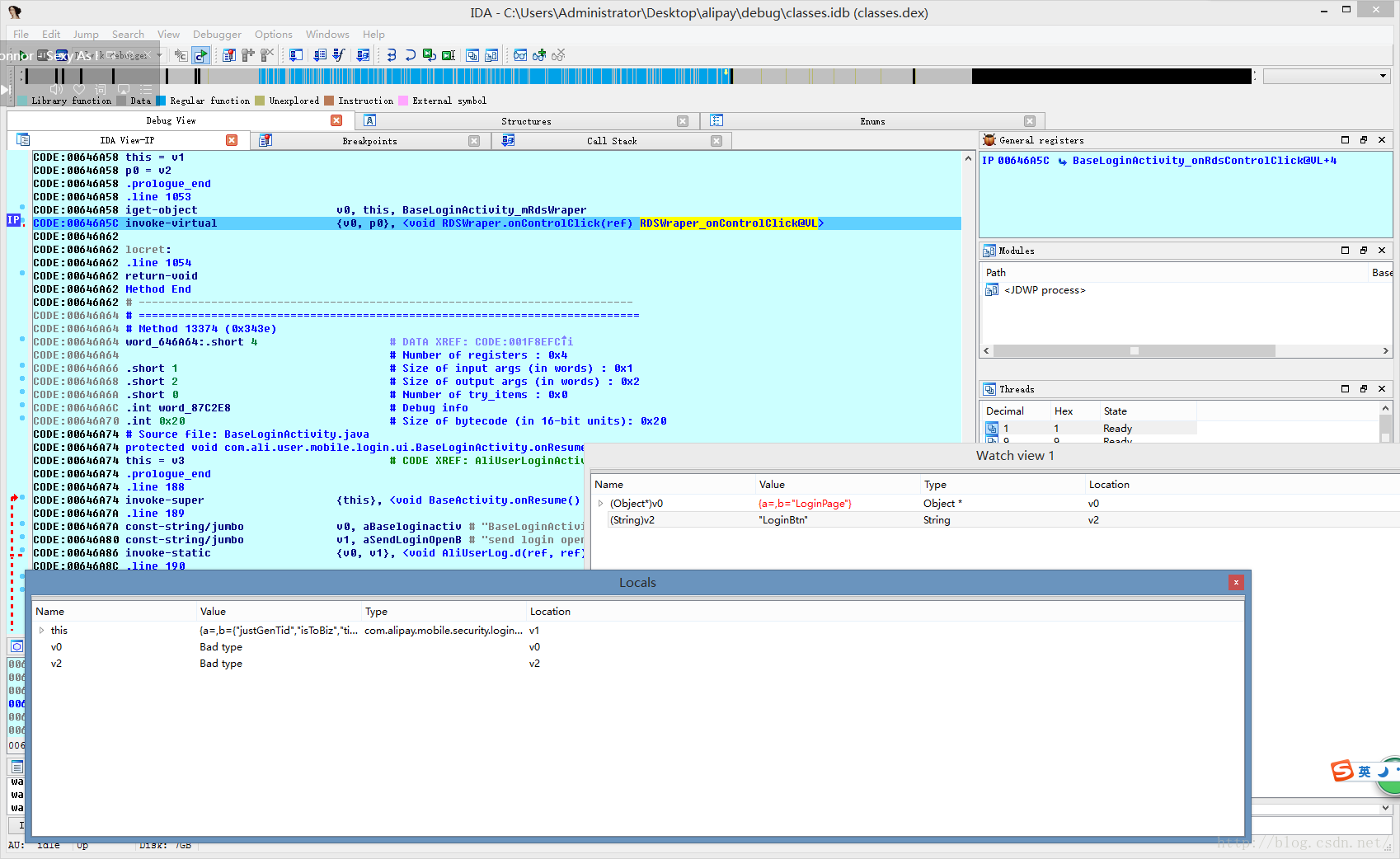 Android 應用逆向:兩個真正好用的無原始碼調試器
要逆向分析並修改一個 Android 應用,第一步是解包與打包,這部分網路上的資料已經多到不能再多,不再贅述。唯一值得補充的是:如果 apktool 解包或打包失敗,可以