

編輯:關於 Android 程式設計
幀動畫的原理很樸素:把多張連續的圖片按固定時間間隔快速切換,利用視覺殘留形成動畫效果。它特別適合播放序列幀素材,比如加載中的小人、開屏動畫、表情特效等。
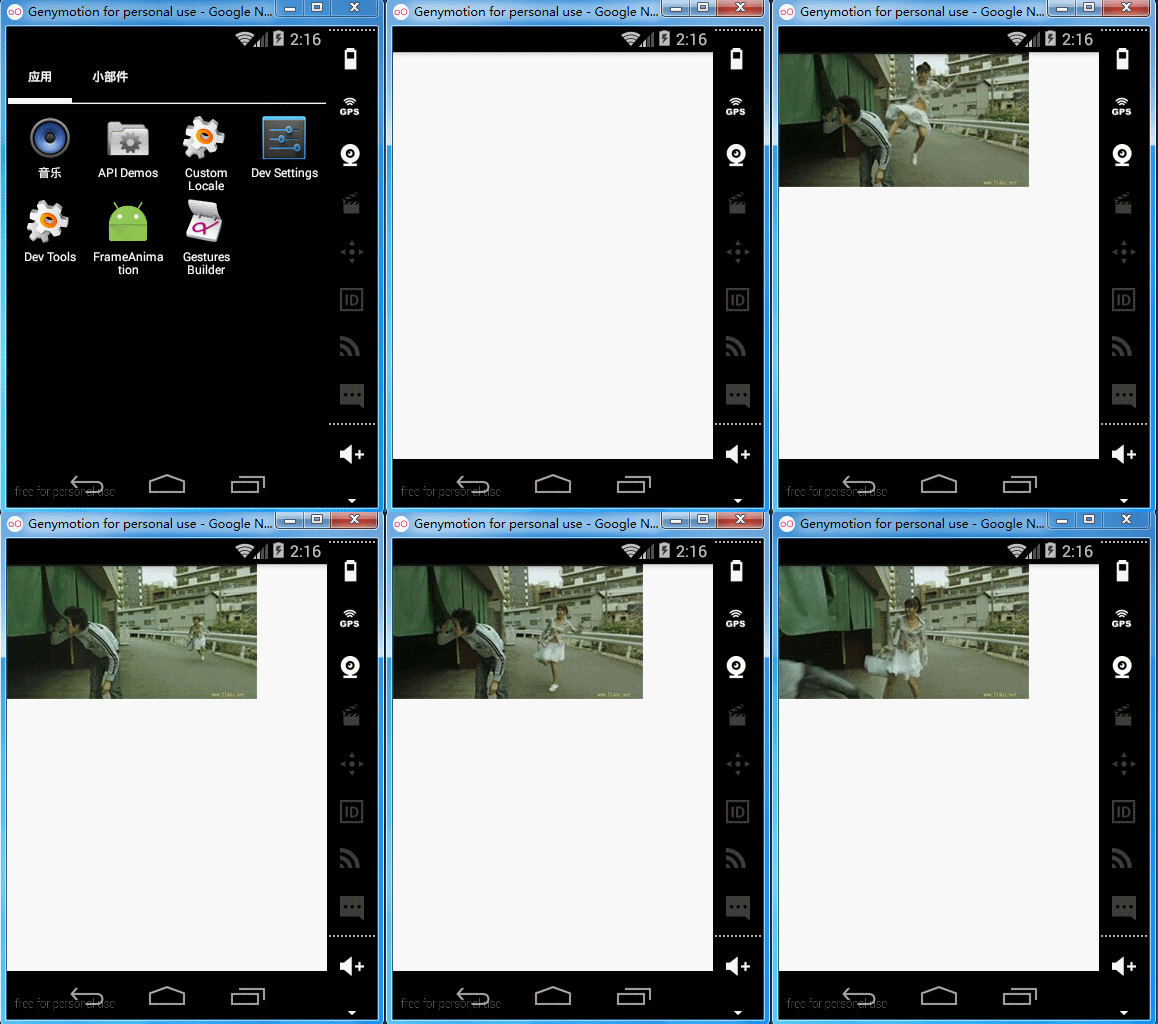
先看最終效果:
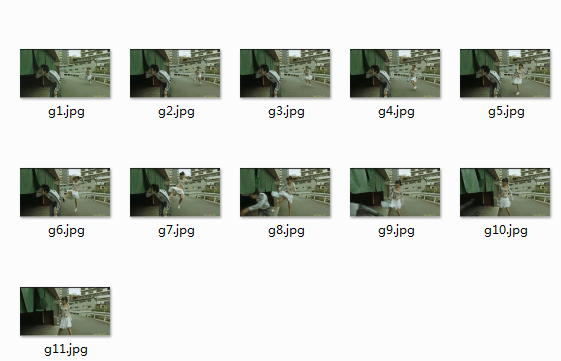
用 Android Studio 新建一個工程,把幀動畫每一幀要用的圖片依次放進 drawable 文件夾。命名建議有規律一些(g1、g2、g3……),後面配置起來省事:
在 drawable 下新建 frameanimation.xml,用 animation-list 標簽把每一幀和它的顯示時長聲明出來:
<?xml version="1.0" encoding="utf-8"?>
<animation-list xmlns:android="https://schemas.android.com/apk/res/android"
    android:oneshot="false">
    <item android:drawable="@drawable/g1"  android:duration="200" />
    <item android:drawable="@drawable/g2"  android:duration="200" />
    <item android:drawable="@drawable/g3"  android:duration="200" />
    <item android:drawable="@drawable/g4"  android:duration="200" />
    <item android:drawable="@drawable/g5"  android:duration="200" />
    <item android:drawable="@drawable/g6"  android:duration="200" />
    <item android:drawable="@drawable/g7"  android:duration="200" />
    <item android:drawable="@drawable/g8"  android:duration="200" />
    <item android:drawable="@drawable/g9"  android:duration="200" />
    <item android:drawable="@drawable/g10" android:duration="200" />
    <item android:drawable="@drawable/g11" android:duration="200" />
</animation-list>
兩個關鍵屬性:android:duration 表示該幀停留的毫秒數,數值越小動畫越快;android:oneshot 設為 true 表示只播放一遍,false 則是無限循環。
在 activity_main.xml 中放一個 ImageView 作為載體:
<LinearLayout xmlns:android="https://schemas.android.com/apk/res/android"
    xmlns:tools="https://schemas.android.com/tools"
    android:layout_width="match_parent"
    android:layout_height="match_parent"
    android:orientation="vertical"
    tools:context="com.fyt.frameanimation.MainActivity">

    <ImageView
        android:id="@+id/iv"
        android:layout_width="wrap_content"
        android:layout_height="wrap_content" />

</LinearLayout>
package com.fyt.frameanimation;

import android.app.Activity;
import android.graphics.drawable.AnimationDrawable;
import android.os.Bundle;
import android.widget.ImageView;

public class MainActivity extends Activity {
    @Override
    protected void onCreate(Bundle savedInstanceState) {
        super.onCreate(savedInstanceState);
        setContentView(R.layout.activity_main);

        // 獲得布局文件上的 ImageView 控件
        ImageView iv = (ImageView) findViewById(R.id.iv);

        // 把幀動畫的資源文件指定為 ImageView 的背景
        iv.setBackgroundResource(R.drawable.frameanimation);

        // 獲取 ImageView 的背景,轉型為 AnimationDrawable
        AnimationDrawable ad = (AnimationDrawable) iv.getBackground();

        // 播放幀動畫
        ad.start();
    }
}
· 幀動畫一定要掛在 onCreate 或 onResume 之後再 start,如果在 onCreate 之前調用, often 會出現沒有動畫的情況;
· 幀數不宜過多、單幀不宜過大,否則內存峰值會很高,容易 OOM。素材建議按屏幕密度做壓縮處理;
· 記得在 onPause 中調用 ad.stop(),避免離開頁面後仍在後台消耗資源;
· 如果只需要播放一次,把 oneshot 設為 true,並在 AnimationDrawable 的 selectDrawable 或計時器邏輯中處理結束後的收尾工作。
 Android 自訂 FlowLayout:流式佈局、壓縮與對齊實作
前言 FlowLayout 流式佈局在多標籤、關鍵字列表與標籤選擇中很常見。Android 官方未提供通用 FlowLayout,因此許多開發者會自行實作。本文以一個支援
 自定義 DragGrid:為 GridView 加上長按拖拽排序能力
系統的 GridView 只支持展示和點擊,想要「長按某項然後拖到別的位置完成排序」就得自己動手。下面是一個可直接複用的 DragGrid 實現,最終效果如下: 實現思
 Android Service 詳解(一):從零建立並掌握啟動與停止的生命週期
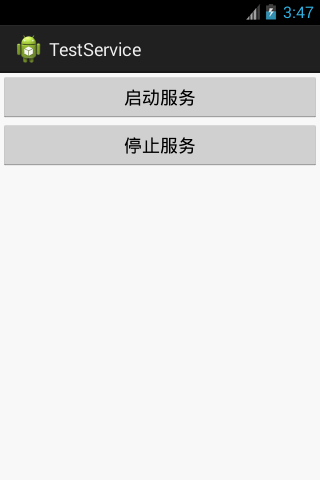
Service 是 Android 處理背景任務的標準答案。本文從最基礎的三個生命週期方法出發,搭配一個可實際點擊驗證的小專案,把 startService/stopSe
 cocos2dx-2.X 前後台切換機制分析(Android 平台)
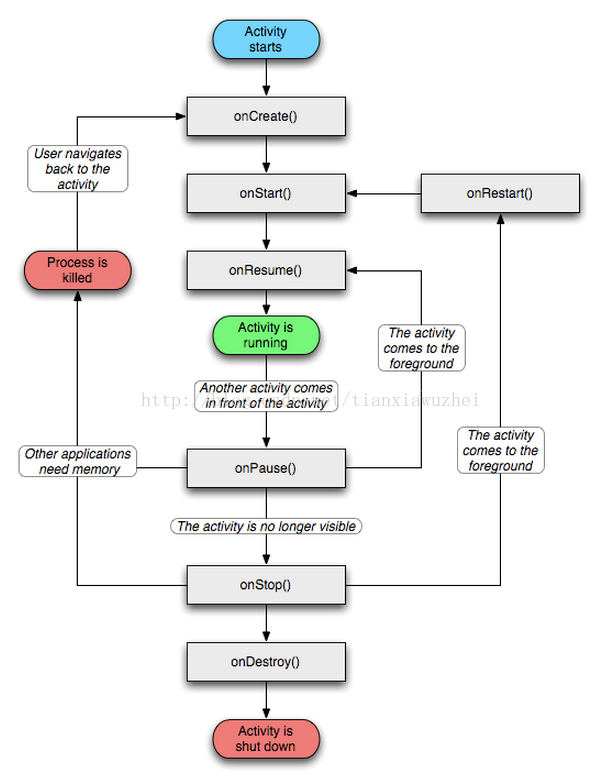
先貼上網路上常見的 Android 生命週期圖作為參考: 以下針對 cocos2dx-2.X 在 Android 平台上的前後台切換流程做深入分析。 cocos2dx