

編輯:關於 Android 程式設計
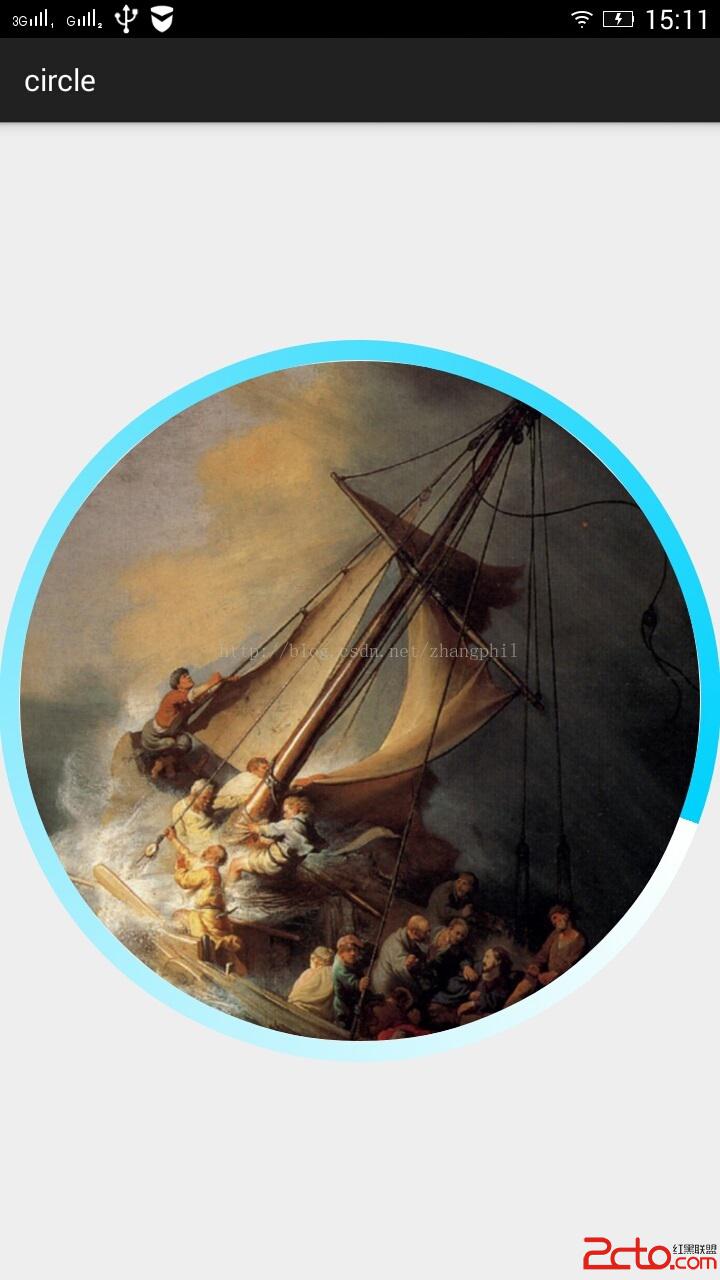
QQ、微信、微博等應用都有設置頭像的功能,頭像有方形也有圓形。本文給出一個以圖片中心為基準裁剪成圓的工具控件,可直接在佈局中使用。
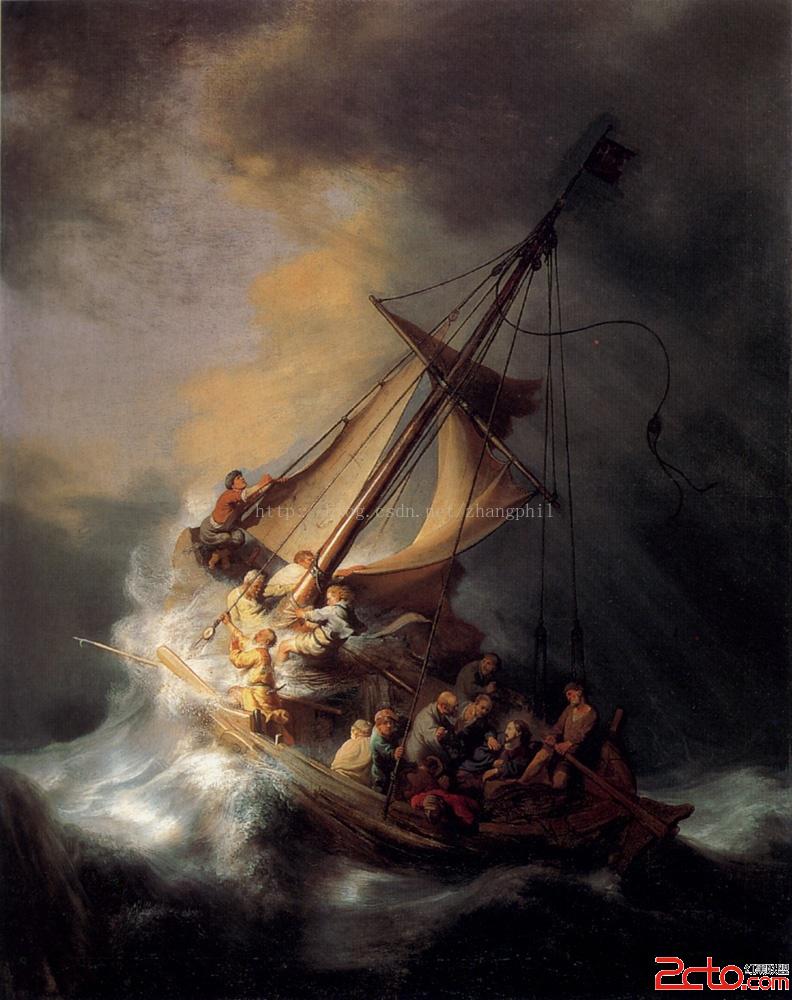
處理前的原始圖:
處理後作為頭像:
佈局中的用法與普通 ImageView 完全一致:
<RelativeLayout xmlns:android="https://schemas.android.com/apk/res/android"
    android:layout_width="match_parent"
    android:layout_height="match_parent">

    <zhangphil.circle.CircleImageView
        android:id="@+id/civ"
        android:layout_width="wrap_content"
        android:layout_height="wrap_content"
        android:src="@drawable/pic" />
</RelativeLayout>
完整源碼:
package zhangphil.circle;

public class CircleImageView extends ImageView {
    private static final ScaleType SCALE_TYPE = ScaleType.CENTER_CROP;
    private static final Bitmap.Config BITMAP_CONFIG = Bitmap.Config.ARGB_8888;
    private static final int COLORDRAWABLE_DIMENSION = 2;
    private static final int DEFAULT_BORDER_WIDTH = 20;
    private static final int DEFAULT_BORDER_COLOR = Color.BLACK;

    private final RectF mDrawableRect = new RectF();
    private final RectF mBorderRect = new RectF();
    private final Matrix mShaderMatrix = new Matrix();
    private final Paint mBitmapPaint = new Paint();
    private final Paint mBorderPaint = new Paint();

    private int mBorderColor = DEFAULT_BORDER_COLOR;
    private int mBorderWidth = DEFAULT_BORDER_WIDTH;

    private Bitmap mBitmap;
    private BitmapShader mBitmapShader;
    private int mBitmapWidth;
    private int mBitmapHeight;
    private float mDrawableRadius;
    private float mBorderRadius;

    private boolean mReady;
    private boolean mSetupPending;

    private final Paint mFlagBackgroundPaint = new Paint();
    private final TextPaint mFlagTextPaint = new TextPaint();
    private String mFlagText;
    private boolean mShowFlag = false;
    private final Rect mFlagTextBounds = new Rect();
    private Shader mSweepGradient = null;

    public CircleImageView(Context context) {
        super(context);
        init();
    }

    public CircleImageView(Context context, AttributeSet attrs) {
        this(context, attrs, 0);
    }

    public CircleImageView(Context context, AttributeSet attrs, int defStyle) {
        super(context, attrs, defStyle);
        init();
    }

    private void init() {
        super.setScaleType(SCALE_TYPE);
        mReady = true;
        if (mSetupPending) {
            setup();
            mSetupPending = false;
        }
    }

    @Override
    public ScaleType getScaleType() {
        return SCALE_TYPE;
    }

    @Override
    public void setScaleType(ScaleType scaleType) {
        if (scaleType != SCALE_TYPE) {
            throw new IllegalArgumentException(
                    String.format("ScaleType %s not supported.", scaleType));
        }
    }

    @Override
    public void setAdjustViewBounds(boolean adjustViewBounds) {
        if (adjustViewBounds) {
            throw new IllegalArgumentException("adjustViewBounds not supported.");
        }
    }

    @Override
    protected void onDraw(Canvas canvas) {
        if (getDrawable() == null) {
            return;
        }
        canvas.drawCircle(getWidth() / 2, getHeight() / 2, mDrawableRadius, mBitmapPaint);
        if (mBorderWidth != 0) {
            canvas.save();
            canvas.rotate(20, getWidth() / 2, getHeight() / 2);
            canvas.drawCircle(getWidth() / 2, getHeight() / 2, mBorderRadius, mBorderPaint);
            canvas.restore();
        }
        if (mShowFlag && mFlagText != null) {
            canvas.drawArc(mBorderRect, 40, 100, false, mFlagBackgroundPaint);
            mFlagTextPaint.getTextBounds(mFlagText, 0, mFlagText.length(), mFlagTextBounds);
            canvas.drawText(mFlagText, getWidth() / 2,
                    (3 + (float) Math.cos(Math.PI * 5 / 18)) * getHeight() / 4
                            + mFlagTextBounds.height() / 3,
                    mFlagTextPaint);
        }
    }

    @Override
    protected void onSizeChanged(int w, int h, int oldw, int oldh) {
        super.onSizeChanged(w, h, oldw, oldh);
        setup();
    }

    public int getBorderColor() {
        return mBorderColor;
    }

    public void setBorderColor(int borderColor) {
        if (borderColor == mBorderColor) {
            return;
        }
        mBorderColor = borderColor;
        mBorderPaint.setColor(mBorderColor);
        invalidate();
    }

    public int getBorderWidth() {
        return mBorderWidth;
    }

    /** 圓形邊框厚度,設為 0 則不畫邊框 */
    public void setBorderWidth(int borderWidth) {
        if (borderWidth == mBorderWidth) {
            return;
        }
        mBorderWidth = borderWidth;
        setup();
    }

    @Override
    public void setImageBitmap(Bitmap bm) {
        super.setImageBitmap(bm);
        mBitmap = bm;
        setup();
    }

    @Override
    public void setImageDrawable(Drawable drawable) {
        super.setImageDrawable(drawable);
        mBitmap = getBitmapFromDrawable(drawable);
        setup();
    }

    @Override
    public void setImageResource(int resId) {
        super.setImageResource(resId);
        mBitmap = getBitmapFromDrawable(getDrawable());
        setup();
    }

    @Override
    public void setImageURI(Uri uri) {
        super.setImageURI(uri);
        mBitmap = getBitmapFromDrawable(getDrawable());
        setup();
    }

    private Bitmap getBitmapFromDrawable(Drawable drawable) {
        if (drawable == null) {
            return null;
        }
        if (drawable instanceof BitmapDrawable) {
            return ((BitmapDrawable) drawable).getBitmap();
        }
        try {
            Bitmap bitmap;
            if (drawable instanceof ColorDrawable) {
                bitmap = Bitmap.createBitmap(COLORDRAWABLE_DIMENSION,
                        COLORDRAWABLE_DIMENSION, BITMAP_CONFIG);
            } else {
                bitmap = Bitmap.createBitmap(drawable.getIntrinsicWidth(),
                        drawable.getIntrinsicHeight(), BITMAP_CONFIG);
            }
            Canvas canvas = new Canvas(bitmap);
            drawable.setBounds(0, 0, canvas.getWidth(), canvas.getHeight());
            drawable.draw(canvas);
            return bitmap;
        } catch (OutOfMemoryError e) {
            return null;
        }
    }

    private void setup() {
        if (!mReady) {
            mSetupPending = true;
            return;
        }
        if (mBitmap == null) {
            return;
        }

        // 用 BitmapShader 把位圖當成畫筆的填充物
        mBitmapShader = new BitmapShader(mBitmap,
                Shader.TileMode.CLAMP, Shader.TileMode.CLAMP);

        mBitmapPaint.setAntiAlias(true);
        mBitmapPaint.setShader(mBitmapShader);

        mBorderPaint.setStyle(Paint.Style.STROKE);
        mBorderPaint.setAntiAlias(true);
        mBorderPaint.setColor(mBorderColor);
        mBorderPaint.setStrokeWidth(mBorderWidth);

        mBitmapHeight = mBitmap.getHeight();
        mBitmapWidth = mBitmap.getWidth();

        mBorderRect.set(0, 0, getWidth(), getHeight());
        mBorderRadius = Math.min((mBorderRect.height() - mBorderWidth) / 2,
                (mBorderRect.width() - mBorderWidth) / 2);

        mDrawableRect.set(mBorderWidth, mBorderWidth,
                mBorderRect.width() - mBorderWidth,
                mBorderRect.height() - mBorderWidth);
        mDrawableRadius = Math.min(mDrawableRect.height() / 2, mDrawableRect.width() / 2);

        mFlagBackgroundPaint.setColor(Color.BLACK & 0x66FFFFFF);
        mFlagBackgroundPaint.setFlags(TextPaint.ANTI_ALIAS_FLAG);
        mFlagTextPaint.setFlags(TextPaint.ANTI_ALIAS_FLAG);
        mFlagTextPaint.setTextAlign(Paint.Align.CENTER);
        mFlagTextPaint.setColor(Color.WHITE);
        mFlagTextPaint.setTextSize(getResources().getDisplayMetrics().density * 18);

        // 邊框用 SweepGradient 做出流光效果
        mSweepGradient = new SweepGradient(getWidth() / 2, getHeight() / 2,
                new int[]{ Color.rgb(255, 255, 255), Color.rgb(1, 209, 255) }, null);
        mBorderPaint.setShader(mSweepGradient);

        updateShaderMatrix();
        invalidate();
    }

    /** 計算居中裁剪矩陣:按較短邊比例縮放,多出的部分被裁掉 */
    private void updateShaderMatrix() {
        float scale;
        float dx = 0;
        float dy = 0;
        mShaderMatrix.set(null);

        if (mBitmapWidth * mDrawableRect.height()
                > mDrawableRect.width() * mBitmapHeight) {
            scale = mDrawableRect.height() / (float) mBitmapHeight;
            dx = (mDrawableRect.width() - mBitmapWidth * scale) * 0.5f;
        } else {
            scale = mDrawableRect.width() / (float) mBitmapWidth;
            dy = (mDrawableRect.height() - mBitmapHeight * scale) * 0.5f;
        }

        mShaderMatrix.setScale(scale, scale);
        mShaderMatrix.postTranslate((int) (dx + 0.5f) + mBorderWidth,
                (int) (dy + 0.5f) + mBorderWidth);
        mBitmapShader.setLocalMatrix(mShaderMatrix);
    }

    public void setShowFlag(boolean show) {
        mShowFlag = show;
        invalidate();
    }

    public void setFlagText(String text) {
        mFlagText = text;
        invalidate();
    }
}
實現思路可以拆成三塊。
第一塊是裁剪。核心在 BitmapShader 加 updateShaderMatrix:BitmapShader 讓 Paint 的填充物變成一張位圖,再用 setLocalMatrix 對這張位圖做縮放和平移。縮放比例取「目標框寬 / 圖寬」與「目標框高 / 圖高」中的較大者,這樣圖能鋪滿整個方框,多出的部分被裁掉;dx、dy 各減去溢出量的一半,實現居中。onDraw 裡並非真的畫矩形,而是畫一個半徑等於方框一半的圓——圓形邊界由 canvas.drawCircle 天然給出,這比事后做像素裁剪高效得多。
第二塊是邊框。mBorderPaint 設為 STROKE 樣式,半徑比圖片圓半徑略大,寬度由 mBorderWidth 控制。這裡還給邊框掛了一個 SweepGradient 作 shader,並在 onDraw 中把畫布旋轉 20 度再畫,於是邊框呈現一段白到青的漸變高光。想改成純色,把 setShader 那行去掉即可。
第三塊是延遲初始化。mReady 與 mSetupPending 一對標志用來處理時序問題:構造函數裡調 setup 時控件寬高還是 0,此時把請求掛起,等 onSizeChanged 拿到真實尺寸後再真正執行,避免除零和坐標錯亂。
實際項目裡還可以進一步優化:BitmapShader 方案每次裁剪都要重新生成矩陣,若列表中有大量頭像,建議把裁剪結果緩存成 Bitmap 複用,或直接用 Glide 的 CircleCrop 變換,讓圖片庫在異步線程完成同樣的事。
 Android 傳感器實戰:用加速度計做一個「搖一搖聽音樂」
上一篇我們認識了 Android 的傳感器體系,這次直接動手做個小玩具——搖一搖播放音樂。原理很簡單:讀取加速度傳感器的三軸數值,當搖晃劇烈到一定程度時觸發播放。 先看
 Android 四種基礎動畫:透明度、縮放、位移與旋轉
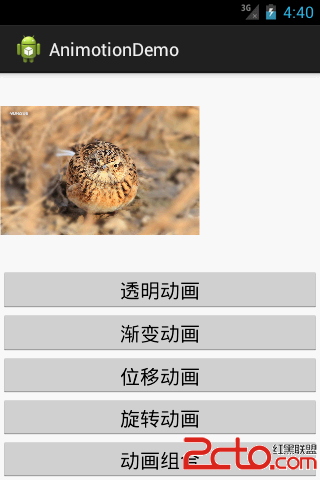
合適的動畫能顯著改善操作手感。這篇把最基礎的四種 View 動畫和組合動畫走一遍。 先看守屏: MainActivity 中五個按鈕共用一個點擊入口,按 id 分
 Android 沉浸式體驗實戰:全屏加透明狀態欄的實現
前言從 Android 4.4 開始,系統提供了沉浸式全屏能力:狀態欄與虛擬按鍵可以動態隱藏,應用得以佔用完整的屏幕空間,按 Google 的說法,這能給用戶一種「身臨其
 Android MediaPlayer 完全指南:音頻源、控制方法與實戰 Demo
Android 提供了常見的音頻、視頻編碼解碼機制。借助多媒體類 MediaPlayer,開發人員可以很方便地在應用中播放音頻與視頻。本篇聚焦「如何播放一個音頻文件」,內