

編輯:關於 Android 程式設計
先上圖:
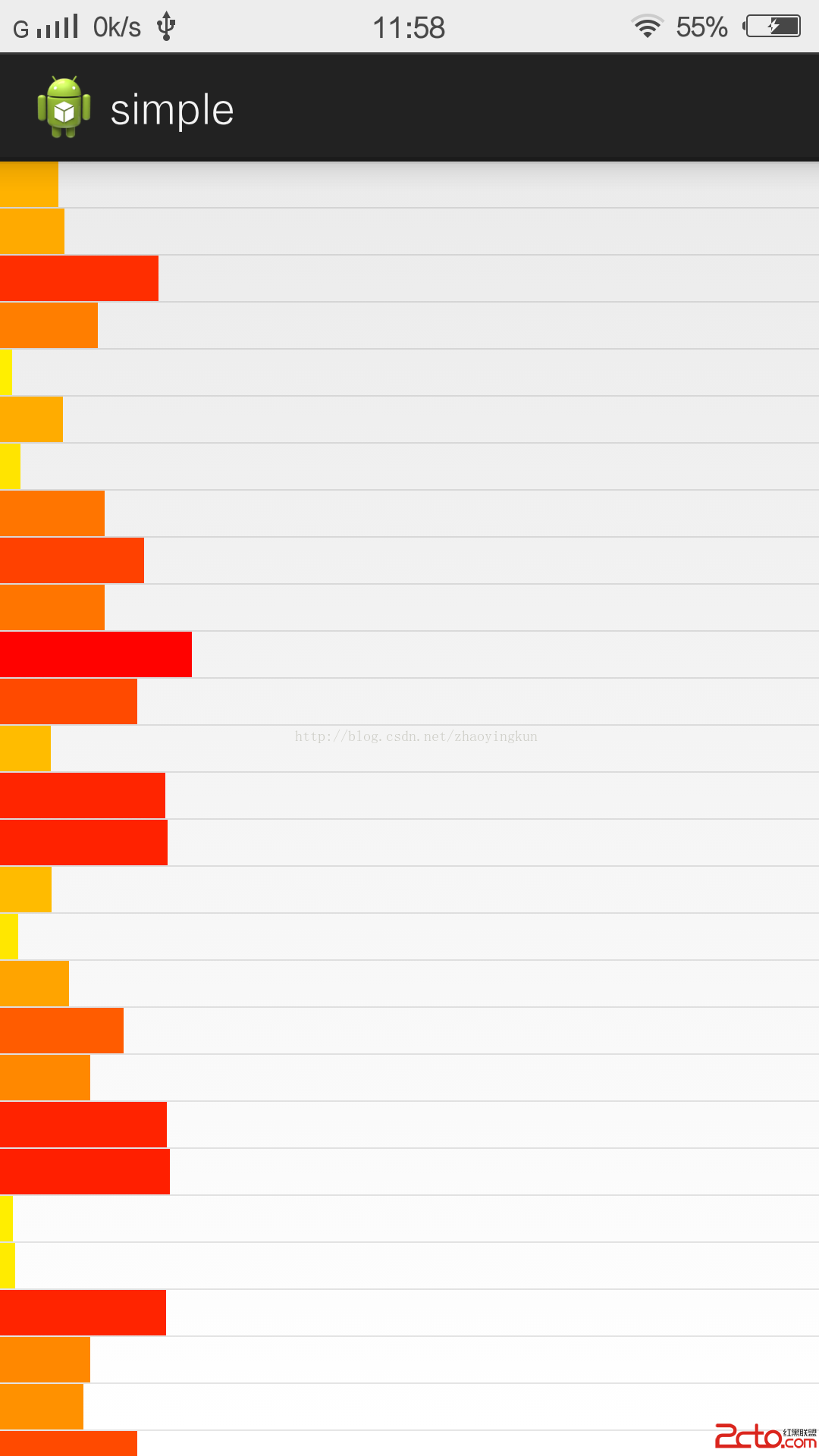
效果很簡單:一個 ListView,item 是自定義 View,具備兩個特點——可以傳入長度動態改變柱子長短;並依長度改變色值,越長越偏紅,越短越偏黃。
用到的知識點不過是 Paint 在 Canvas 上作畫,這裡不再贅述。本篇真正想講的是 Android 自定義命名空間 的用法。
按常規做法,要往自定義 View 傳值只能調用 setXxx(),前提是該 View 已經被創建出來,而且需要有人主動去調。可我們希望能像構造方法一樣,在 XML 聲明的那一刻就把初始值給定。
回想 XML 裡常見的 android:layout_height="20dp",前面那個 android 就是命名空間,只不過它是系統預設的。我們完全可以自己定義一個命名空間來用。
<?xml version="1.0" encoding="utf-8"?>
<resources>
    <declare-styleable name="BarChartView">
        <!-- bar_height 表示柱狀圖高度 -->
        <!-- bar_width 表示柱狀圖寬度 -->
        <attr name="bar_height" format="dimension" />
        <attr name="bar_width" format="dimension" />
        <attr name="text" format="string" />
    </declare-styleable>
</resources>
declare-styleable 顧名思義就是「聲明一組樣式屬性」,後續 Java 代碼會從這裡把值取出來。這裡定義了 bar_height、bar_width 兩個尺寸值與一個字串 text。
<RelativeLayout
    xmlns:android="https://schemas.android.com/apk/res/android"
    xmlns:myxmlns="https://schemas.android.com/apk/res/com.example.simple"
    android:layout_width="wrap_content"
    android:layout_height="match_parent">

    <com.example.simple.BarChartView
        android:id="@+id/cv_chart"
        android:layout_width="wrap_content"
        android:layout_height="20dp"
        android:layout_centerVertical="true"
        myxmlns:bar_height="40" />

</RelativeLayout>
紅字部分是關鍵:xmlns:myxmlns="https://schemas.android.com/apk/res/com.example.simple"。
定義規則為 xmlns:前綴 = namespaceURI,在 Android 中即 https://schemas.android.com/apk/res/ 加上應用包路徑;使用時則按「前綴:屬性名」的格式書寫。
myxmlns 這個前綴可以隨便取名,但必須與使用處保持一致。聲明好之後,attrs.xml 裡定義的所有屬性就都能用了。
public BarChartView(Context context, AttributeSet attrs) {
    super(context, attrs);

    TypedArray a = context.obtainStyledAttributes(attrs, R.styleable.BarChartView);
    chartHeight = a.getInt(R.styleable.BarChartView_bar_height, 20);
    chartWidth = a.getResourceId(R.styleable.BarChartView_bar_width, 10);
    a.recycle();

    chartHeight = DisplayUtils.Dp2Px(context, chartHeight);
}
兩個細節值得留意:讀取時第二個參數是「XML 未配置時的預設值」,別忘了給;另外 getInt 與 getResourceId 要對應 attrs 中聲明的 format 型別,寫錯會拿到意外結果。取值後記得 recycle。
自此目的達成:屬性直接在 XML 中預設,不必再靠 setXxx 一個個傳參。這套「declare-styleable + obtainStyledAttributes」的組合,幾乎是所有開源自定義控件的標配寫法,值得記牢。
 Android ListView 分類清單的簡易實作
在許多應用中,例如城市選擇、商品分類或設定分組,常會需要讓 ListView 顯示類似「分類標題 + 子項目」的結構。相比嵌套多個 ListView 或使用複雜控制項,一
 ToolBar 的使用方式與常見設定
ToolBar 是 Android 中取代傳統 ActionBar 的靈活元件。它允許開發者在頂部放入標題、導航圖示、選單與自訂子 View,讓頁面標頭更符合現代設計。
 Android 視頻播放器實作:豎屏播放界面
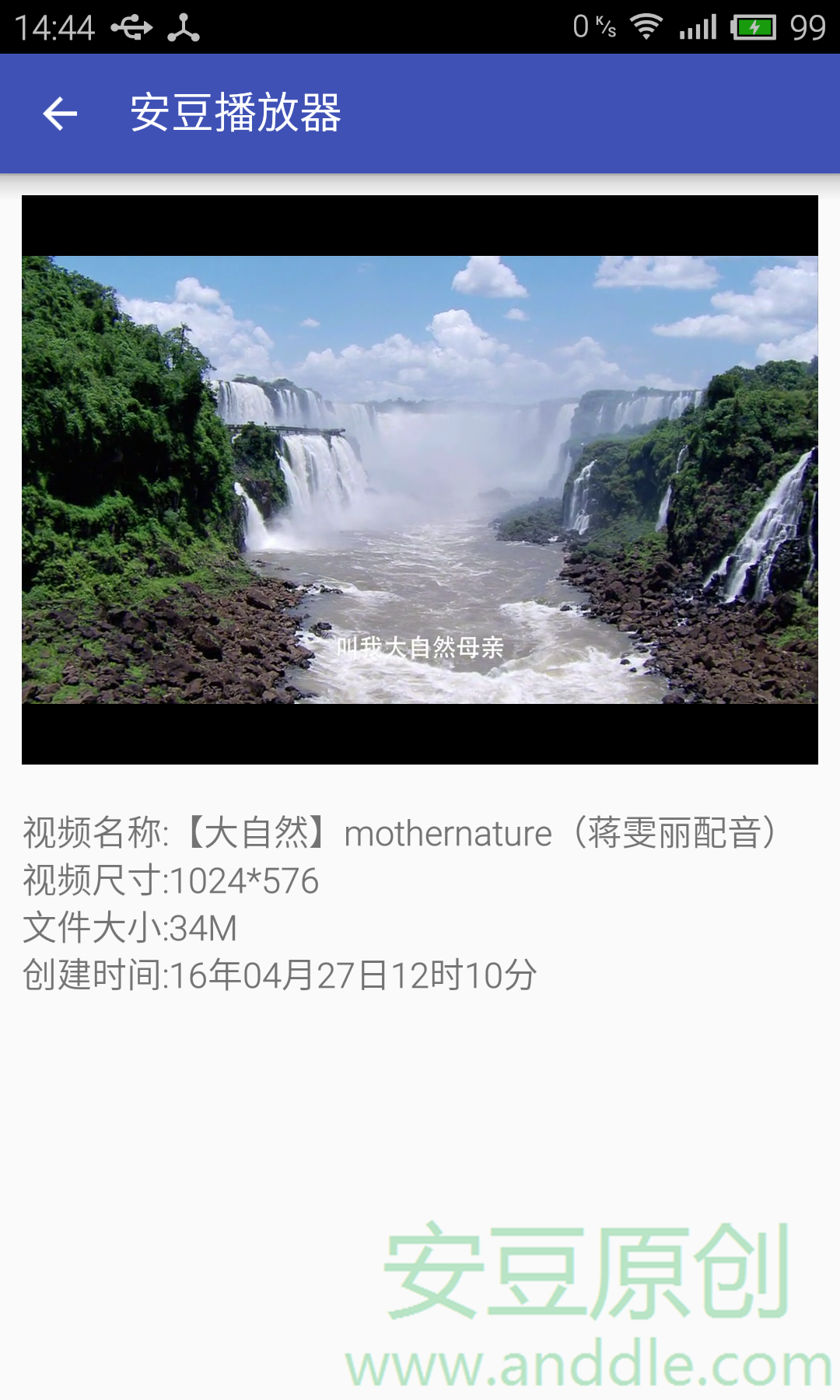
豎屏播放界面 播放視頻通常放在獨立 Activity。豎屏時,上半部播放影片,下半部顯示標題、解析度、檔案大小與建立時間等資訊。 啟動播放器 點擊列表項目時,可建立 I
 Android 緩存淺談:三級緩存與 LruCache 實踐
在 Android 應用中,網路請求與圖片加載往往會影響使用者體驗。若每次都從伺服器取得相同資料,不僅浪費流量,也可能造成延遲。因此,合理的緩存機制是提升效能的重要方式。