

編輯:關於 Android 程式設計
自定義 View 想提供可配置屬性,通常需要三個步驟:定義屬性資源、在布局中宣告命名空間、在構造方法中讀取 TypedArray。
<resources>
  <declare-styleable name="SwipeListView">
    <attr name="swipeMode" format="enum">
      <enum name="none" value="0" />
      <enum name="both" value="1" />
      <enum name="left" value="2" />
      <enum name="right" value="3" />
    </attr>
    <attr name="swipeOffsetLeft" format="dimension" />
  </declare-styleable>
</resources>
declare-styleable 是一組屬性的集合,方便管理同一個自定義 View 的所有配置。attr 的 format 可指定為 reference、string、color、boolean、dimension、float、integer、fraction、enum 或 flag。
使用自定義屬性時,必須先宣告命名空間。現代 Android 專案通常使用 res-auto,避免硬編碼套件名稱。
<com.example.view.SwipeListView
  xmlns:swipe="https://schemas.android.com/apk/res-auto"
  android:layout_width="match_parent"
  android:layout_height="match_parent"
  swipe:swipeMode="both" />
TypedArray array = getContext().obtainStyledAttributes(
  attrs,
  R.styleable.SwipeListView,
  defStyleAttr,
  defStyleRes
);
swipeMode = array.getInt(R.styleable.SwipeListView_swipeMode, 0);
array.recycle();
obtainStyledAttributes 的參數中,defStyleAttr 指向目前主題中的 style 引用,defStyleRes 則指向明確的 style 資源。一般優先級為:布局屬性、defStyleAttr、defStyleRes、程式碼預設值。
第一種寫法是在雙參數構造中呼叫三參數構造,適合需要指定 defStyleAttr 的場景。第二種寫法是在每個構造中呼叫初始化方法,適合繼承系統控制項並保留預設樣式的場景。
另外,讀取屬性也可以逐項 get,或透過 getIndexCount 與 getIndex 動態判斷布局中實際使用了哪些屬性。後者能避免未使用屬性覆蓋預設值。
 Android 讓文字與圖示同行顯示:文字超出省略、圖示自動靠右
一、需求場景 標題說得有點繞,直接看圖比較快:影片、票券之類的小圖示要緊跟在標題後方,一旦標題太長,圖示必須被擠到省略號「…」的後面,也就是文字截斷、圖示依然完整靠右。
 Android Fragment 使用建議與常見問題
Fragment 基本使用 Activity 透過 FragmentManager 管理 Fragment。新增 Fragment 時,通常需先判斷是否已存在,避免 Ac
 Android 自定義 View 實作:帶數字的進度條 NumberProgressBar
Android 自定義 View:帶數字的進度條 原生 ProgressBar 雖然簡單,但在需要顯示百分比、不同顏色或更細緻視覺效果時,往往不夠用。本文以 Number
 Android 線性版面配置 LinearLayout 屬性與三種實作方式
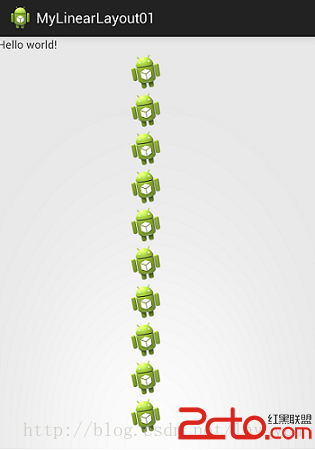
LinearLayout 是什麼 LinearLayout 是 Android 常見的線性版面配置,子元件會依水平或垂直方向排列。若內容超出邊界,可能會被裁切或看不到,因