

編輯:關於 Android 程式設計
Android 允許第三方完全替換系統輸入法,這在行動平台上並不常見。要做一個自己的輸入法,需要湊齊四塊拼圖:InputMethodService 服務本體、鍵盤 View、描述鍵位排列的 XML,以及在 res/xml/method.xml 中對輸入法子系統的宣告。本文以一個 QWERTY 軟鍵盤為例,並示範如何掛上語音輸入:由輸入法在本機開一個 socket 監聽埠,語音辨識端把結果以 JSON 送進來,再寫入當前焦點的輸入框。
輸入法本質上是一個受系統管控的 Service,必須綁定 BIND_INPUT_METHOD 權限,並用 android.view.im 的 meta-data 指向 method.xml:
<manifest package="com.example.android.softkeyboard"
    xmlns:android="https://schemas.android.com/apk/res/android"
    xmlns:tools="https://schemas.android.com/tools">

    <uses-permission android:name="android.permission.INTERNET" />

    <service android:name="MySoftKeyboard"
        android:permission="android.permission.BIND_INPUT_METHOD">
        <intent-filter>
            <action android:name="android.view.InputMethod" />
        </intent-filter>
        <meta-data android:name="android.view.im"
            android:resource="@xml/method" />
    </service>
</manifest>
<input-method xmlns:android="https://schemas.android.com/apk/res/android">
</input-method>
鍵盤用 <keyboard> 描述,每一列用 <row>,每顆按鍵用 <key>。android:codes 是字元碼或特殊功能碼(負值),isModifier/isSticky 修飾鍵用,isRepeatable 則是長按連續觸發(空白鍵、刪除鍵需要)。
<keyboard android:horizontalgap="0px"
    android:keyheight="@dimen/key_height"
    android:keywidth="10%p"
    android:verticalgap="0px"
    xmlns:android="https://schemas.android.com/apk/res/android">

    <row>
        <key android:codes="113" android:keyedgeflags="left"  android:keylabel="q" />
        <key android:codes="119" android:keylabel="w" />
        <key android:codes="101" android:keylabel="e" />
        <key android:codes="114" android:keylabel="r" />
        <key android:codes="116" android:keylabel="t" />
        <key android:codes="121" android:keylabel="y" />
        <key android:codes="117" android:keylabel="u" />
        <key android:codes="105" android:keylabel="i" />
        <key android:codes="111" android:keylabel="o" />
        <key android:codes="112" android:keyedgeflags="right" android:keylabel="p" />
    </row>

    <row>
        <key android:codes="97"  android:horizontalgap="5%p" android:keyedgeflags="left" android:keylabel="a" />
        <key android:codes="115" android:keylabel="s" />
        <key android:codes="100" android:keylabel="d" />
        <key android:codes="102" android:keylabel="f" />
        <key android:codes="103" android:keylabel="g" />
        <key android:codes="104" android:keylabel="h" />
        <key android:codes="106" android:keylabel="j" />
        <key android:codes="107" android:keylabel="k" />
        <key android:codes="108" android:keyedgeflags="right" android:keylabel="l" />
    </row>

    <row>
        <key android:codes="-1" android:ismodifier="true" android:issticky="true"
             android:keyedgeflags="left" android:keyicon="@drawable/sym_keyboard_shift"
             android:keywidth="15%p" />
        <key android:codes="122" android:keylabel="z" />
        <key android:codes="120" android:keylabel="x" />
        <key android:codes="99"  android:keylabel="c" />
        <key android:codes="118" android:keylabel="v" />
        <key android:codes="98"  android:keylabel="b" />
        <key android:codes="110" android:keylabel="n" />
        <key android:codes="109" android:keylabel="m" />
        <key android:codes="-5" android:isrepeatable="true"
             android:keyedgeflags="right" android:keyicon="@drawable/sym_keyboard_delete"
             android:keywidth="15%p" />
    </row>

    <row android:rowedgeflags="bottom">
        <key android:codes="-3" android:keyedgeflags="left"
             android:keyicon="@drawable/sym_keyboard_done" android:keywidth="20%p" />
        <key android:codes="-2" android:keylabel="123" android:keywidth="15%p" />
        <key android:codes="32" android:isrepeatable="true"
             android:keyicon="@drawable/sym_keyboard_space" android:keywidth="30%p" />
        <key android:codes="46,44" android:keylabel=". ," android:keywidth="15%p" />
        <key android:codes="10" android:keyedgeflags="right"
             android:keyicon="@drawable/sym_keyboard_return" android:keywidth="20%p" />
    </row>
</keyboard>
常用功能碼:-1 Shift、-2 切換符號鍵盤、-3 關閉、-5 刪除、10 換行、32 空白。符號鍵盤(symbols.xml)與其 Shift 版(symbols_shift.xml)結構相同,只是把 keylabel 與 codes 換成 !、@、#、~、±、×、÷ 這類符號。
KeyboardView 可以覆寫 onLongPress() 賦予長按新意義,這裡把左下角關閉鍵的長按改成「選項鍵」:
public class LatinKeyboardView extends KeyboardView {

    // 自訂的功能碼,用來描述長按關閉鍵的替代行為
    static final int KEYCODE_OPTIONS = -100;

    public LatinKeyboardView(Context context, AttributeSet attrs) {
        super(context, attrs);
    }

    public LatinKeyboardView(Context context, AttributeSet attrs, int defStyle) {
        super(context, attrs, defStyle);
    }

    @Override
    protected boolean onLongPress(Key key) {
        if (key.codes[0] == Keyboard.KEYCODE_CANCEL) {
            getOnKeyboardActionListener().onKey(KEYCODE_OPTIONS, null);
            return true;
        }
        return super.onLongPress(key);
    }
}
LatinKeyboard 繼承 Keyboard,主要做兩件事:在 createKeyFromXml() 中記下 Enter 鍵的實例,以及依編輯器的 IME 選項替換 Enter 鍵的圖示與文字。另外覆寫 isInside() 縮小關閉鍵的可觸碰範圍,避免誤觸:
public class LatinKeyboard extends Keyboard {
    private Key mEnterKey;

    public LatinKeyboard(Context context, int xmlLayoutResId) {
        super(context, xmlLayoutResId);
    }

    public LatinKeyboard(Context context, int layoutTemplateResId, CharSequence characters,
                         int columns, int horizontalPadding) {
        super(context, layoutTemplateResId, characters, columns, horizontalPadding);
    }

    @Override
    protected Key createKeyFromXml(Resources res, Row parent, int x, int y,
                                   XmlResourceParser parser) {
        Key key = new LatinKey(res, parent, x, y, parser);
        if (key.codes[0] == 10) {   // 記下 Enter 鍵
            mEnterKey = key;
        }
        return key;
    }

    /** 依編輯器宣告的 imeOptions 決定 Enter 鍵的樣子 */
    void setImeOptions(Resources res, int options) {
        if (mEnterKey == null) {
            return;
        }
        switch (options & (EditorInfo.IME_MASK_ACTION | EditorInfo.IME_FLAG_NO_ENTER_ACTION)) {
            case EditorInfo.IME_ACTION_GO:
                mEnterKey.iconPreview = null;
                mEnterKey.icon = null;
                mEnterKey.label = res.getText(R.string.label_go_key);
                break;
            case EditorInfo.IME_ACTION_NEXT:
                mEnterKey.iconPreview = null;
                mEnterKey.icon = null;
                mEnterKey.label = res.getText(R.string.label_next_key);
                break;
            case EditorInfo.IME_ACTION_SEARCH:
                mEnterKey.icon = res.getDrawable(R.drawable.sym_keyboard_search);
                mEnterKey.label = null;
                break;
            case EditorInfo.IME_ACTION_SEND:
                mEnterKey.iconPreview = null;
                mEnterKey.icon = null;
                mEnterKey.label = res.getText(R.string.label_send_key);
                break;
            default:
                mEnterKey.icon = res.getDrawable(R.drawable.sym_keyboard_return);
                mEnterKey.label = null;
                break;
        }
    }

    static class LatinKey extends Keyboard.Key {
        LatinKey(Resources res, Keyboard.Row parent, int x, int y,
                 XmlResourceParser parser) {
            super(res, parent, x, y, parser);
        }

        /** 縮小關閉鍵的觸碰範圍,避免誤觸 */
        @Override
        public boolean isInside(int x, int y) {
            return super.isInside(x, codes[0] == KEYCODE_CANCEL ? y - 10 : y);
        }
    }
}
候選欄是純自繪 View,所有排版都在 onDraw() 裡完成。幾個設計要點:
GestureDetector 處理橫向滑動,並用 mTargetScrollX 記錄目標位置,由 scrollToTarget() 逐格逼近,做出平滑滾動。canvas.translate() 在該詞位置畫上高亮背景,再平移回來畫文字。public class CandidateView extends View {
private static final int OUT_OF_BOUNDS = -1;
private static final int MAX_SUGGESTIONS = 32;
private static final int SCROLL_PIXELS = 20;
private static final int X_GAP = 10;
private MySoftKeyboard mService; // 宿主輸入法服務
private List<String> mSuggestions; // 建議詞清單
private int mSelectedIndex;
private int mTouchX = OUT_OF_BOUNDS;
private Drawable mSelectionHighlight;
private boolean mTypedWordValid; // 目前輸入的詞是否合法
private Rect mBgPadding;
private final int[] mWordWidth = new int[MAX_SUGGESTIONS];
private final int[] mWordX = new int[MAX_SUGGESTIONS];
private static final List<String> EMPTY_LIST = new ArrayList<String>();
private int mColorNormal;
private int mColorRecommended;
private int mColorOther;
private int mVerticalPadding;
private final Paint mPaint;
private boolean mScrolled;
private int mTargetScrollX;
private int mTotalWidth;
private GestureDetector mGestureDetector;
public CandidateView(Context context) {
super(context);
mSelectionHighlight = context.getResources().getDrawable(
android.R.drawable.list_selector_background);
mSelectionHighlight.setState(new int[] {
android.R.attr.state_enabled,
android.R.attr.state_focused,
android.R.attr.state_window_focused,
android.R.attr.state_pressed
});
Resources r = context.getResources();
setBackgroundColor(r.getColor(R.color.candidate_background));
mColorNormal = r.getColor(R.color.candidate_normal);
mColorRecommended = r.getColor(R.color.candidate_recommended);
mColorOther = r.getColor(R.color.candidate_other);
mVerticalPadding = r.getDimensionPixelSize(R.dimen.candidate_vertical_padding);
mPaint = new Paint();
mPaint.setColor(mColorNormal);
mPaint.setAntiAlias(true);
mPaint.setTextSize(r.getDimensionPixelSize(R.dimen.candidate_font_height));
mPaint.setStrokeWidth(0);
mGestureDetector = new GestureDetector(new GestureDetector.SimpleOnGestureListener() {
@Override
public boolean onScroll(MotionEvent e1, MotionEvent e2,
float distanceX, float distanceY) {
mScrolled = true;
int sx = getScrollX() + (int) distanceX;
if (sx < 0) {
sx = 0;
}
if (sx + getWidth() > mTotalWidth) {
sx -= distanceX;
}
mTargetScrollX = sx;
scrollTo(sx, getScrollY()); // Y 軸不變
invalidate();
return true;
}
});
setHorizontalFadingEdgeEnabled(true); // 兩側淡出效果
setWillNotDraw(false); // 仍允許在滑動中輸入並顯示
setHorizontalScrollBarEnabled(false);
setVerticalScrollBarEnabled(false);
}
public void setService(MySoftKeyboard listener) {
mService = listener;
}
@Override
public int computeHorizontalScrollRange() {
return mTotalWidth;
}
@Override
protected void onMeasure(int widthMeasureSpec, int heightMeasureSpec) {
int measuredWidth = resolveSize(50, widthMeasureSpec);
Rect padding = new Rect();
mSelectionHighlight.getPadding(padding);
final int desiredHeight = ((int) mPaint.getTextSize())
+ mVerticalPadding + padding.top + padding.bottom;
setMeasuredDimension(measuredWidth,
resolveSize(desiredHeight, heightMeasureSpec));
}
/** canvas 為 null 時只做觸控命中計算,不繪製 */
@Override
protected void onDraw(Canvas canvas) {
if (canvas != null) {
super.onDraw(canvas);
}
mTotalWidth = 0;
if (mSuggestions == null) {
return;
}
if (mBgPadding == null) {
mBgPadding = new Rect(0, 0, 0, 0);
if (getBackground() != null) {
getBackground().getPadding(mBgPadding);
}
}
int x = 0;
final int count = mSuggestions.size();
final int height = getHeight();
final Rect bgPadding = mBgPadding;
final Paint paint = mPaint;
final int touchX = mTouchX;
final int scrollX = getScrollX();
final boolean scrolled = mScrolled;
final boolean typedWordValid = mTypedWordValid;
final int y = (int) (((height - mPaint.getTextSize()) / 2) - mPaint.ascent());
for (int i = 0; i < count; i++) {
String suggestion = mSuggestions.get(i);
float textWidth = paint.measureText(suggestion);
final int wordWidth = (int) textWidth + X_GAP * 2;
mWordX[i] = x;
mWordWidth[i] = wordWidth;
paint.setColor(mColorNormal);
// 命中測試:手上有觸控且沒有在滑動
if (touchX + scrollX >= x && touchX + scrollX < x + wordWidth && !scrolled) {
if (canvas != null) {
canvas.translate(x, 0);
mSelectionHighlight.setBounds(0, bgPadding.top, wordWidth, height);
mSelectionHighlight.draw(canvas);
canvas.translate(-x, 0);
}
mSelectedIndex = i;
}
if (canvas != null) {
if ((i == 1 && !typedWordValid) || (i == 0 && typedWordValid)) {
paint.setFakeBoldText(true); // 建議詞用粗體
paint.setColor(mColorRecommended);
} else if (i != 0) {
paint.setColor(mColorOther);
}
canvas.drawText(suggestion, x + X_GAP, y, paint);
paint.setColor(mColorOther);
canvas.drawLine(x + wordWidth + 0.5f, bgPadding.top,
x + wordWidth + 0.5f, height + 1, paint);
paint.setFakeBoldText(false);
}
x += wordWidth;
}
mTotalWidth = x;
if (mTargetScrollX != getScrollX()) {
scrollToTarget();
}
}
private void scrollToTarget() {
int sx = getScrollX();
if (mTargetScrollX > sx) {
sx += SCROLL_PIXELS;
if (sx >= mTargetScrollX) {
sx = mTargetScrollX;
requestLayout();
}
} else {
sx -= SCROLL_PIXELS;
if (sx <= mTargetScrollX) {
sx = mTargetScrollX;
requestLayout();
}
}
scrollTo(sx, getScrollY());
invalidate();
}
public void setSuggestions(List<String> suggestions, boolean completions,
boolean typedWordValid) {
clear();
if (suggestions != null) {
mSuggestions = new ArrayList<String>(suggestions);
}
mTypedWordValid = typedWordValid;
scrollTo(0, 0); // 有新候選詞就回到起點
mTargetScrollX = 0;
onDraw(null); // 只做命中計算
invalidate();
requestLayout();
}
public void clear() {
mSuggestions = EMPTY_LIST;
mTouchX = OUT_OF_BOUNDS;
mSelectedIndex = -1;
invalidate();
}
@Override
public boolean onTouchEvent(MotionEvent me) {
// 滑動手勢優先
if (mGestureDetector.onTouchEvent(me)) {
return true;
}
int action = me.getAction();
int x = (int) me.getX();
int y = (int) me.getY();
mTouchX = x;
switch (action) {
case MotionEvent.ACTION_DOWN:
mScrolled = false;
invalidate();
break;
case MotionEvent.ACTION_MOVE:
if (y <= 0) { // 向上滑:直接選詞
if (mSelectedIndex >= 0) {
mService.pickSuggestionManually(mSelectedIndex);
mSelectedIndex = -1;
}
}
invalidate();
break;
case MotionEvent.ACTION_UP:
if (!mScrolled && mSelectedIndex >= 0) {
mService.pickSuggestionManually(mSelectedIndex);
}
mSelectedIndex = -1;
removeHighlight();
requestLayout();
break;
}
return true;
}
/** 供鍵盤橫向滑動時依 x 座標選詞 */
public void takeSuggestionAt(float x) {
mTouchX = (int) x;
onDraw(null);
if (mSelectedIndex >= 0) {
mService.pickSuggestionManually(mSelectedIndex);
}
invalidate();
}
private void removeHighlight() {
mTouchX = OUT_OF_BOUNDS;
invalidate();
}
}
繼承 InputMethodService 並實作 KeyboardView.OnKeyboardActionListener,就得到一個可用的輸入法。生命週期上幾個關鍵回呼:
onCreate():初始化服務級資源,例如 word separators。onInitializeInterface():建立各套鍵盤物件;若可用寬度變了要重建。onCreateInputView():加載鍵盤 View 並綁定監聽器。onCreateCandidatesView():建立候選欄。onStartInput():依編輯器的 inputType 決定鍵盤樣式與是否啟用候選。onStartInputView():真正開始輸入,套用選定鍵盤。onFinishInput():清除組字狀態、隱藏候選欄。依輸入類型選擇鍵盤的邏輯值得細看:
@Override
public void onStartInput(EditorInfo attribute, boolean restarting) {
    super.onStartInput(attribute, restarting);
    mComposing.setLength(0);
    updateCandidates();
    if (!restarting) {
        mMetaState = 0;      // 清除 Shift 狀態
    }
    mPredictionOn = false;
    mCompletionOn = false;
    mCompletions = null;

    switch (attribute.inputType & EditorInfo.TYPE_MASK_CLASS) {
        case EditorInfo.TYPE_CLASS_NUMBER:
        case EditorInfo.TYPE_CLASS_DATETIME:
            mCurKeyboard = mSymbolsKeyboard;     // 數字與日期用符號鍵盤
            break;
        case EditorInfo.TYPE_CLASS_PHONE:
            mCurKeyboard = mSymbolsKeyboard;     // 電話同樣預設符號鍵盤
            break;
        case EditorInfo.TYPE_CLASS_TEXT:
            mCurKeyboard = mQwertyKeyboard;
            mPredictionOn = true;                // 一般文字才啟用候選
            int variation = attribute.inputType & EditorInfo.TYPE_MASK_VARIATION;
            if (variation == EditorInfo.TYPE_TEXT_VARIATION_PASSWORD
                    || variation == EditorInfo.TYPE_TEXT_VARIATION_VISIBLE_PASSWORD) {
                mPredictionOn = false;           // 密碼欄不做預測
            }
            if (variation == EditorInfo.TYPE_TEXT_VARIATION_EMAIL_ADDRESS
                    || variation == EditorInfo.TYPE_TEXT_VARIATION_URI
                    || variation == EditorInfo.TYPE_TEXT_VARIATION_FILTER) {
                mPredictionOn = false;           // 郵件與 URI 建議沒有意義
            }
            if ((attribute.inputType & EditorInfo.TYPE_TEXT_FLAG_AUTO_COMPLETE) != 0) {
                mPredictionOn = false;           // 有自動完成時改由編輯器提供
                mCompletionOn = isFullscreenMode();
            }
            updateShiftKeyState(attribute);
            break;
        default:
            mCurKeyboard = mQwertyKeyboard;
            updateShiftKeyState(attribute);
            break;
    }
    // 依應用宣告的行為替換 Enter 鍵樣式
    mCurKeyboard.setImeOptions(getResources(), attribute.imeOptions);
}
按鍵事件全部匯流到 onKey(),再由它分派到各具體處理函式:
public void onKey(int primaryCode, int[] keyCodes) {
    if (isWordSeparator(primaryCode)) {
        if (mComposing.length() > 0) {
            commitTyped(getCurrentInputConnection());
        }
        sendKey(primaryCode);
        updateShiftKeyState(getCurrentInputEditorInfo());
    } else if (primaryCode == Keyboard.KEYCODE_DELETE) {
        handleBackspace();
    } else if (primaryCode == Keyboard.KEYCODE_SHIFT) {
        handleShift();
    } else if (primaryCode == Keyboard.KEYCODE_CANCEL) {
        handleClose();
        return;
    } else if (primaryCode == LatinKeyboardView.KEYCODE_OPTIONS) {
        // 長按關閉鍵的替代行為,可在此彈出自訂選單
    } else if (primaryCode == Keyboard.KEYCODE_MODE_CHANGE && mInputView != null) {
        Keyboard current = mInputView.getKeyboard();
        if (current == mSymbolsKeyboard || current == mSymbolsShiftedKeyboard) {
            current = mQwertyKeyboard;
        } else {
            current = mSymbolsKeyboard;
        }
        mInputView.setKeyboard(current);
        if (current == mSymbolsKeyboard) {
            current.setShifted(false);
        }
    } else {
        handleCharacter(primaryCode, keyCodes);
    }
}
組字的核心是一個 StringBuilder mComposing。輸入字母時把它 append 進去並用 setComposingText() 同步顯示,輸入分隔符或選詞時用 commitText() 提交:
private void handleCharacter(int primaryCode, int[] keyCodes) {
    if (isInputViewShown() && mInputView.isShifted()) {
        primaryCode = Character.toUpperCase(primaryCode);
    }
    if (isAlphabet(primaryCode) && mPredictionOn) {
        mComposing.append((char) primaryCode);
        getCurrentInputConnection().setComposingText(mComposing, 1);
        updateShiftKeyState(getCurrentInputEditorInfo());
        updateCandidates();
    } else {
        getCurrentInputConnection().commitText(
                String.valueOf((char) primaryCode), 1);
    }
}

private void handleBackspace() {
    final int length = mComposing.length();
    if (length > 1) {
        mComposing.delete(length - 1, length);
        getCurrentInputConnection().setComposingText(mComposing, 1);
        updateCandidates();
    } else if (length > 0) {
        mComposing.setLength(0);
        getCurrentInputConnection().commitText("", 0);
        updateCandidates();
    } else {
        keyDownUp(KeyEvent.KEYCODE_DEL);
    }
    updateShiftKeyState(getCurrentInputEditorInfo());
}

private void handleClose() {
    commitTyped(getCurrentInputConnection());
    requestHideSelf(0);       // 真正收起輸入法
    mInputView.closing();
}
大小寫有兩層:鍵盤 View 上的 Shift 指示(setShifted())以及實際輸出的字元轉換(Character.toUpperCase()),兩者都要做,否則會出現「鍵亮著但打小寫」的怪現象。CapsLock 則靠時間差切斷連點:
private void checkToggleCapsLock() {
    long now = System.currentTimeMillis();
    if (mLastShiftTime + 800 > now) {   // 800ms 內連點兩下 → 鎖定大寫
        mCapsLock = !mCapsLock;
        mLastShiftTime = 0;
    } else {
        mLastShiftTime = now;
    }
}
還有一個容易忽略的細節:當編輯器回報光標移動時,必須清掉組字狀態,否則候選欄會殘留:
@Override
public void onUpdateSelection(int oldSelStart, int oldSelEnd,
                              int newSelStart, int newSelEnd,
                              int candidatesStart, int candidatesEnd) {
    super.onUpdateSelection(oldSelStart, oldSelEnd, newSelStart, newSelEnd,
            candidatesStart, candidatesEnd);
    if (mComposing.length() > 0
            && (newSelStart != candidatesEnd || newSelEnd != candidatesEnd)) {
        mComposing.setLength(0);
        updateCandidates();
        InputConnection ic = getCurrentInputConnection();
        if (ic != null) {
            ic.finishComposingText();   // 去掉輸入框中的下劃線
        }
    }
}
最簡單的整合方式是在 onStartInputView() 啟動一條背景線程,用 ServerSocket 監聽本機埠;辨識服務把 {"speech":"文字"} 這樣的 JSON 送來,解析後用 InputConnection.commitText() 寫入焦點所在的位置。
@Override
public void onStartInputView(EditorInfo attribute, boolean restarting) {
    super.onStartInputView(attribute, restarting);

    new Thread(new Runnable() {
        @Override
        public void run() {
            try {
                serverSocket = new ServerSocket(30010);
                while (true) {
                    Socket client = serverSocket.accept();
                    InputStream ips = client.getInputStream();
                    byte[] buffer = new byte[1024];
                    int len = ips.read(buffer, 0, buffer.length);
                    ips.close();

                    String retString = new String(buffer, 0, len);
                    try {
                        JSONObject jsonObject = new JSONObject(retString);
                        String text = jsonObject.getString("speech");
                        InputConnection ic = getCurrentInputConnection();
                        if (ic != null) {
                            ic.commitText(text, 1);   // 插入到光標位置
                        }
                    } catch (JSONException e) {
                        e.printStackTrace();
                    }
                    client.close();
                }
            } catch (IOException e) {
                e.printStackTrace();
            }
        }
    }).start();

    mInputView.setKeyboard(mCurKeyboard);
    mInputView.closing();
}
最後記得套用選定鍵盤:mInputView.setKeyboard(mCurKeyboard)。少了這一句,切換輸入框時鍵盤不會跟著換。
把上面幾塊拼起來,你就有了一個能打字、能選詞、能切符號鍵盤、還能語音輸入的自製輸入法。真正的工程量在後頭——詞庫、滑行輸入、暗黑模式、各尺寸適配——但骨架到這裡已經完整了。
 Android 逆向實戰:快速脫出 360 加固的 DEX
相比 iOS,Android 的安全問題往往更為突出,各種漏洞與破解層出不窮。了解破解手法,有助於我們在開發中提前防範、加強應用的安全性。本系列文章將從「破解」與「保護」
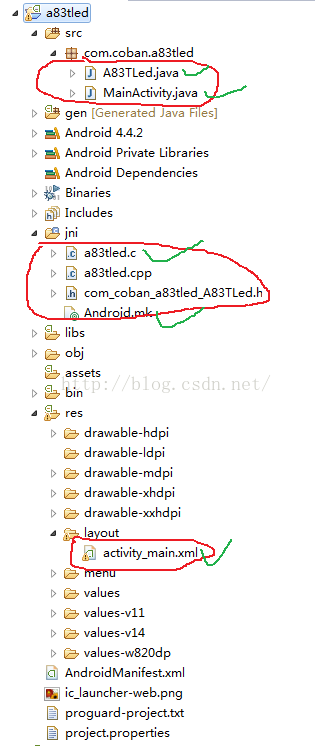 在 Android 上控制 LED:從 JNI 到驅動的完整實作
先交代一下我的環境:硬體用的是全志 CQA83T 開發板,Android 開發環境是 Windows 下的 Eclipse。 要在 Android 上控制 LED,大致可
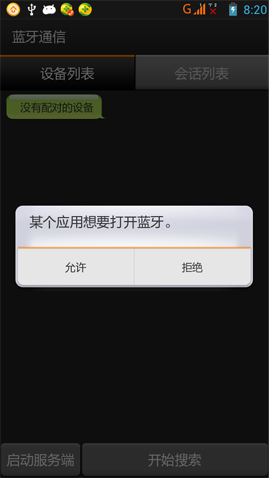 Android 藍牙客戶端與伺服器端通信示例
藍牙通信必須在真機測試,因為模擬器通常沒有相關硬體。開發前先確認裝置支援 BluetoothAdapter,並引導使用者開啟藍牙與可發現模式。設備發現透過 startDi
 Android WindowManager解析與原理實踐(附Window機制完整梳理)
近來在網上看到有人提交了一個有趣的案例:應用可以開啟一個後台Service,偵測當前頂部應用,若為QQ或相關應用,就彈出一個自定義Window來誘騙使用者輸入帳號密碼。這