

編輯:關於 Android 程式設計
#import "LZPStatuesClickWindow.h" //定義一個全局變量,整個程序的 lifecycle 都存在 UIWindow * _statueWindow; @interface LZPStatuesClickWindow () @end @implementation LZPStatuesClickWindow +(void)show{ //需要在info.plist中設置status的管理(不讓系統管理status); //1.自定義window的級別要高 //2.自定義window需要強引用 //3.如果點擊一個類,沒有調用該類的方法,則看一下這個對象是什麼類型(如果對象和方法的類不是同一個類,就不會調用); UIApplication * application = [UIApplication sharedApplication]; //注意:這裡創建的是繼承自UIWindow的類,因此在外部調用該方法時是該類自身調用,要用self,而不是用window創建(用window創建在被點擊時不會響應該類中的touch方法); UIWindow * statueWindow = [[self alloc] initWithFrame:application.statusBarFrame]; //設置級別,不設置會顯示在下方被主窗口蓋住 statueWindow.windowLevel = UIWindowLevelAlert; //窗口需要設置根控制器 statueWindow.rootViewController = [[UIViewController alloc] init]; //當有多個窗口顯示時,非主窗口會隱藏,這裡設置顯示 statueWindow.hidden = NO; //設置窗口屬性,下面會用到 _statueWindow = statueWindow; } -(void)touchesBegan:(NSSet *)touches withEvent:(UIEvent *)event{ UIWindow * keyWidow = [UIApplication sharedApplication].keyWindow; [self setViewController:keyWidow]; } //該方法遞歸遍歷主窗口下所有的子控件,直到找出我們想要的 //使用遞歸,一層一層地遍歷 -(void)setViewController:(UIView *)view{ for (UIView * childView in view.subviews) { if ([childView isKindOfClass:[UITableView class]]) { //強制轉換一下,才能拿到tableview的屬性 UITableView * tableView = (UITableView *)childView; [tableView setContentOffset:CGPointMake(0, -tableView.contentInset.top) animated:YES]; } [self setViewController:childView]; } } application.statusBarHidden = NO;
[LZPStatuesClickWindow show]; 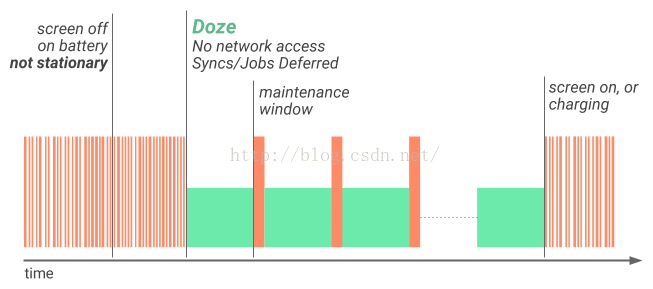 Android N 行為變更整理:這些調整可能會影響你的應用
Android N 除了帶來大量新功能,也對系統與 API 的既有行為做了不少調整。以下幾項最值得留意,如果你曾經上架過應用,請務必評估影響。 效能相關調整 為了解決電
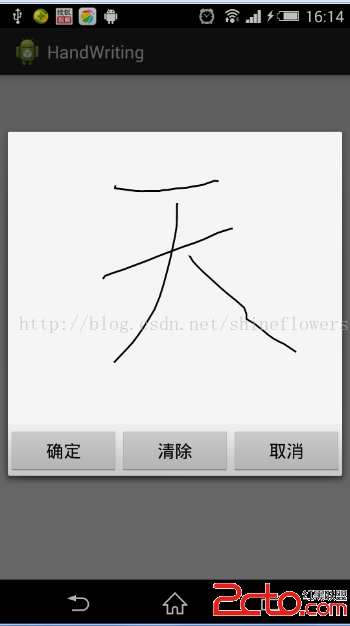 Android 手寫板實作:自定義 PaintView 完成簽名與塗鴉
下面實作一個 Android 手寫板,支援手寫簽名、清除重畫,並把結果存成圖片檔。 一、布局 write_pad.xml 能手寫的區域是一個 FrameLayout,下方
 用登入功能實作 android-async-http 的 GET 與 POST 請求
本文以最常見的登入流程為切入點,帶你動手走一遍 android-async-http 這個開源元件的核心用法。看完之後,你應該能把它直接套用到自己的專案裡。 一、把 a
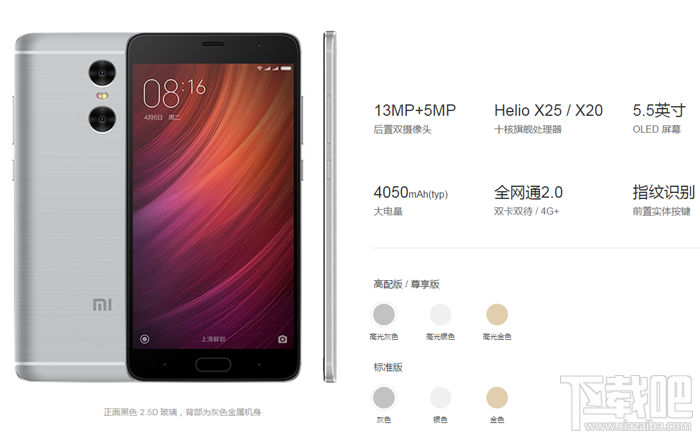 紅米Pro怎麼插SIM卡 三選二卡槽安裝圖解
紅米Pro是一款頗具質感的機器,工藝上比三段式機身更進一步,採用一體化全金屬設計,整體感更強。它共有「標準版」「高配版」「尊享版」三個版本。 除了三種機身配色,紅米Pr