

編輯:關於 Android 程式設計
一般情況下,我們不會在 ScrollView 中嵌套 ListView,但若真有這種需求,也并非無法實現。在 ScrollView 中加入 ListView,會導致 ListView 顯示不全,通常只顯示一條,這是因為兩個控件的滾動事件相互衝突所致。因此,需要根據 ListView 中 item 的數量來計算其顯示高度,讓它能完整呈現。以下提供一個方法供參考。
lv = (ListView) findViewById(R.id.lv); adapter = new MyAdapter(); lv.setAdapter(adapter); setListViewHeightBasedOnChildren(lv); --------------------------------------------------- public void setListViewHeightBasedOnChildren(ListView listView) { ListAdapter listAdapter = listView.getAdapter(); if (listAdapter == null) { return; } int totalHeight = 0; for (int i = 0; i < listAdapter.getCount(); i++) { View listItem = listAdapter.getView(i, null, listView); listItem.measure(0, 0); totalHeight += listItem.getMeasuredHeight(); } ViewGroup.LayoutParams params = listView.getLayoutParams(); params.height = totalHeight + (listView.getDividerHeight() * (listAdapter.getCount() - 1)); params.height += 5; listView.setLayoutParams(params); }
目前較好的處理方式是:自訂 ListView,重載 onMeasure() 方法,讓它全部顯示。
import android.widget.ListView; /** * * @Description: scrollview 中內嵌 listview 的簡單實現 * * @File: ScrollViewWithListView.java * * * @Version */ public class ScrollViewWithListView extends ListView { public ScrollViewWithListView(android.content.Context context, android.util.AttributeSet attrs) { super(context, attrs); } /** * Integer.MAX_VALUE >> 2,如果不設置,系統默認設置是顯示兩條 */ public void onMeasure(int widthMeasureSpec, int heightMeasureSpec) { int expandSpec = MeasureSpec.makeMeasureSpec(Integer.MAX_VALUE >> 2, MeasureSpec.AT_MOST); super.onMeasure(widthMeasureSpec, expandSpec); } }
 QQ 第三方登錄實戰:讓使用者快速進入 App
前言第三方登入已成為許多應用的常見功能,使用者不必輸入帳號密碼即可快速進入 App。本文以 QQ 登入為例,說明 Android 端的整合流程。準備工作前往騰訊開放平台,
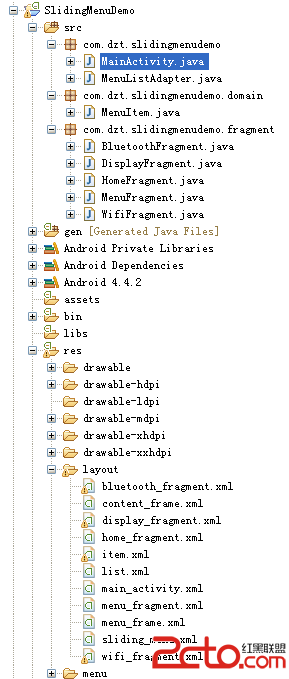 Android 開源專案 SlidingMenu 學習筆記(二):菜單切換頁面
在上一篇 Android 開源專案 SlidingMenu 的學習筆記(一)中,已經介紹了 SlidingMenu 的基本用法;這一篇我們再往裡深入一步,學習如何根據滑出
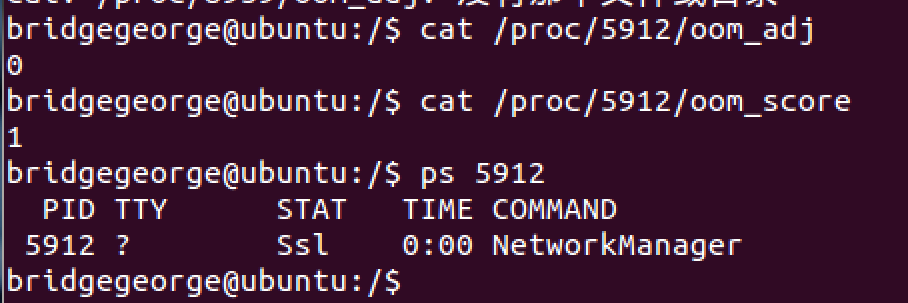 Android 內存管理機制深度詳解
嵌入式設備的一個普遍特點是內存容量相對有限。當運行的程序超過一定數量,或涉及複雜計算時,很可能出現內存不足,進而導致系統卡頓。Android 也不例外,同樣面臨物理內存短
 與其他 App 交互:Intent 的發送、接收與結果回傳
來源:https://developer.android.com/training/basics/intents/index.html 在 App 裡共享數據是再日常不過