

編輯:關於 Android 程式設計
列表裡的封面圖、視頻縮略圖,往往要求按固定寬高比展示,而容器寬度又是自適應的。這種「寬度由布局決定、高度按比例推算」的需求,用普通 ImageView 滿足不了,需要自定義一個。
核心在 onMeasure()。父容器在測量子 View 時會傳入 widthMeasureSpec 和 heightMeasureSpec,其中已經帶有父容器計算好的尺寸。我們只需要從寬度的測量規則中取出 size,除以寬高比算出高度,再重新組裝一個 heightMeasureSpec 交給 super.onMeasure()。
順帶複習一下 MeasureSpec:它由 size 和 mode 兩部分組成。mode 有三種取值——AT_MOST 對應 wrap_content,EXACTLY 對應確定的 dp 值或 match_parent,UNSPECIFIED 表示未指定,常見於 ListView item 的測量。
public class RatioImageView extends ImageView {

    private float ratio = 0f;   // 寬高比

    public RatioImageView(Context context, AttributeSet attrs, int defStyle) {
        super(context, attrs, defStyle);
    }

    public RatioImageView(Context context, AttributeSet attrs) {
        super(context, attrs);
        ratio = attrs.getAttributeFloatValue(
                "https://schemas.android.com/apk/res/com.example.imageview",
                "ratio", 0f);
    }

    public RatioImageView(Context context) {
        super(context);
    }

    public void setRatio(float ratio) {
        this.ratio = ratio;
    }

    @Override
    protected void onMeasure(int widthMeasureSpec, int heightMeasureSpec) {
        int width = MeasureSpec.getSize(widthMeasureSpec);
        if (ratio != 0) {
            float height = width / ratio;
            heightMeasureSpec = MeasureSpec.makeMeasureSpec((int) height, MeasureSpec.EXACTLY);
        }
        super.onMeasure(widthMeasureSpec, heightMeasureSpec);
    }
}
注意 getAttributeFloatValue() 的第一個參數是命名空間地址,要和布局中聲明的一致。
<resources>
    <declare-styleable name="RatioImageView">
        <attr name="ratio" format="float" />
    </declare-styleable>
</resources>
先在根布局聲明命名空間,這裡用 example 作為前綴,指向包名路徑:
<LinearLayout xmlns:android="https://schemas.android.com/apk/res/android"
    xmlns:example="https://schemas.android.com/apk/res/com.example.imageview"
    android:layout_width="match_parent"
    android:layout_height="wrap_content"
    android:orientation="vertical">

    <com.example.imageview.ui.view.RatioImageView
        android:id="@+id/iv_image"
        android:layout_width="match_parent"
        android:layout_height="180dp"
        android:scaleType="fitXY"
        example:ratio="2.5" />
</LinearLayout>
有兩個細節容易出錯:一是自定義屬性的值不能帶 f 後綴,要寫 2.5 而不是 2.5f;二是自定義屬性的解析必須放在帶 AttributeSet 的構造方法裡,如果只在含 defStyle 的構造方法中處理,某些渲染場景下會取不到值。
如果希望更高一級的靈活性,還可以把 ratio 改成默認值可配置,並在代碼中透過 setRatio() 動態調整,配合 requestLayout() 觸發重新測量。
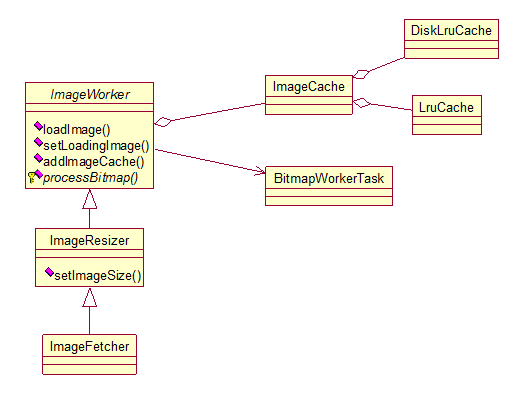 從官方範例剖析 Android Bitmap 的記憶體優化要點
本文將以 Android 官方提供的 Sample 範例為依據,踏踏實實地剖析 Bitmap 在使用時的記憶體注意事項。 在深入分析 Bitmap 之前,先簡單認識一下
 使用 Eclipse 建置 Android 開發環境
早期 Android 開發常以 Eclipse 搭配 ADT 插件完成。流程大致如下。下載工具先準備 Eclipse、JDK 與 Android SDK。Eclipse
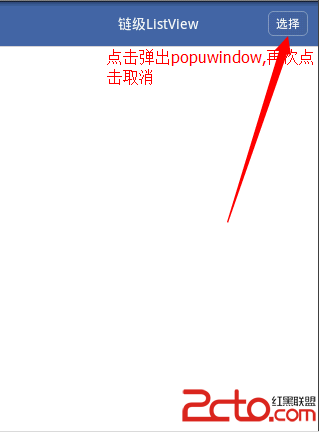 Android PopupWindow 實作:多層級聯動篩選選單
在不少列表頁與搜尋場景裡,我們會看到「一級選單切換、二級選項連動更新」的篩選設計。本文以 PopupWindow 搭配雙 ListView 為基礎,示範如何打造這樣一個層
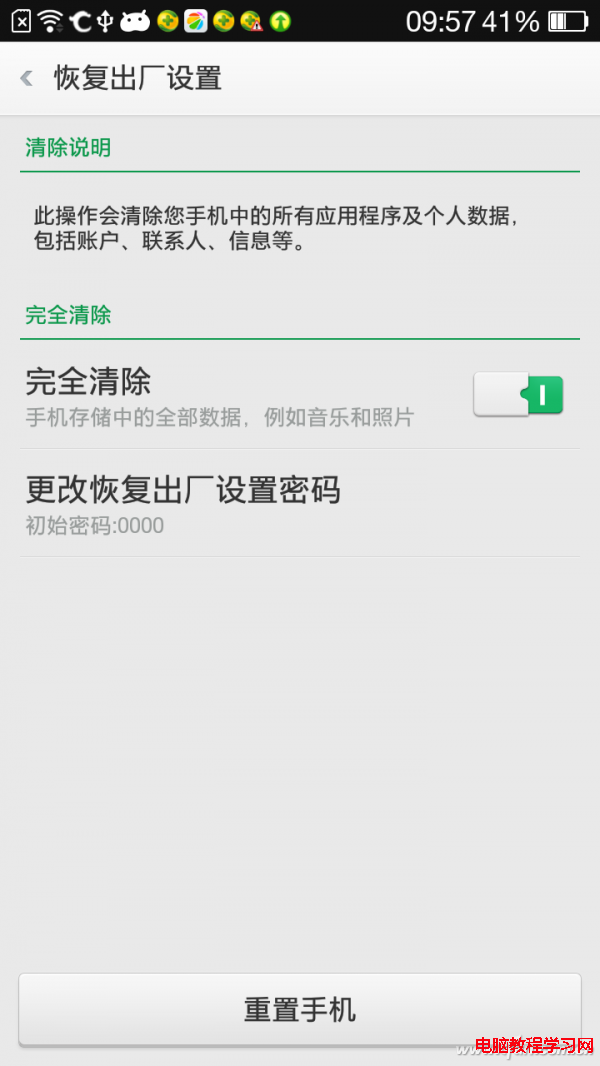 如何徹底清除 Android 手機的使用痕跡?隱私保護全攻略
手機中保存並記錄著很多我們的個人資料,比如瀏覽器記錄、微信帳號、聊天記錄等,這些資訊若被有心人盯上,自然後患無窮。有時我們會把手機借給好友,或購新機後在網上賣掉,此時就要