

編輯:關於 Android 程式設計
「為什麼在 onCreate() 裡 getHeight() 永遠回傳 0?」這幾乎是每個 Android 開發者都撞過的牆。原因很簡單:onCreate 執行時,View 還沒有經過 measure 與 layout,寬高自然無從取得。而 Activity 的生命週期與 View 的繪製流程本就是兩條不同的時間軸。
朋友專案裡正好遇到這個需求:文字內容長度不固定,需要在繪製完成前判斷實際行數,超過兩行才顯示「展開/收合」按鈕。的解法是使用 ViewTreeObserver 的 OnPreDrawListener——顧名思義,它在繪製完成之前被呼叫,此時行數、寬高都已準備好。
package com.example.textviewtest;

import android.annotation.SuppressLint;
import android.app.Activity;
import android.os.Bundle;
import android.util.Log;
import android.view.View;
import android.view.View.OnClickListener;
import android.view.ViewTreeObserver;
import android.widget.Button;
import android.widget.TextView;

public class MainActivity extends Activity {

    private TextView text;
    private Button button;

    @SuppressLint("NewApi")
    @Override
    protected void onCreate(Bundle savedInstanceState) {
        super.onCreate(savedInstanceState);
        setContentView(R.layout.activity_main);

        text = (TextView) findViewById(R.id.text2);
        button = (Button) findViewById(R.id.button);
        text.setText("廣西新聞網-南國今報柳州訊 一消費者到發廊美發,因對美發效果不滿,索要數千至1萬元賠償,並經工商調解不成,進而大"
                + "鬧發廊騷擾店主,並驚動了警方。警方介入耐心做工作,消費者在警方及工商見證後,接受店主提出的賠償方案,雙方化干戈為玉帛");

        // 取得視圖樹的全域事件通知
        ViewTreeObserver vto = text.getViewTreeObserver();
        vto.addOnPreDrawListener(new ViewTreeObserver.OnPreDrawListener() {
            @Override
            public boolean onPreDraw() {
                int lineCount = text.getLineCount();
                System.out.println(lineCount);
                // 行數大於 2 顯示按鈕,否則隱藏
                if (lineCount > 2) {
                    button.setVisibility(View.VISIBLE);
                } else {
                    button.setVisibility(View.GONE);
                }
                return true;
            }
        });

        button.setOnClickListener(new OnClickListener() {
            Boolean flag = true;

            @Override
            public void onClick(View arg0) {
                Log.i("zkk", text.getHeight() + "");
                if (flag) {
                    flag = false;
                    text.setEllipsize(null);   // 展開
                    text.setSingleLine(flag);
                    button.setText("隱藏");
                } else {
                    flag = true;
                    text.setMaxLines(2);       // 收合
                    button.setText("顯示");
                }
            }
        });
    }
}
幾個實作上的重點:
onPreDraw() 一定要回傳 true。回傳 false 會中止本次繪製,畫面就不更新了。
這個回呼可能被呼叫多次。只要視圖樹狀態改變就會觸發,因此裡面的邏輯必須是冪等的,不要放遞增計數或一次性初始化的程式碼。若只想執行一次,記得在裡面把自己移除,或改用 ViewTreeObserver.OnGlobalLayoutListener 搭配 removeOnGlobalLayoutListener。
除了 ViewTreeObserver,還有幾種常見替代方案:在 onWindowFocusChanged 中取得(View 此時已完成初始化,但該方法會因得失焦被呼叫多次);用 view.post() 把 Runnable 丟到訊息佇列尾端,等 Looper 執行時 View 通常已就緒;或直接呼叫 view.measure() 手動量測。
其中 OnPreDrawListener 的優勢在於「繪製之前」就拿到結果,可以在內容真正上螢幕前調整可見性,避免使用者看到先顯示後隱藏的閃爍。
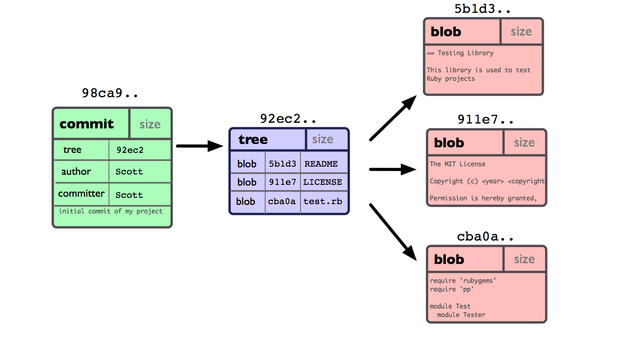 Git 分支管理入門:從快照、HEAD 到合併
分支的核心概念 使用分支的好處,是可以從主線開發中分離出來,在不影響主分支的情況下進行新功能、實驗或緊急修復。完成後再合併回主線,讓開發流程更有彈性。 Git 的分支之所
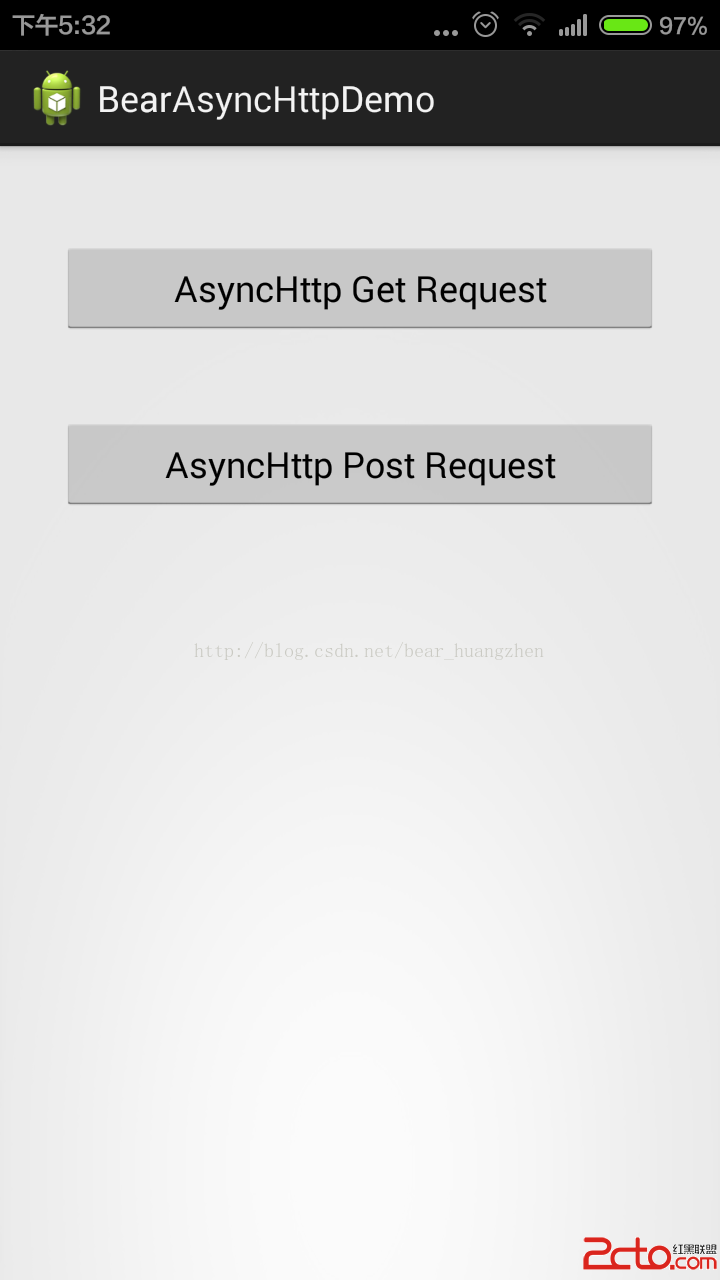 Android Async-Http 使用指南:GET、POST 與 JSON 回調
簡介 Async-Http 是一款國外開源框架,作者為 loopj,基於 Apache HttpClient 庫封裝。它能方便、高效地完成網絡數據請求、文件下載與上傳,最
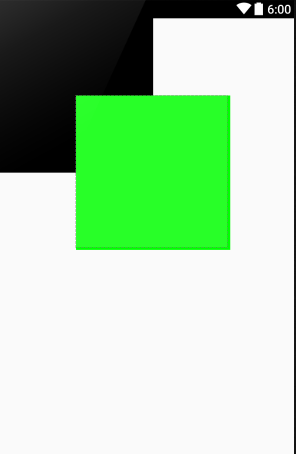 Android 常用布局 FrameLayout、LinearLayout、RelativeLayout 詳解
Android 螢幕尺寸與解析度差異大,因此布局系統肩負了適配與排列的重要任務。早期常見的五大布局中,AbsoluteLayout 已不建議使用;實務上最常接觸的是 Fr
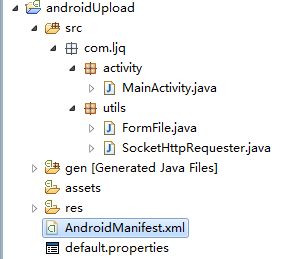 Android 上傳文件到服務器完整實例(Android + Struts2)
本實例實現每隔 5 秒上傳一次文件,服務器端接收手機上傳的文件資訊並做相應處理,技術棧採用 Android + Struts2。 一、Android 端實現文件上傳 1)