

編輯:關於 Android 程式設計
頁面跳轉時帶資料過去,是再基本不過的需求。Android 中主要依靠 Intent 完成這件事,而承載資料的容器有兩種選擇:直接放在 Intent 上,或先裝進 Bundle 再掛到 Intent。本文把兩種寫法都走一遍。
package com.itheima.senddata;

import android.app.Activity;
import android.content.Intent;
import android.os.Bundle;
import android.view.View;

public class MainActivity extends Activity {

    @Override
    protected void onCreate(Bundle savedInstanceState) {
        super.onCreate(savedInstanceState);
        setContentView(R.layout.activity_main);
    }

    public void click(View v) {
        // 一次建立 Intent,同時指定來源與目標
        Intent intent = new Intent(this, SecondActivity.class);

        // 方法二(推薦):先裝進 Bundle,再掛到 Intent
        // 這種寫法在資料量多時結構更清楚,也便於整體傳遞
        Bundle bundle = new Bundle();
        bundle.putString("malename", "李志");
        bundle.putString("femalename", "芙蓉姐姐");
        intent.putExtras(bundle);

        // 方法一:直接以 putExtra 逐筆塞入 Intent
        // intent.putExtra("malename", "李志");
        // intent.putExtra("femalename", "芙蓉姐姐");

        startActivity(intent);
    }
}
package com.itheima.senddata;

import java.util.Random;

import android.app.Activity;
import android.content.Intent;
import android.os.Bundle;
import android.widget.TextView;

public class SecondActivity extends Activity {

    @Override
    protected void onCreate(Bundle savedInstanceState) {
        super.onCreate(savedInstanceState);
        setContentView(R.layout.activity_second);

        Intent intent = getIntent();

        // 資料怎麼裝的,就對應怎麼取
        // 方法二:先取出 Bundle,再逐筆讀值
        Bundle bundle = intent.getExtras();
        String maleName = bundle.getString("malename");
        String feMaleName = bundle.getString("femalename");

        // 方法一:直接從 Intent 取
        // String maleName = intent.getStringExtra("malename");
        // String feMaleName = intent.getStringExtra("femalename");

        Random rd = new Random();
        int yinyuan = rd.nextInt(100);

        TextView tv = (TextView) findViewById(R.id.tv);
        tv.setText(maleName + " 和 " + feMaleName + " 的姻緣值為 " + yinyuan);
    }
}
一、Intent 的兩段式寫法。本範例把「建立 Intent」與「指定目標元件」合成一行 new Intent(this, SecondActivity.class)。若拆成兩步,則是先 new Intent() 再用 setClass() 或 setComponent() 指定,兩者等價。
二、key 必須前後一致。傳送端用 "malename",接收端也必須用 "malename" 才取得到值。實務上建議把 key 抽成 public static final String 常數放在出發的 Activity 中,讓接收端直接引用,避免拼字錯誤造成難以察覺的 null。
三、Bundle 的優勢。Intent 繼承了 Bundle 相關能力,putExtras() 就是把整個 Bundle 掛上去。當資料項目多、或需要整包傳遞(例如把一個已組裝好的參數集合丟給多個頁面)時,Bundle 的結構性更好。
四、接收端務必判空。getExtras() 在沒有資料時會回傳 null,直接呼叫 getString() 就會 NullPointerException。穩妥的寫法是先檢查 getExtras() != null,或改用 intent.getStringExtra(key) 並在後續處理 null 的情況。
五、Intent 能傳什麼型別。除了基本型別與字串,Bundle 也支援 Serializable 與 Parcelable 物件。自定義類別若要跨 Activity 傳遞,實作 Parcelable 效能明顯優於 Serializable,這是 Android 上的慣例做法。此外 Intent 有大小限制(實務上約 1MB,與 Binder 緩衝區相關),大量資料請改用檔案、URI 或全域快取傳遞。
 Android 內建 emoji 表情的使用方式整理
emoji 表情已成為現代 App 常見的表達方式。它本質上是一組 Unicode 編碼,不同平台會依相同編碼呈現各自的圖形風格。因此在 Android 中,只要能正確取
 Volley 源碼全解讀:從請求入隊到回調主線程
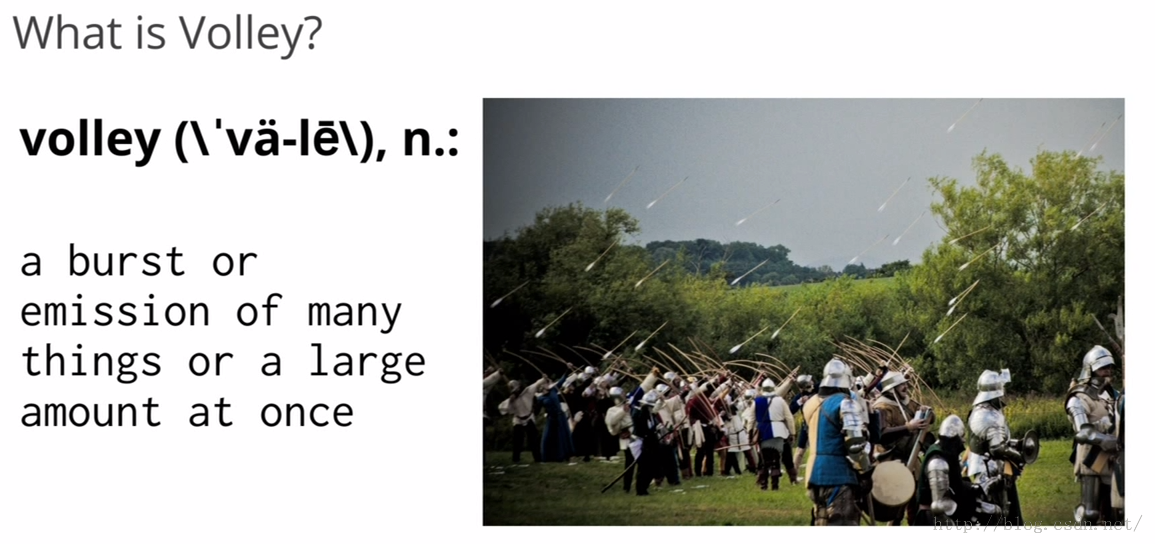
Volley 這個名字原意是「齊射」,2013 年的 Google I/O 大會上發布,是 Android 平台的網路通訊庫。它把 AsyncHttpClient 的易用
 動手打造 Material Design 風格 Android 應用(一):主題與配色
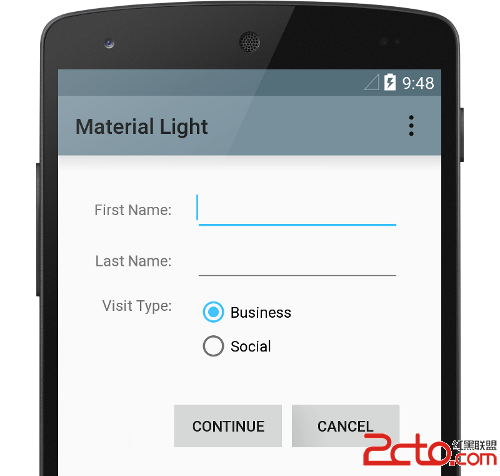
本文原發表於個人部落格 isming.me。 Android 5.0 正式發表後,Android Developer 網站也補上了建立 Material Design
 android ListView 中 CheckBox 錯位的解法:關鍵在於設定順序
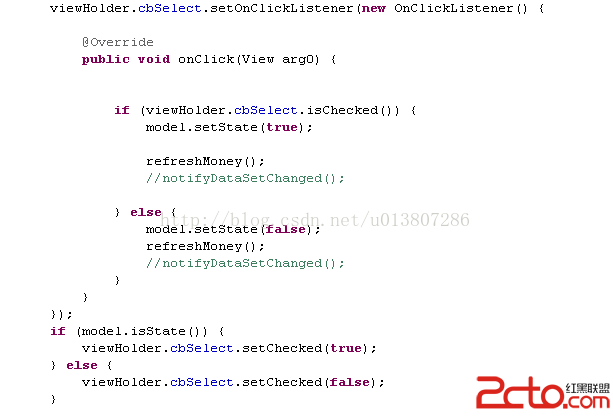
已經很晚了,但還是想把這則筆記寫完,為今天做個完整的收尾。 問題是這樣的:在 ListView 的 item 裡加了 CheckBox,勾選時卻發現打勾的位置錯亂——明